Sensitive employee data requires controlled access
Use role-based permissions and organization scope so authorized people can access relevant employee records and documents.


Public-sector organizations
Explore how WorkVine supports employee operations in municipalities, water authorities, provinces, and semi-public organizations.
Common employee workflows
Distributed teams need structured information and clear ownership without making routine HR processes unnecessarily complex.
Use role-based permissions and organization scope so authorized people can access relevant employee records and documents.
Configure access for employees, managers, HR, and administrators according to role and organization context.
Link policy acknowledgements, evidence, training records, and actions to supported employee workflows.
Use structured reports for sick leave, hours, training, documents, and other supported workforce data.
How WorkVine Supports
WorkVine organizes supported employee workflows around consistent records and role-based access. Public-sector policy and statutory responsibilities remain with the organization.
These product examples use our Kliniek Lindenvaert demo organization. They show how WorkVine works; your own teams, documents and processes shape your setup.
HR, team leaders and employees have different responsibilities. Configure roles and employee records accordingly so information is available where it is needed.
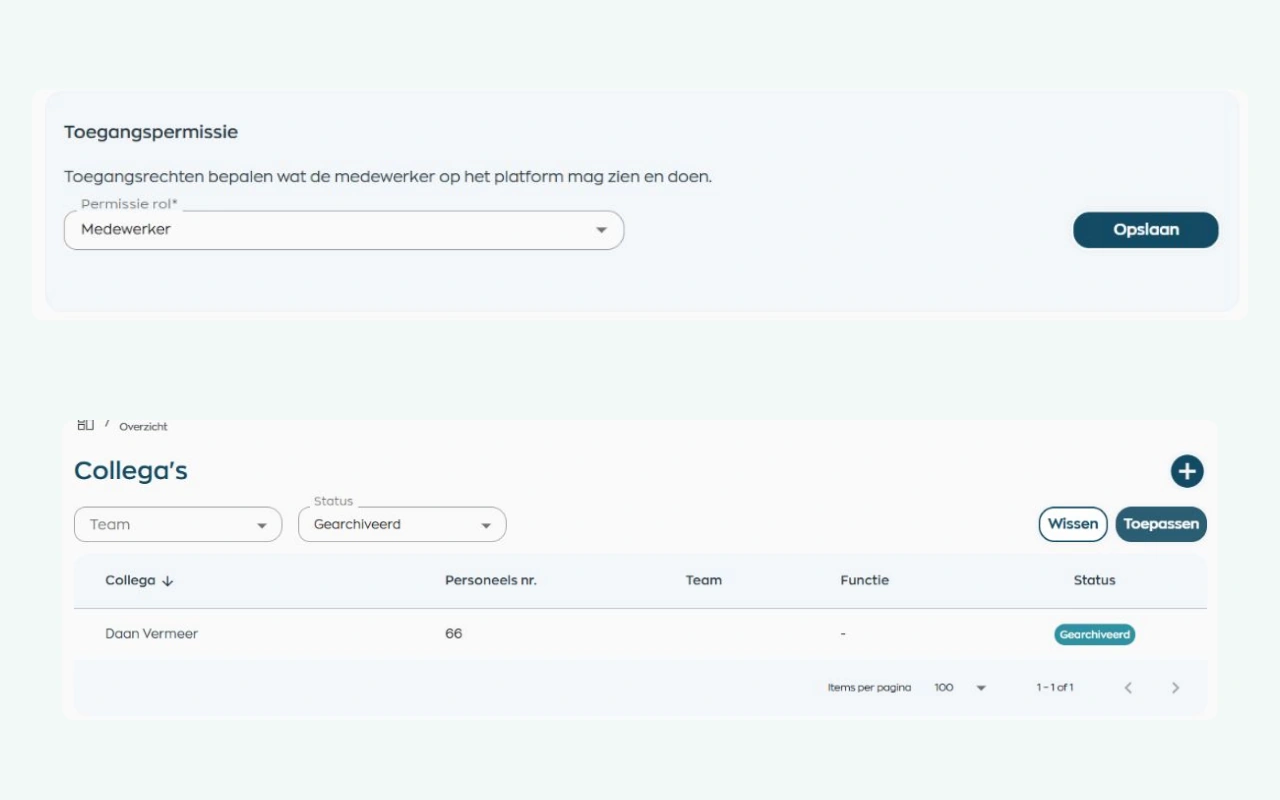
Administrators configure access around roles and the organization’s structure. When someone changes roles or leaves, access and record status can be updated while HR retains oversight.
Explore roles and employee record managementAn overview is useful when its period and underlying data are clear. Discuss hours and absence in that context, then follow up on outstanding work in the relevant modules.
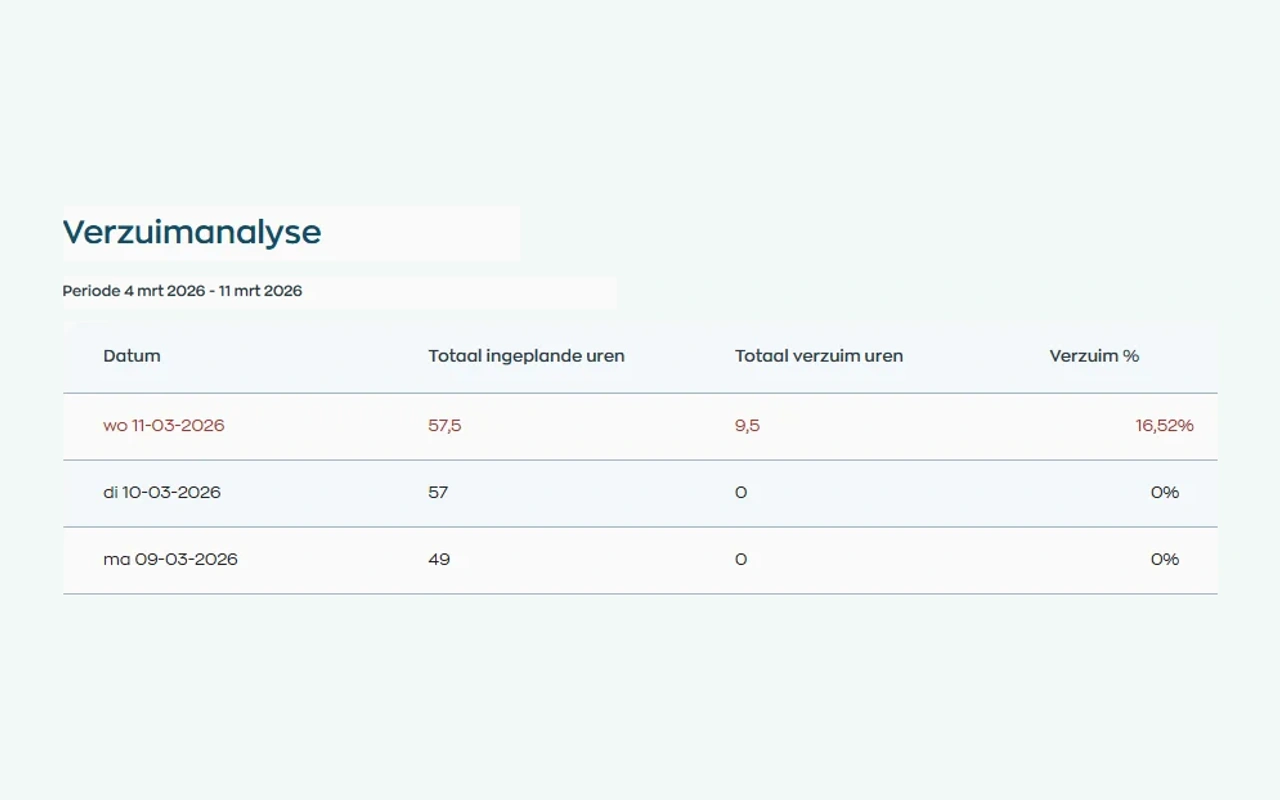
Use hours and sick leave reports for the selected period. Training, documents and actions also have their own overviews within the relevant modules, helping you discuss both the figures and the work still requiring follow-up.
Explore reports and module overviewsWhere work, people and growth come together
Schedule a short demo to discuss roles, permissions, employee records, documents, sick leave, training, and reporting.