Office and field teams
Maintain employee records for teams with different working patterns and responsibilities.


Sound familiar?
Separate schedules, qualification lists, and training records make it harder to know which employee actions need attention.
Maintain employee records for teams with different working patterns and responsibilities.
Use availability, recorded absence, and assignments when preparing work schedules.
Track credentials, certificate files, and expiration dates.
Assign training and keep instructions and completion status organized.
What WorkVine brings together
WorkVine connects employee scheduling, qualifications, documents, training, sick leave, and open actions.
From plans to action
HR maintains the underlying records while team leaders and employees use the information relevant to their work.
These product examples use our Kliniek Lindenvaert demo organization. They show how WorkVine works; your own teams, documents and processes shape your setup.
Office and field teams work in different places. Planners coordinate assignments and absence, and employees can check their shifts and relevant information without visiting the office.
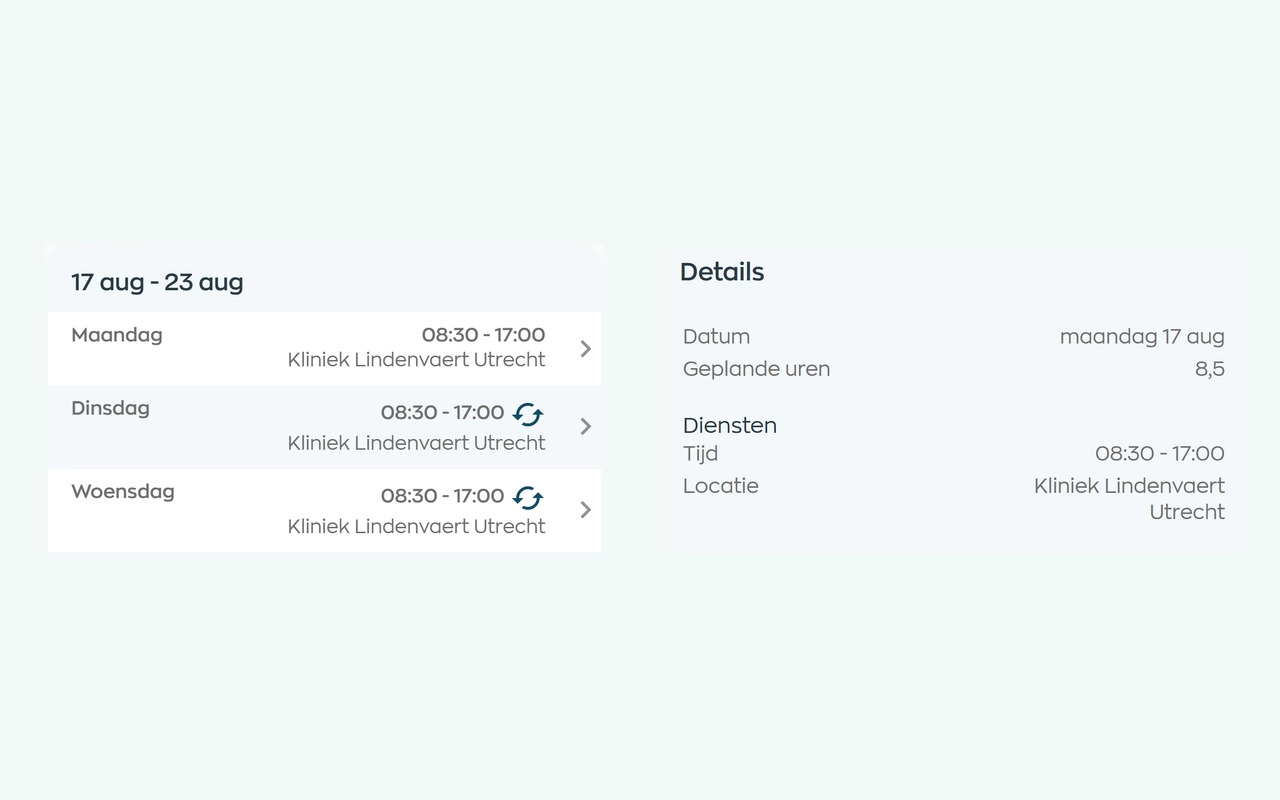
Planners match shifts to availability, leave and sickness. Employees can check their current schedule in the app, and planners can email the selected schedule period.
Explore staff schedulingTrack credentials, certificate files, and expiration dates.
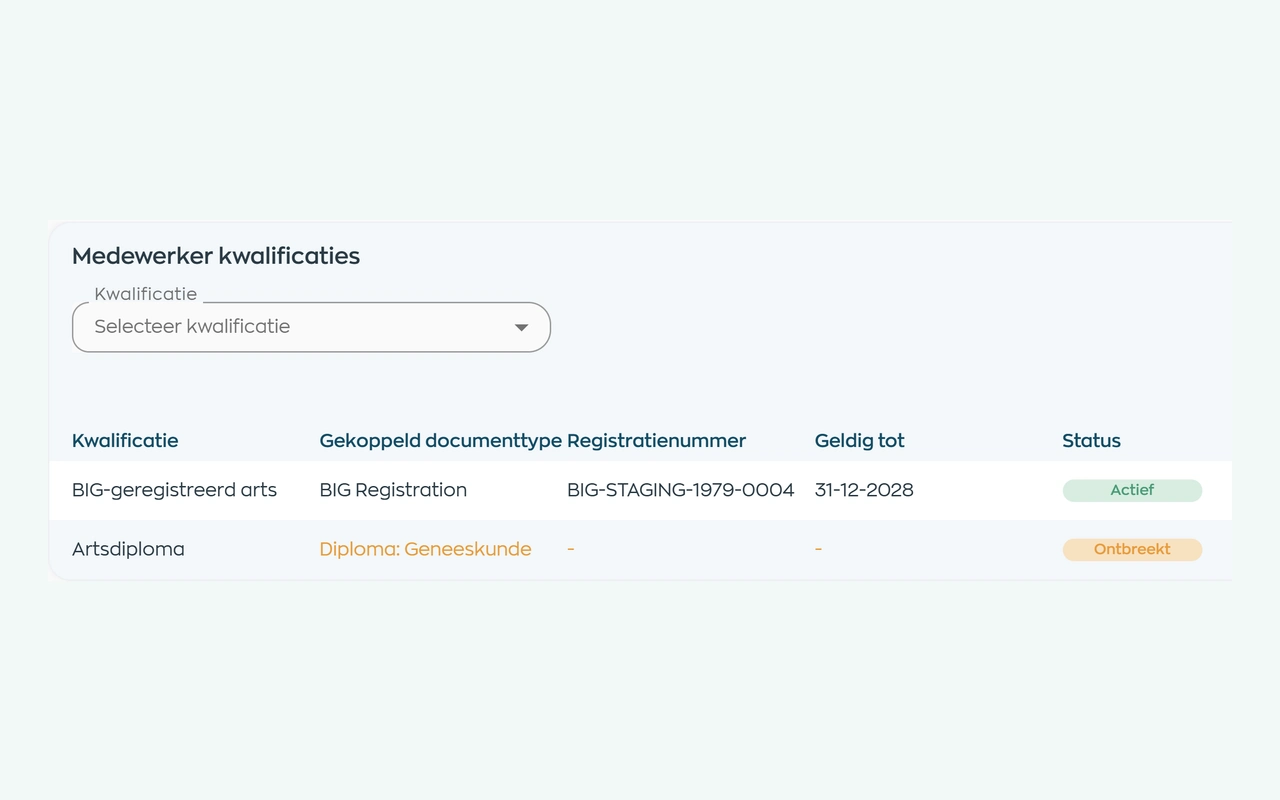
Define the qualifications and evidence a role requires. HR can check each employee’s status and validity dates, then request missing documents. Your organization sets the requirements.
Explore qualifications and supporting documentsAssign training and review employee completion status.
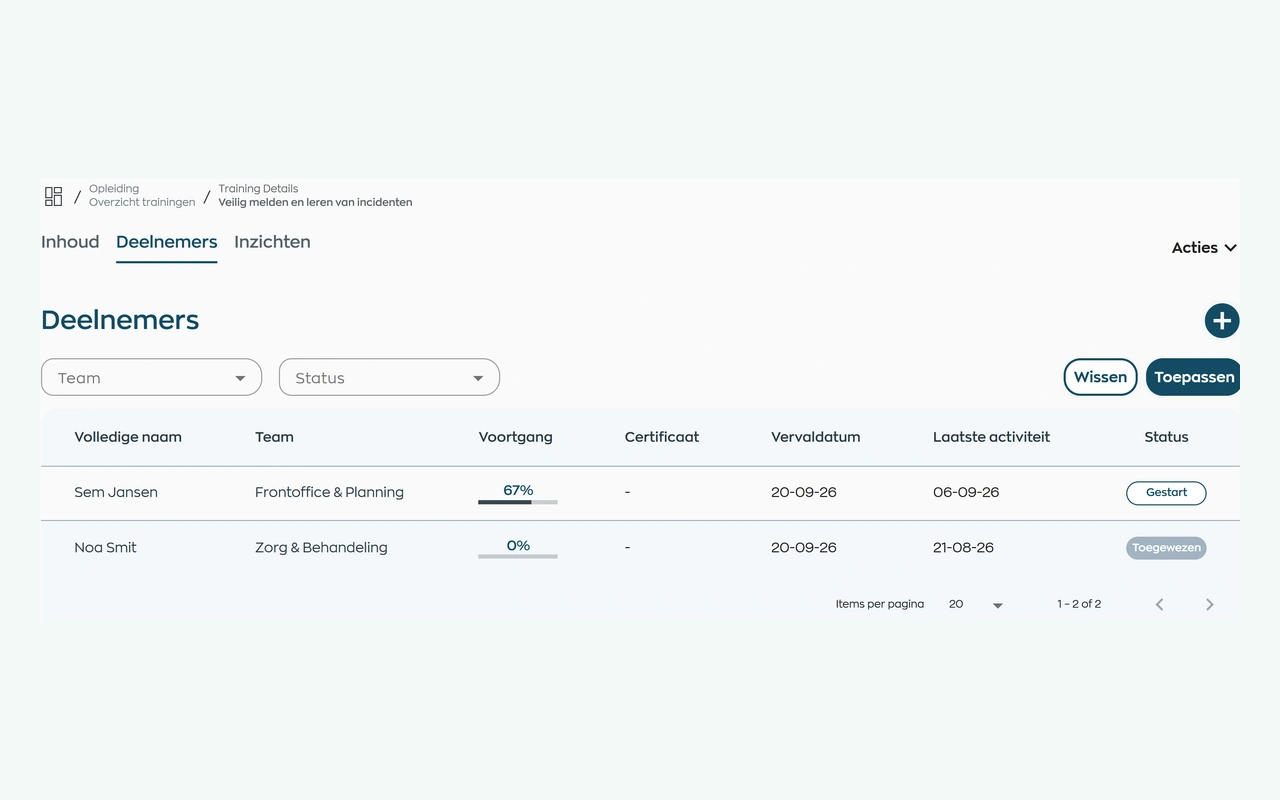
Assign your own training or a course from WorkVine. Employees complete it in their app. The person responsible can see who has yet to start, who is progressing and who may need support.
Explore training and progress trackingAssign employee, team, or workflow actions to the responsible person.
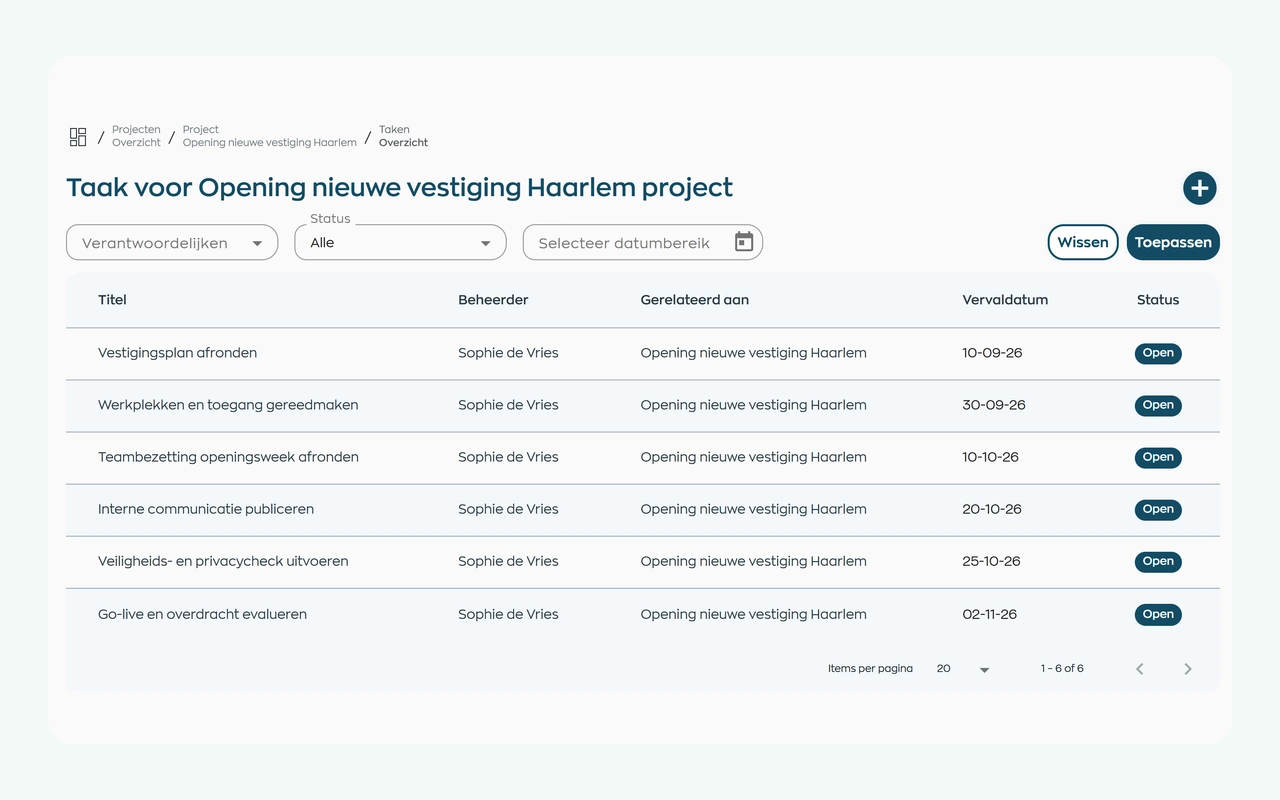
Bring the preparations together in an internal project, such as onboarding or opening a new location. Assign task owners and deadlines, add documents and let everyone involved track progress in one place.
Explore project tasks and follow-upRoles and teams
HR, team leaders, field employees, and administrators each work with the employee information relevant to their role.
Maintain employee records, training assignments, and reports.
Review schedules, absence, qualifications, and open actions.
View their work schedule, assigned training, and personal actions.
Configure teams, roles, and access.
Relevant modules
Relevant modules for water-authority employee operations.
Keep shifts, availability and changes together in an up-to-date schedule.
View moduleQualifications, certificates, expiration dates and missing evidence become apparent earlier.
View moduleOnboarding, training, certificates and progress can be found by employee, team and role.
View moduleRequest documents, let employees upload them, and track checks and validity in their records.
View moduleResponsible by design
Permissions and an EU-only processing chain support careful handling of employee information.
Limit access to employee information by role and team.
Customer and employee data in the WorkVine platform are processed within the EU, including by subprocessors.
Frequently asked questions
WorkVine is suitable for organizations that no longer want to manage HR, planning, documents, training and follow-up across separate systems. This includes Dutch water authorities coordinating office and field employees, qualifications, training and documents.
No. WorkVine can be configured for a specific industry, so teams only see and use what is relevant to their organization.
Yes. Documents, evidence, certificates and actions can be linked to employees and processes.
In a short demo we show how WorkVine fits your roles, teams, processes and current way of working.
Yes. Create your own course content, assign it to employees and track participation, progress and results. Combine it with qualifications and supporting documents where a role requires them. Your organization determines the content and applicable safety requirements.
Where work, people and growth come together
Schedule a demo to explore scheduling, qualifications, training, documents, and employee actions in WorkVine.