Evidence is scattered across systems
The certificate is in a folder and the expiry date in a spreadsheet. HR has to piece everything together to get the current picture.

Does this sound familiar?
Knowing who once earned a qualification is only the start. You need to know what evidence you hold today, whether it is still valid and what that means for tomorrow’s work.
The certificate is in a folder and the expiry date in a spreadsheet. HR has to piece everything together to get the current picture.
Assigning a qualification is not the same as holding valid evidence. Make it clear which supporting documents are missing or expired.
Having enough people is not enough when a workspace requires particular skills or authorizations. Account for those requirements as you plan.
Define your requirements
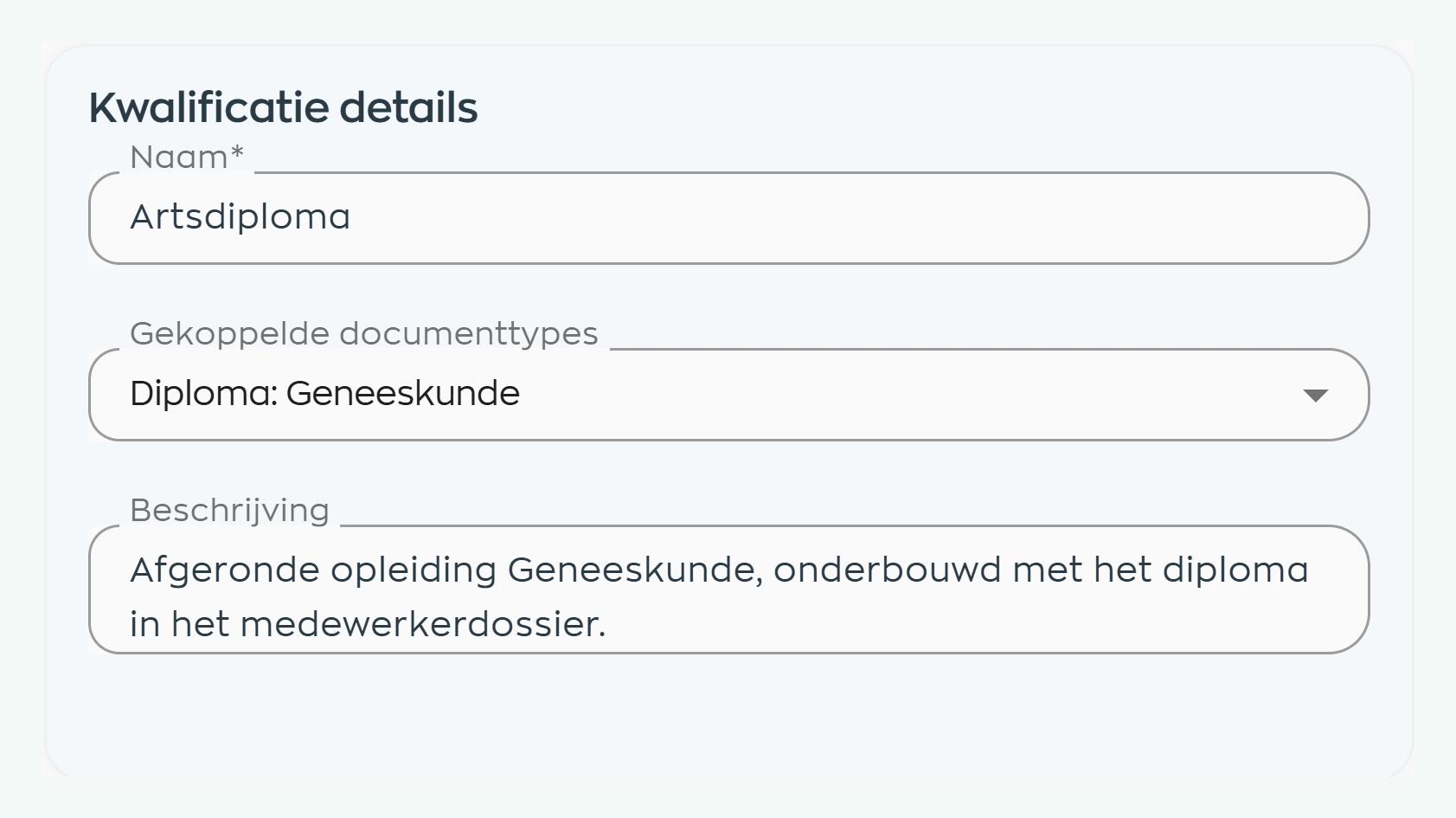
HR sets up qualifications that reflect your work, from degrees and certificates to skills and authorizations. Link the document types needed to support each requirement.
Assign the relevant qualifications to the employee. HR and planners can then work from the same recorded requirements instead of maintaining separate lists.
Check the evidence
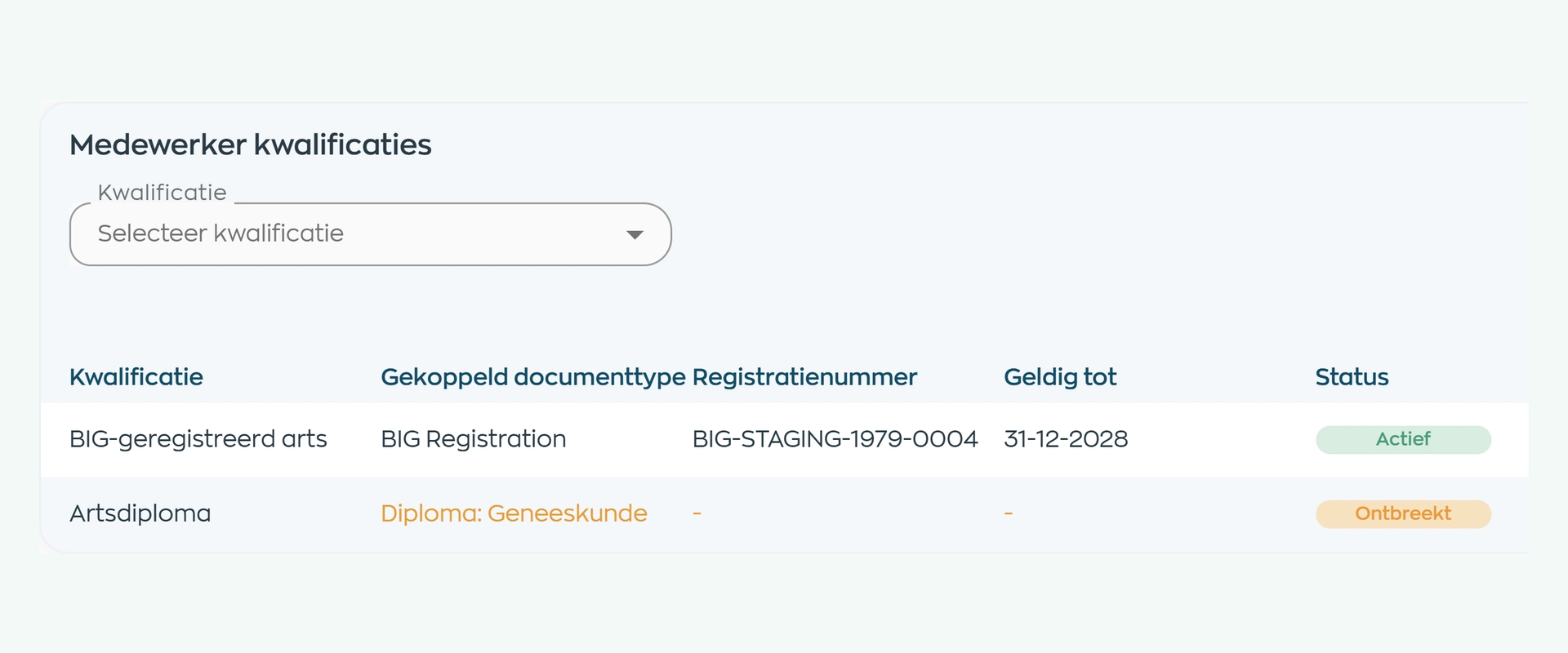
Record official evidence and its validity against the employee. WorkVine uses that evidence to determine the linked qualification’s status: active, missing or expired.
In this record, the BIG registration is active while evidence of the medical degree is missing. HR can see which document is needed and request it specifically.
Document details, registration information and validity dates stay with the record. At the next review, there is no need to reconstruct the basis for a status from separate files.
Arrange the follow-up
If the evidence already exists, request it through Documents. If further learning or recertification is needed, assign a suitable course and track progress in Training & Development.
After completion, record the new certificate and its validity against the employee. HR checks the evidence so the current qualification status can be taken into account in staffing.
Plan with the right qualifications
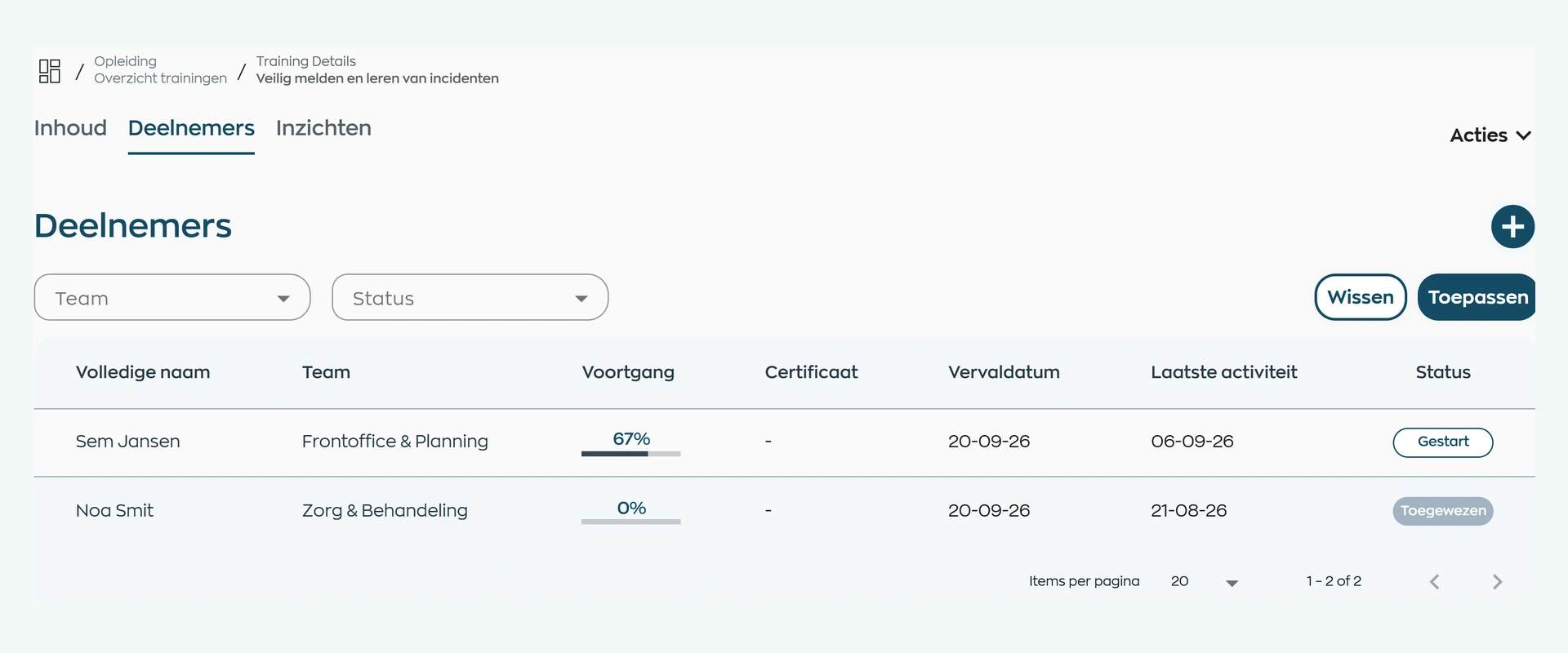
A planner cannot recheck every certificate for every shift. Define the qualifications required by a workspace or work block in Capacity Planning. Only active qualifications count toward the rule.
Requirements can include a minimum number of qualified employees, a qualification everyone must hold, or a supervisor-to-staff ratio. As you plan, you can see where staffing meets the rules and where it needs attention.

What changes
Connect HR’s evidence checks with the planner’s day-to-day decisions and the employee’s next actions.
A traceable status for each employee, with supporting evidence and a clear basis for follow-up.
Qualification requirements feed into staffing. You can see unmet requirements while planning.
A specific evidence request or assigned course instead of disconnected requests with no clear purpose.
Is this right for your organization?
From care services to technical and operational teams, WorkVine suits organizations that want to use qualifications in day-to-day work, not simply record them.
Capabilities
Define each qualification, support it with evidence and arrange further training or staffing adjustments where needed.
Frequently asked questions
Practical answers about qualification types, evidence, recertification and how requirements feed into staffing.
Qualification and certificate management software brings together job roles, skills, diplomas, certificates, professional authorizations, linked supporting evidence, and validity for each employee. The organization can configure BIG as its own qualification type; WorkVine connects the recorded evidence status to training and capacity planning.
No. The organization configures BIG as its own qualification type, links the supporting evidence, and remains responsible for reviewing its content. WorkVine does not consult or validate the BIG register.
The status is based on linked official evidence and its validity period. A qualification can therefore be shown as Active, Missing, or Expired.
HR sees which supporting evidence is missing or expired and can assign a course or recertification. After completion, record the new certificate and its validity with the employee.
Yes. A rule can require at least one qualified employee to be present or everyone to hold a mandatory qualification. The planner sees whether the requirement is met, triggers a warning, or blocks the assignment.
No. WorkVine helps you record evidence, identify issues, report and follow up. Your organization remains responsible for its policies, professional judgment and compliance with applicable rules.
Where work, people and growth come together
Bring a typical role, certificate or workspace to the demo. We’ll show you how to define requirements, maintain evidence and account for qualifications in staffing.