A filled shift does not mean the work is covered
Knowing who is working is not the same as knowing who is needed in a treatment room, on a ward or at reception.


When more matters than who is working
A filled shift can still hide a gap: someone in the wrong room, a missing qualification or too little supervision. WorkVine brings staffing requirements and employee assignments together.
Knowing who is working is not the same as knowing who is needed in a treatment room, on a ward or at reception.
The team also needs the right qualifications, valid supporting documents and the right ratio of supervisors to employees.
When schedules, qualifications and staffing requirements live in different lists, every change means checking them all again.
1. Start with the work
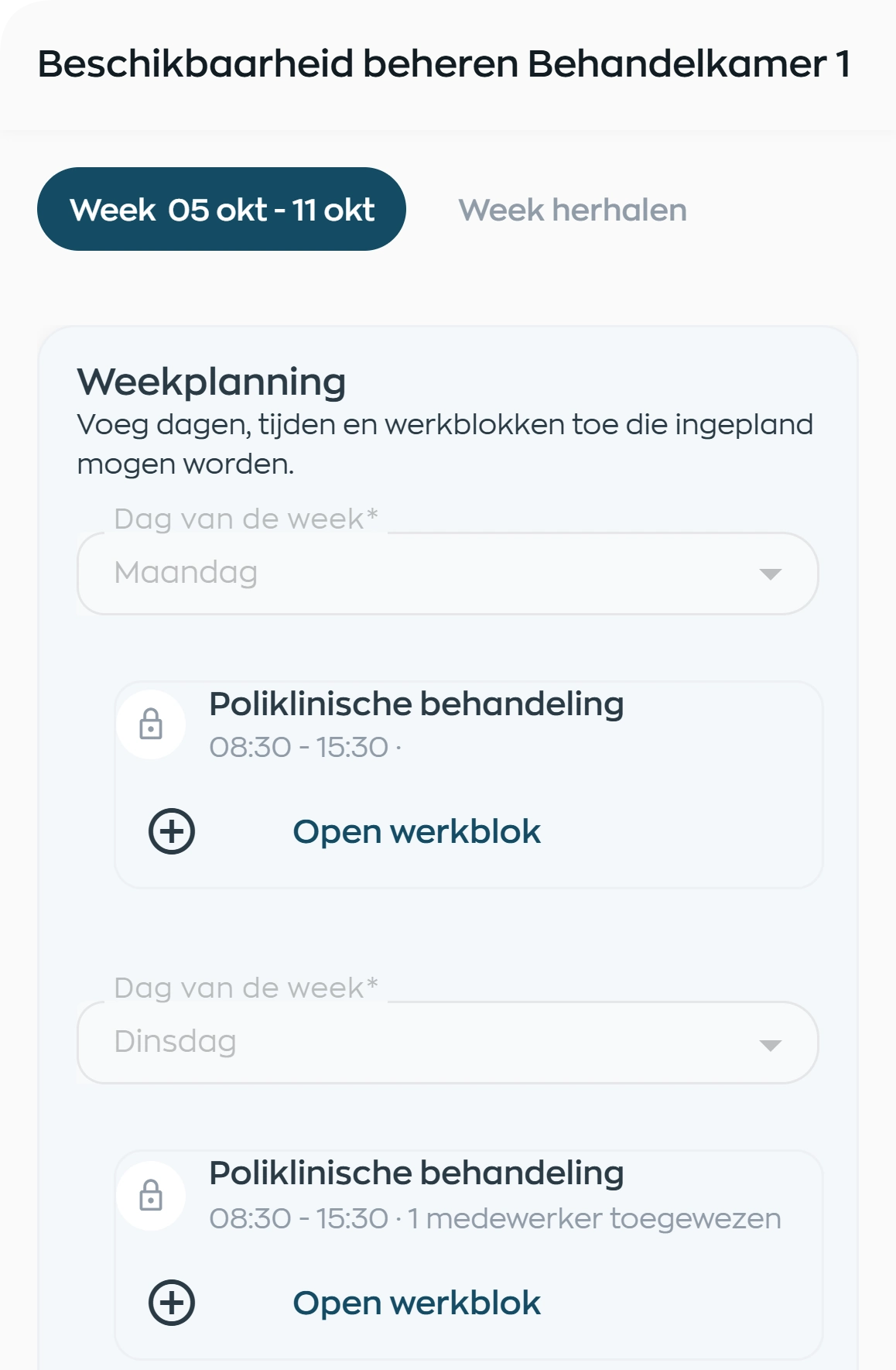
Set up your locations and workspaces, then specify the activities for each day and time slot. A work block could cover a reception shift, a treatment activity or a production task.
A space can host several activities and time slots. With recurring demand already defined, planners assign people to the work instead of piecing staffing needs together every week.
2. Build the right team
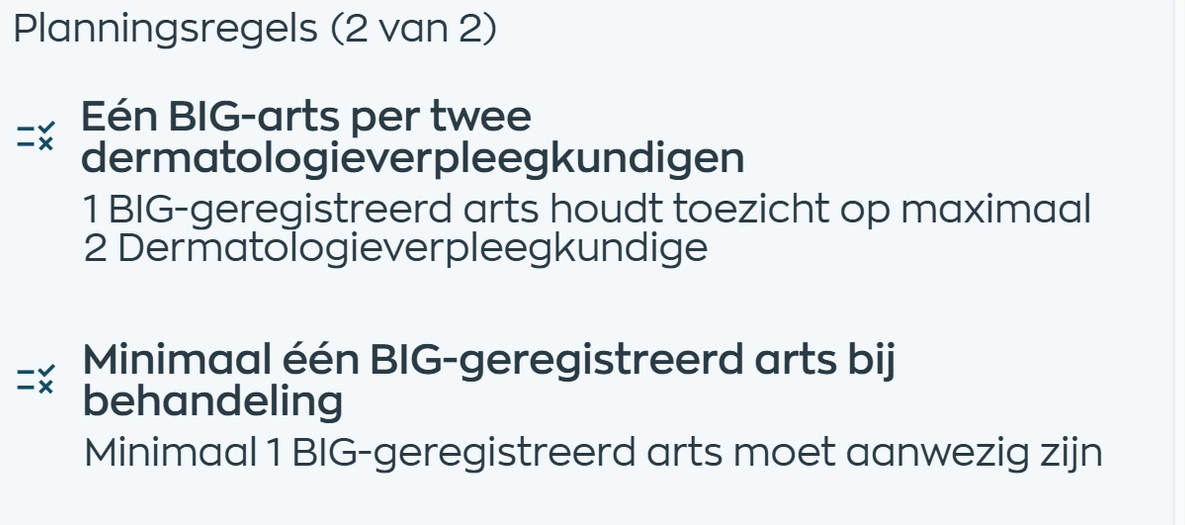
Define how many qualified employees each activity needs, which qualifications everyone must hold and the required supervision ratio. WorkVine checks assigned employees against those rules.
Some requirements apply across several workspaces. You might need one emergency response officer across a group of rooms, or a supervisor in another room may be allowed to count. You choose the relevant spaces and qualifications.
Where a qualification requires official supporting documents, document status also counts. The check goes beyond the qualification's name to the evidence behind it.
3. Assign employees
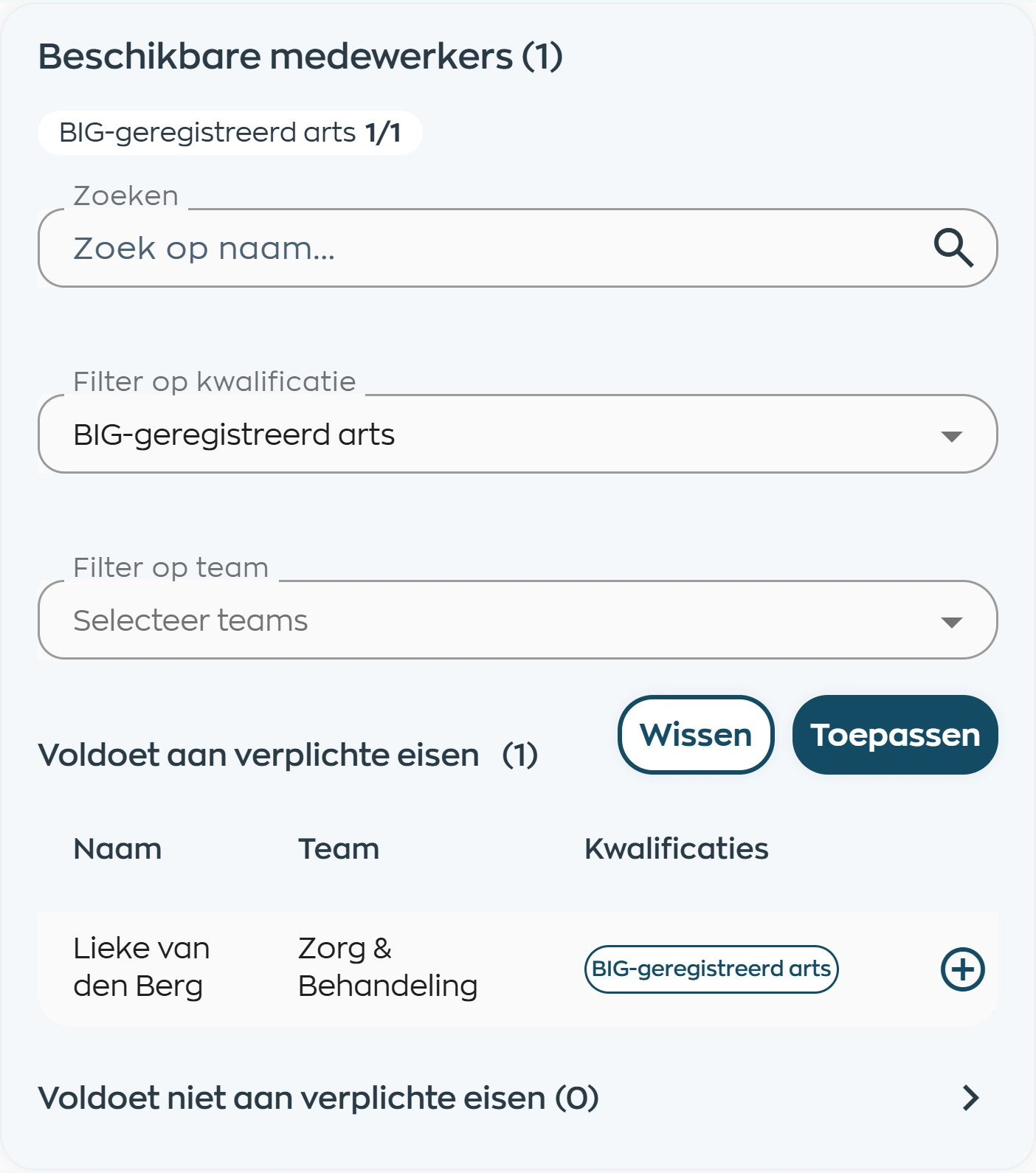
Search by employee name, team or qualification while the planning rules remain in view. Add the people you need and set each person's start time, end time and hours category.
See who is already assigned and which qualifications they hold. Missing requirements and conflicts appear as you plan, for example if someone has no suitable shift or is already assigned to another work block.
4. See what is still missing
The location and workspace overview shows which work blocks meet the requirements and which need attention. Open a block to see the rule that is not being met, without having to work out why the staffing is wrong.
In this example, the required doctor is missing. The message identifies the qualification, the number needed and the time slot, making it clear which assignment needs to be added or changed.

5. Adjust the plan in the same screen
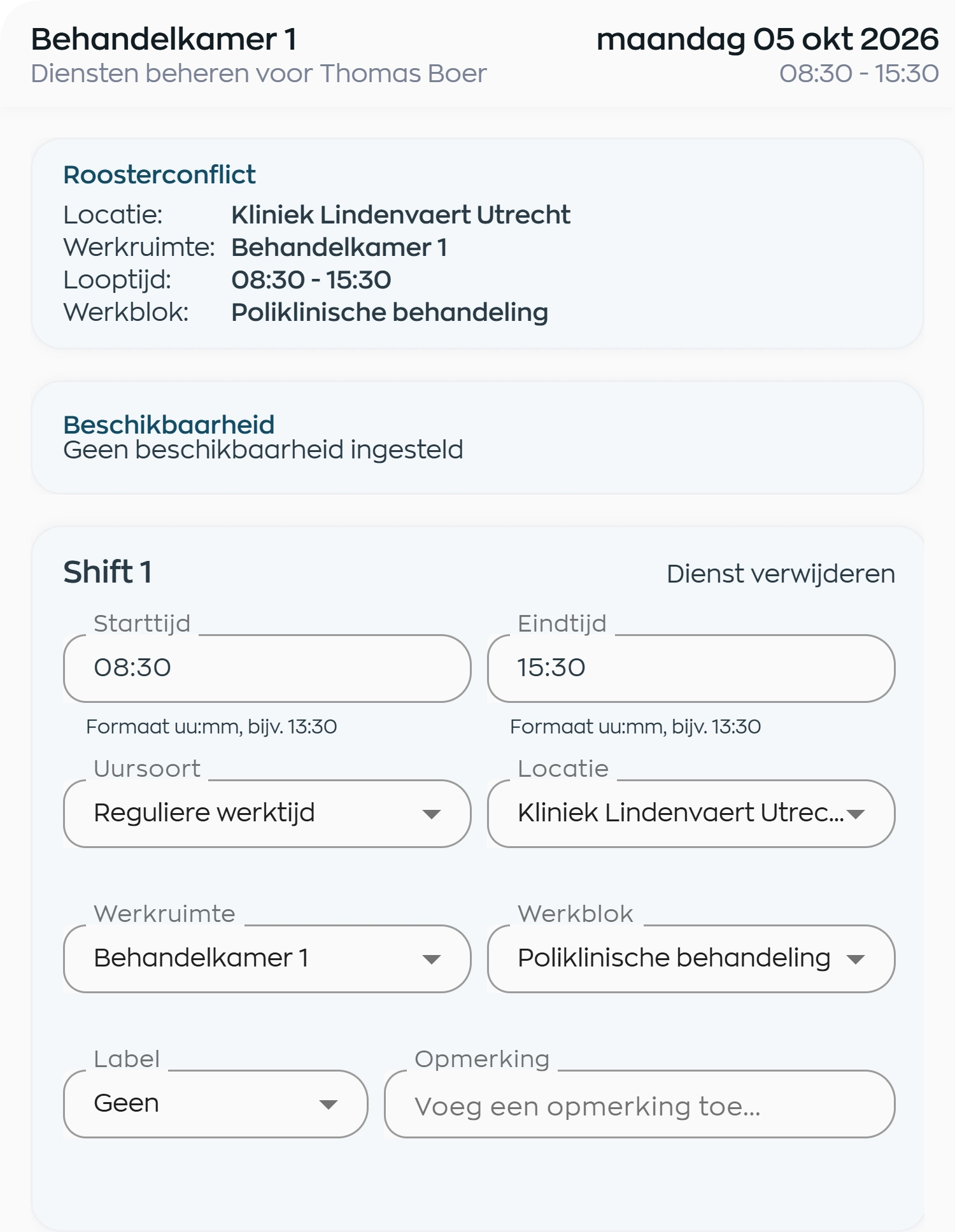
Does an employee lack a suitable shift? Open Manage Shifts directly from the assignment. Review the conflict, submitted availability and shift details together.
Adjust the shift, times or assignment and have the plan checked again. Once the rules are met, the work block shows the corresponding status. The regular staff schedule remains the basis for shifts in the Employee App and for clocking in and out.
What changes
Planners assign people to the work, location managers see where staffing is needed, and HR keeps qualifications and evidence with the same employee records.
Start from staffing requirements and see which conditions still need attention as you assign people.
Review staffing for each space or activity alongside the qualifications and supervision it needs.
Qualifications and documents stay with the employee. The current schedule stays available in the same Employee App.
Is this a fit for your team?
From healthcare practices and childcare to hospitality and facilities services: capacity planning helps when headcount, location and qualifications together determine whether the work can go ahead.
Activate capacity planning as an extension to regular staff scheduling. Start with a familiar location and your own staffing requirements.
Capabilities
Compare these capabilities with how you currently bring locations, activities and employees together.
Frequently asked questions
Practical answers about setup, day-to-day planning and the connection to employee schedules.
Staff scheduling records when employees work and brings availability, leave and sickness into the schedule. Capacity planning is an optional extension: define the staffing needed for each location, space and work block, then check qualifications, presence and supervision. The regular staff schedule remains in place.
Set up locations, workspaces, qualifications, work blocks and planning rules. For each space, define the days and times when activities take place. Then assign employees to the scheduled work blocks. We can use your own staffing requirements as the starting point for a demo.
Yes. You can check whether someone with a required qualification is present across a group of workspaces. For example, require at least one emergency response officer across a group of four rooms. That person does not have to be in each room separately; the selected spaces are assessed together.
Yes. A supervision ratio defines who needs supervision, who can supervise and the maximum number of employees per supervisor. You can separately configure which spaces supervisors may be in and whether an additional qualification is required. WorkVine then checks the assignment against the conditions you have set.
Qualifications stay linked to the employee and can depend on one or more types of official document. Where a scheduled activity requires that evidence, missing or expired documents can trigger a message. Document management and any required action remain linked to the same employee.
WorkVine shows the scheduling conflict beside the employee. In Manage Shifts, you can review the conflict and submitted availability, then create or change a shift. The plan is checked again afterward. An assignment to another work block can also be flagged as a conflict.
Met means the configured planning rules have been met. Warning highlights something that needs attention. Blocked means a condition has not been met. In many cases, you can still save a red work block and complete its staffing later. If an issue must be resolved before saving, WorkVine tells you explicitly.
The staff schedule remains the basis for shifts, times, locations, the Employee App and clocking in and out. Capacity planning adds assignments to workspaces and activities, along with the relevant checks. You do not need to maintain a separate schedule outside WorkVine.
Organizations where the mix of people matters, including care teams, healthcare practices, childcare, hospitality and facilities teams. The focus is on employee assignments: locations, spaces, activities, qualifications and supervision. Your organization defines the requirements and assesses the outcome; the software does not provide a legal or medical guarantee.
Where work, people and growth come together
Bring a location, a recurring activity and your staffing requirements to the demo. We will show you how to turn them into work blocks, planning rules and employee assignments.