You do not have to create all the content yourself
Combine content from WorkVine and partner training providers with courses created by your own organization.

Why workplace learning becomes fragmented
Instructions sit in documents, external courses have their own portal, and internally developed knowledge often stays with one colleague. WorkVine brings together content from WorkVine, training providers, and your own organization with assignment, progress tracking, and certification.
Combine content from WorkVine and partner training providers with courses created by your own organization.
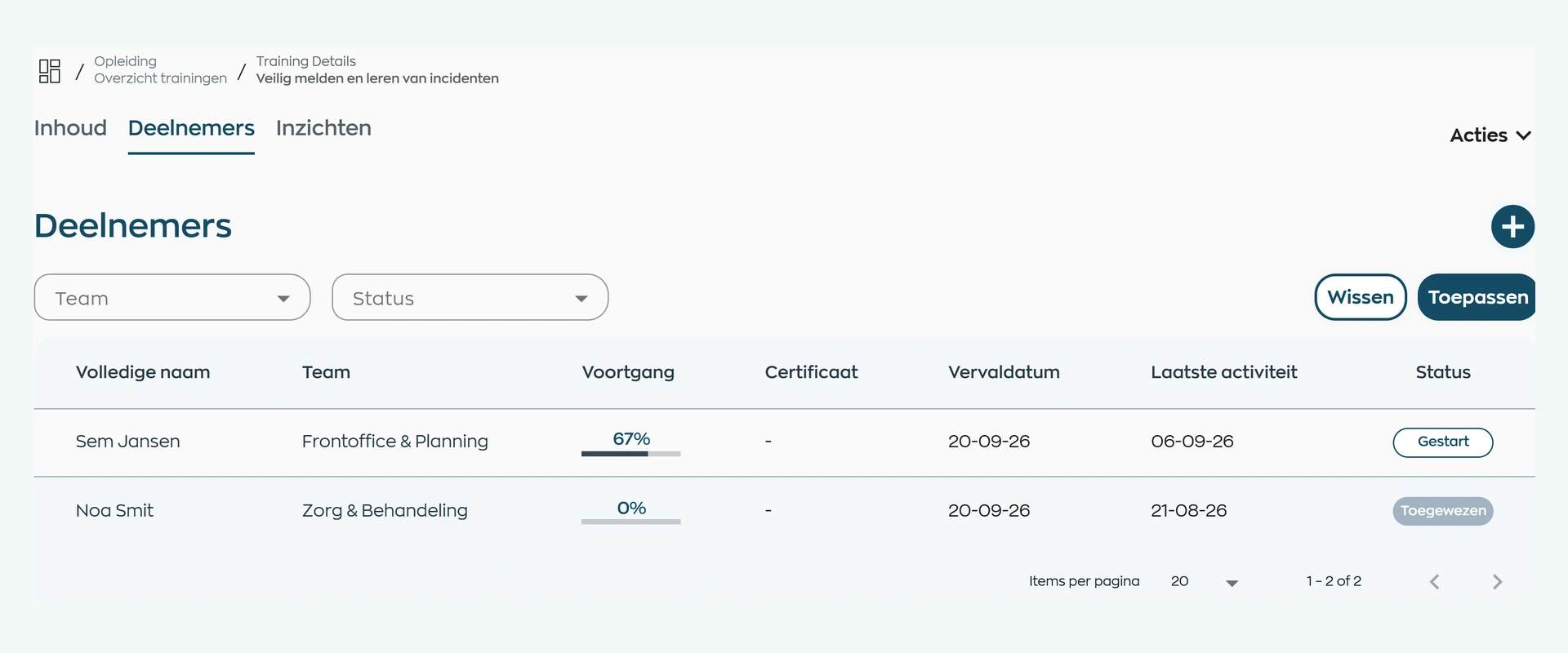
Assign courses to employees or teams and track status, module progress, scores, and time spent.
Issue certificates, track their validity, and reassign a current course version when renewal is due.
1. Make knowledge available
You do not have to create every course from scratch. Use practical content published by WorkVine, courses from our training partners and learning materials you create for onboarding, working practices or specialist knowledge.
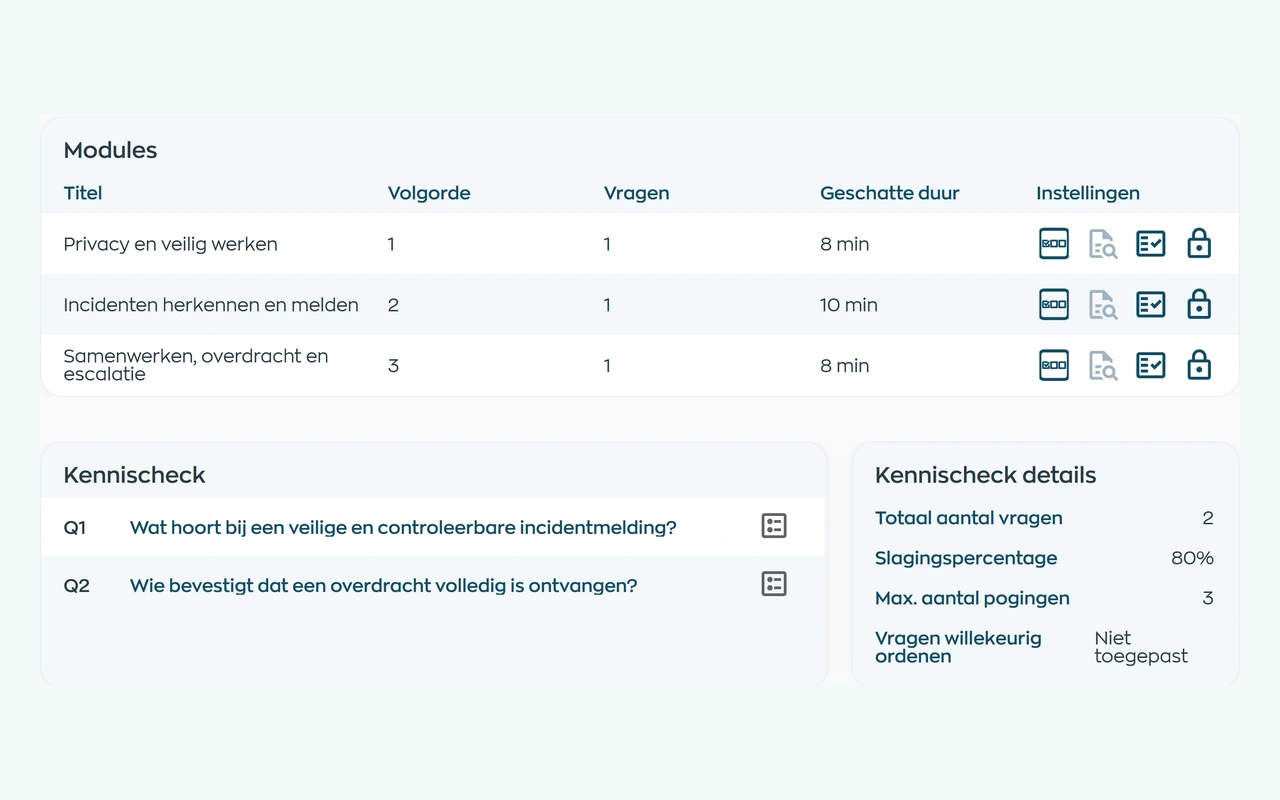
Build your own course from manageable modules with video, information, surveys and knowledge checks. Choose which parts are required and add a final assessment and certificate where useful. Knowledge that used to stay with one colleague becomes part of a shared learning process.
2. Assign courses to people and teams
Assign a published course to individual employees or entire teams. It appears in the Employee App with a clear status and, where applicable, a completion deadline.
HR or the team lead can see in Office who has started and who still needs to begin. New colleagues get the right introduction, while existing teams can learn a new way of working.
3. Learn in the Employee App
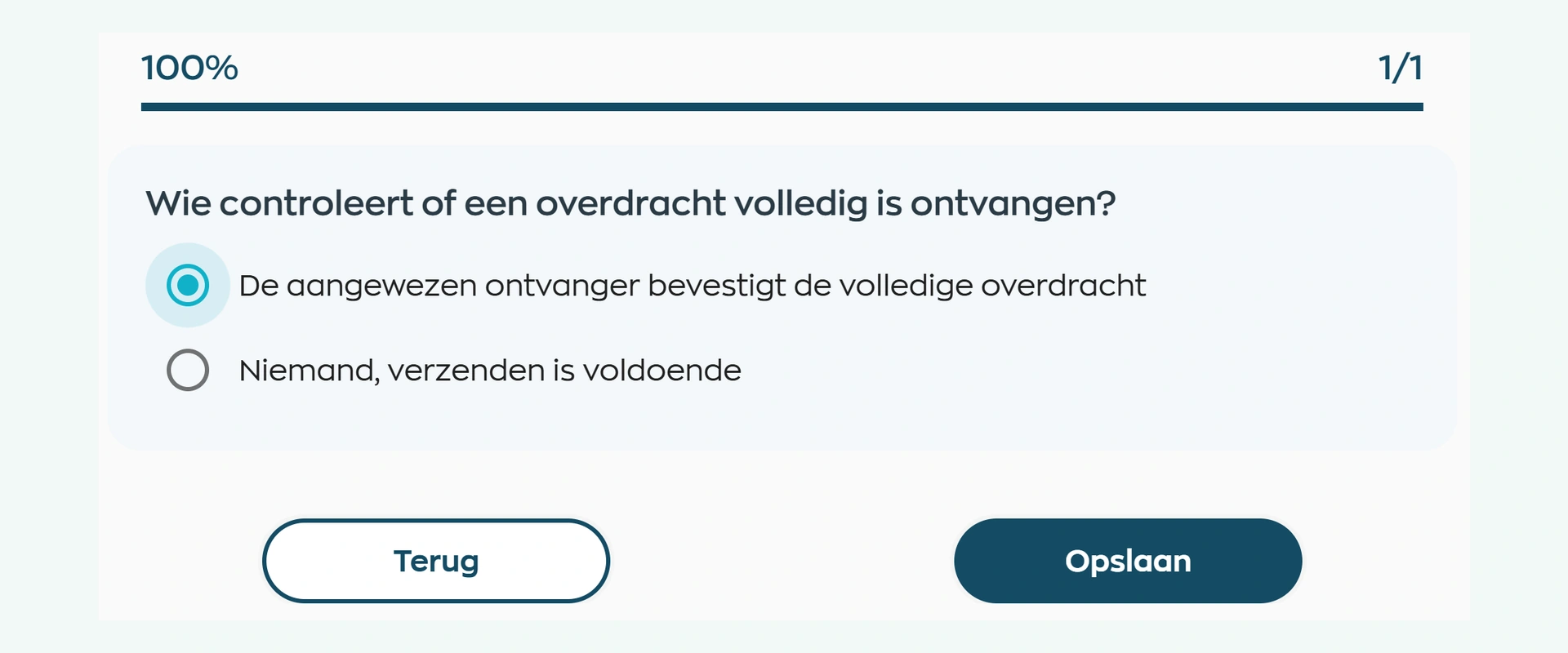
Employees open their training in the same app they use for schedules, tasks and team updates. A clear sequence of modules shows what they have completed and what comes next. Knowledge checks help them put the guidance into practice.
Once all required modules are complete, employees can take any final assessment. After passing the course, the certificate remains available in the Employee App in both Dutch and English.
4. Follow up on progress and results
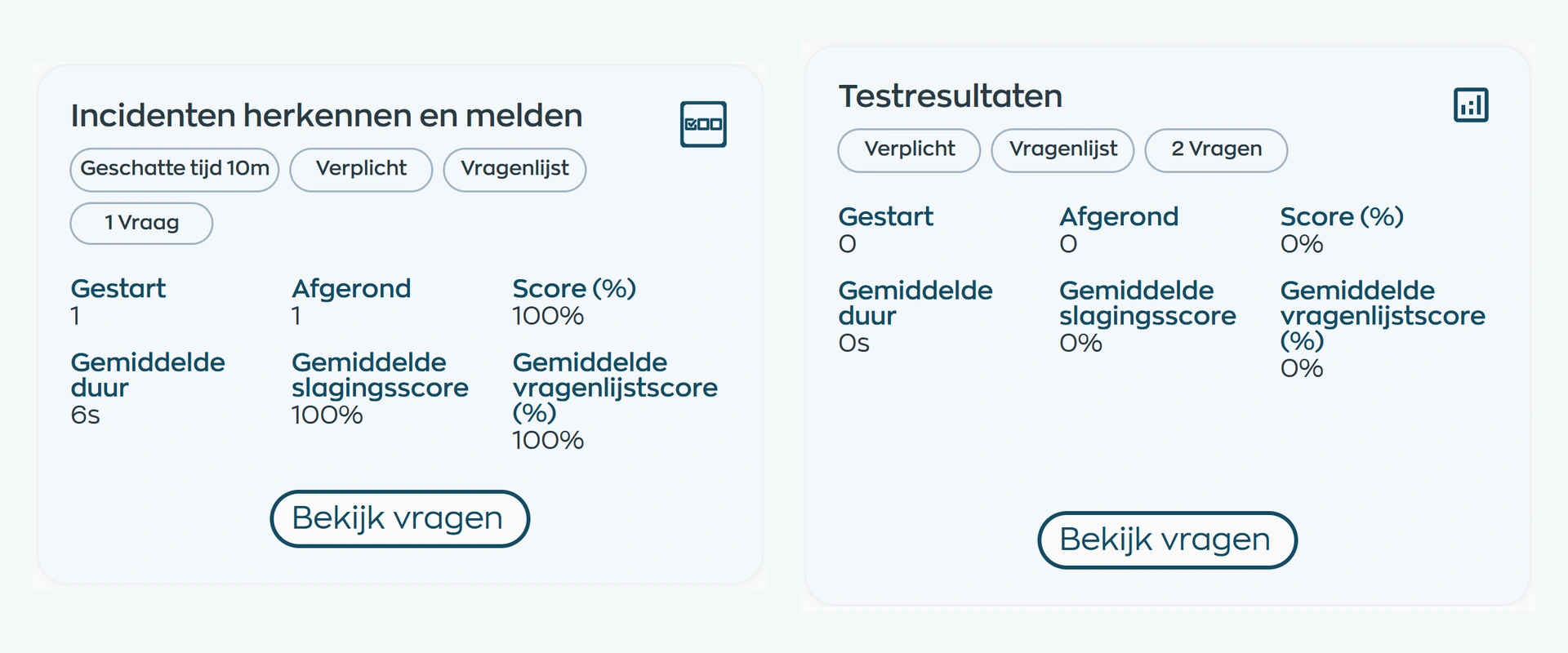
Office distinguishes between assigned, started, completed, and unsuccessful courses. HR or the responsible manager can view module progress, scores, time spent, and answers for each participant, as well as results by module.
Use the results to follow up, offer extra guidance or agree on the next learning activity. Managers can do this without maintaining a separate progress spreadsheet.
5. Certify and refresh knowledge
After an employee passes a course, WorkVine can issue a certificate with the publisher, issue date, and optional validity period. The certificate remains available for download and can be linked through Qualifications to the evidence required for the employee's work.
When a certificate expires, assign a current course version again. The employee can then earn a new certificate while previous results and course versions remain traceable.
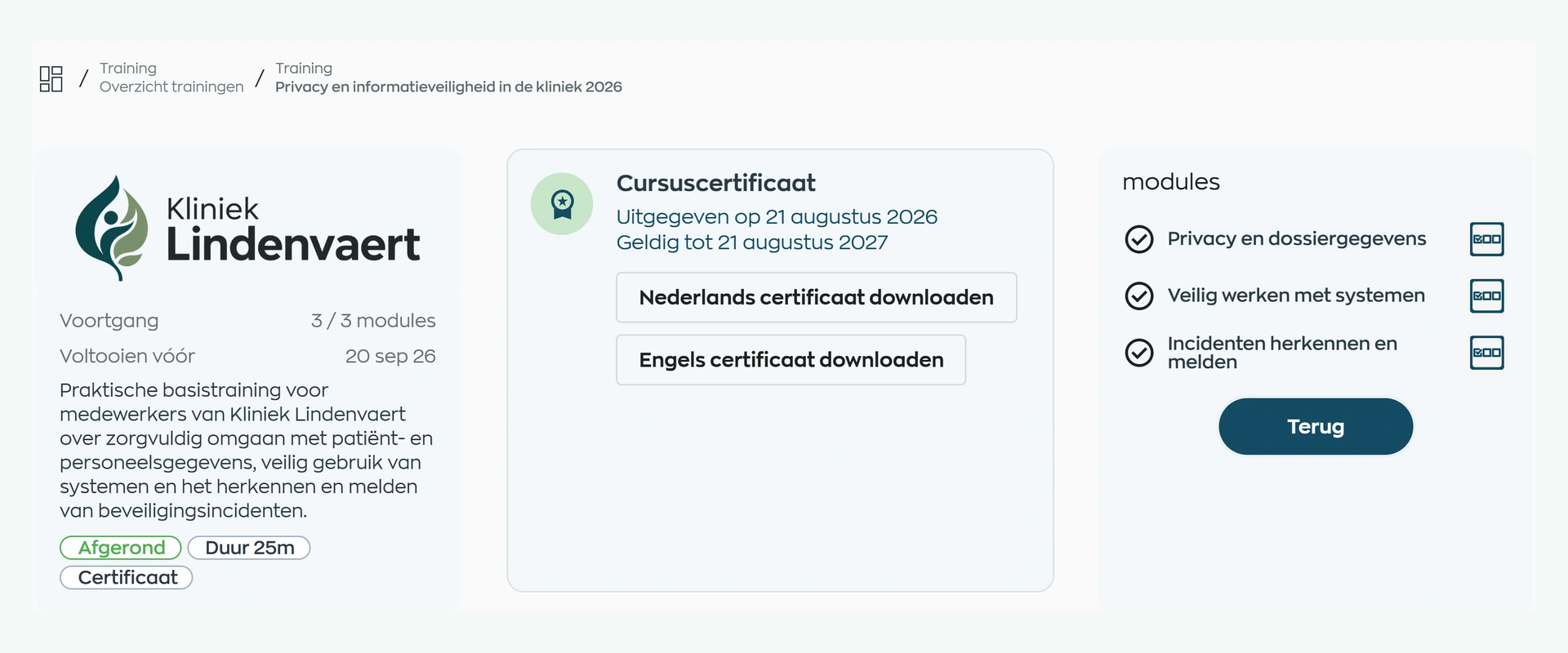
What changes
HR organizes the training, employees complete it, and managers follow up where support is needed.
Combine trusted catalog content with your own courses and keep assignment, results, and renewal manageable.
Complete courses in the Employee App and keep earned certificates available in Dutch and English.
See progress and results by participant and module, and follow up precisely where needed.
Does this fit the way your team learns?
From welcoming a new colleague to recurring professional training, WorkVine suits organizations that want to connect learning with their people, working practices and follow-up.
Capabilities
Compare your learning process step by step: select content, build courses, assign, track, assess, certify, and repeat.
Frequently asked questions
Clear answers about course content, in-house training, assignment, results, certificates, and recertification.
Before subscribing, you can review the publisher, content, license and certification details for each course. Terms vary by course. Participants keep their assigned version. After an update, a new revision can be used for future participants without changing the version participants are already working through.
Organizations can use practical WorkVine content and courses from partner training providers in the WorkVine course catalog. They can also create their own in-house courses for onboarding, working practices, and internal knowledge.
Yes. A course can be built from video, information, surveys, and quizzes, with source material, deadlines, completion requirements, and an optional final assessment.
Yes. A published course can be assigned to individual employees or entire teams. For each participant, WorkVine shows whether the course is assigned, started, completed, or unsuccessful.
Depending on their access, they can see module progress, scores, time spent, answers, and each participant's status. This information supports targeted follow-up, but WorkVine does not assess employees automatically.
Yes. For courses configured to issue certificates, WorkVine can generate both Dutch and English certificates after an employee passes, including the issue date and optional validity period. For recertification, a current course version can be assigned again.
Where work, people and growth come together
Bring a typical onboarding program or required course to the demo. We will follow it from content selection and assignment through results, certification, and renewal.