Recurring work starts from scratch too often
Onboarding, offboarding and improvement initiatives follow familiar steps, yet without a standard foundation they become scattered across checklists, email threads and folders.

Why recurring work becomes fragmented
When onboarding a new employee, opening a location or launching an improvement initiative, teams often rebuild the process across separate documents, emails and task lists. WorkVine turns a proven process into a reusable project, with tasks assigned in advance and progress tracked in one place.
Onboarding, offboarding and improvement initiatives follow familiar steps, yet without a standard foundation they become scattered across checklists, email threads and folders.
Without a named owner and deadline for each task, teams spend extra time working out who needs to act.
Keep tasks, documents and progress together, so teams can follow up outstanding work from the project itself.
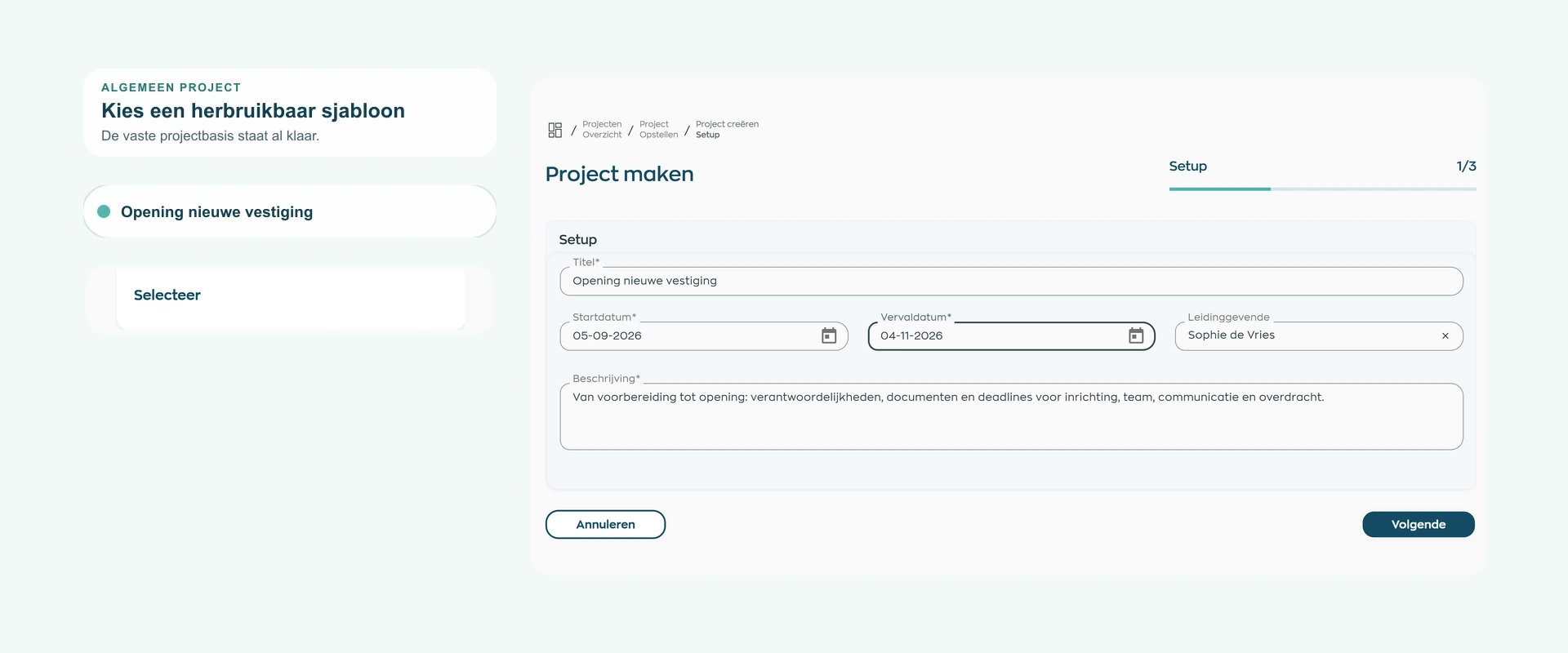
1. Project template
Capture recurring tasks, owners and deadlines in a project template. That template then becomes the starting point for every new project of the same type.
Use the same approach for onboarding, offboarding, an improvement initiative or another internal process. For each new project, adjust only what is different.
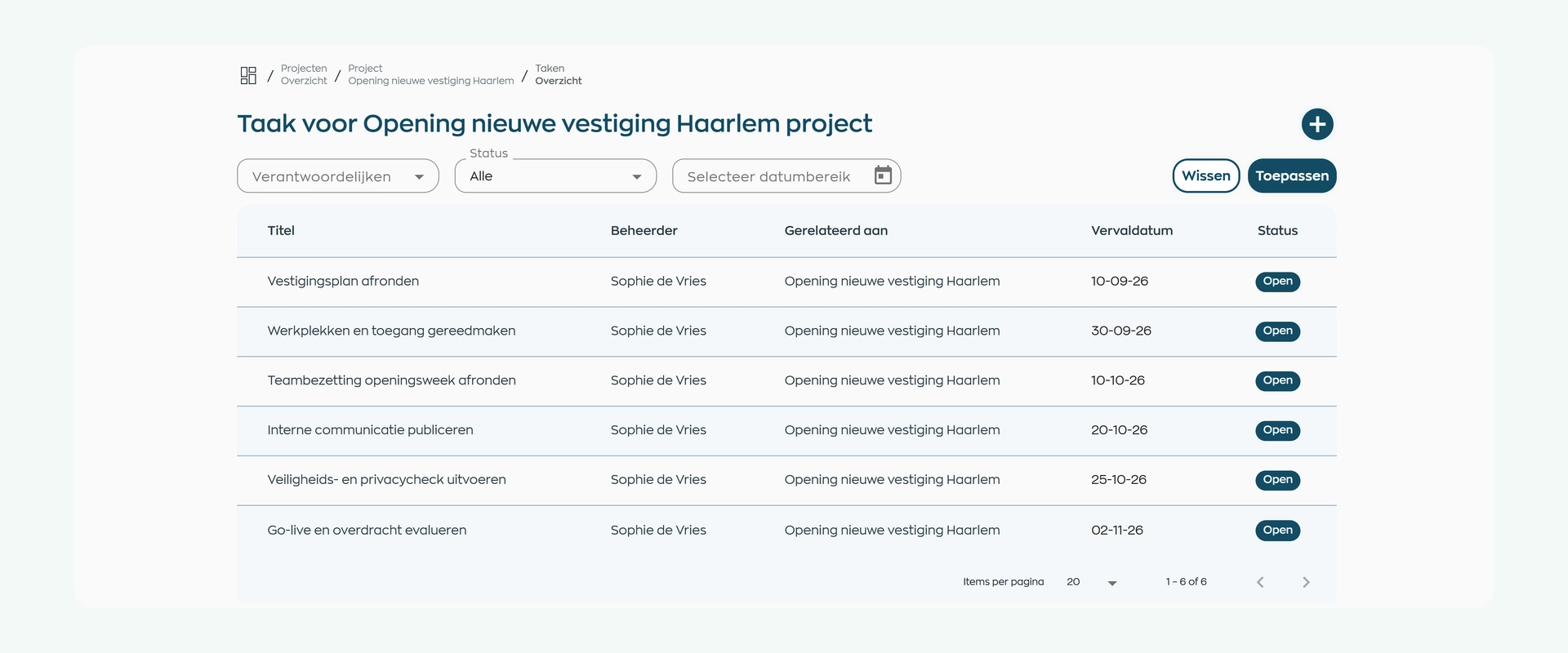
2. Tasks and ownership
Break the project into concrete tasks, then assign an owner and deadline to each one.
Everyone knows who needs to act from the outset. The project owner tracks the work in the project itself, without maintaining a separate task list.
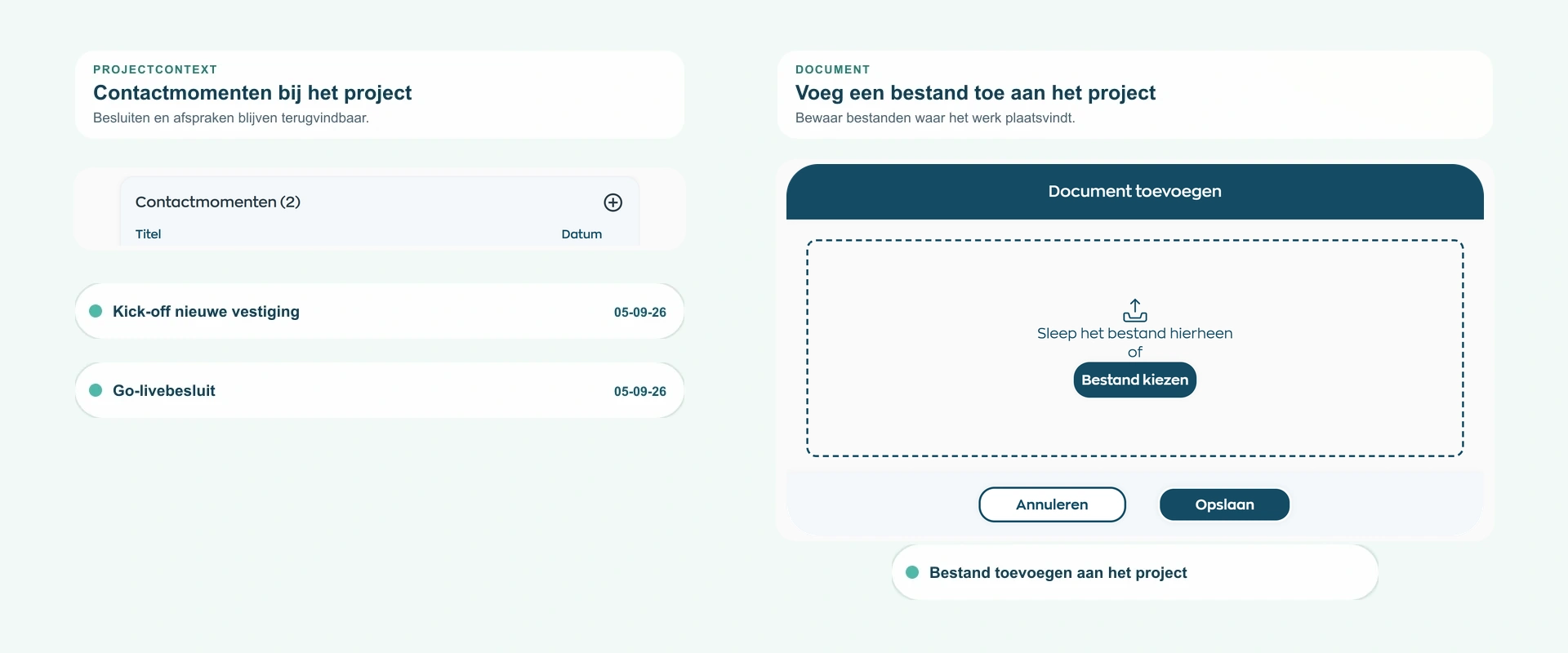
3. Documents and contact records
Link project documents to the work they support and record relevant interactions against the same project.
This keeps context alongside tasks and deadlines instead of scattering it across personal inboxes and separate folders.
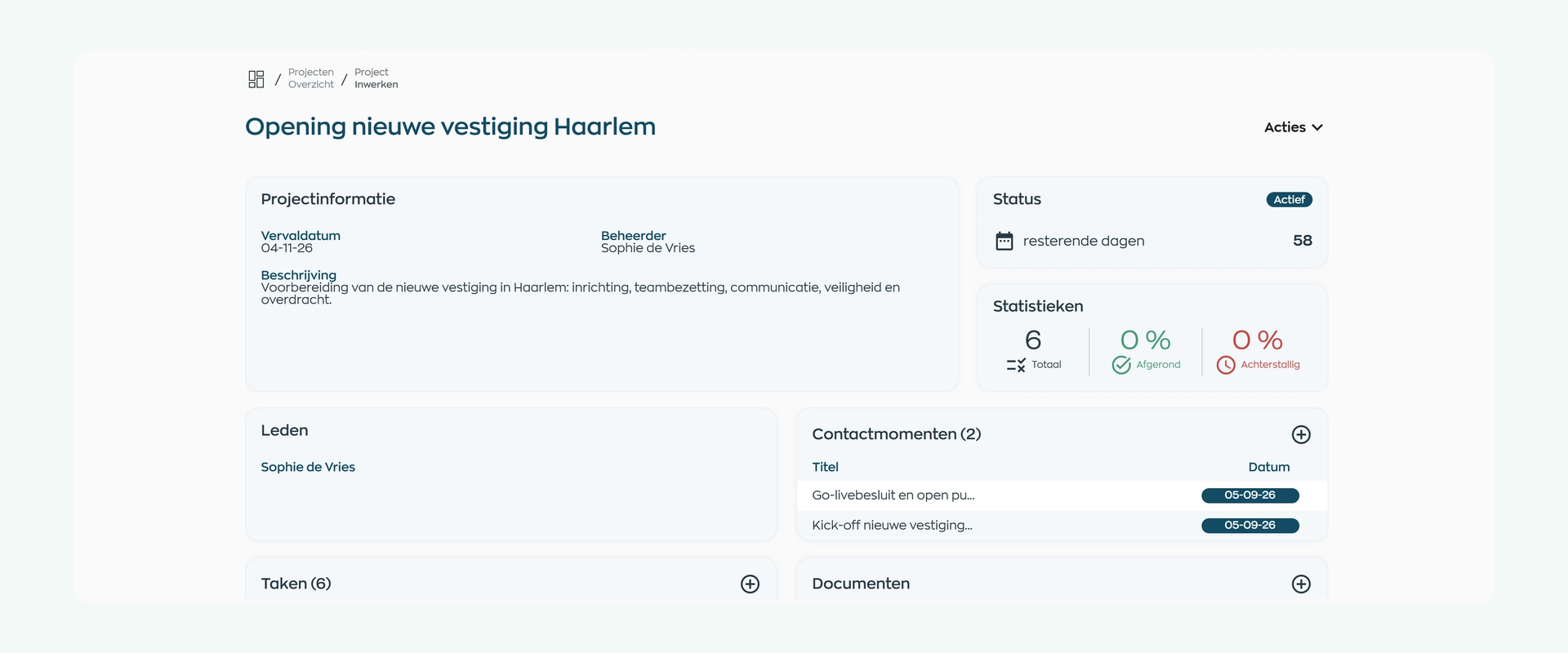
4. Overview and progress
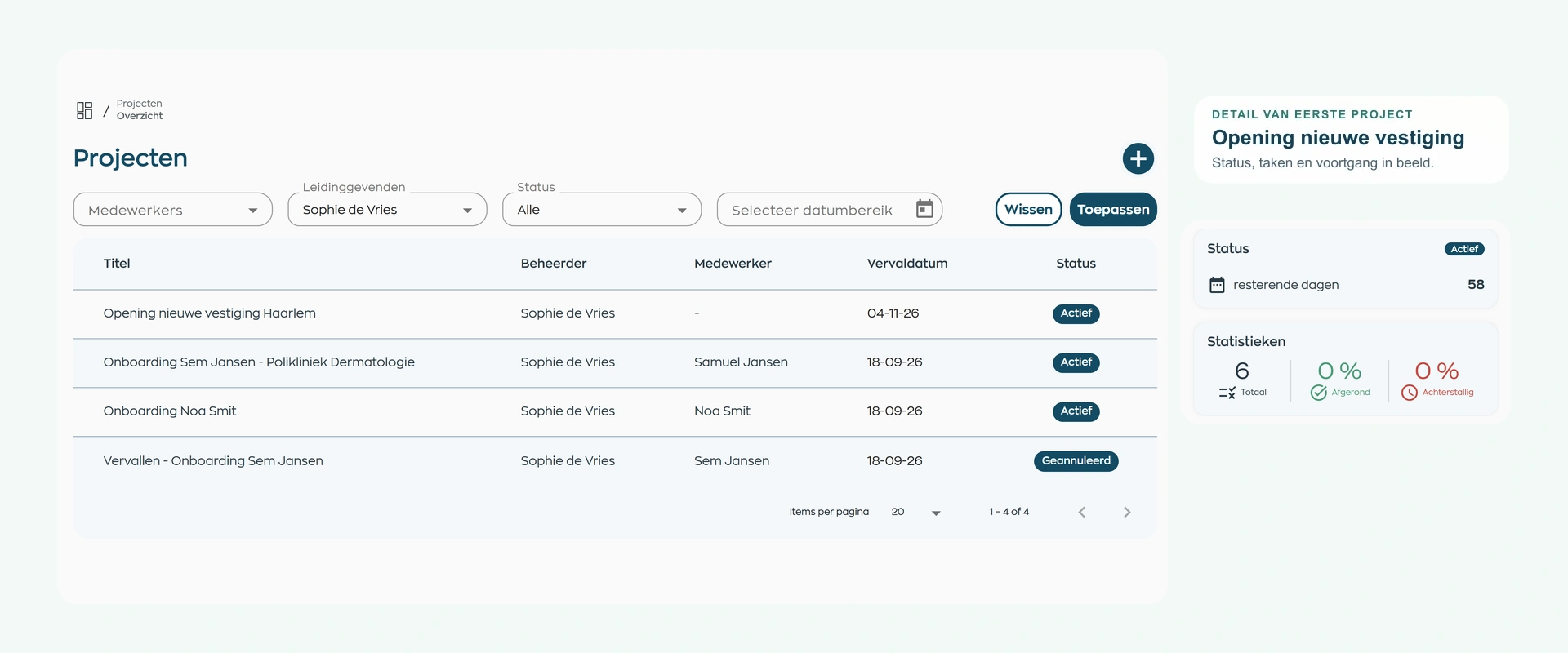
Track progress and ownership from the project overview. See which projects are active and where tasks are still outstanding.
Reusable templates help you start each project consistently. The project overview shows where to follow up.
What changes
A consistent project foundation reduces time lost to searching and prevents gaps during handovers. HR and operations design the process, the project owner keeps the overview, and employees see what is expected of them.
Use ready-to-use templates for recurring HR and operational work.
Keep tasks, owners, deadlines, documents and progress together in the project you manage.
See who is responsible for each task and when it is due.
Is this a good fit for your organization?
WorkVine Project Management is designed for internal processes that follow a familiar pattern but still need careful execution for each employee, team or situation.
WorkVine supports task-driven employee and organizational processes. It is not designed for financial project administration or portfolio planning.
Capabilities
Review your process step by step: create a template, assign tasks, keep documents together and track progress.
Frequently asked questions
Clear answers about project templates, tasks, ownership, documents, progress and the module’s scope.
No. Onboarding is a familiar example, but you can use the same project structure for offboarding, improvement initiatives and other internal employee or organizational processes.
Projects is designed for internal work with a defined starting point, clear tasks, owners and deadlines, and a clear end point. Examples include onboarding, offboarding, improvement initiatives and other repeatable processes.
Yes. Once configured, a project template can be reused as the basis for similar projects, so you do not need to recreate tasks, owners and deadlines every time.
Yes. Create tasks within a project and assign an owner and deadline to each one. This makes it clear who needs to act and when follow-up is required.
Yes. Store project documents and relevant contact records with the same project, alongside its tasks, owners and deadlines.
WorkVine keeps project progress and ownership visible, allowing the project owner to focus follow-up on the work that still needs attention.
No. WorkVine Projects is built for task-driven employee and organizational processes. It is not designed for financial project management or project portfolio management.
Projects can be used alongside Recruitment & Selection, Employee Records, HR Processes, Training & Development and Documents. The right combination depends on the process and how your organization is configured.
Where work, people and growth come together
Bring us an onboarding, offboarding or improvement process. In the demo, we’ll show you how to set it up in WorkVine with a project template, clear tasks, owners and deadlines.