Applications scattered across inboxes
A CV in an email, feedback in a message and the next step in someone’s head. Who has the full picture?

Sound familiar?
When several colleagues are involved in hiring, everyone needs to know what has been discussed and who will take the next step.
A CV in an email, feedback in a message and the next step in someone’s head. Who has the full picture?
The hiring manager has met the candidate. HR is still waiting for feedback before moving the application forward.
You have chosen a candidate, but their details, documents and agreed actions still need to be handed over to HR.
1. Vacancy and application
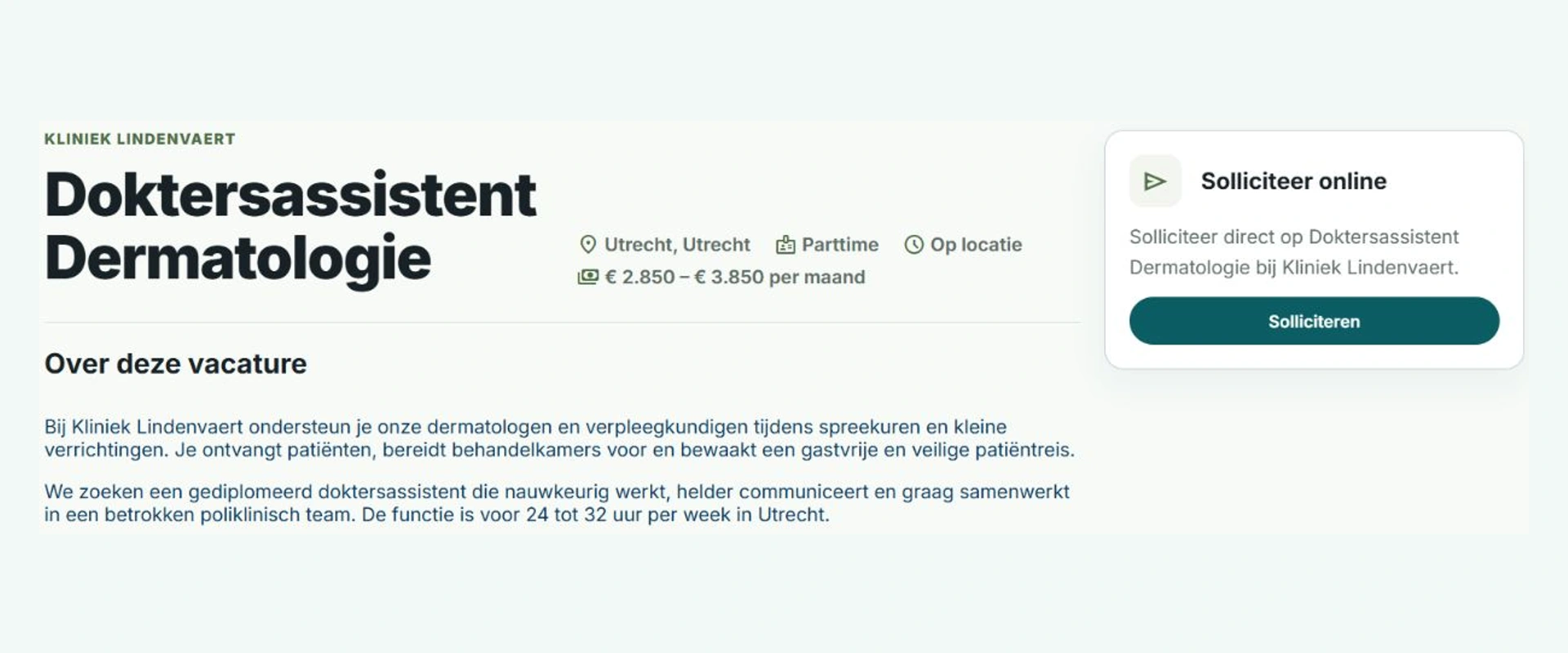
Publish your role on your own vacancy page on vacaturebank.eu. Candidates can learn about the job and your organization, then apply without creating an account.
HR sets out the requirements, location, pay and screening questions. Each application is linked to the right vacancy, with the answers and source information needed for an initial review.
Your vacancy hub can reflect your brand and appear on your own website. We are expanding publishing options to include channels such as LinkedIn, Indeed and Monsterboard.
2. Reviewing candidates
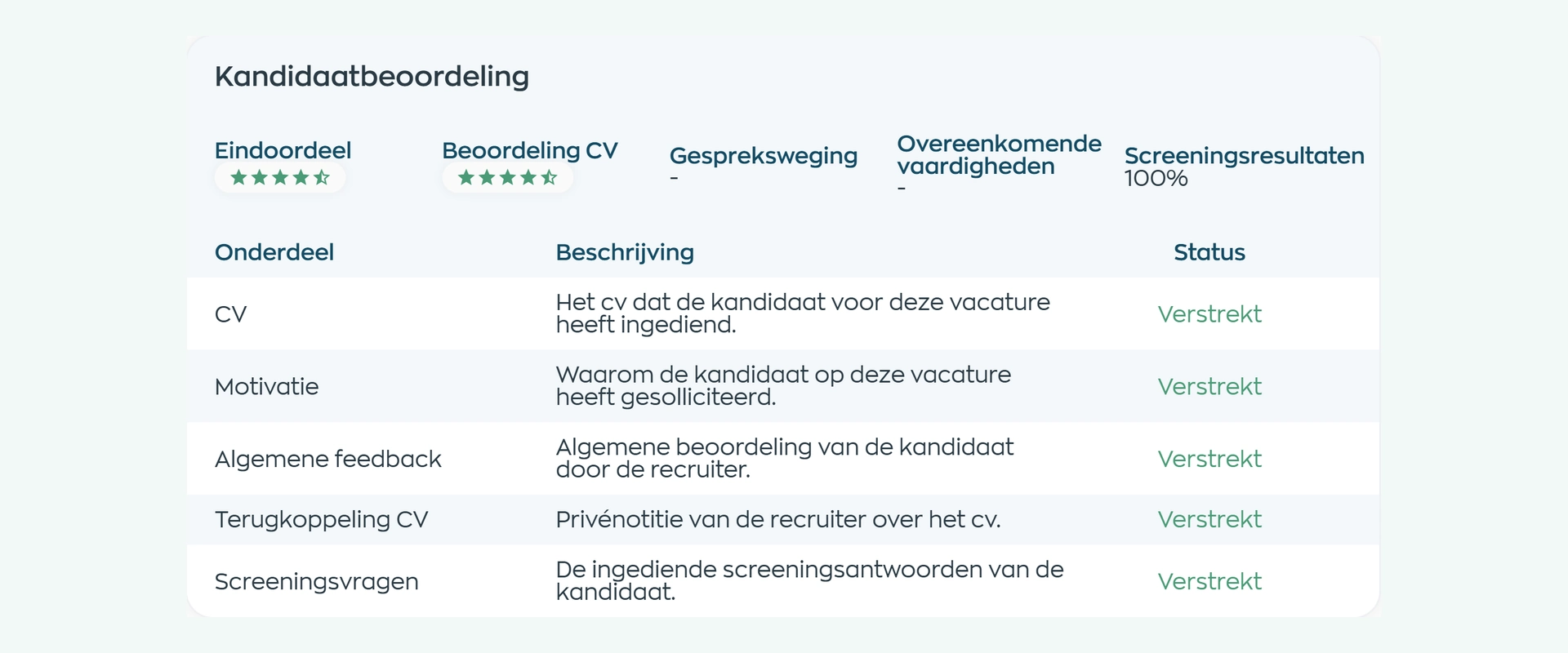
Review the CV, supporting statement and screening answers within the application. Record your feedback so colleagues can continue with the same information.
One person may be a good fit for more than one role. Contact details and documents stay with the candidate, while reviews, source information and decisions remain specific to each vacancy.
3. Interviews and next steps
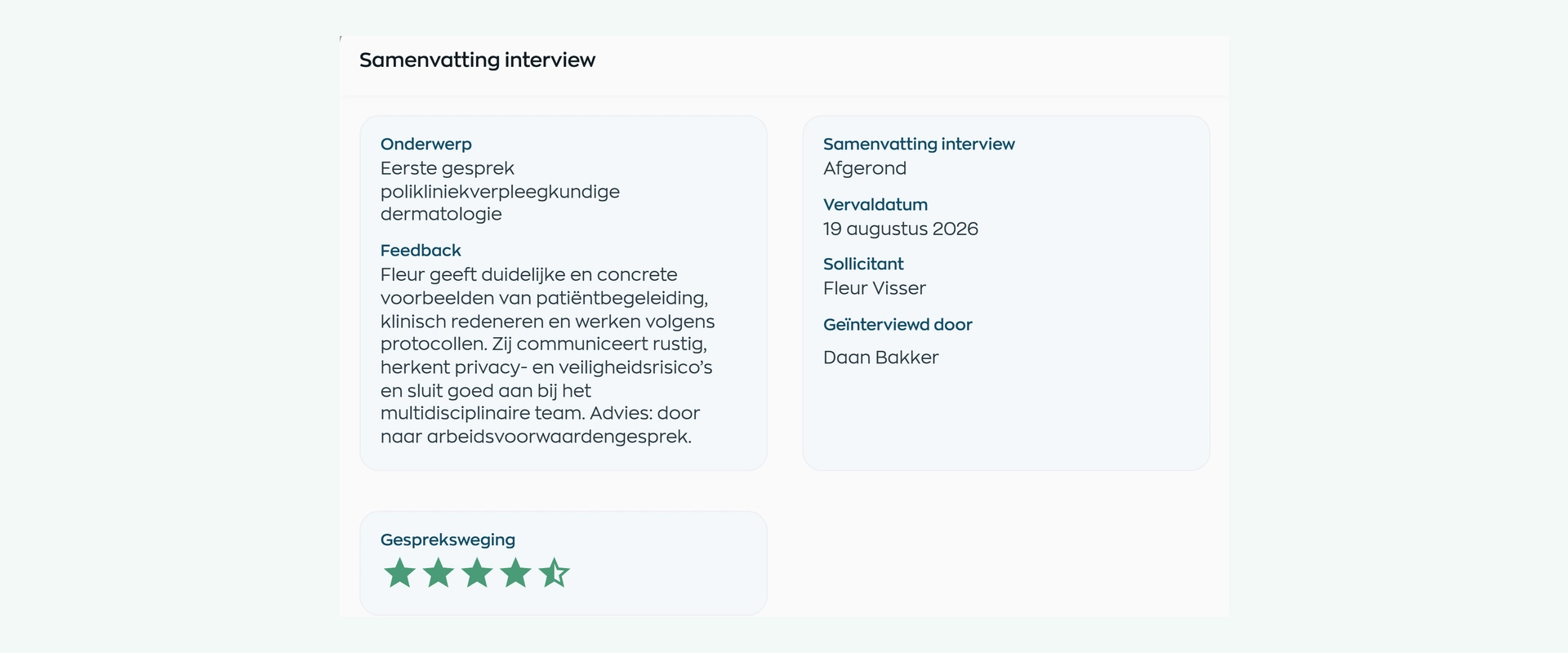
Schedule interviews and record who will conduct them. The hiring manager keeps their feedback and assessment with the candidate, giving HR a clear basis for the next step.
Assign an owner and deadline to the next action: discussing references, arranging a second interview or preparing an offer. Contact records and tasks stay available alongside the application.
4. Talent pool
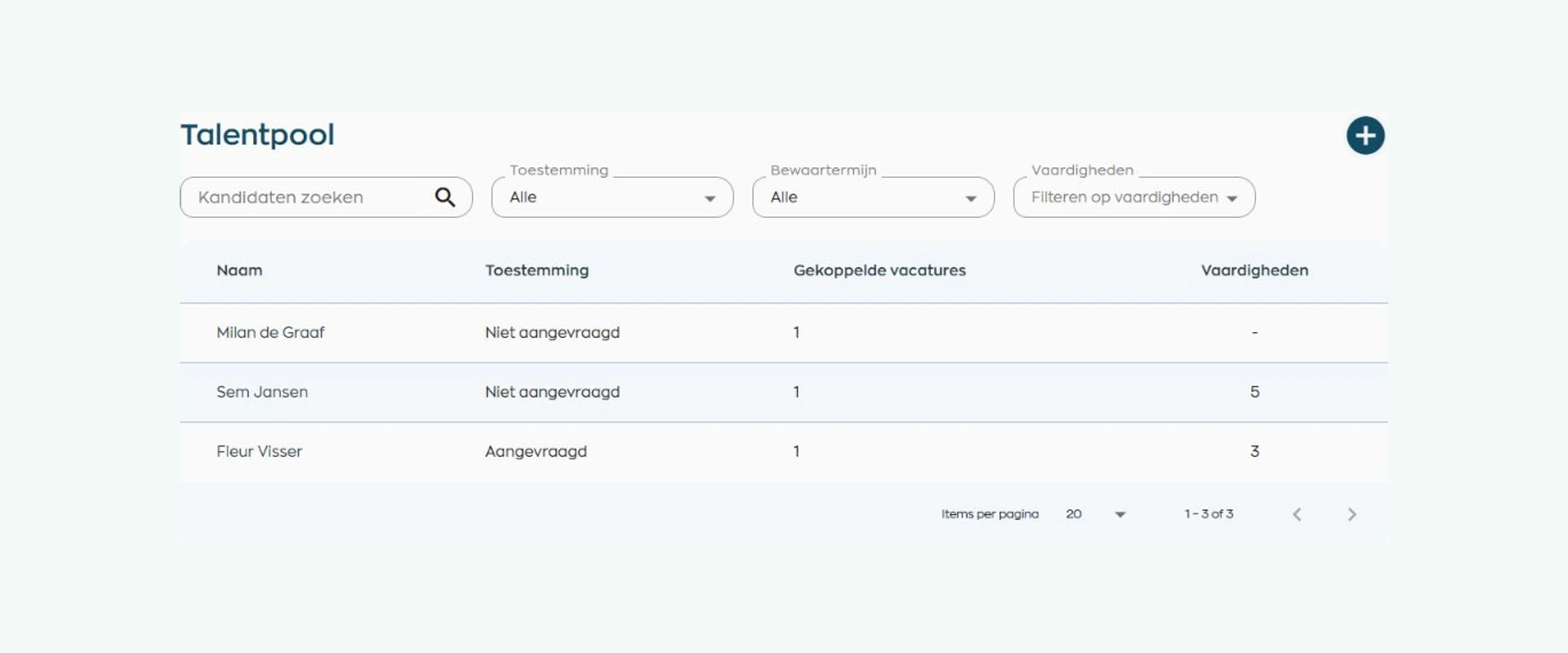
Not the right role this time? Ask whether you can keep the candidate’s details for a future opportunity. The talent pool shows consent status alongside each profile.
Search later by name, role or skills, and reuse a profile when valid consent is in place. Consent and retention filters also help you identify profiles that need attention first.
5. Hiring and getting started
When you hire a candidate, WorkVine creates a draft employee record with their details and documents, and prepares an onboarding task. HR reviews the record before activating the account.
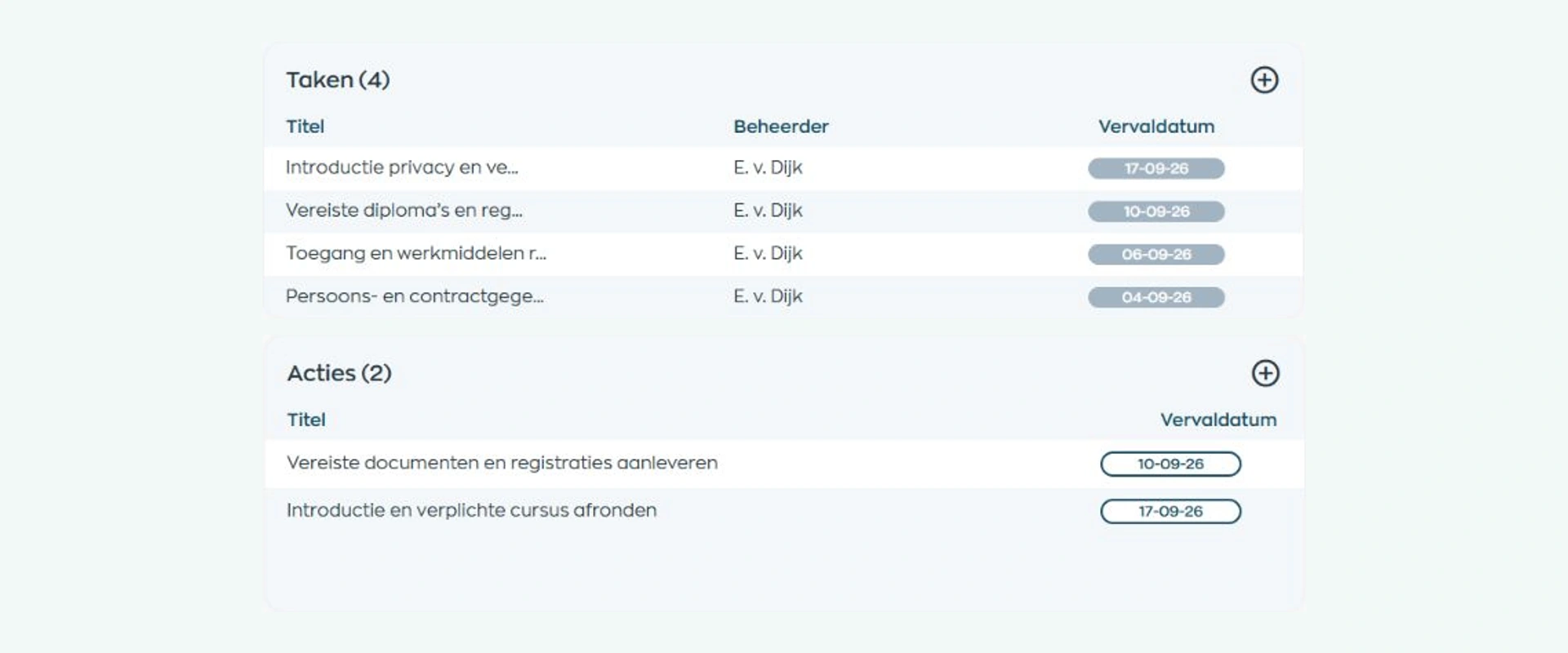
You can then prepare for their first day with an agreement, required documents, training and an onboarding project. The example plan connects the supervisor’s tasks with actions for the new employee.
What changes
The recruiter manages the process, the hiring manager helps make the decision and HR prepares the new starter. Each person builds on what is already recorded.
See the applications for each vacancy, which reviews are outstanding and who owns the next step.
Read the candidate’s background, conduct the interview and leave feedback where HR can use it.
Apply without another account. Once hired, HR can build on the information already provided.
Is this right for your organization?
Whether you recruit for one location or support several teams, WorkVine fits when hiring needs to connect with everyday HR work.
Capabilities
An ATS within your employee platform, from publishing a vacancy to handing over a successful candidate.
Frequently asked questions
Practical answers for teams comparing recruitment software and looking for a closer connection with HR.
Yes. Recruitment & Selection supports the stages of an Applicant Tracking System: publishing vacancies, receiving applications, reviewing candidates, managing interviews and next steps, and hiring. Its connection to the employee platform brings employee records and onboarding into the same workflow.
You get your own vacancy hub on vacaturebank.eu, with your branding, organization information and public job pages. The hub can also appear on your own website. We are expanding publishing options to include LinkedIn, Indeed and Monsterboard, and can help you determine which channels and publishing methods suit your hiring needs.
No. Candidates can apply directly through the public vacancy page. Their details and answers are linked to that vacancy for review and further contact.
Yes. The candidate profile holds the person’s details and documents. Each application has its own vacancy, source, status, feedback and decision. Rejecting one application does not automatically change their other applications.
Consent for an application is separate from consent to retain a profile for future vacancies. WorkVine shows the status and supports renewal requests and retention management. Expired or withdrawn consent does not permit reuse. Your organization remains responsible for its privacy policy and configuration.
No. Recruiters and hiring managers assess candidates and make the decision. WorkVine brings CVs, screening answers, feedback, interviews and next steps together to support that work.
WorkVine creates a draft employee record with candidate details and documents, prepares an onboarding task and closes the vacancy. HR reviews and completes the record before activating the account. You can then arrange the agreement, documents, training and onboarding project.
Where work, people and growth come together
Choose a role you regularly recruit for. We will show you how the vacancy page, candidate reviews, interviews and handover to HR connect.