Typing the same details again
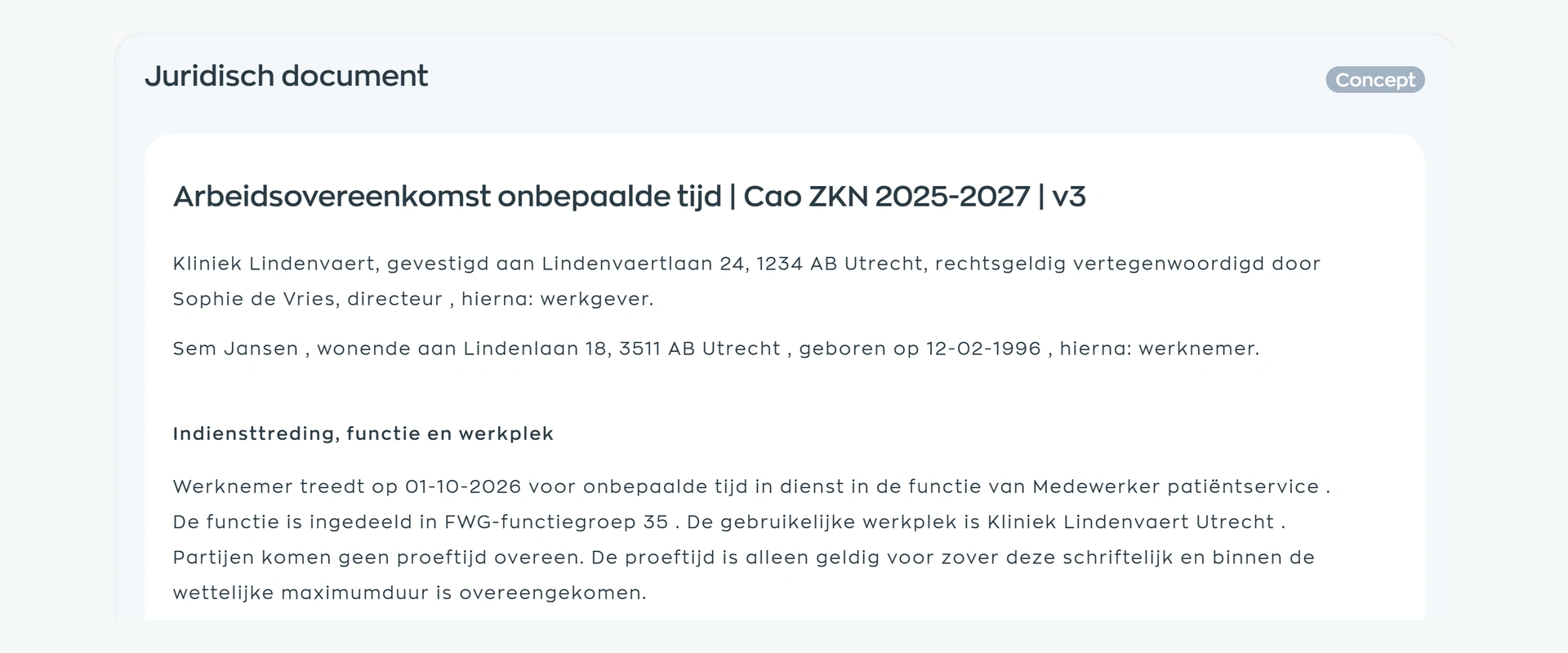
A name, address or term from the previous document can slip through, even though much of the information is already in the employee record.

Sound familiar?
A new hire, a change in hours or a formal agreement deserves your attention. Searching for files, copying text and re-entering details should not take over every time.
A name, address or term from the previous document can slip through, even though much of the information is already in the employee record.
Different people keep different copies of the contract. Which one becomes the starting point for your next hire?
The draft has been sent, but what happened next? Without a shared overview, every follow-up starts with another search.
1. A reusable starting point
Choose a WorkVine template, or let WorkVine turn your contracts, addenda and HR letters into reusable templates. You no longer have to start from scratch for every employee.
WorkVine templates have been reviewed by a university-trained legal professional. If you use your own documents, your wording remains the starting point. HR selects the right template for the agreement at hand.
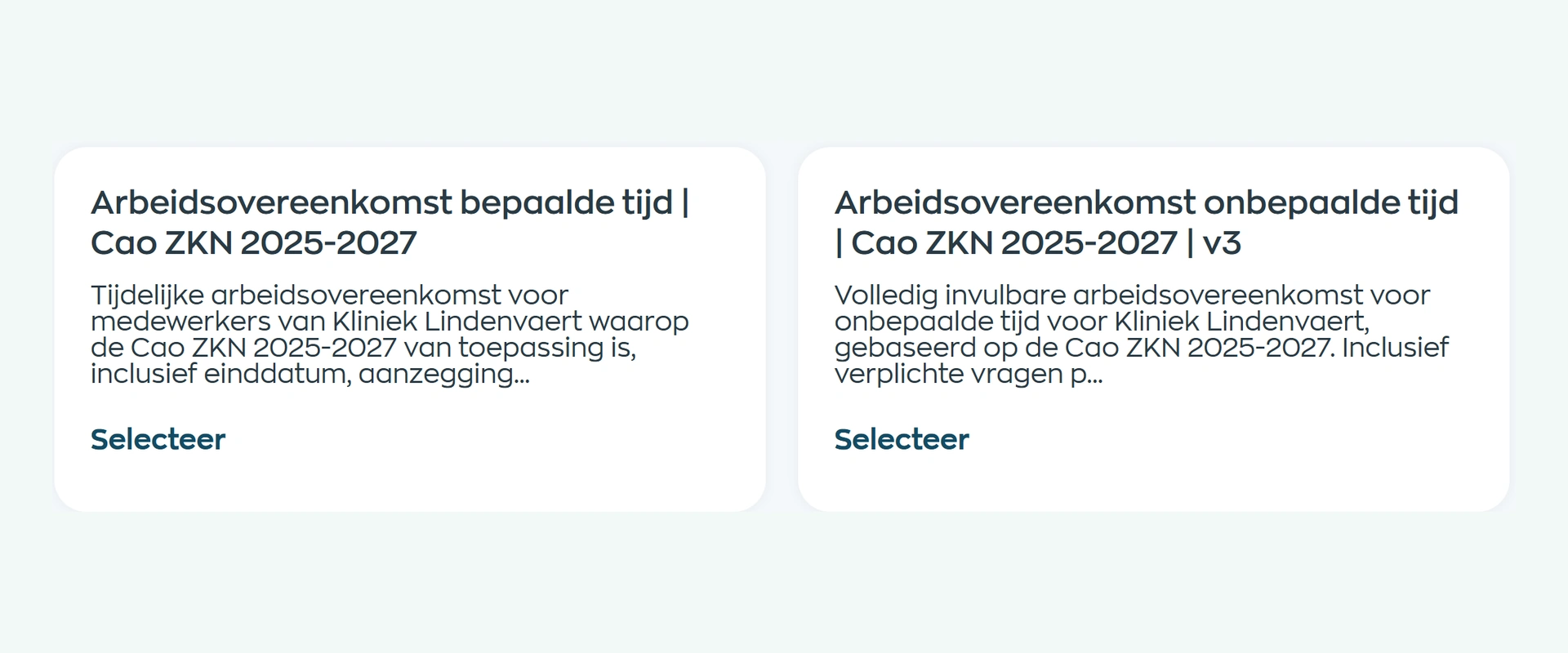
2. Add details and agreed terms
Select the employee and auto-fill the available details. Complete the template’s additional questions, such as the role, working hours or start date, to create an agreement for this person and these terms.
The fields that can be auto-filled depend on the template and your setup. Save the agreement as a draft and check the completed text before proceeding.
3. Review and sign
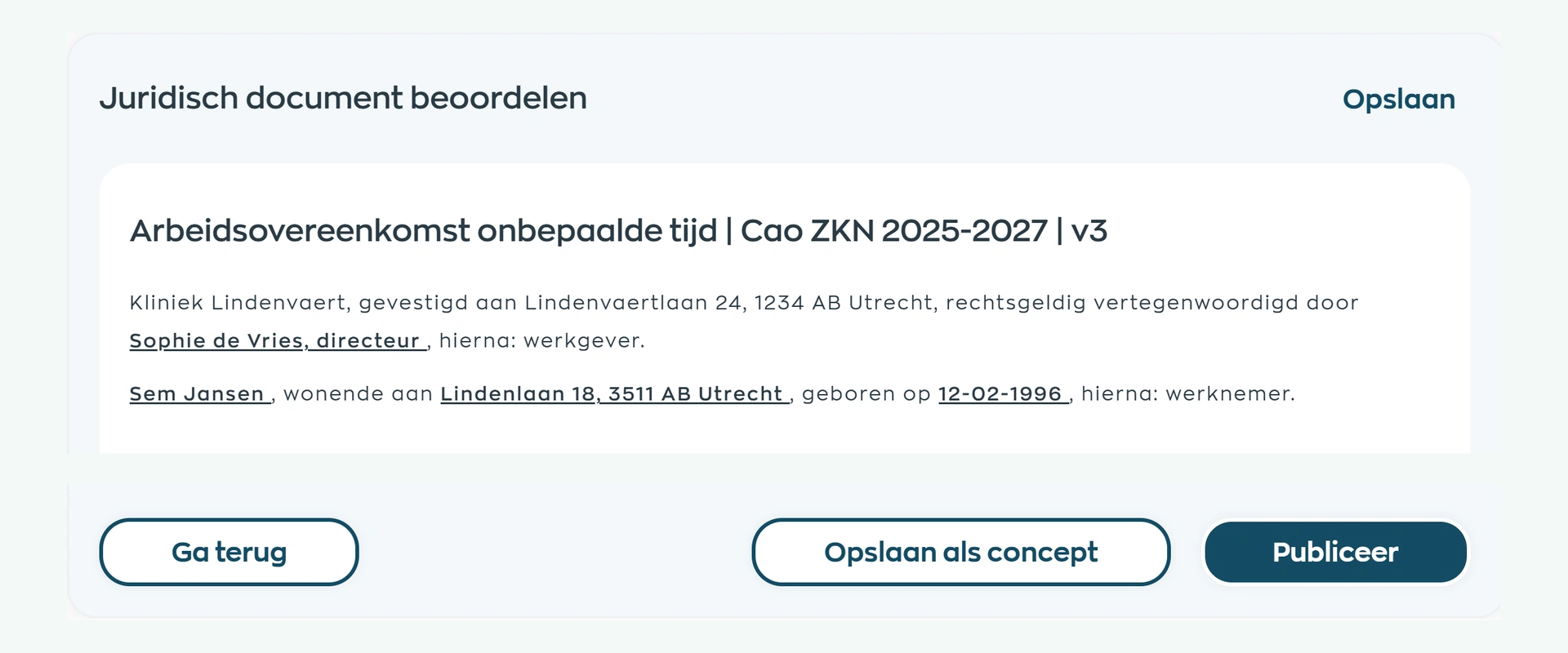
Review the full agreement before sending it. Are the employee details, role and terms correct? Check the completed document on screen before you move on.
Then have the reviewed agreement signed electronically through Scribble. Signing follows a deliberate review, rather than an unchecked document copied from an email.
4. Find documents and follow up
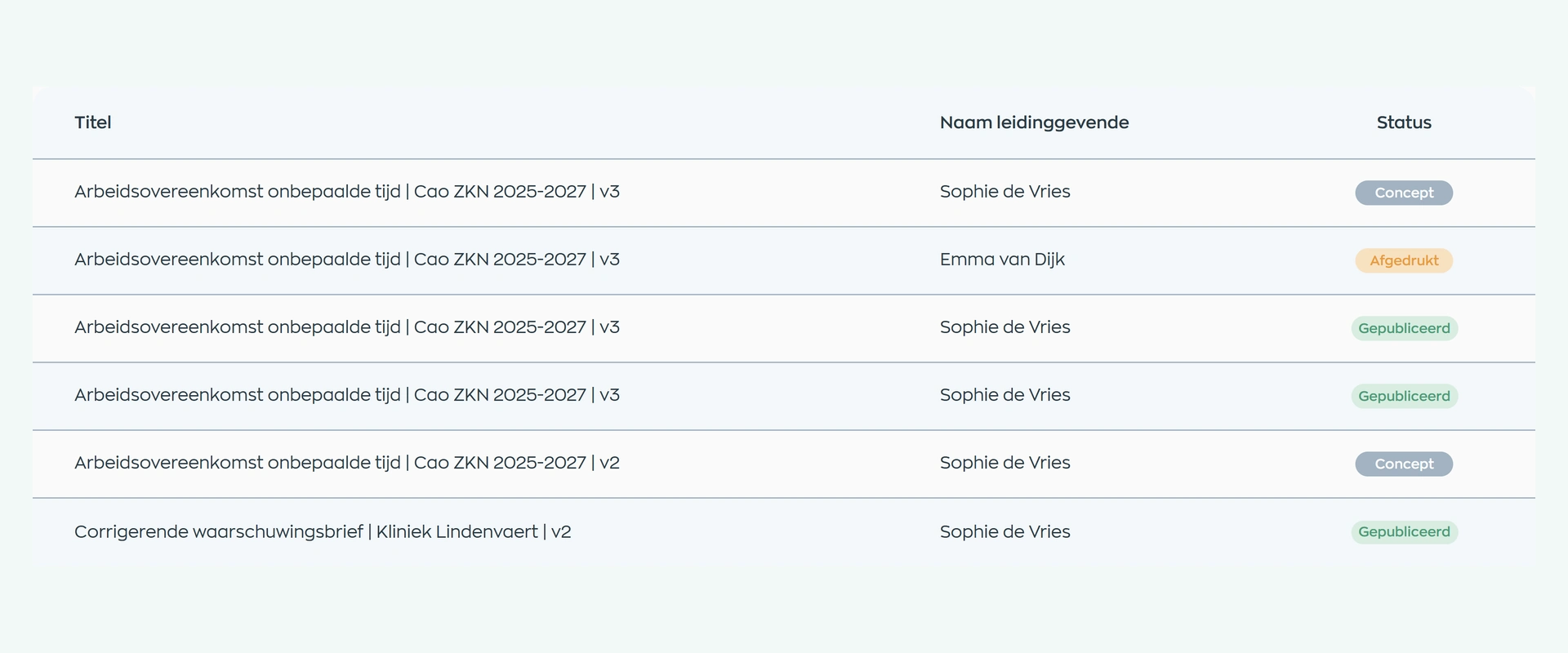
Give HR an overview of documents and their current status. Filter by employee, manager or status and open the agreement you need without searching through separate folders.
Export a PDF when you need a file to store or share. The agreement stays linked to the employee, giving you a clear starting point for the next question or change.
What changes
HR prepares the document, the content is reviewed and the employee signs. Each step builds on the same agreement.
Reusable templates, employee details and document statuses make recurring work easier to manage.
The role, hours and other agreed terms are brought together in a draft ready for review.
The agreement records the terms you have agreed, ready for electronic signing through Scribble.
Is this a fit for your organization?
From a first employment agreement to recurring contract changes, keep the terms that work for your organization and build a clear process around them.
Workflow scope
Explore the features, from reusable templates to electronic signing, PDFs and status tracking.
Frequently asked questions
Practical answers for teams managing employment agreements, addenda and formal HR documents.
You can create employment agreements, addenda, declarations, and formal HR letters from reusable templates. The exact library and setup may vary by organization.
Yes. WorkVine can convert existing customer documents into reusable templates, so you can work from your own content using a consistent structure and employee data.
A template can auto-fill available organization and employee details. The fields depend on the document and your setup. Enter additional details by answering the template’s questions, then review the full document before sharing it.
Yes. WorkVine supports electronic signing through Scribble. It is provided as an e-signature; WorkVine does not claim a qualified electronic signature, a specific eIDAS level, or guaranteed legal validity in every situation.
No. A receipt or read acknowledgement records that the employee received and read the document. Electronic signing through Scribble is a separate step.
WorkVine templates have been reviewed by a university-trained legal professional. Always check and adapt the content to your organization, the particular circumstances and current rules. The review is not a legal guarantee or individual legal advice.
Where work, people and growth come together
Bring an employment agreement, addendum or HR letter to your demo. See how to turn it into a reusable template, fill in employee details and manage review, signing and follow-up.