Teams with a public purpose
Maintain clear team structures, roles, and employee records.


Sound familiar?
When records, documents, training, and sick leave actions are spread across separate systems, responsibilities and status become harder to manage.
Maintain clear team structures, roles, and employee records.
Set access boundaries for employee information by role and team.
Link policies, evidence files, and acknowledgements to the relevant employee or workflow.
Keep open actions assigned to a responsible person.
What WorkVine brings together
WorkVine connects employee records, documents, training, sick leave, reporting, and open actions.
From plans to action
HR configures consistent workflows, managers review requests and actions, and employees see their own tasks and information.
These product examples use our Kliniek Lindenvaert demo organization. They show how WorkVine works; your own teams, documents and processes shape your setup.
Different teams and public-service responsibilities do not need separate staff lists. Keep records, roles and actions together so HR and managers work from the same information.
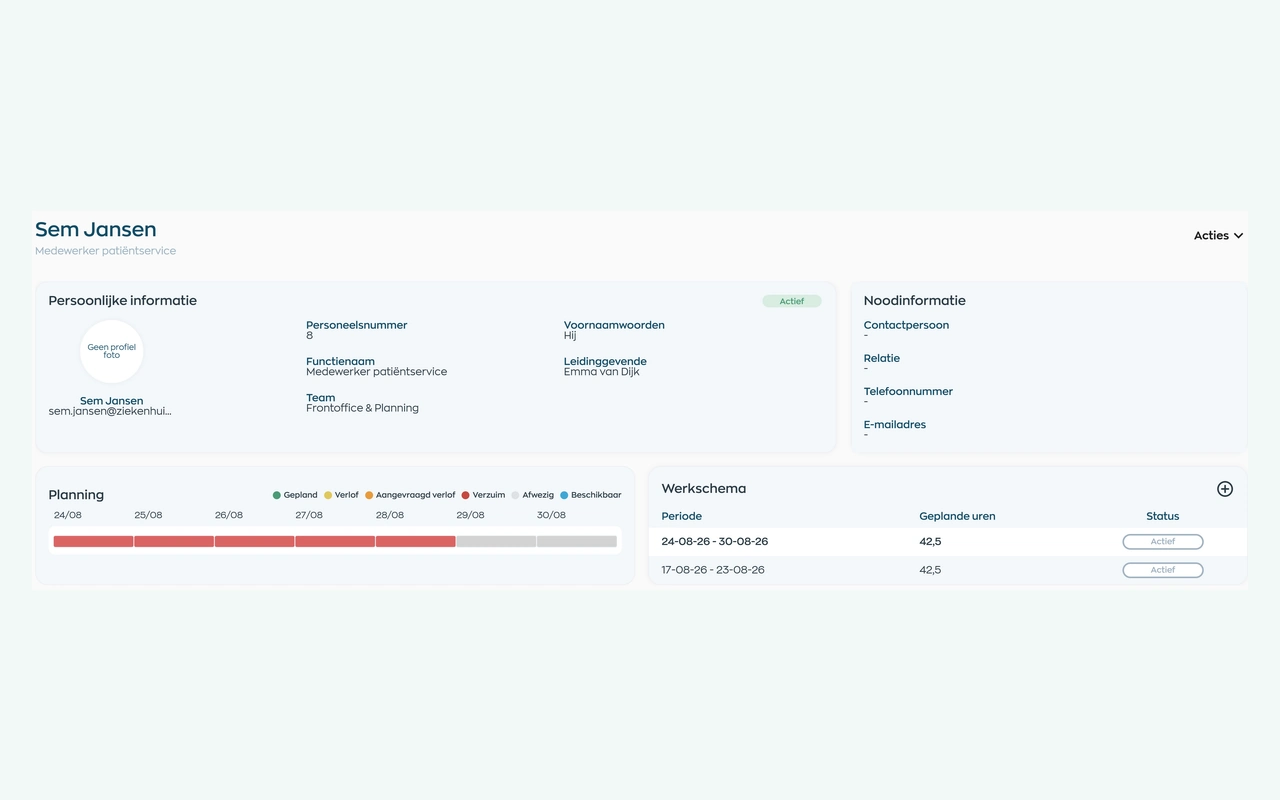
HR manages each employee’s role, team and manager in one profile. Documents and day-to-day actions connect to that record, reducing the need to maintain separate staff lists.
Explore employee recordsLink documents and acknowledgements to the relevant employee record.
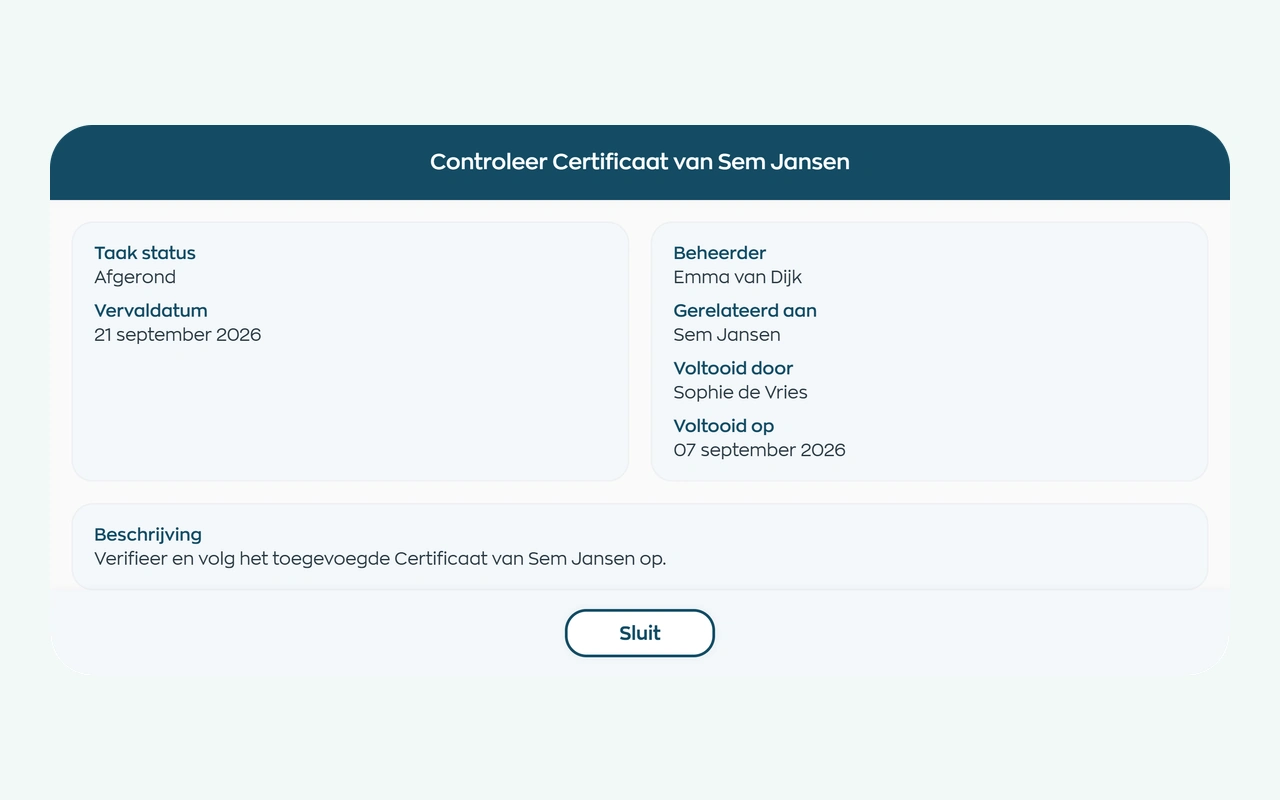
HR requests a document and the employee uploads it through an action in the app. A designated reviewer checks the file in Office, and the result remains available in the employee record.
Explore document requests and checksManage sick leave notifications, scheduled check-ins, and assigned actions.
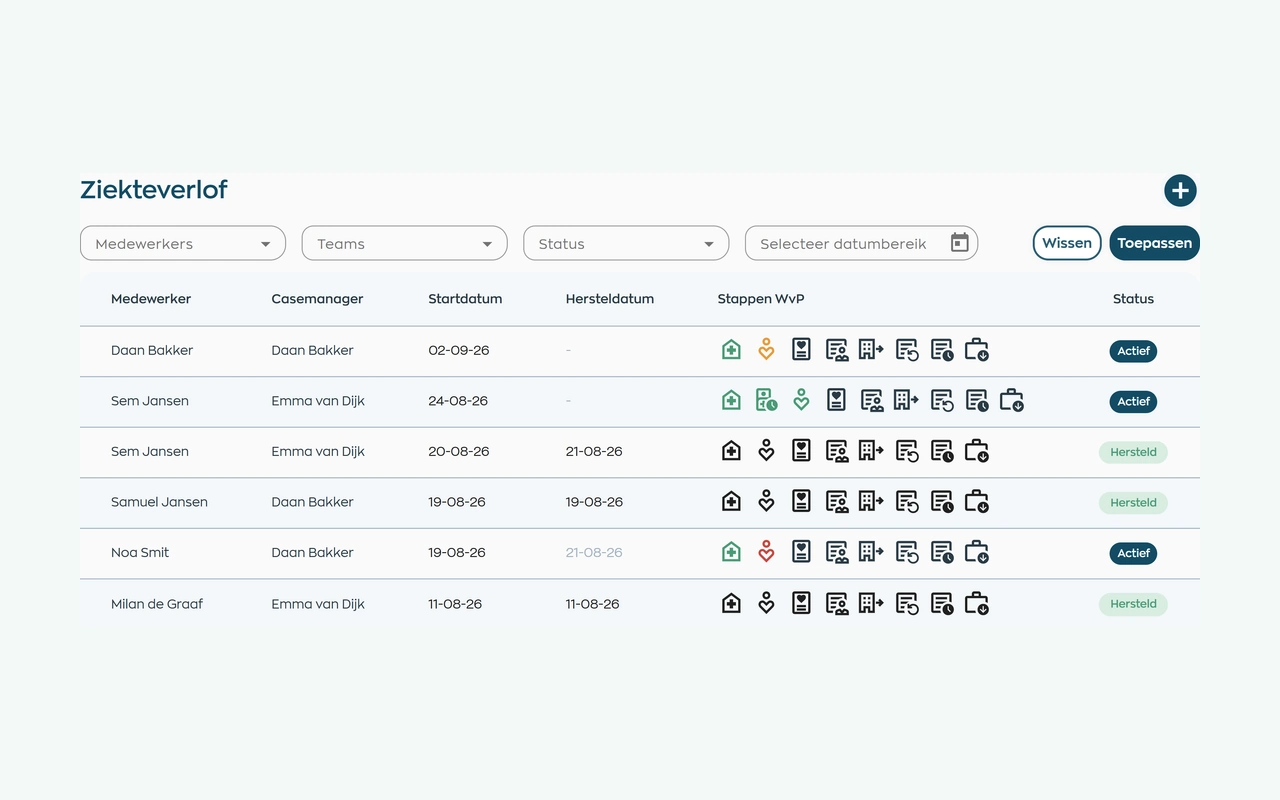
After a sickness report, the person responsible keeps contact records, tasks and next steps together. HR and managers use the same case file, subject to their access rights, without needing to record a diagnosis.
Explore sick leave and follow-upDiscuss hours and absence for the same period. Then follow up on documents, training and actions in their own overviews, turning signals into practical next steps.
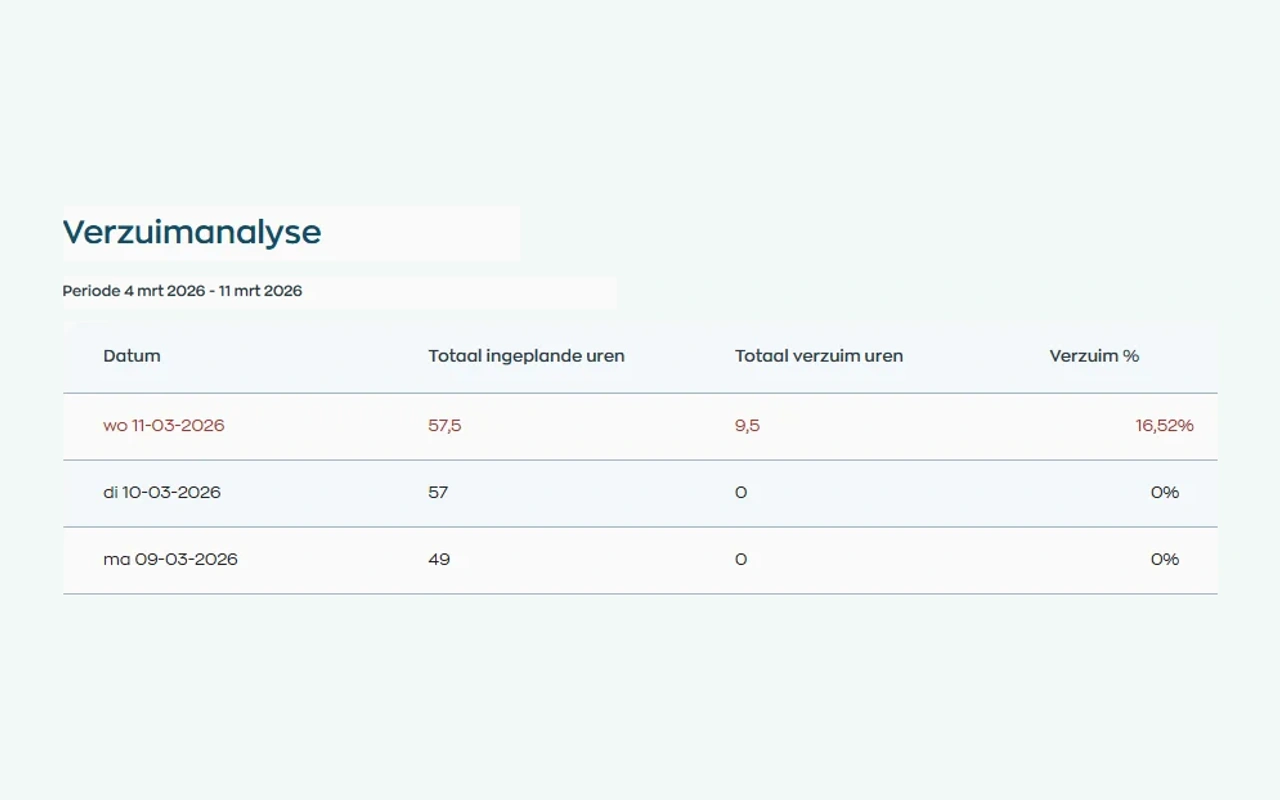
Use hours and sick leave reports for the selected period. Training, documents and actions also have their own overviews within the relevant modules, helping you discuss both the figures and the work still requiring follow-up.
Explore reports and module overviewsRoles and teams
HR, managers, employees, and administrators each work with the information and actions relevant to their role.
Manage employee records, workflows, documents, and reports.
Review requests, actions, and employee meetings.
View personal actions, assigned training, and company updates.
Configure access, roles, and teams.
Relevant modules
Relevant modules for semi-public employee operations.
Employee data, team context, documents, conversations and follow-up remain together.
View moduleRequest documents, let employees upload them, and track checks and validity in their records.
View moduleKeep sickness notifications, contact records, WvP case management and actions linked to the employee record.
View moduleUse hours and sick leave reports, and track training, documents and actions in their own module overviews.
View moduleResponsible by design
Role-based permissions and an EU-only processing chain support careful handling of employee information.
Limit access to employee information by role and team.
Customer and employee data in the WorkVine platform are processed within the EU, including by subprocessors.
Frequently asked questions
WorkVine is suitable for organizations that no longer want to manage HR, planning, documents, training and follow-up across separate systems. This includes foundations, executive agencies and social-purpose organizations coordinating employee records, documents, roles and HR workflows.
No. WorkVine can be configured for a specific industry, so teams only see and use what is relevant to their organization.
Yes. Documents, evidence, certificates and actions can be linked to employees and processes.
In a short demo we show how WorkVine fits your roles, teams, processes and current way of working.
Yes. Start with the process that currently creates the most scattered administration, such as employee records, leave or document requests. Set up the roles and responsibilities, then expand. We discuss configuration, any migration and support beforehand.
Where work, people and growth come together
Schedule a demo to explore employee records, documents, sick leave, permissions, and reporting in WorkVine.