One place to report sickness and return to work
Let employees submit their own notifications when appropriate, or record and manage them in WorkVine Office.

Why sick leave follow-up becomes fragmented
The first day of sick leave is recorded in a notification, follow-up agreements live in notes, and Dutch WvP milestones sit in personal calendars. Meanwhile, planners need to understand the impact on staffing. WorkVine brings reporting, ownership, follow-up, and insight together in one workflow.
Let employees submit their own notifications when appropriate, or record and manage them in WorkVine Office.
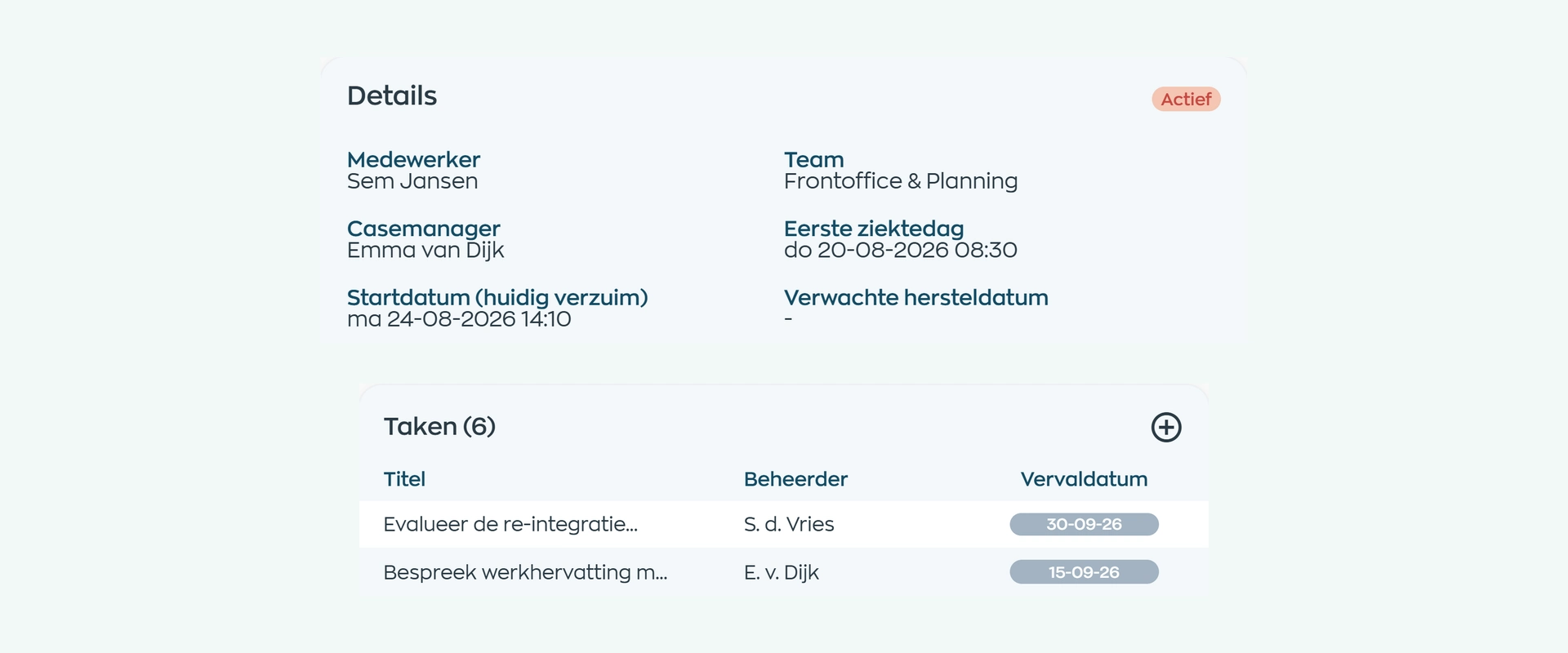
See who the case manager is and which open task needs attention.
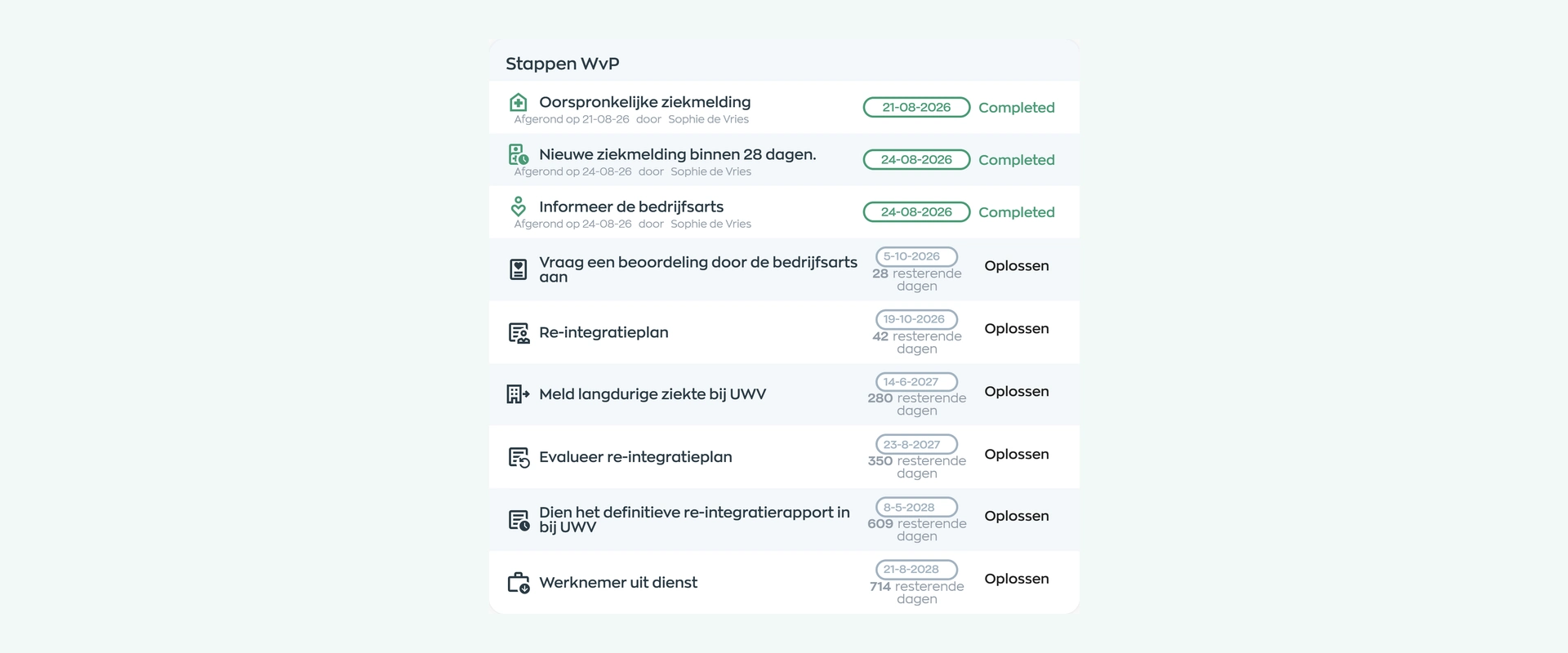
Track steps, statuses, and deadlines, and see when a key milestone is due within ten days.
1. Sickness and return-to-work notifications
When enabled by the organization, employees can report sickness and later their return to work in the Employee App. HR or a manager can also record or update a notification in WorkVine Office, including closing it when the employee returns to work.
The record focuses on the first day of sick leave, expected return date, and the process information needed for follow-up. WorkVine does not ask for a medical diagnosis.
2. Case record and case manager
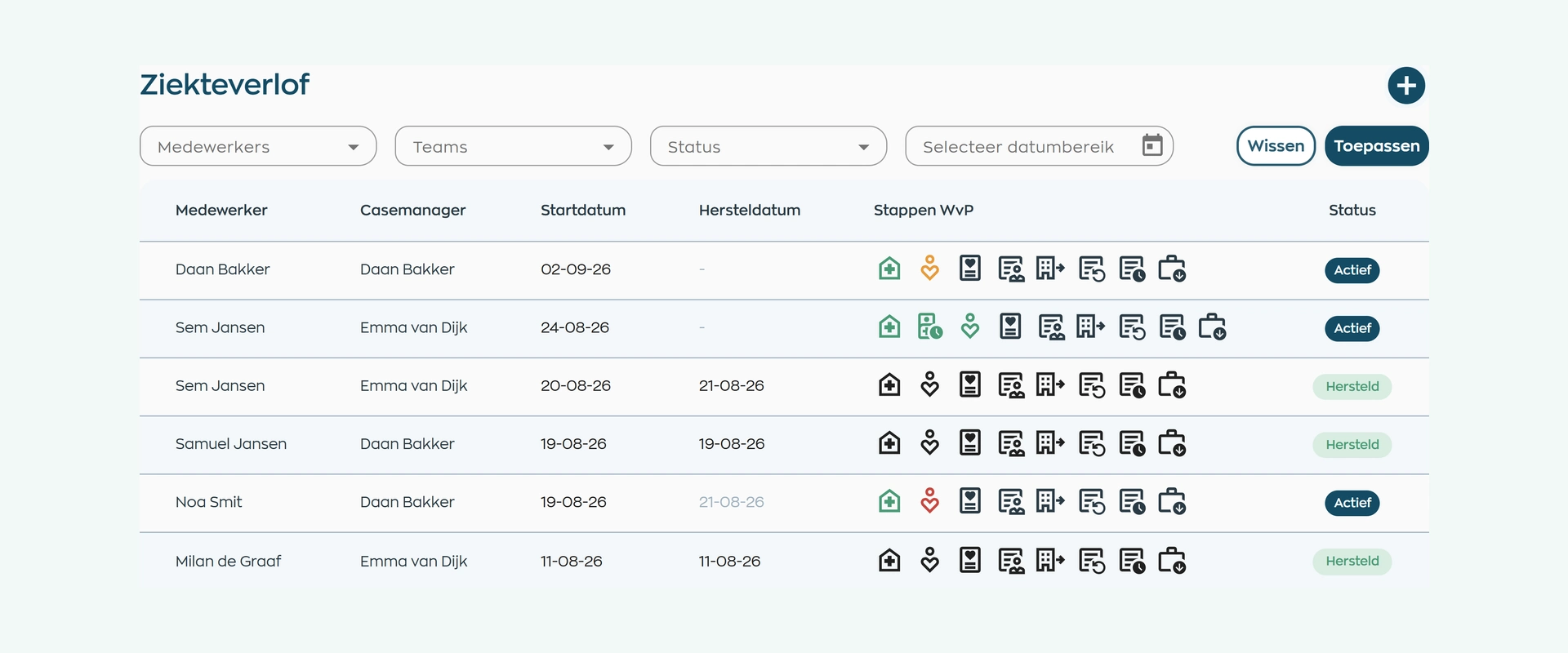
Filter by employee, team, status, and date range, and see immediately which case manager is assigned to each notification. The employee’s manager is suggested by default and can be changed.
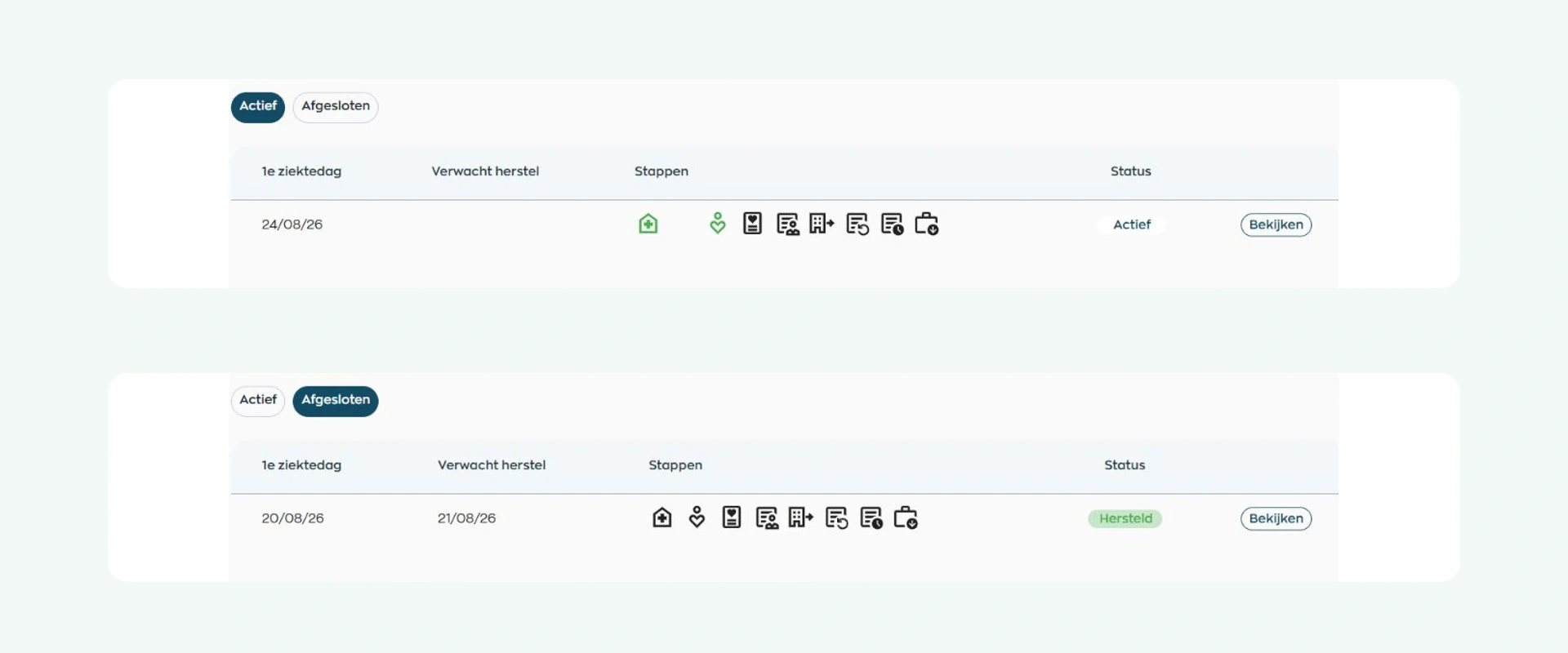
Active, completed, and historical notifications remain available, so HR does not have to search across inboxes and separate lists to establish the current status.
3. Tasks and ownership
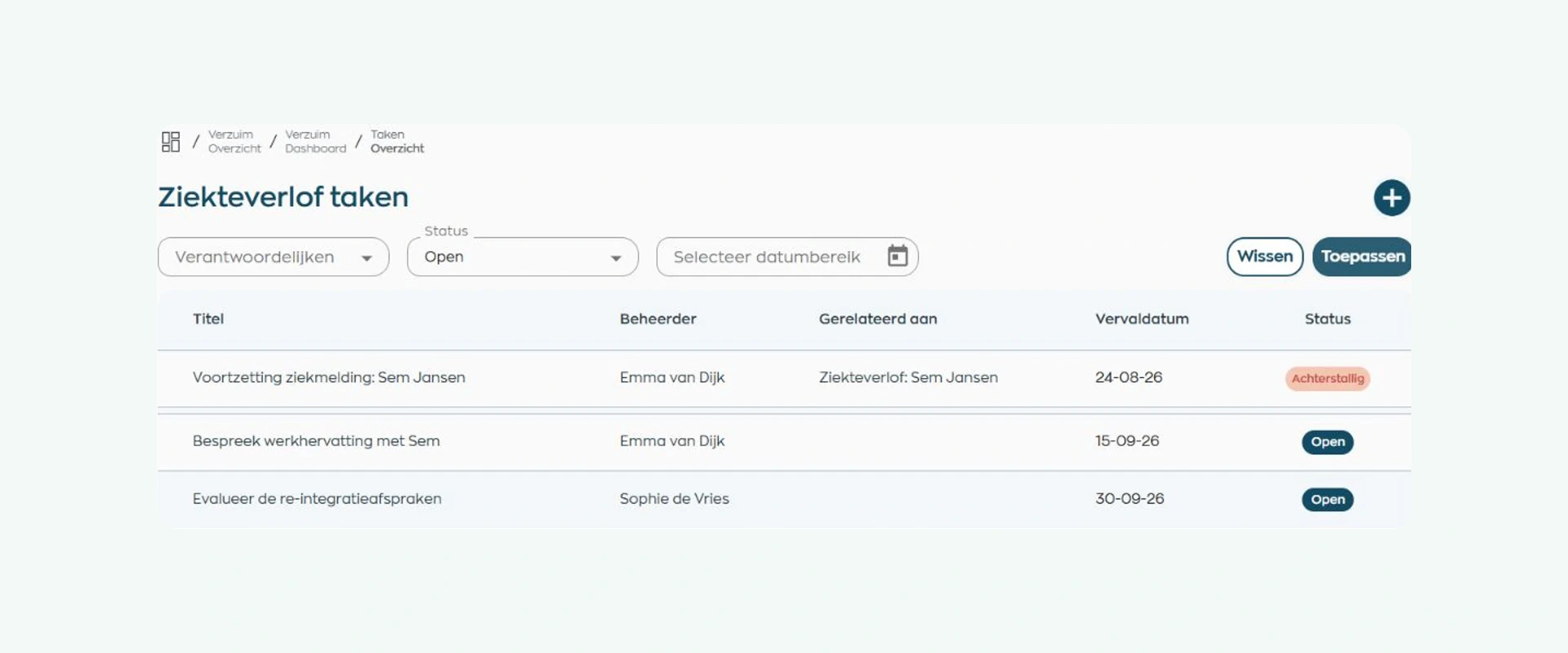
Give every task a clear title, due date, assignee, and description. This makes it easy to see which open action needs attention and who will handle it.
Record completed contacts and updates from the occupational health provider with the case as well. This keeps tasks, agreements, and relevant process context together within the configured roles and permissions.
4. Dutch WvP follow-up
For each case, WorkVine shows the Dutch WvP steps, status, deadline, and days remaining. An alert highlights any key milestone due within ten days.
WorkVine records these process steps and relevant reference details. It does not automatically send anything to an occupational health provider, occupational physician, or the Dutch Employee Insurance Agency (UWV).
Share appointments, documents, and return-to-work plans directly with the employee. A plan can be downloaded and, when requested, acknowledged or evaluated.
5. Staff scheduling and hours
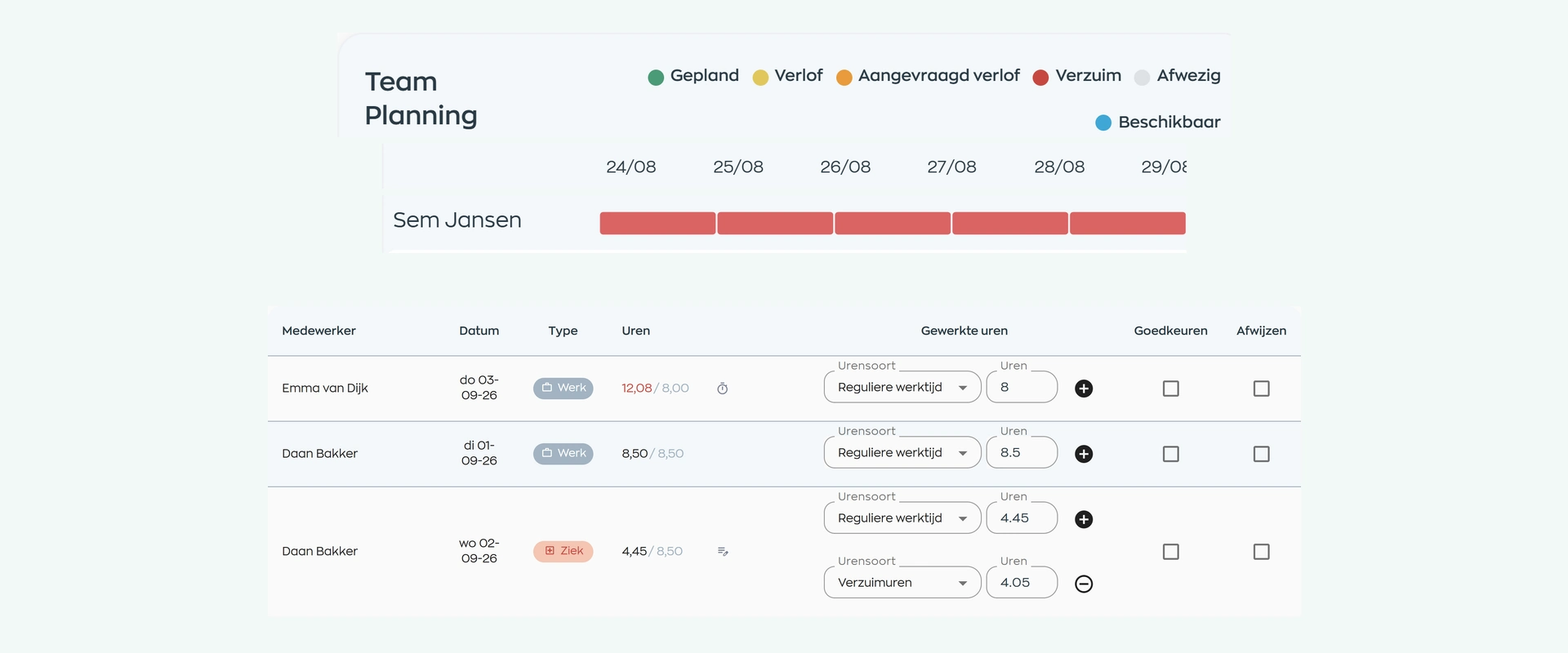
Sick leave appears in staff scheduling alongside shifts, annual leave, other absences, and availability, so planners can see where it affects staffing.
During time approval, sick leave remains available as a separate category. WorkVine does not make staffing decisions, arrange cover, or adjust hours automatically.
6. Insight and return to work
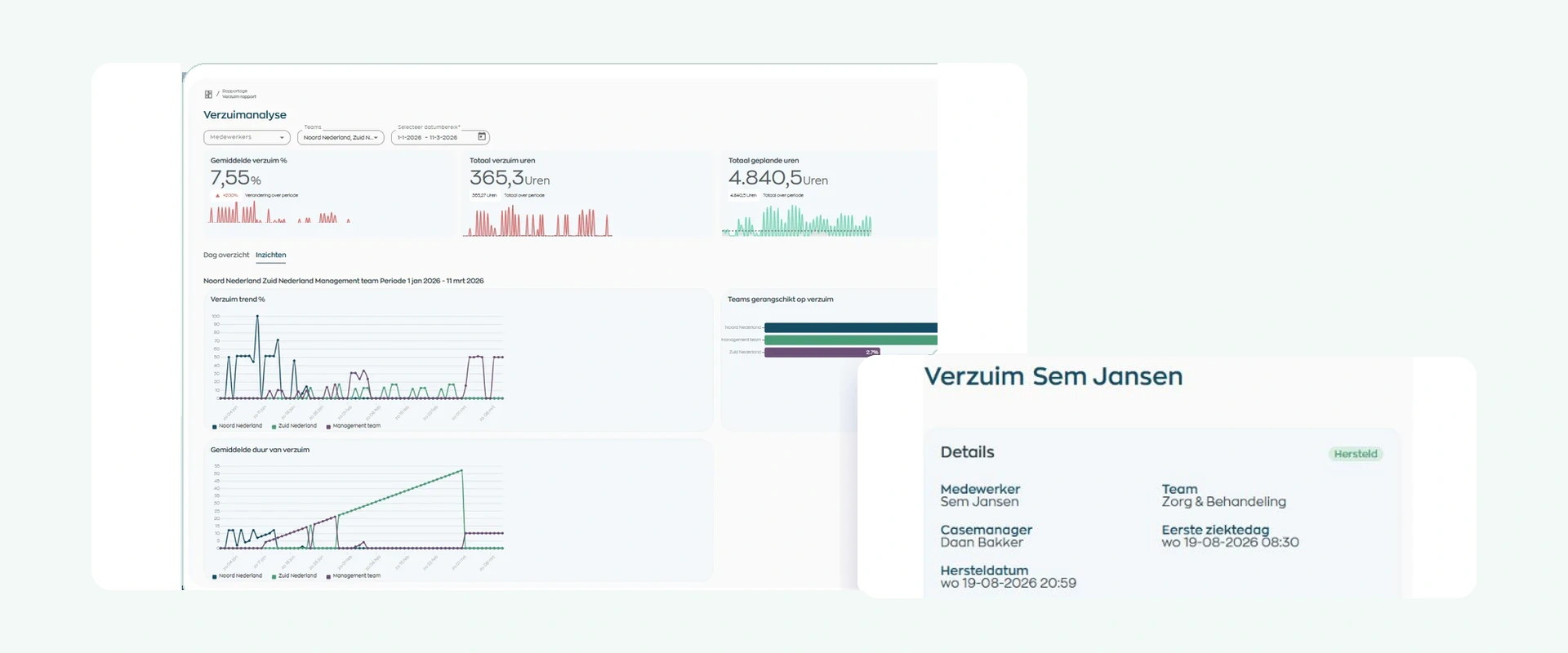
Filter the absence analysis to review headline metrics, duration, and trends by employee, team, and date range. This shows where a closer look or further analysis is needed.
Recording an employee’s return to work closes the active process without losing the case history. HR and management can therefore distinguish current follow-up from trends over time.
What changes
Employees know where to find information, case managers see what needs attention, and HR retains oversight without having to piece the process together again.
Report sickness or a return to work when self-service is enabled, and find shared appointments, documents, and plans in one place.
Work from one case with open tasks, recorded contacts, and visible Dutch WvP deadlines.
Keep active cases, return-to-work updates, scheduling impact, and reporting together without parallel lists.
Is this right for you?
WorkVine Absence Management is designed for organizations that need more than a place to record sick leave. It also helps them keep ownership, Dutch WvP follow-up, and the operational impact under control.
WorkVine supports the workflow; medical, professional, and legal assessments remain the responsibility of your organization and its qualified experts. Nothing is sent automatically to your occupational health provider, occupational physician, or the Dutch Employee Insurance Agency (UWV).
Capabilities
Compare your current process step by step: from reporting sickness and case management to Dutch WvP follow-up, staff scheduling, and reporting.
Frequently asked questions
Clear answers about reporting sickness and returning to work, ownership, privacy, Dutch WvP follow-up, staff scheduling, and reporting.
Absence management software brings together sickness and return-to-work notifications, case records, case managers, tasks, contact records, and Dutch WvP deadlines. WorkVine also connects this follow-up with the Employee App, staff scheduling, time approvals, and reporting.
Yes, if the organization has enabled self-service. HR or a manager can also record or update a notification in WorkVine Office, including recording the employee’s return to work.
No. WorkVine does not ask employees for a medical diagnosis. It focuses on the process information needed for follow-up; the organization decides which optional information it is appropriate to request and record.
Each case has a visible case manager. Tasks can include a title, due date, owner, and description. Completed contacts and updates from the occupational health provider can be recorded with the case.
WorkVine displays Dutch WvP steps, statuses, deadlines, and days remaining, and flags key milestones that are due within ten days. Professional, medical, and legal assessments remain the responsibility of the organization and its qualified experts.
Employees can find shared appointments, documents, and return-to-work plans in the Employee App. They can download a plan and, when requested, acknowledge or evaluate it.
No. Relevant case and reference data can be recorded, but WorkVine does not automatically send a sickness notification or case file to the occupational health provider, occupational physician, or the Dutch Employee Insurance Agency (UWV).
Yes. Sick leave is visible in the scheduling context and as a separate category during time approval. WorkVine does not arrange cover or adjust hours automatically.
The sick leave report includes filters, headline metrics, duration and trends, cases, and Dutch WvP items requiring attention. You can export the filtered data to CSV.
Yes. Recording an employee’s return to work closes the active process, while completed and historical notifications remain available for reference.
Where work, people and growth come together
We walk through a familiar case from start to finish: from the initial sickness notification and ownership to Dutch WvP follow-up, staff scheduling, return to work, and reporting.