Staffing levels
Compare staffing needs with employee availability and roles before assigning shifts.


Sound familiar?
Shift assignments depend on employee availability, roles, recorded qualifications, assigned training, and current absence information.
Compare staffing needs with employee availability and roles before assigning shifts.
Record emergency-response qualifications, medication-related competence, moving and handling training, certificates, and expiration dates.
Review staffing by role and presence requirements while planners retain responsibility for assignments.
Record sick leave notifications, case ownership, scheduled check-ins, and agreed actions.
What WorkVine brings together
WorkVine links employee scheduling with qualifications, training, certificate files, sick leave, and reporting.
From plans to action
HR, planners, and team leaders can work from structured employee records instead of reconciling separate lists.
These product examples use our Kliniek Lindenvaert demo organization. They show how WorkVine works; your own teams, documents and processes shape your setup.
A shift needs more than enough people: it also needs the right skills and supervision. Planners set these requirements and can see where staffing still needs attention.
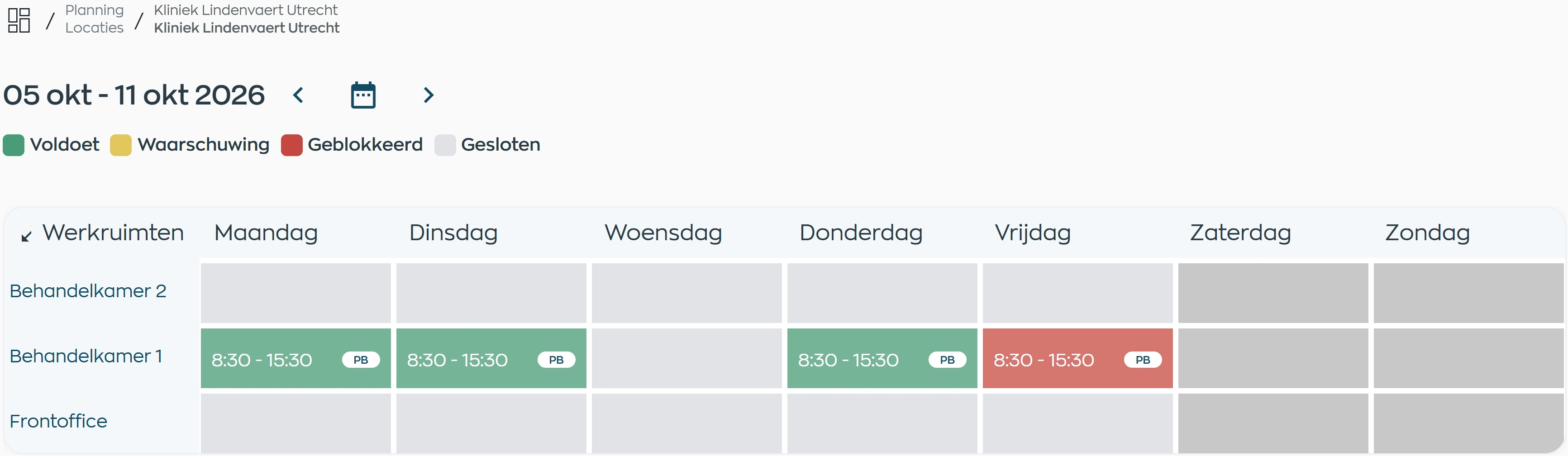
Set the staffing levels and qualifications needed for each workspace and work block. Planners can see where staffing meets those requirements and where an issue needs attention.
Explore capacity planningRecord qualifications and expiration dates, with the relevant certificate attached to the employee record.
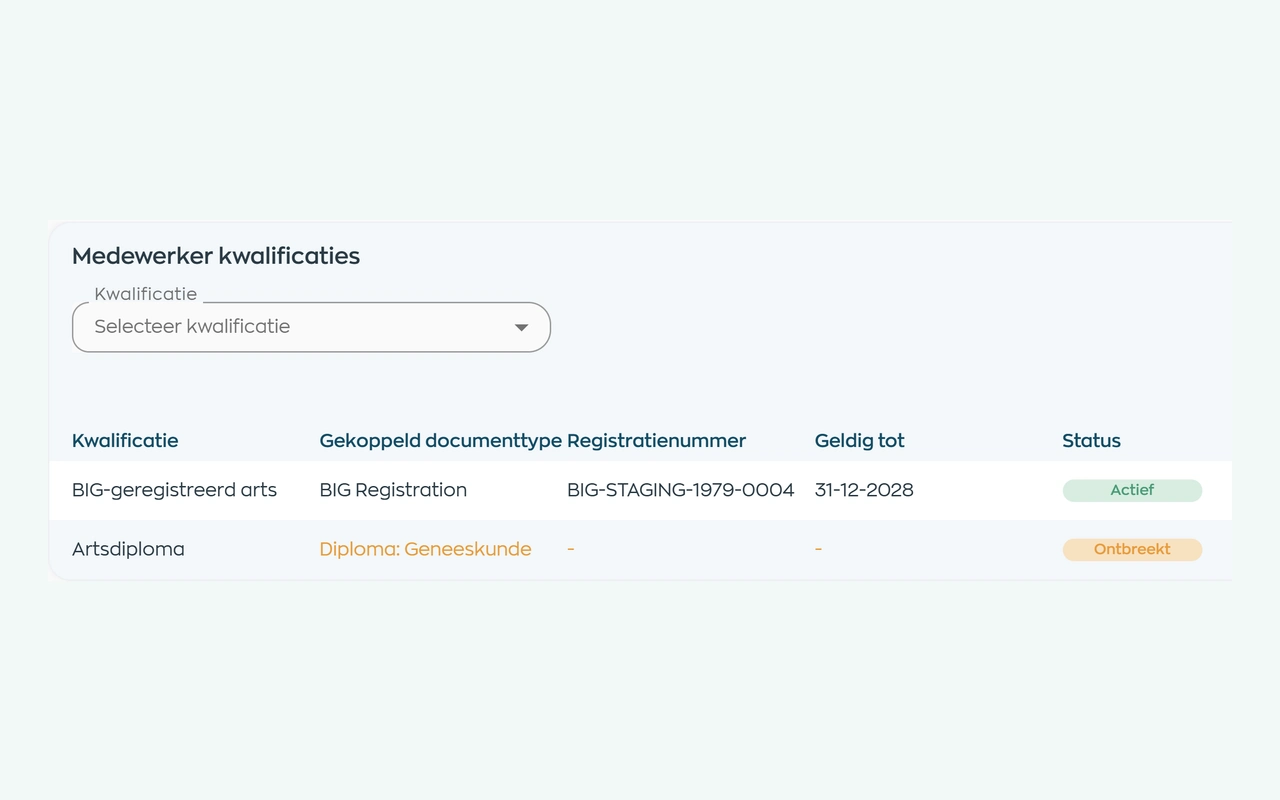
Define the qualifications and evidence a role requires. HR can check each employee’s status and validity dates, then request missing documents. Your organization sets the requirements.
Explore qualifications and supporting documentsAssign training and review participation, progress, and completion.
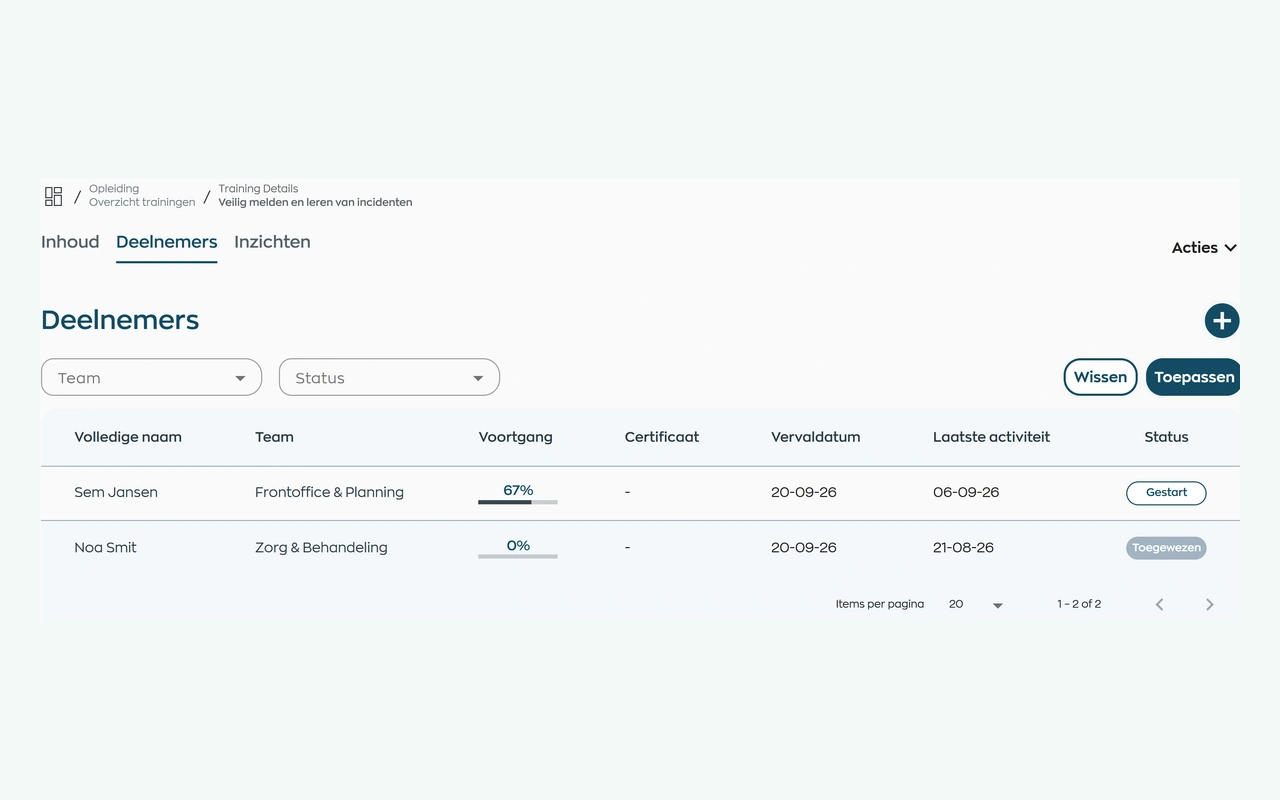
Assign your own training or a course from WorkVine. Employees complete it in their app. The person responsible can see who has yet to start, who is progressing and who may need support.
Explore training and progress trackingAbsence figures need context. Review hours and sick leave for the selected period, and use the relevant module overviews to follow up on training and missing evidence.
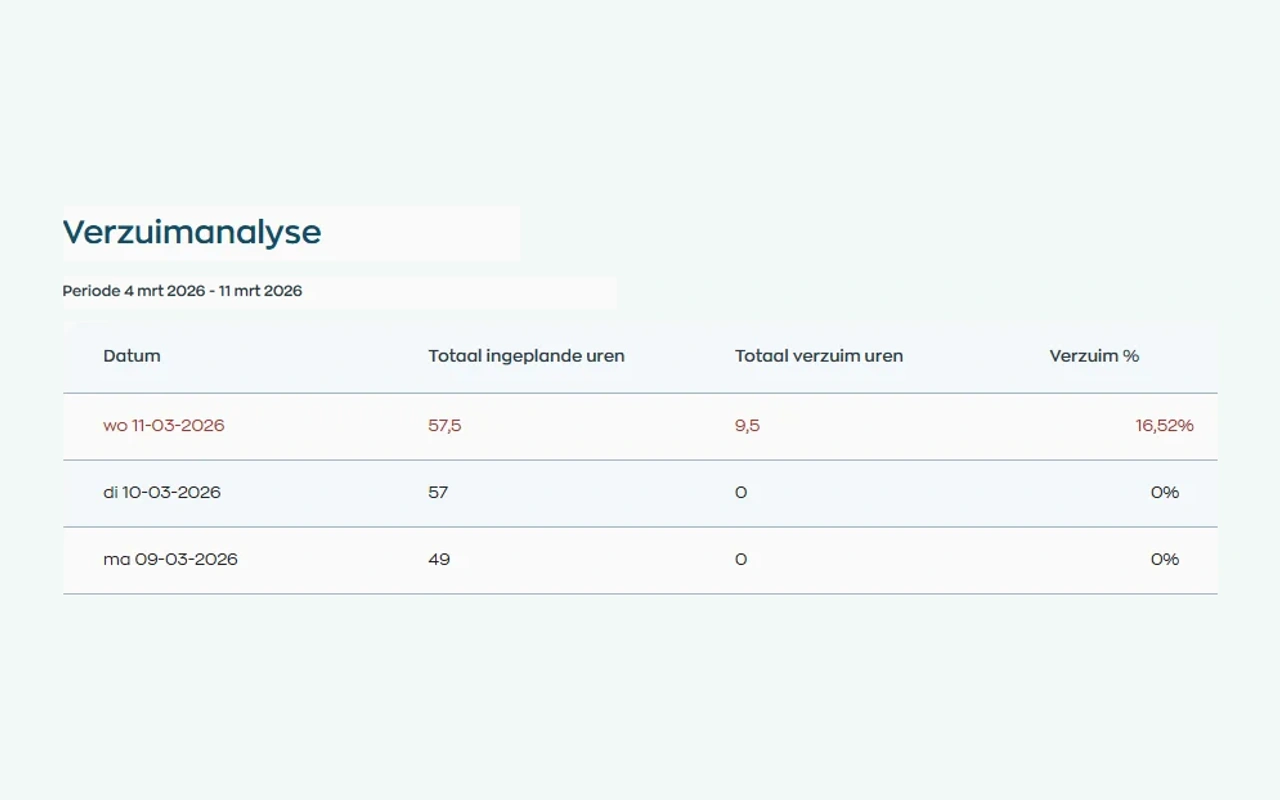
Use hours and sick leave reports for the selected period. Training, documents and actions also have their own overviews within the relevant modules, helping you discuss both the figures and the work still requiring follow-up.
Explore reports and module overviewsRoles and teams
WorkVine supports the distinct responsibilities of HR, planners, team leaders, and employees.
Coordinate shifts, team actions, and sick leave cases.
Use recorded availability, roles, and approved or reported absence when preparing schedules.
View their relevant work schedule, assigned training, documents, and actions.
Manages employee records, permissions, reports, and outstanding HR actions.
Relevant modules
These modules support the employee workflows described for long-term and disability care teams.
Keep shifts, availability and changes together in an up-to-date schedule.
View moduleQualifications, certificates, expiration dates and missing evidence become apparent earlier.
View moduleOnboarding, training, certificates and progress can be found by employee, team and role.
View moduleKeep sickness notifications, contact records, WvP case management and actions linked to the employee record.
View moduleResponsible by design
Sensitive employee processes require controlled access and clear responsibilities.
Access is limited by role, team, and organization context.
Customer and employee data in the WorkVine platform are processed within the EU, including by subprocessors.
Frequently asked questions
WorkVine is suitable for organizations that no longer want to manage HR, planning, documents, training and follow-up across separate systems. This includes teams where shift assignments depend on availability, roles, qualifications, training, and absence information.
No. WorkVine can be configured for a specific industry, so teams only see and use what is relevant to their organization.
Yes. Documents, evidence, certificates and actions can be linked to employees and processes.
In a short demo we show how WorkVine fits your roles, teams, processes and current way of working.
Yes. Capacity planning lets you set staffing levels, qualifications and, where needed, supervision requirements for each workspace and work block. Planners review the signals and adjust staffing. Your organization remains responsible for defining and assessing its requirements.
Where work, people and growth come together
Schedule a demo to discuss employee scheduling, qualifications, certificates, training, and sick leave workflows.