Spend less time chasing timesheets
Let employees clock in and out or enter time manually, while keeping incomplete days and daily work checks visible.

Why time tracking breaks down
Clock records sit in one overview, scheduled hours in another, and leave or sick leave requires yet another check. WorkVine brings the entire workday together and gives employees, managers, and payroll administrators a clear part in the same workflow.
Let employees clock in and out or enter time manually, while keeping incomplete days and daily work checks visible.
Compare the schedule, clock sessions, manual entries, leave, and sick leave before a manager makes a decision.
Use approved hours in reports, XLSX exports, and downstream payroll processing.
1. Record time
Employees can clock in and out or, when enabled for their role, add a work session manually. The weekly overview shows scheduled and recorded hours and the status of every workday.
Daily checks, such as confirming a break or a work-from-home day, can be presented as focused prompts. An open record remains editable; after review, corrections are made in the original source.

2. Complete daily record
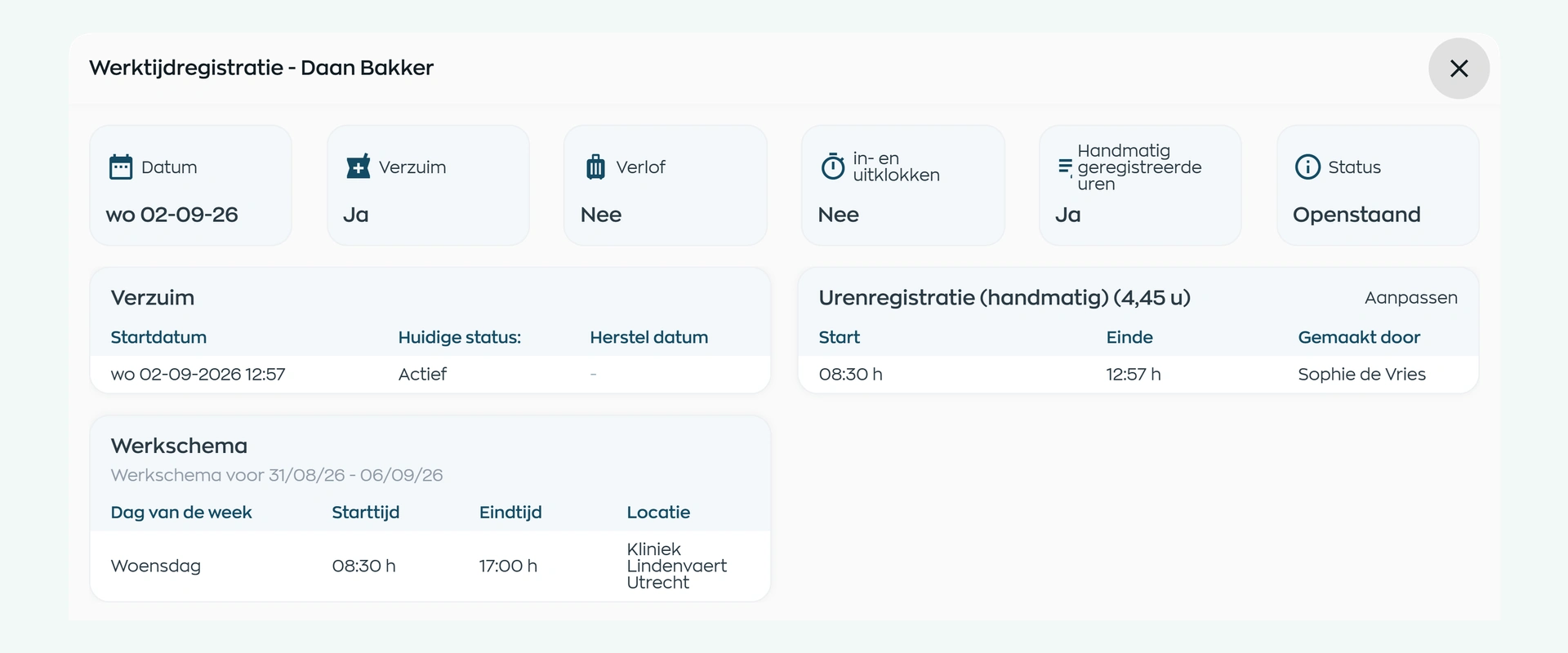
For each employee and workday, WorkVine combines scheduled hours, one or more clock sessions, manually entered time, leave, and sick leave. Overlapping entries remain visible so the manager can make an informed decision about what actually happened.
This removes the need to compare separate schedules, clock records, and absence overviews. The underlying time record remains the traceable source.
3. Review and approval
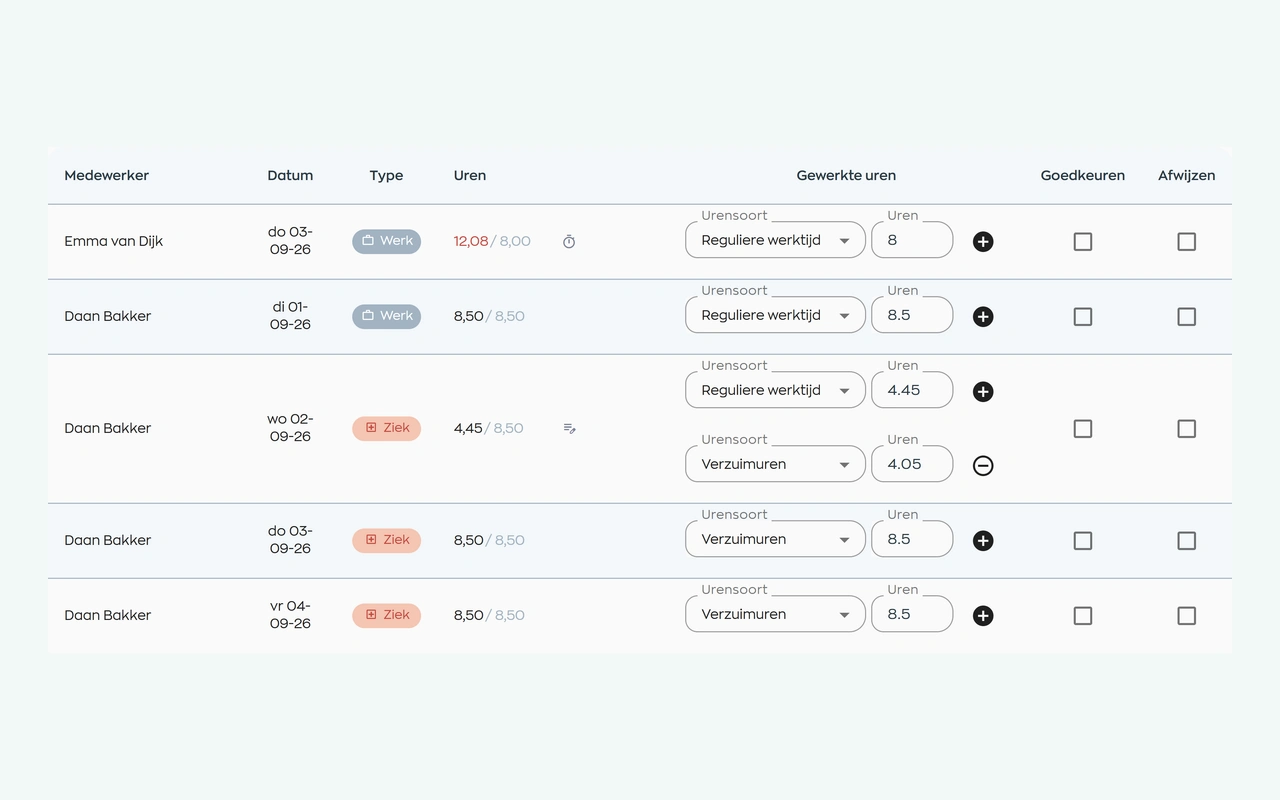
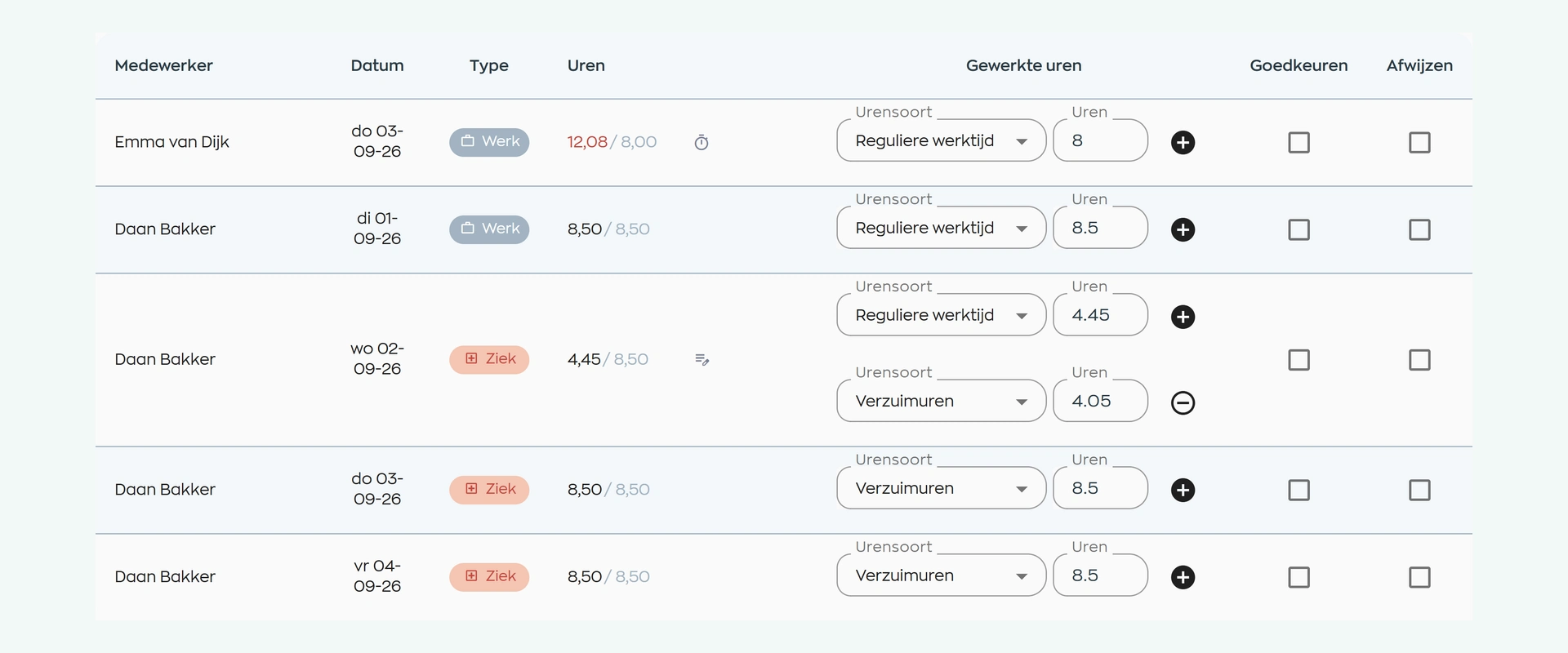
The manager filters workdays awaiting review by period, employee or team, then compares scheduled hours with recorded time. A difference calls for a review, not an automatic rejection.
Split the day across time types when needed, such as hours worked and sick leave. The manager selects approval or rejection and processes the records. The decision then remains visible to the employee and in Office.
4. Reporting and handover
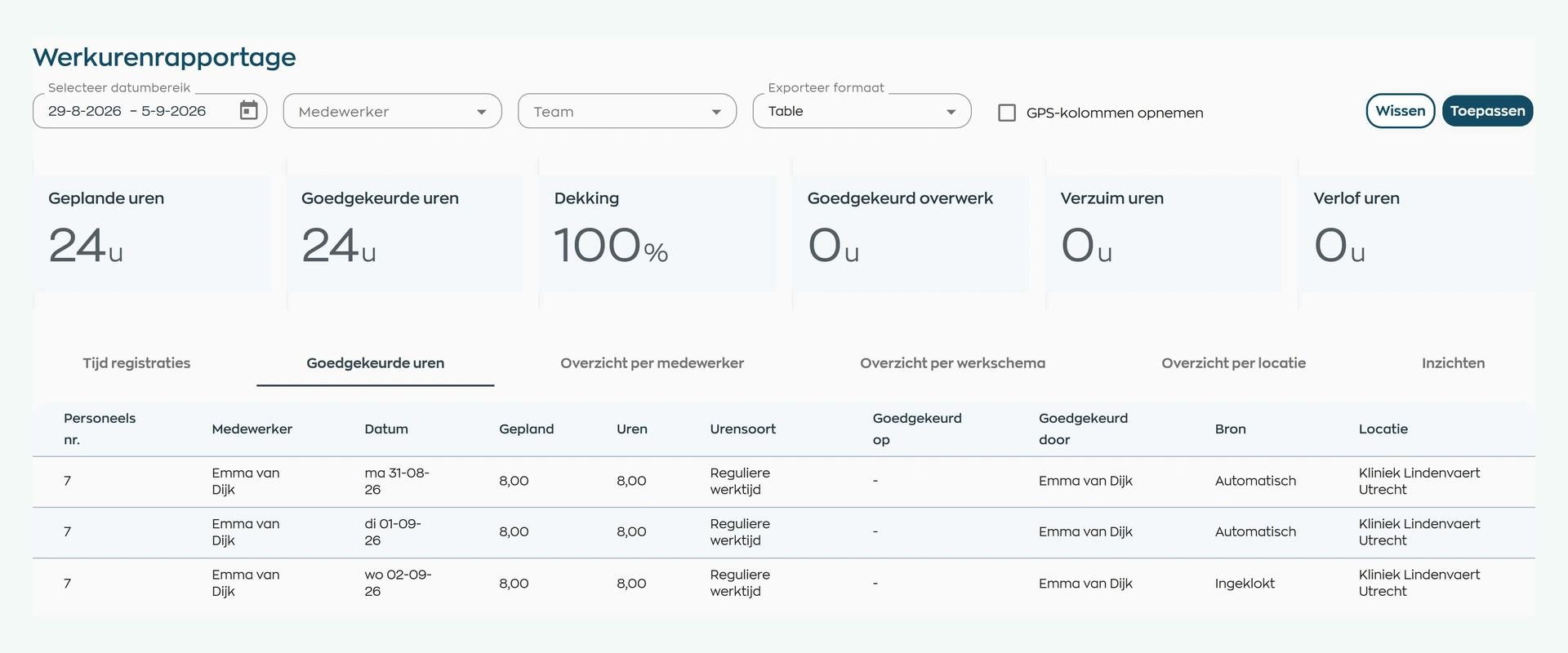
View completed days by employee, team, and period in a table or XLSX export. The report can include scheduled, recorded, and approved hours, leave, sick leave, overtime, and staffing coverage.
Payroll administrators can continue with verified data for reporting or payroll processing without re-entering hours from separate sources. WorkVine does not calculate salaries.
What changes
Employees, managers and payroll administrators work from the same time records, from the first entry to approval.
Record time, review your own week, and see which workdays still need attention.
Compare scheduled and recorded time, review the context and record an informed decision.
Use approved hours in reports, exports, and payroll processing.
Is this a fit for your organization?
A shift runs over, someone works part of the day or goes home sick. WorkVine helps teams reflect that reality in their time records before the hours move on to the next step.
Capabilities
Compare your current process step by step: record, review, approve, report, and process the hours.
Frequently asked questions
Answers about employee entries, daily records, approval, hour types, exports, and payroll processing.
Yes, when manual time entry is enabled for their role. Employees can add work sessions and edit open records. The organization can also enable clocking in and out through WorkVine.
A day can contain scheduled hours, one or more clock-in sessions, manually entered time, leave, and sick leave. The exact sources depend on the setup of your organization.
Yes. A manager can review the complete workday and approve or reject it. Both are final statuses: employees can no longer change the record through the usual entry screen. Any correction must be made through the source record or the dedicated correction workflow.
Yes. Registered time can be allocated to the types of hours set up for the organization, so that review and reporting align with the organization's own working methods.
Yes. The time report can be filtered by employee, team, and period and viewed as a table or exported to XLSX. The available columns depend on the selected report.
No. WorkVine supports recording, reviewing, approving, reporting, and exporting hours. Approved data can be used by payroll administration or sent to any payroll package that provides an API.
Where work, people and growth come together
Bring one typical working week to the demo. We will follow the hours from initial entry and discrepancy checks through approval and export.