Employees submit their own requests
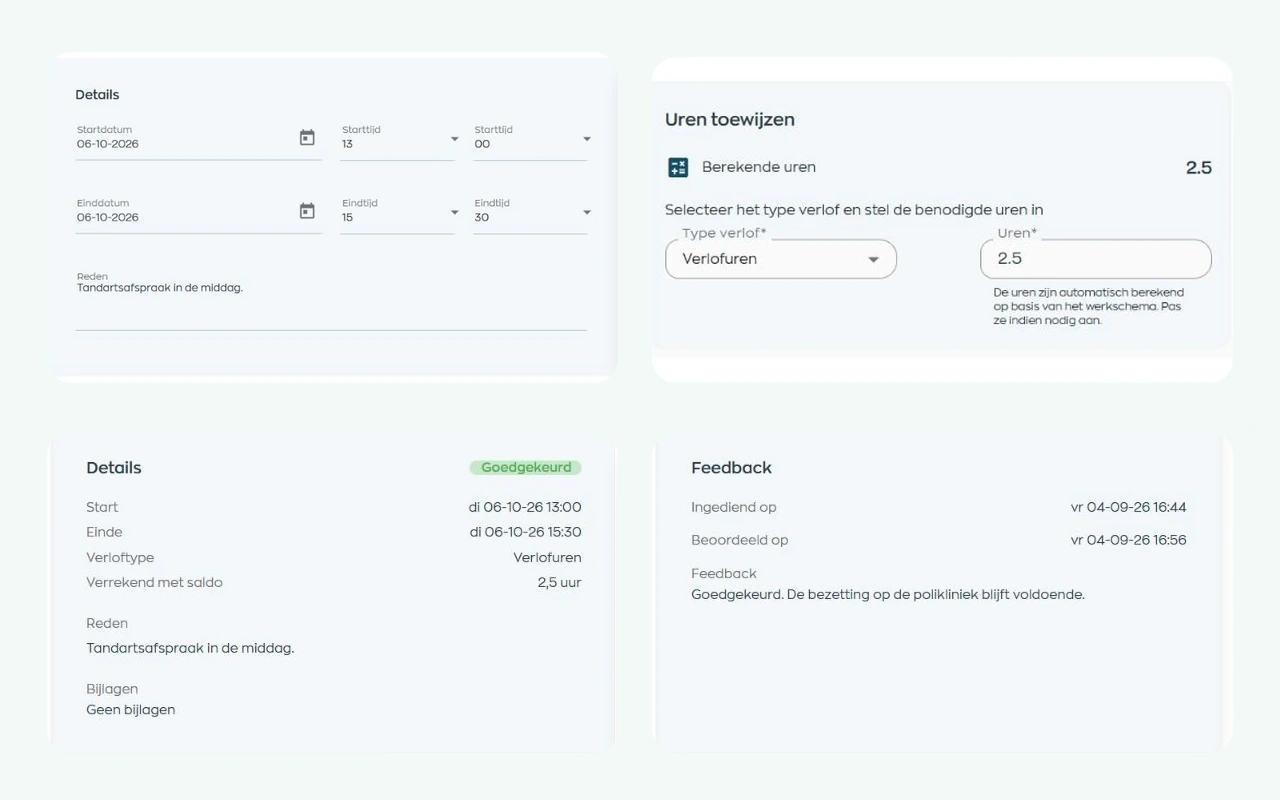
Dates, times, a reason, and any supporting attachment stay together in the same request.

Why leave requests get stuck
Requests arrive by email, managers cannot see how leave affects the schedule, and HR fields questions about status or balances. A simple request then creates needless back-and-forth. WorkVine connects submission, review, employee scheduling and the response, while managers remain in control.
Dates, times, a reason, and any supporting attachment stay together in the same request.
Scheduled hours, the team schedule and, when enabled, the leave balance help managers make an informed decision.
Requests, decisions, and balance changes remain available in the right place.
1. Submit
In the Employee App, employees select the start and end dates and the relevant times. They can add a reason and supporting attachment to the same request. If your organization uses leave balances, they also select the appropriate leave type.
Employees can edit or delete a request while it is still pending. Its current status remains visible in the app, without another email to HR or their manager.
2. Review queue
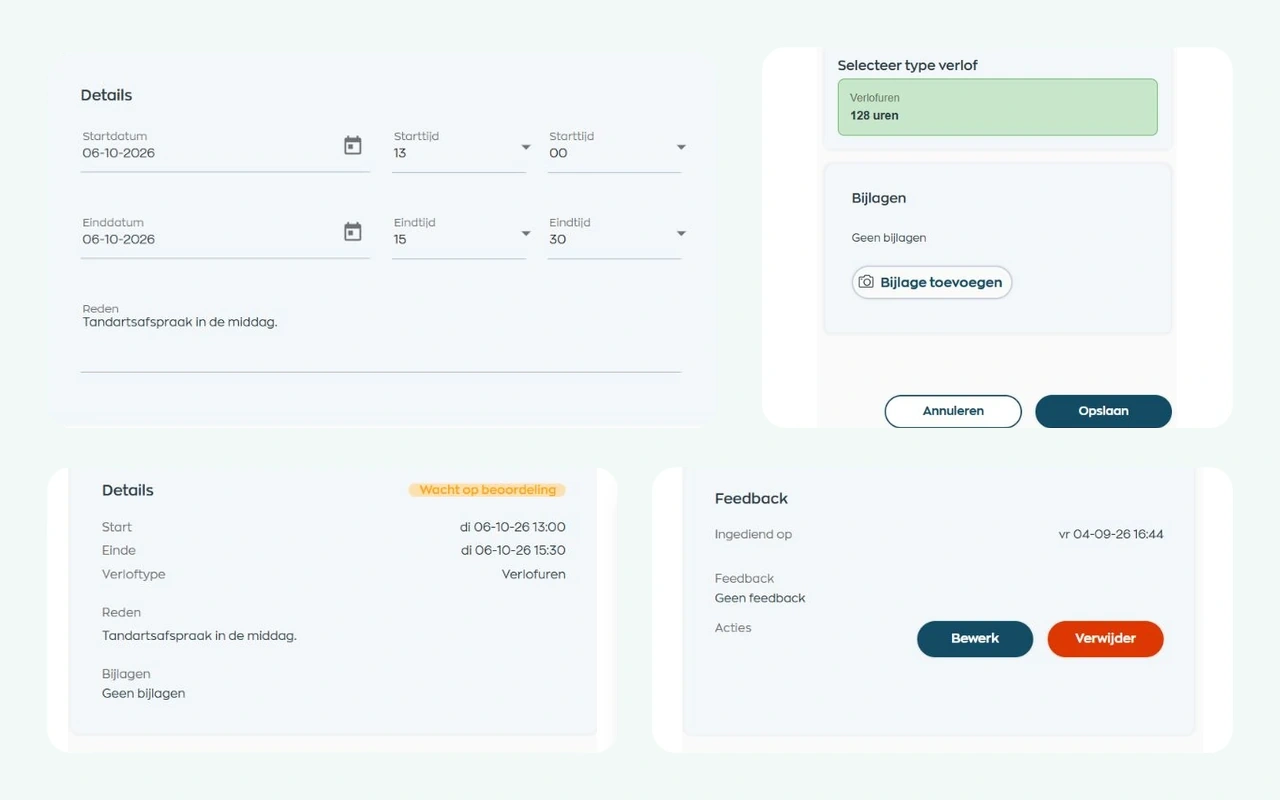
In Office, HR and other authorized users can filter requests by employee, team, status, and period. An authorized Office user can also submit a request on an employee’s behalf.
Submitting a request creates a task for the responsible manager. If email recipients have been configured, the relevant people also receive a message. Everyone can see which request is waiting for review.
3. Review
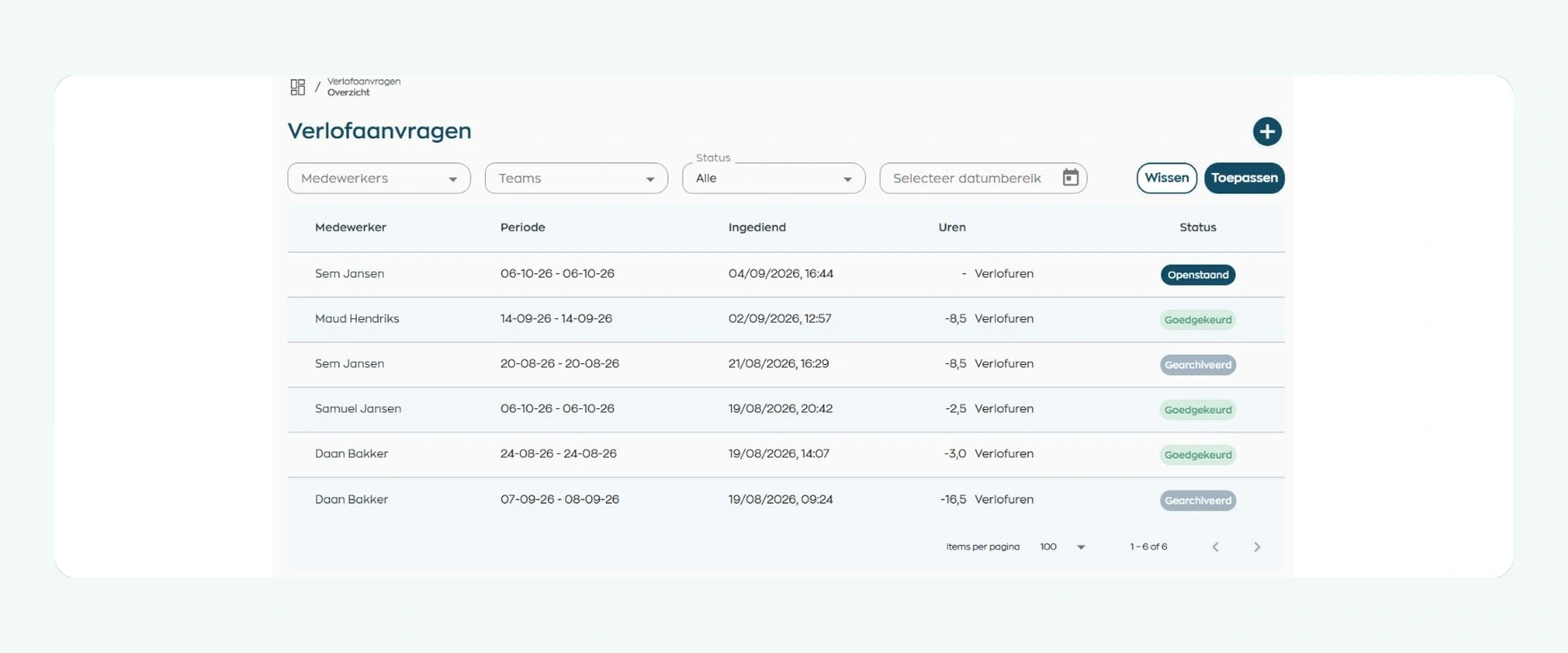
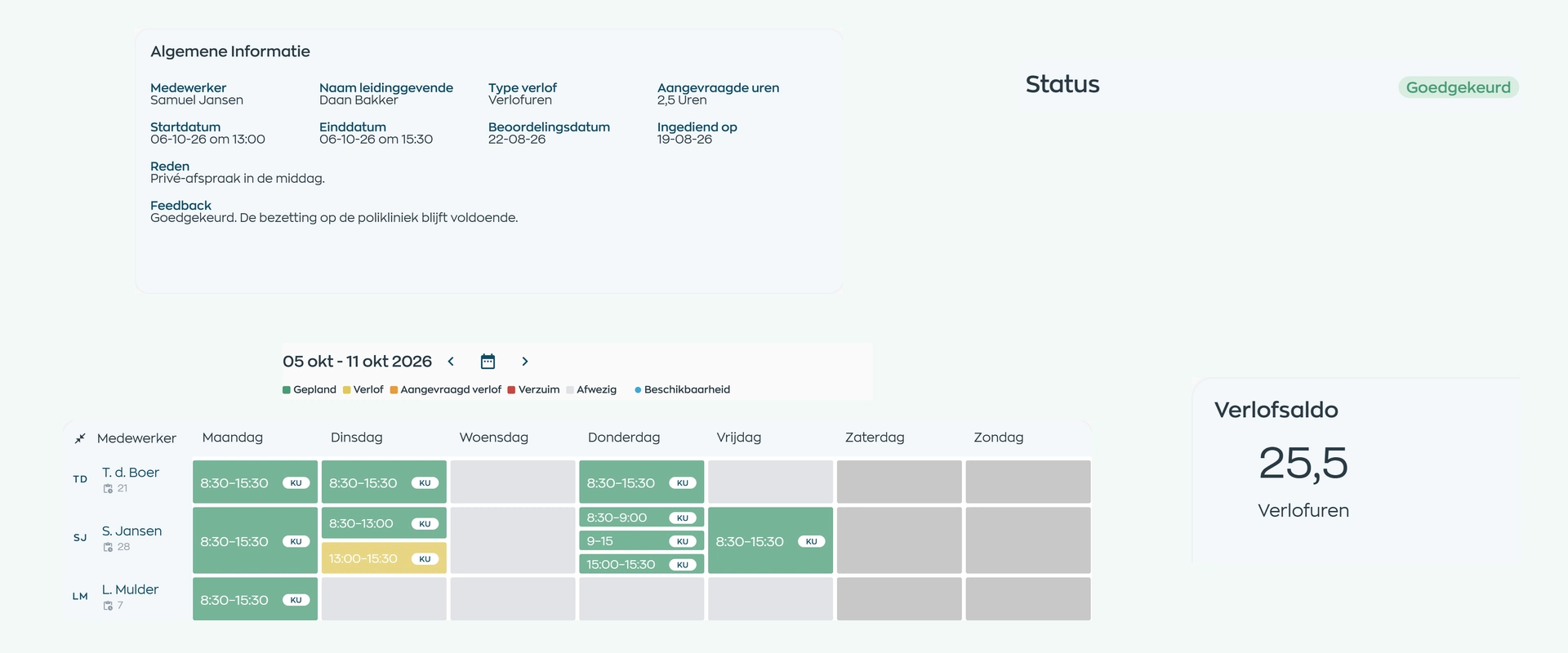
The manager sees the period, reason, any attachment, and the employee’s work schedule. WorkVine proposes the hours to process based on that schedule. The manager checks those hours and can adjust them or the leave type when needed.
An overlap with other absence appears as a warning, but WorkVine never makes the decision. The manager approves or rejects the request and records feedback when rejecting it.
4. Team and scheduling
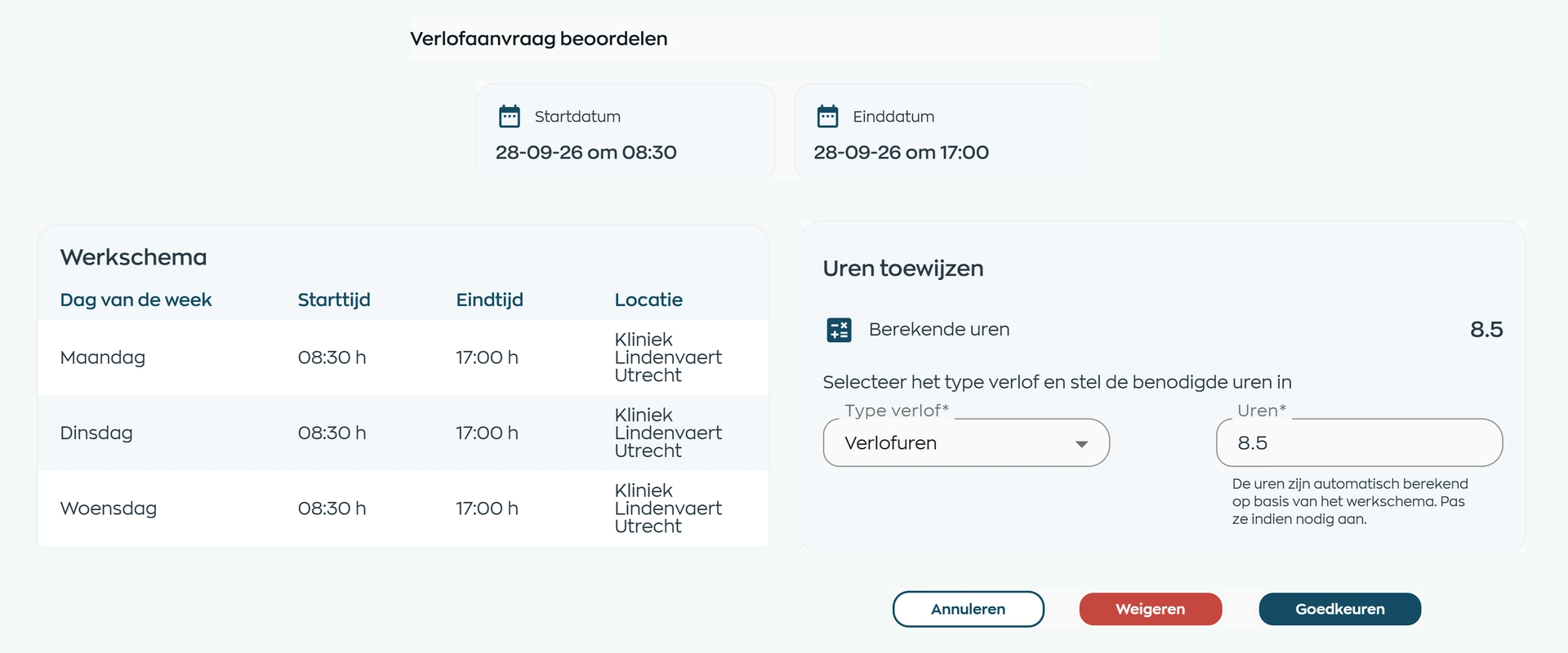
The request record brings the period, reason, responsible manager, status, and team schedule together. Requested and approved leave remain clearly distinguishable in that schedule.
The schedule gives the manager useful context for the decision. WorkVine organizes and flags the information, but it does not guarantee staffing or decide automatically.
5. Feedback
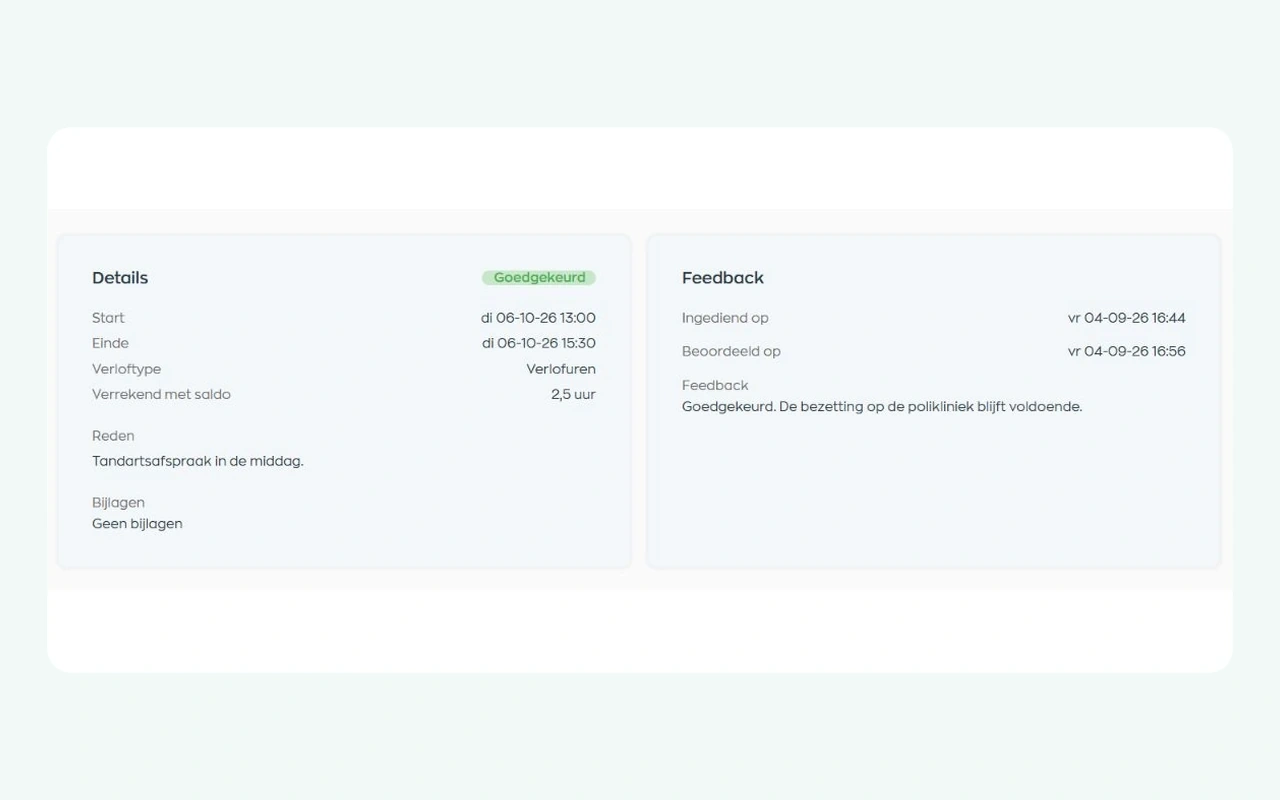
After the review, the employee receives an email about the new status. The Employee App keeps the period, decision, feedback, and processed leave hours with the original request.
Employees no longer need to search through separate messages, and HR can refer to the same recorded outcome when questions arise.
6. Balances and history
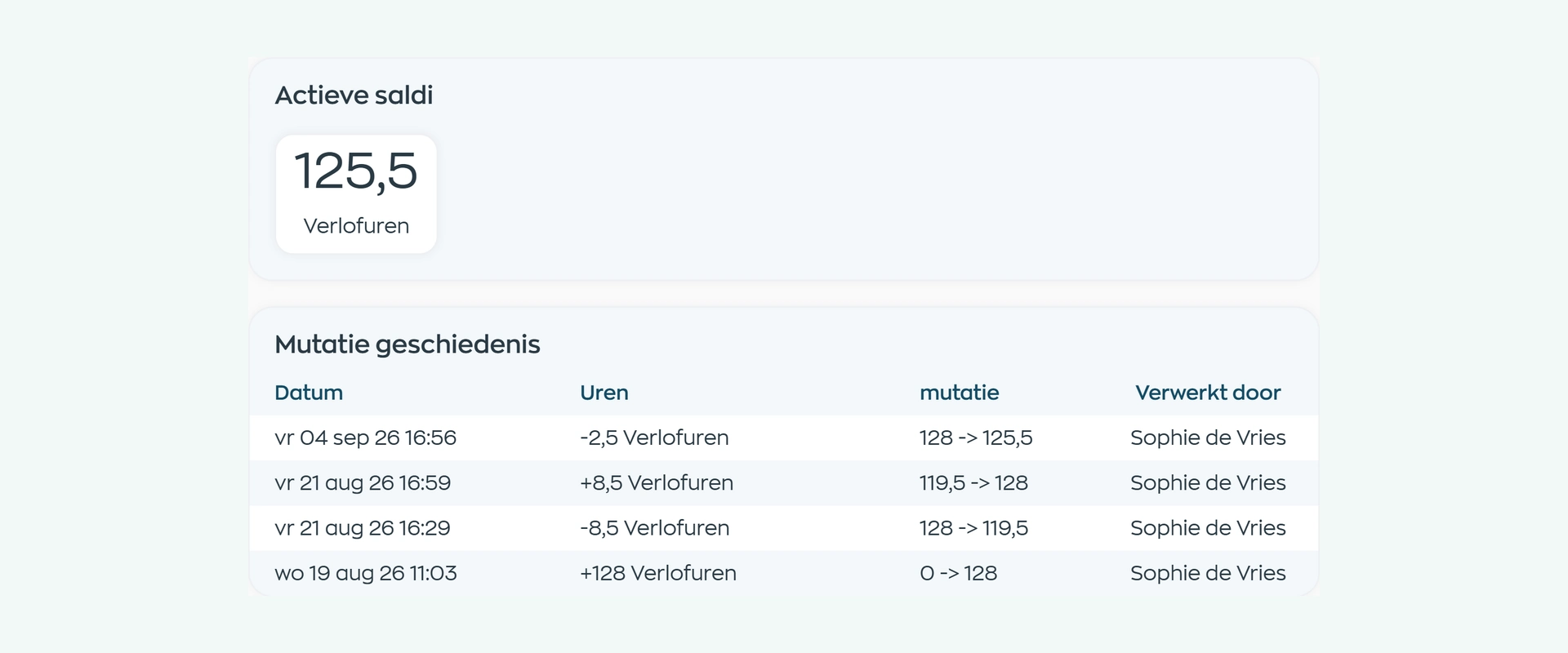
Organizations that use leave balances can keep an active or archived balance for each employee and leave type. Only an administrator can adjust a balance.
For each change, the history shows the date, difference, balance before and after, and who processed it. When approved leave is canceled, the balance is restored and the request archived. You can trace each correction, while your organization remains in charge of its leave policy.
What changes
Employees can follow their request, managers decide with the right context, and HR keeps the process and any leave balances in view.
Keep requests, statuses, optional balances, and corrections together without separate trackers.
Review pending requests alongside scheduled hours and the team schedule.
Request leave directly and find the status, feedback, and processed hours in the app.
Is this a fit?
WorkVine Leave Management is designed for teams that want more than a digital request form: they also need careful review, clear feedback, and a reliable connection with employee scheduling.
WorkVine supports the request and review workflow. Your organization remains responsible for its leave policy, the configuration of leave types and balances, and every final decision.
Capabilities
Compare your current leave process step by step: submission, review, feedback, employee scheduling, and optional leave balances.
Frequently asked questions
Straightforward answers about digital leave requests, manager review, schedule context, status updates, and optional leave balances.
Leave management software brings the request, review, status, and any balance change into one workflow. WorkVine also connects that process with the employee’s work schedule and the Employee App.
Yes. In the Employee App, employees select the period and times and can add a reason and attachment. If leave balances are enabled, they also select a leave type.
Yes. A request includes start and end times, so it can cover part of a working day. The manager checks the hours to process during review.
They can while the request is still pending. Once it has been approved or rejected, the decision is final and an authorized manager or HR user handles any correction.
The manager can review the period, reason, attachments, work schedule, proposed hours, and team schedule. If balances are in use, the employee’s current leave balance is also available.
No. WorkVine brings the request and relevant context together and can flag an overlap, but the manager checks the information and makes the decision.
Leave balances are optional and tracked by employee and leave type. An administrator can adjust a balance. The history shows the date, change, balance before and after, and who made the change. Your organization remains responsible for its leave policy and configuration.
WorkVine flags the overlap as a warning. It does not automatically block or reject the request; the manager decides what is appropriate in that situation.
Yes. Leave remains part of the scheduling context, so planners and managers can take the absence into account when building the schedule.
An authorized Office user can cancel approved leave. WorkVine restores the leave balance and archives the request, so the earlier decision remains available.

City Hub used to track leave in Excel. Now requests and changes are connected to schedules and employee records.
Read City Hub’s story →Where work, people and growth come together
Bring a real-world leave request to the demo. We’ll show how submission, the review queue, decision-making, employee scheduling, feedback, and leave balances come together in one workflow.