Pay monthly
€6
per active employee per month, excluding VAT
Cancel monthly.

Staff scheduling software
Plan around availability, leave and contracted hours, then share the live schedule with your team. Once people clock in, actual hours replace forecasts in the calculated weekly total. Review the differences and approve the hours ready for payroll.
Pricing and what’s included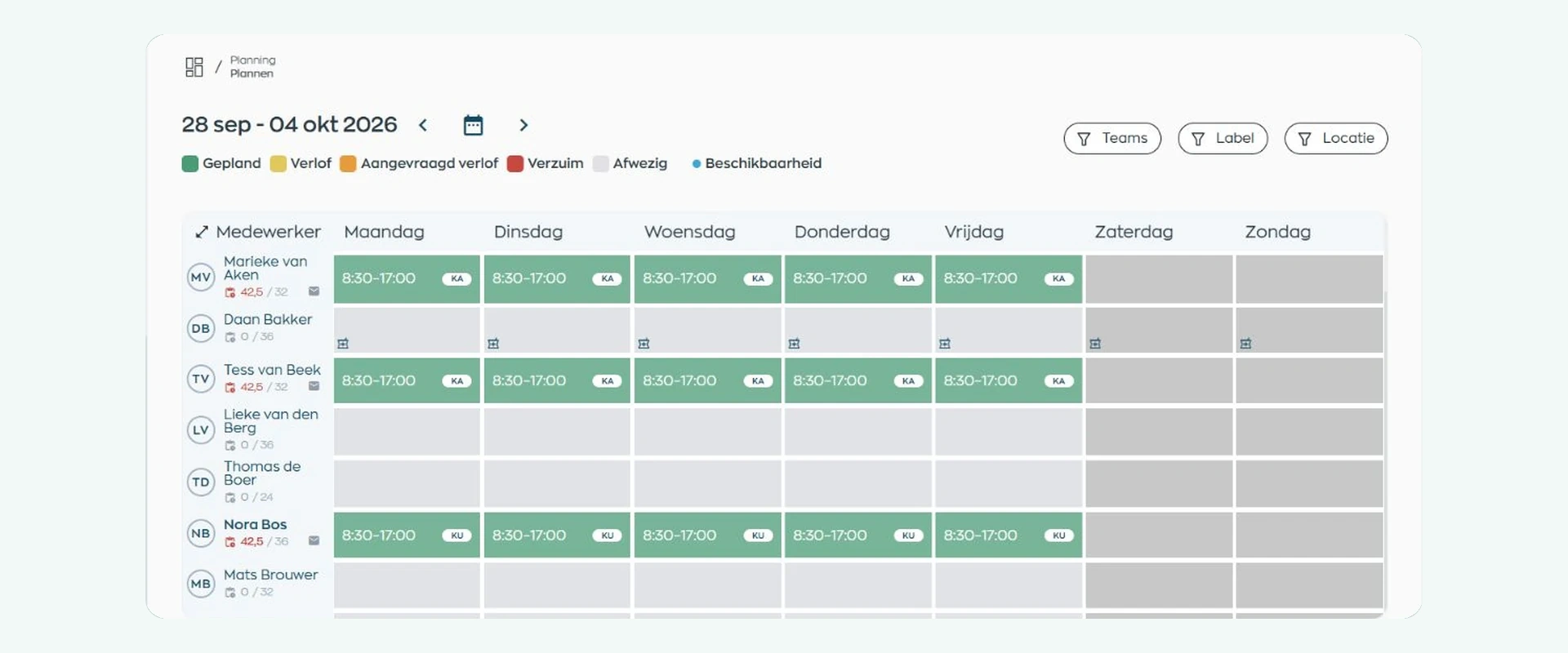
Before the week starts, compare scheduled hours with each person’s contract. As people clock in, actual hours replace forecasts in the calculated weekly total while the schedule itself stays unchanged. That means you can review differences against what really happened.
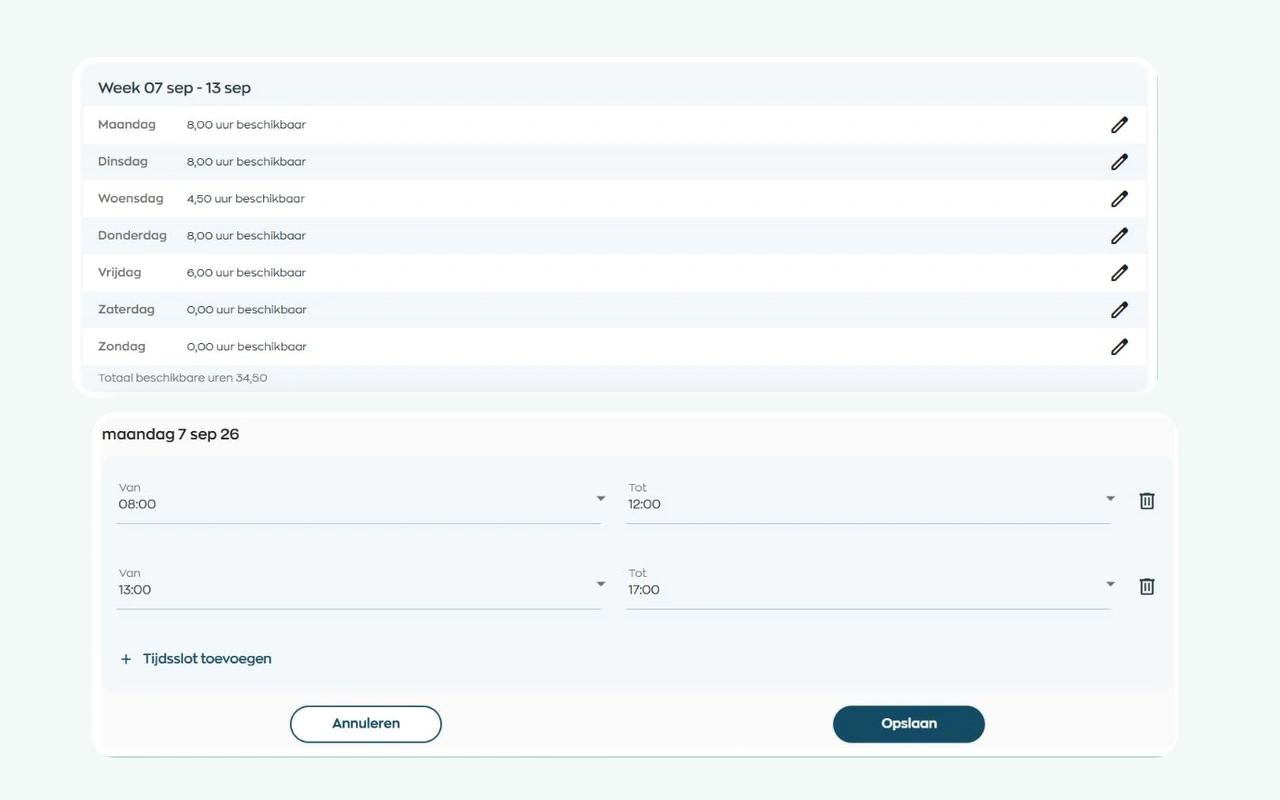
Employees submit their availability in the app. You can plan around availability, leave and sickness, using patterns for recurring shifts. Scheduled hours appear beside contracted hours, with any excess highlighted in red.
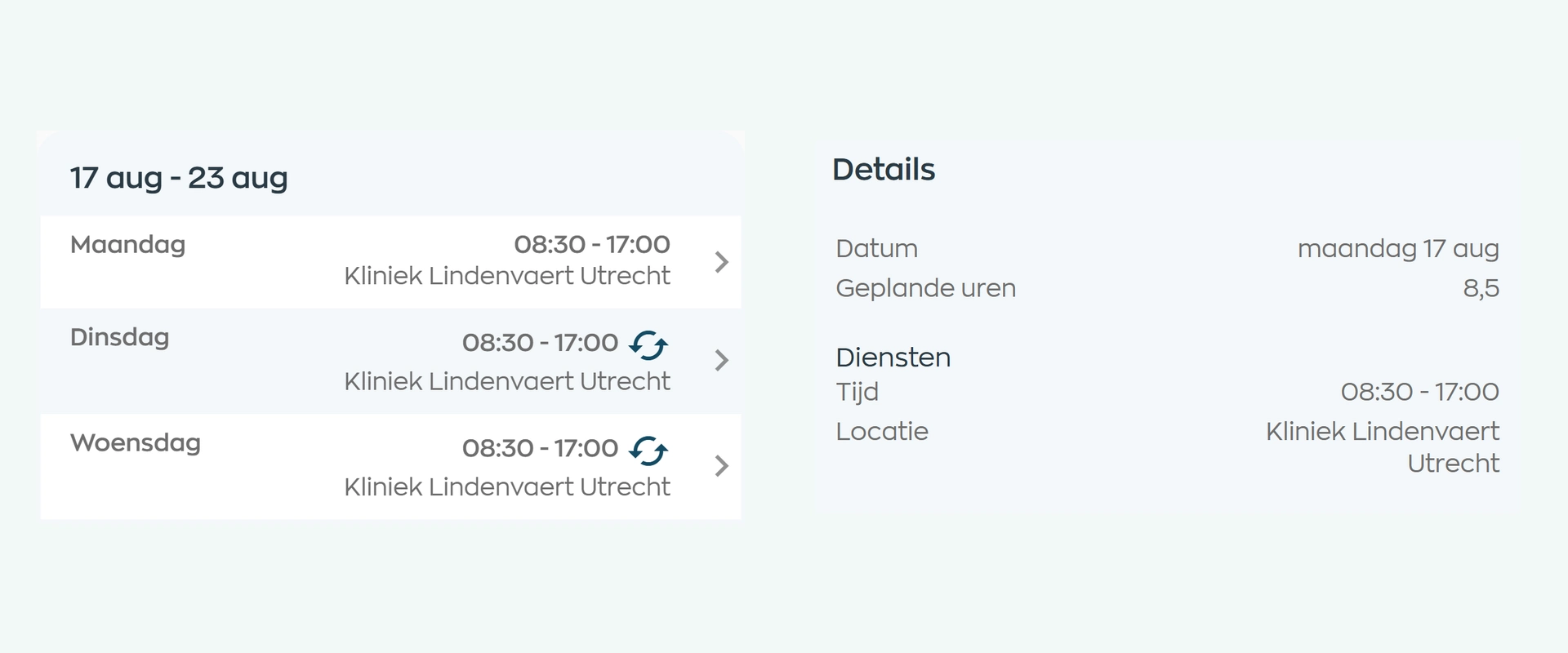
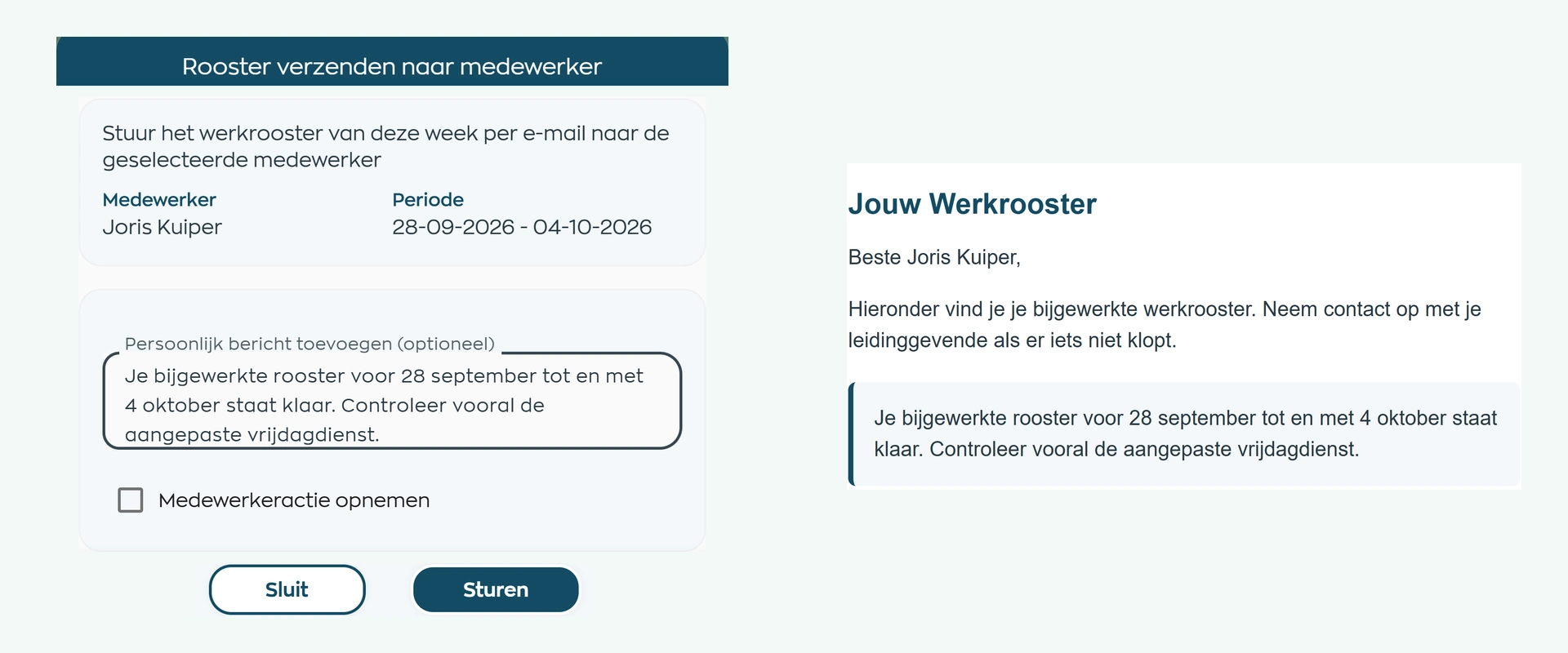
Employees can check their shifts, times and locations in the app. Planners can email a selected schedule period with their own note and an action in the Employee App. Once a shift swap is approved, the schedule updates and both employees are notified.
Employees clock in and out through the app or the shared time clock on site. You can see who is present and which hours have been recorded. Once someone clocks in, actual hours replace forecasts in the calculated weekly total while the schedule itself remains unchanged.
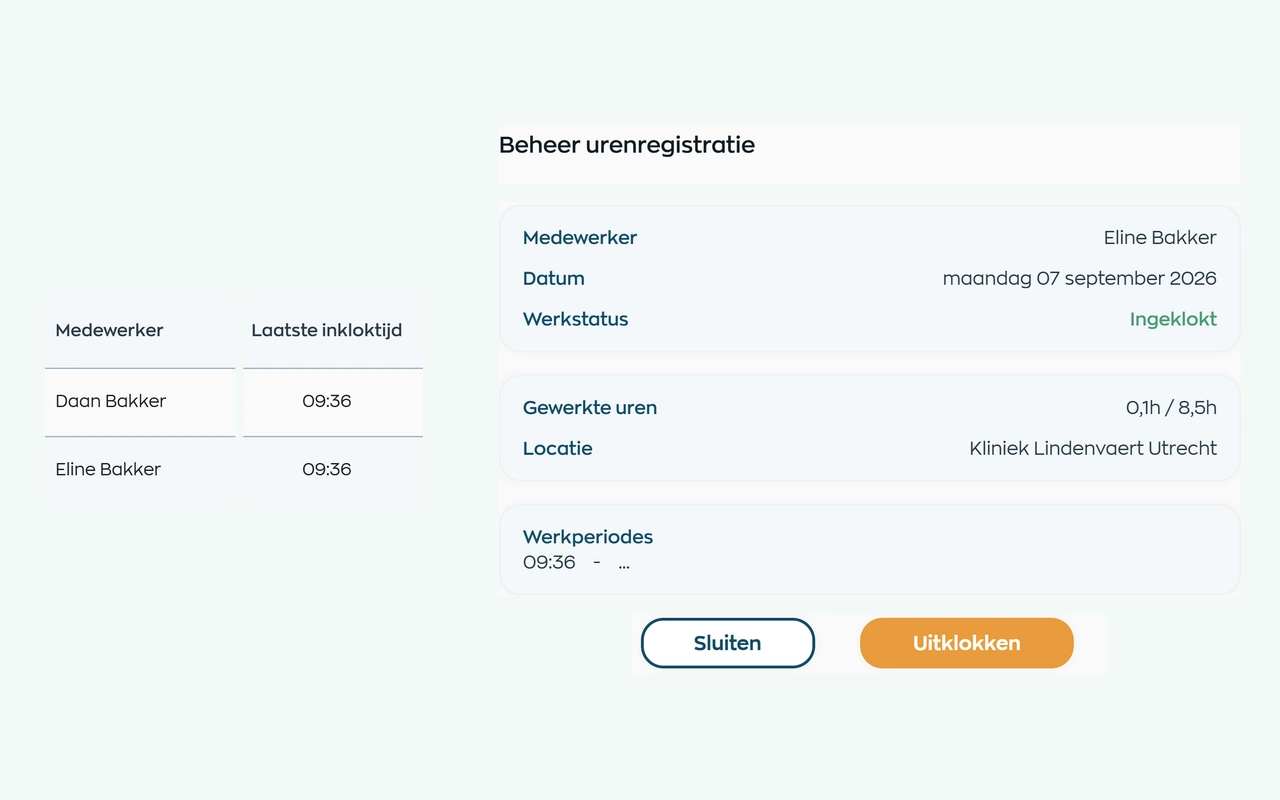
A shift runs late, or someone goes home sick. Compare recorded time with the schedule, review the difference and assign the appropriate hour categories before approving. Approved hours then support reporting and payroll preparation.
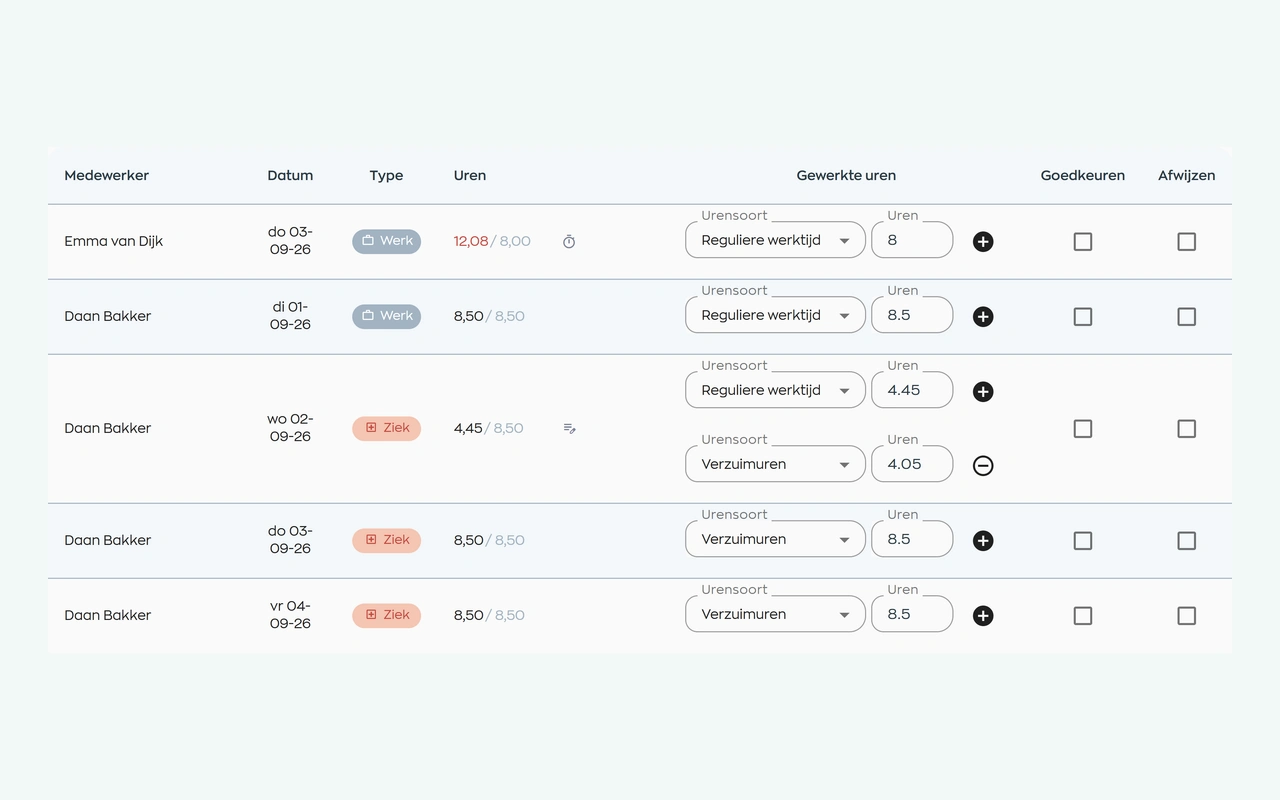
Product screenshots from our fictional demo organization, Kliniek Lindenvaert.
Explore scheduling and availability
City Hub moved from a standalone scheduling tool to connected scheduling, leave, timesheet approval and employee records.
Read City Hub’s story →Start with staff scheduling, then extend the same workflow to clocking, time approval and payroll when you are ready. Explore the options that fit each stage of your operation.
Looking primarily for scheduling software? You can use WorkVine for exactly that. Choose which modules your organization sees, with other features available whenever they become useful.
We look at your teams, shifts and day-to-day changes, then tailor the demo to how you work.
Standard setup and initial guidance are included. If you need more extensive help, we agree the approach and any additional costs upfront.
Appoint a contact within your organization to bring questions together and manage routine settings, so everyone knows where to turn.
€6
per active employee per month, excluding VAT
Cancel monthly.
€5
per active employee per month, excluding VAT
After 12 months, choose another prepaid year or switch to monthly billing. Unused prepaid months are not refunded if you leave early.
Scheduling, availability, the Employee App, clocking and time approval are all included in the platform price. Every platform module is available; you choose which to use. Standard setup and support through your designated contact are included.
Additional services and usage charges, such as electronic signing, are billed separately.
Staff scheduling software
Yes. Activate the modules you need and keep your workspace focused on them. The standard platform price applies when you start with scheduling. You do not need to roll out a full HR system.
We review your current process and the employee, team and scheduling information you want to bring across. Then we agree how to set up your workspace. Standard implementation is included; additional help, such as training the whole organization, is agreed in advance.
Yes. You can work with teams and locations when scheduling and assign a location to each shift. In the demo, we will show how this fits your organization.
No. Scheduling lets you create and manage staff schedules. Capacity planning is an additional option for staffing levels and qualification requirements by workspace and work block.
No. Employees can see their current shifts in the app. The planner chooses which schedule period to email and whether a later change needs another email.
The schedule shows planned hours against contracted hours and highlights an excess in red. When clocking is used, actual working hours replace forecasts in the calculated weekly total. This updates the weekly total, not the schedule itself. You then review and approve recorded hours for payroll preparation.
Yes. Like scheduling, they are covered by the platform price. You can start with schedules alone or set up time tracking and approval too.
Tell us how you collect availability, plan shifts and check hours. We’ll walk through that same working week in the demo, from the first schedule to approved time.
See your scheduling workflow in a demo