Client-facing teams
Keep employee roles and internal agreements structured as teams or portfolios change.


Sound familiar?
Employee documents, development agreements, and access permissions can become fragmented across teams and separate systems.
Keep employee roles and internal agreements structured as teams or portfolios change.
Keep employee statements, policies, and attachments with the relevant employee record.
Use role-based permissions to limit access to HR information.
Assigned training and recurring check-ins need clear owners and actions.
What WorkVine brings together
WorkVine connects onboarding, employee documents, permissions, development conversations, training, and assigned actions.
From plans to action
HR and authorized managers can manage employee processes without relying on separate files and email threads.
These product examples use our Kliniek Lindenvaert demo organization. They show how WorkVine works; your own teams, documents and processes shape your setup.
A new team member needs more than an account. HR and managers can prepare documents, introductions and internal arrangements while keeping track of outstanding work.
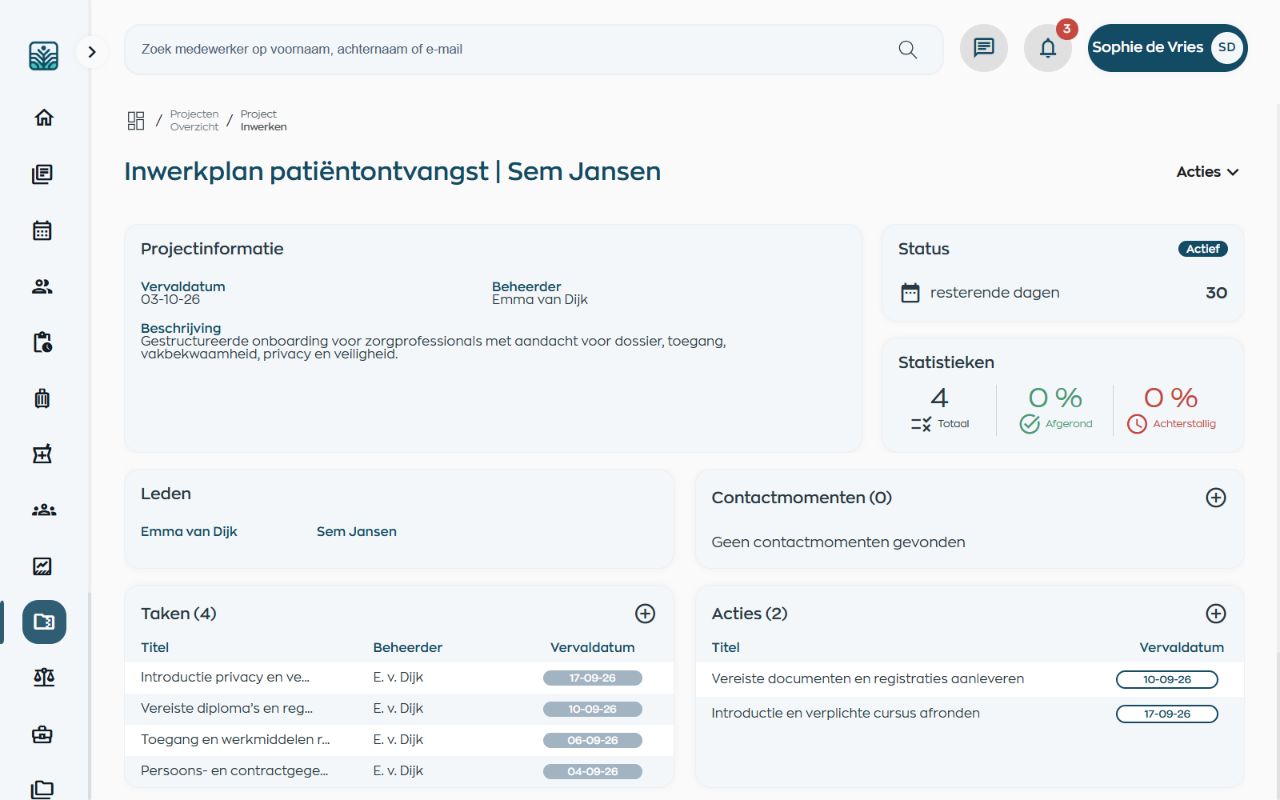
Start with a reusable project containing the required tasks and documents. HR, the manager and other colleagues each have clear responsibilities, keeping preparations out of scattered email threads.
Explore onboarding with project tasksConfigure access according to role and organizational context.
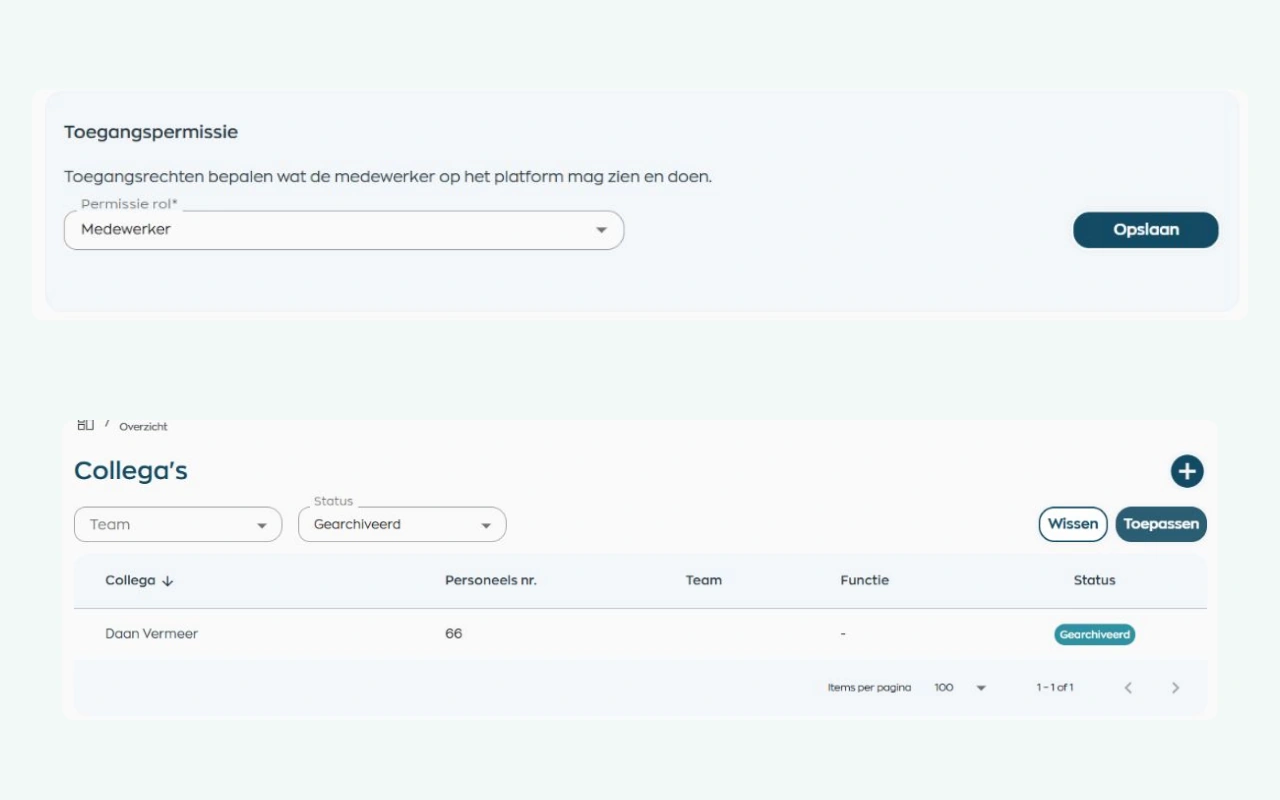
Administrators configure access around roles and the organization’s structure. When someone changes roles or leaves, access and record status can be updated while HR retains oversight.
Explore roles and employee record managementRecord development goals, feedback, agreements, and assigned actions.
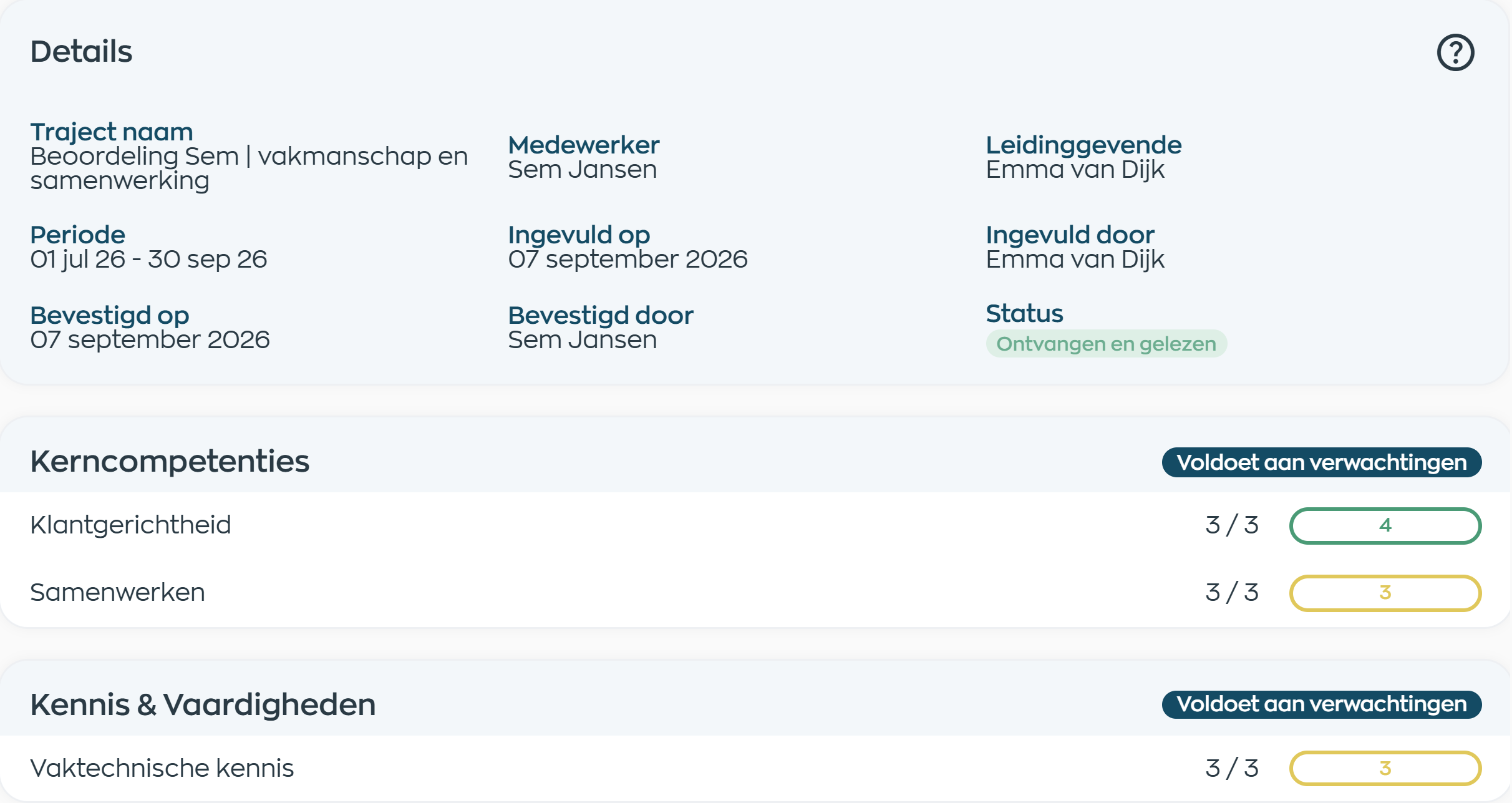
Managers complete review questions, scores and supporting comments in Office, then share the appraisal with the employee. Employees can respond and acknowledge it, and both parties retain access.
Explore performance reviews and acknowledgmentKeep employee documents and acknowledgements with the relevant record.
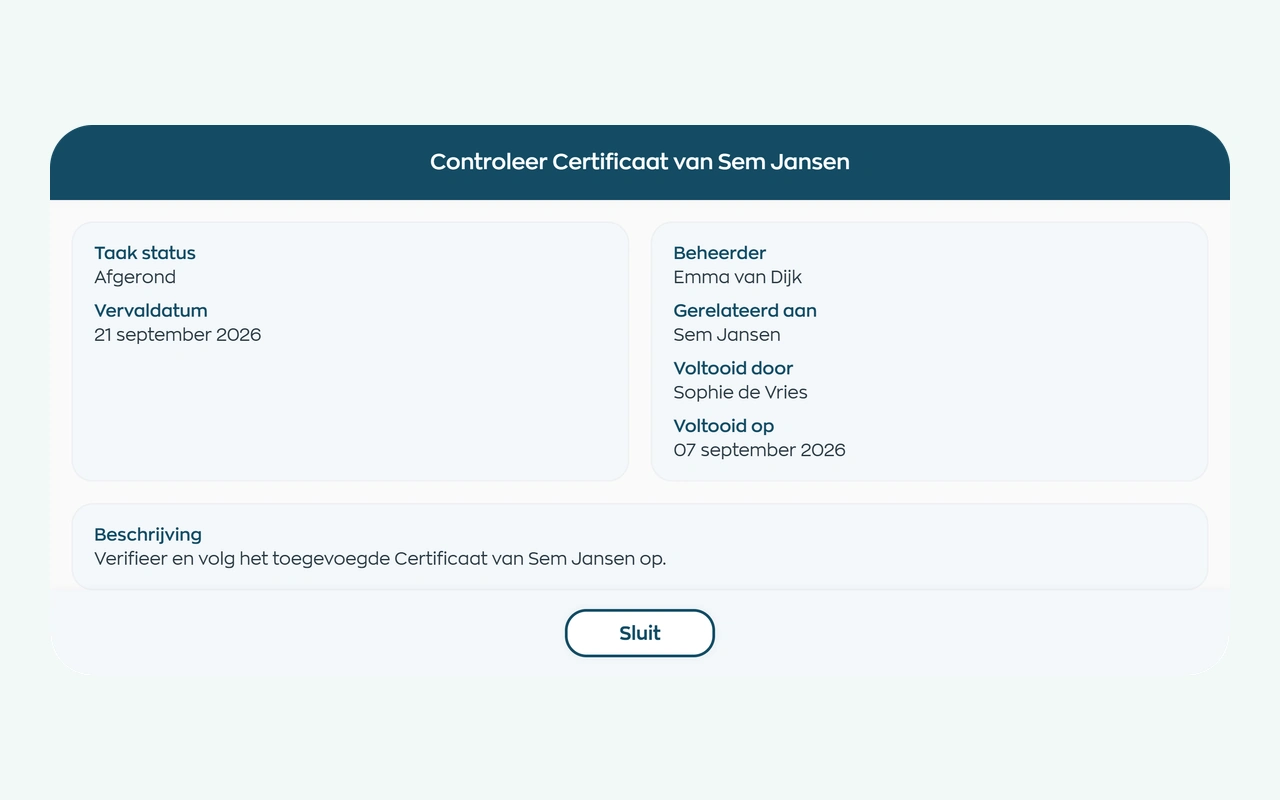
HR requests a document and the employee uploads it through an action in the app. A designated reviewer checks the file in Office, and the result remains available in the employee record.
Explore document requests and checksRoles and teams
WorkVine supports HR, managers, client-facing employees, and administrators in their respective workflows.
Maintains employee records, documents, and HR workflows.
Review development conversations, assigned training, and open actions.
Access relevant employee actions and internal communication.
Configure roles, permissions and operational reports.
Relevant modules
These WorkVine modules support common employee workflows in financial services.
Employee data, team context, documents, conversations and follow-up remain together.
View moduleRequest documents, let employees upload them, and track checks and validity in their records.
View moduleConnect shared development goals, appraisals and your organization’s digital forms with clear follow-up.
View moduleOnboarding, training, certificates and progress can be found by employee, team and role.
View moduleResponsible by design
Organizations configure who may access sensitive employee information and remain responsible for those access decisions.
Access to employee information can be limited by role and organizational context.
Customer and employee data in the WorkVine platform are processed within the EU, including by subprocessors.
Frequently asked questions
WorkVine is suitable for organizations that no longer want to manage HR, planning, documents, training and follow-up across separate systems. It suits organizations with client-facing teams, sensitive employee processes, documents, and recurring development conversations.
No. WorkVine can be configured for a specific industry, so teams only see and use what is relevant to their organization.
Yes. Documents, evidence, certificates and actions can be linked to employees and processes.
In a short demo we show how WorkVine fits your roles, teams, processes and current way of working.
Yes. WorkVine can turn your organization’s form into a digital version and configure a reading and acknowledgment process. This is a tailored setup, not an automatic legal review or a guarantee that every industry requirement has been met.
Where work, people and growth come together
Schedule a demo to see how client-facing teams, employee documents, permissions, and actions connect.