A ready-to-use review template
Start with a complete standard template containing appraisal questions and competencies. You can customize the template, but you do not have to.


From preparation to follow-up
What should you assess? What does a rating mean? Which examples support it? Shared questions and clear criteria give every manager a starting point. Focus on the assessment itself, with one place to complete, share and revisit the review.
Start with a complete standard template containing appraisal questions and competencies. You can customize the template, but you do not have to.
Connect ratings to specific observations. Show what is going well, what needs attention and why the manager reached that assessment.
Keep the completed appraisal, employee feedback and acknowledgement in the same review record.
Questions and competencies
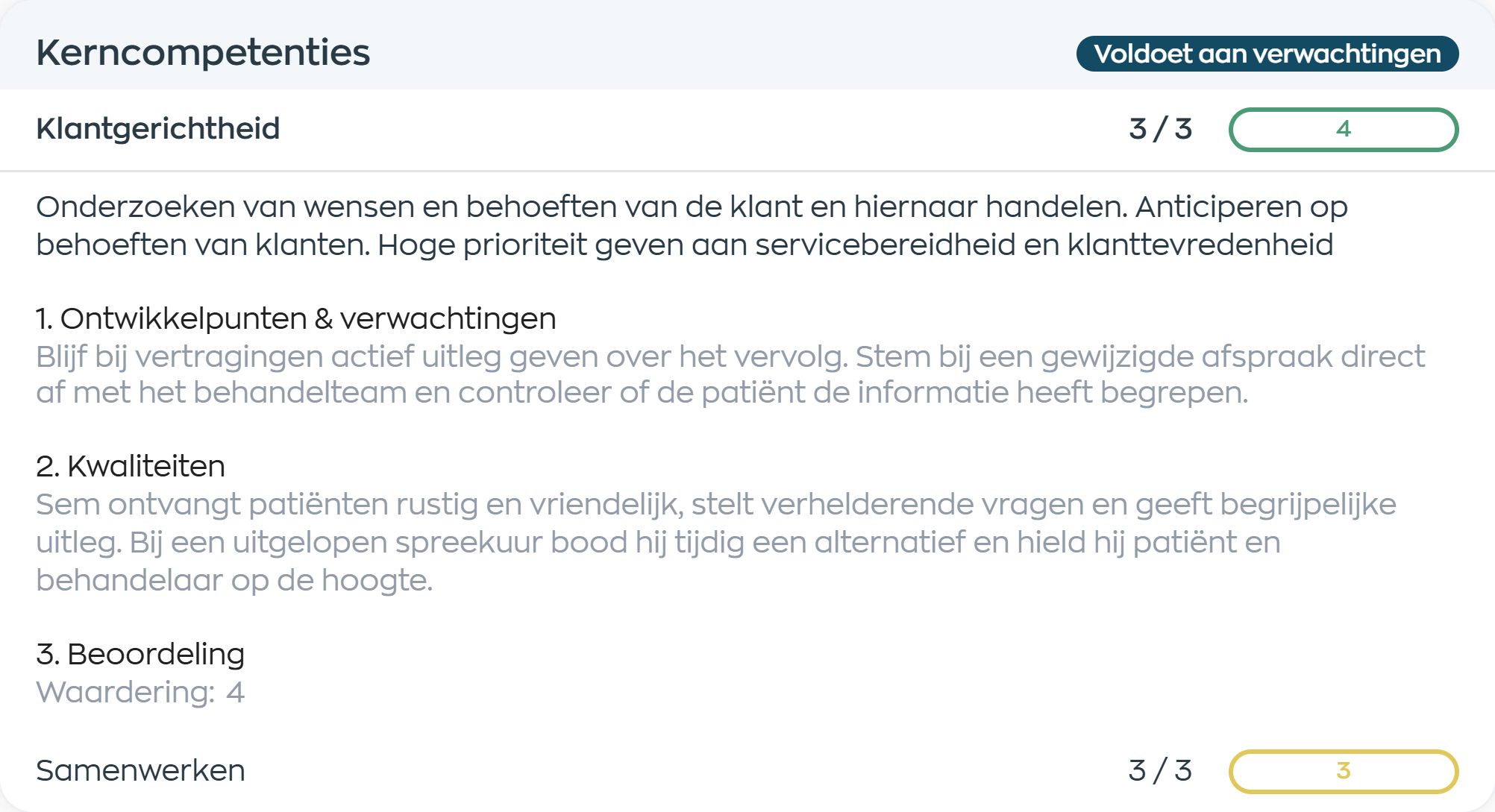
WorkVine provides a standard appraisal template with detailed questions, competencies and space for supporting observations. Areas such as customer focus, teamwork and professional knowledge help managers assess performance with a clear purpose.
The manager completes the appraisal directly in Office. Shared sections and guidance provide structure, while concrete examples make it personal. If your roles or criteria differ, WorkVine can adapt the template.
Ratings with meaning
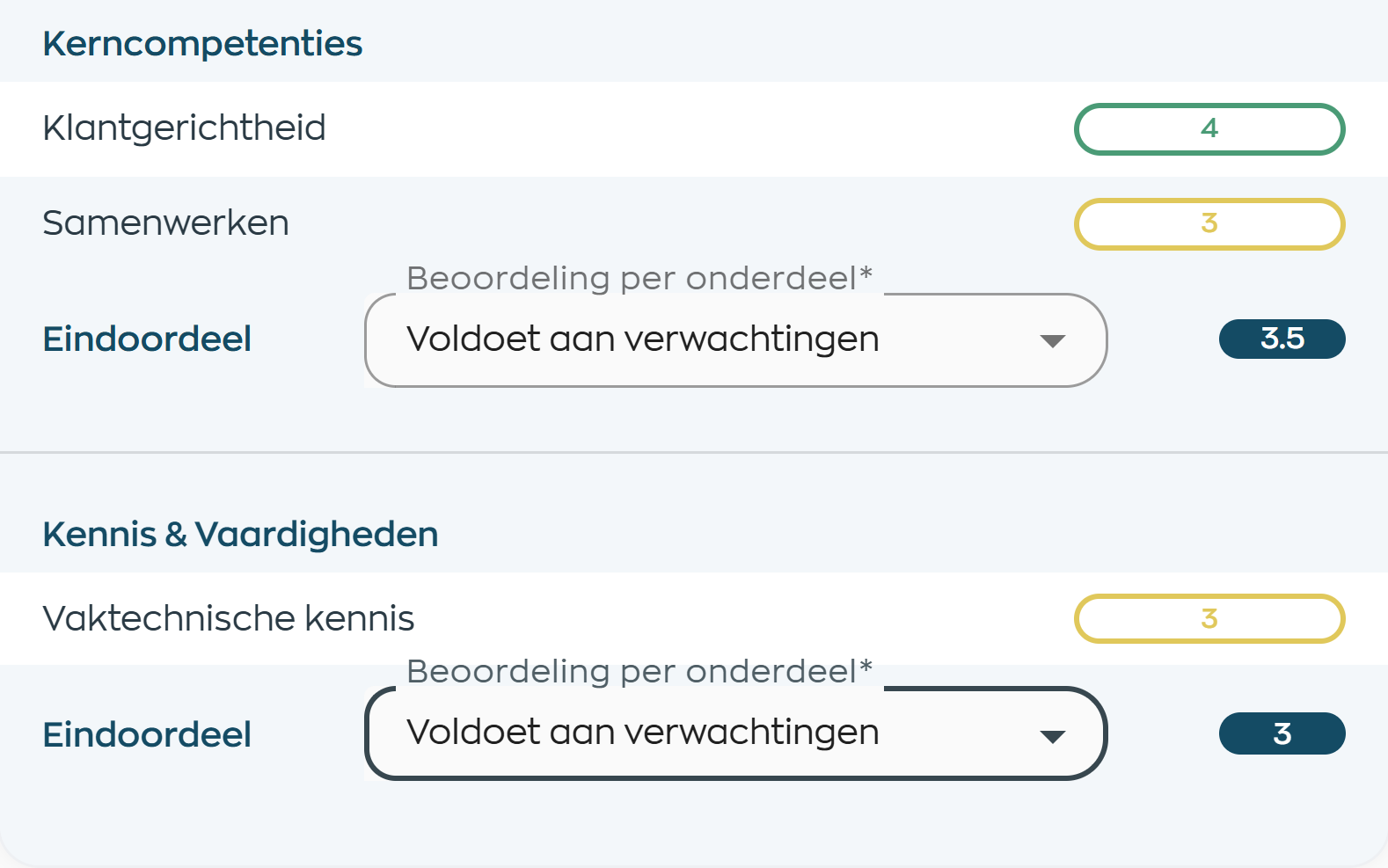
Use a defined rating scale to assess each competency. In this example, the scale runs from 1 to 5, with 3 meaning the employee meets expectations. Supporting comments explain the basis for the rating.
WorkVine calculates averages from the entered ratings. The manager reviews the overall picture for each category and chooses the appropriate assessment. The numbers support the conversation; they do not make the judgment for the manager.
Share, respond and acknowledge
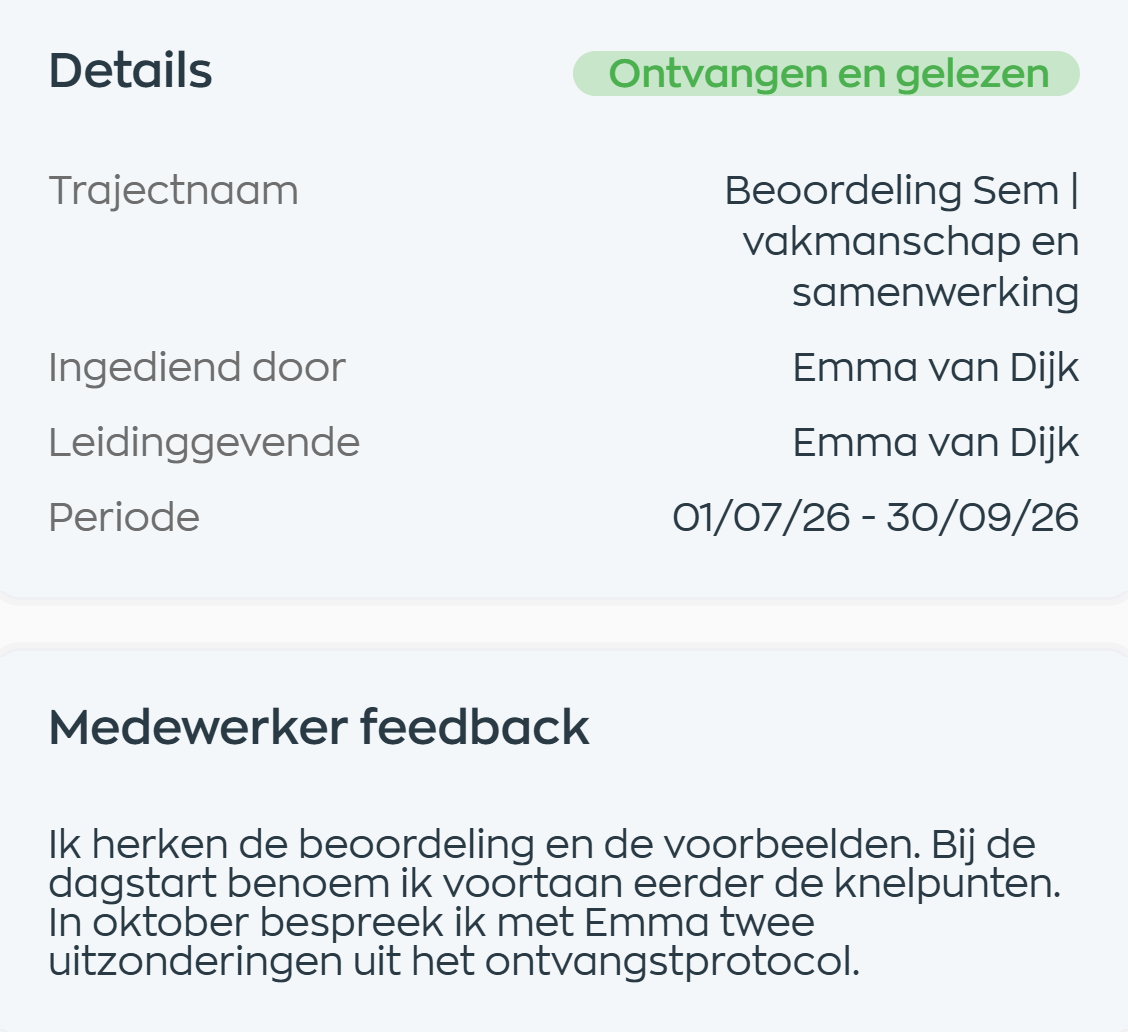
The employee opens the shared appraisal in the Employee App. All completed answers stay together, making it clear what the manager has recorded.
When you send the form for acknowledgement, the employee can add feedback and confirm they have read it. Their response and the updated status appear in Office, so the manager does not need a separate email to collect feedback.
Keep a shared record
The appraisal does not disappear into an inbox or remain on the manager’s laptop. Both manager and employee can return to the form in their own app, together with the response and acknowledgement.
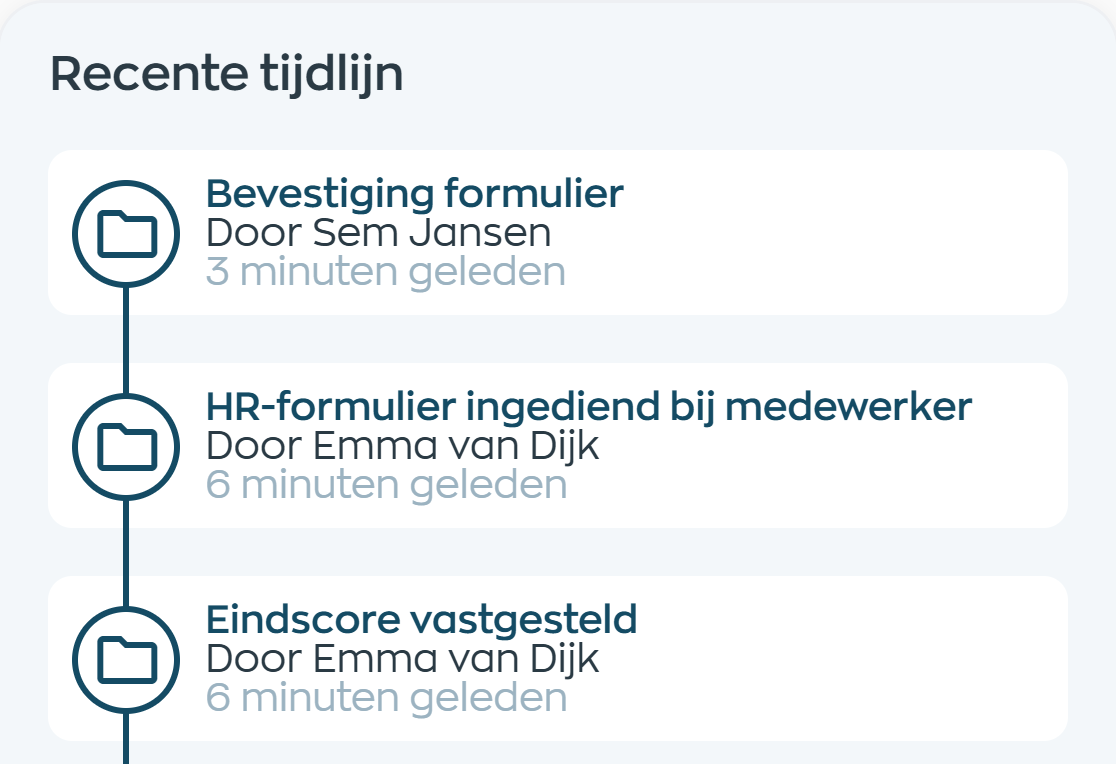
Office shows who completed the appraisal and who acknowledged it. The timeline records sharing and acknowledgement, so the next conversation can start from the same documented record.
Performance functionality
For organizations that want a structured approach without having to design an appraisal system from scratch. HR provides a shared foundation, managers explain their assessment and employees can understand it and respond.
Frequently asked questions
About the standard template, performance ratings, customization and the employee’s role.
Yes. WorkVine provides a standard appraisal template with detailed questions, competencies and a rating scale. You do not need to supply a complete form before getting started. WorkVine can adapt the template to your criteria or existing format. To digitize other HR forms you already use, see Digital forms.
The manager rates the appraisal questions and records supporting observations. The scale and guidance are part of the template. WorkVine calculates averages from the entered ratings; where configured, the manager also selects an assessment for each category. The system does not independently judge employees. The example shown uses a 1–5 scale.
Yes. The employee reads the shared appraisal in the Employee App. When the form is sent for acknowledgement, the employee can add feedback. The manager sees that response in Office alongside the same appraisal.
The employee confirms that they have received and read the form. WorkVine records this as “Received and read”, with their name and the date. It is not an electronic signature and does not automatically mean they agree with every assessment. They can add their own response when acknowledging the form.
Yes. The manager can return to the appraisal in Office and the employee in the Employee App, subject to their access to the review record. The completed form, employee feedback and acknowledgement stay together. Office also provides a PDF export.
An appraisal records how performance has been discussed and assessed against your guidelines. A personal development plan focuses on what comes next: agreeing development goals, following milestones and exchanging feedback along the way. Each has its own place within HR processes.
Where work, people and growth come together
Explore the standard appraisal template, rating guidance and feedback in the Employee App. We will discuss how it fits your roles and approach to performance reviews.