Keep what works
Your questions and guidance are the starting point. You do not have to design a new HR process.


From your existing form to a shared workflow
One copy sits in an inbox, another on a shared drive. Who has responded, and what was agreed? Turn your existing form into a consistent process.
Your questions and guidance are the starting point. You do not have to design a new HR process.
The person responsible records answers and agreements in the configured form, without sending attachments back and forth.
The employee reads, responds and acknowledges receipt. Their response stays with the form.
Start with your own form
Provide the form your team already uses, including question guidance and the steps for completion, sharing and acknowledgement. WorkVine turns it into a reusable digital template.
Your team keeps the familiar questions and topics. This example shows a custom review form with a named template and version. There is no form builder for you to learn.
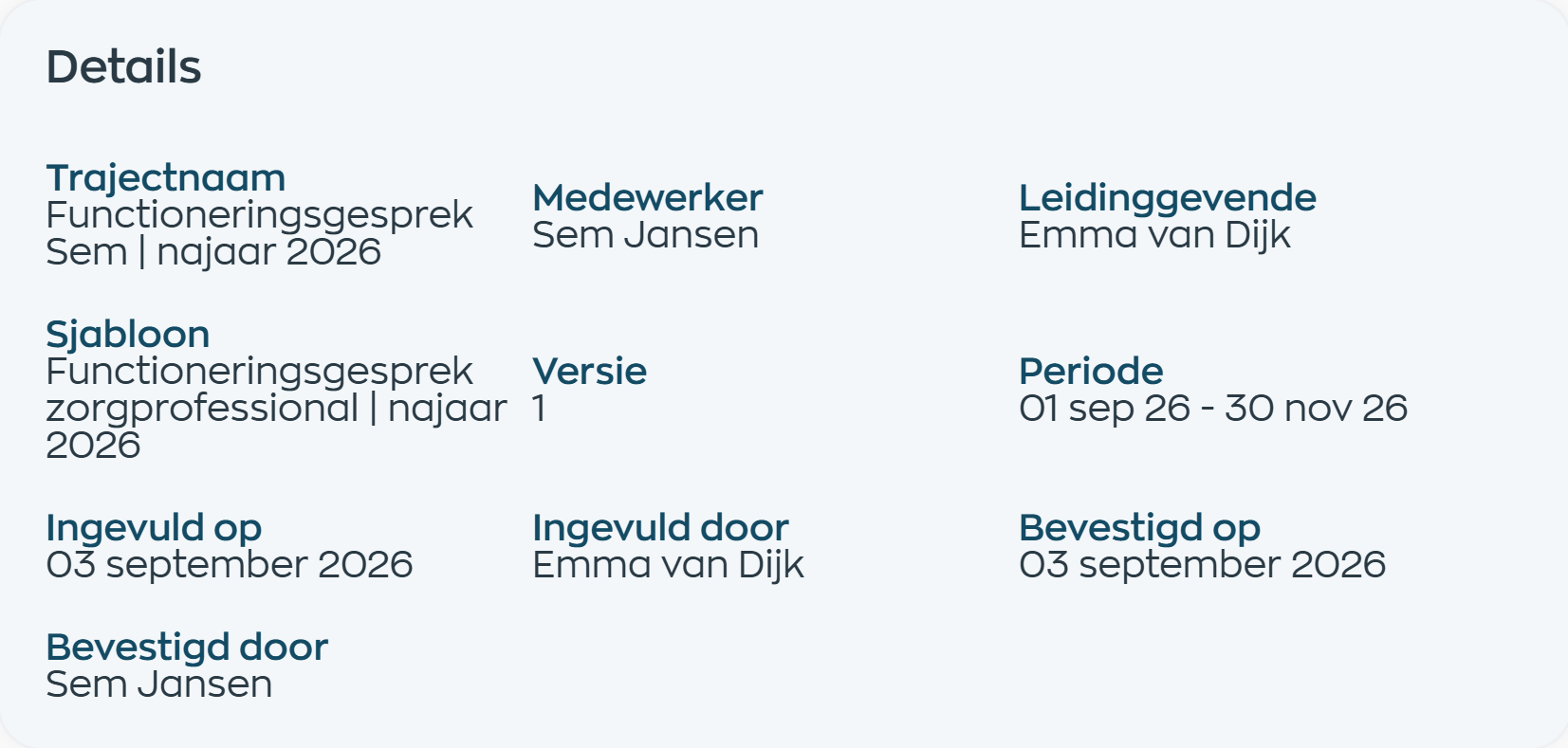
Complete and discuss
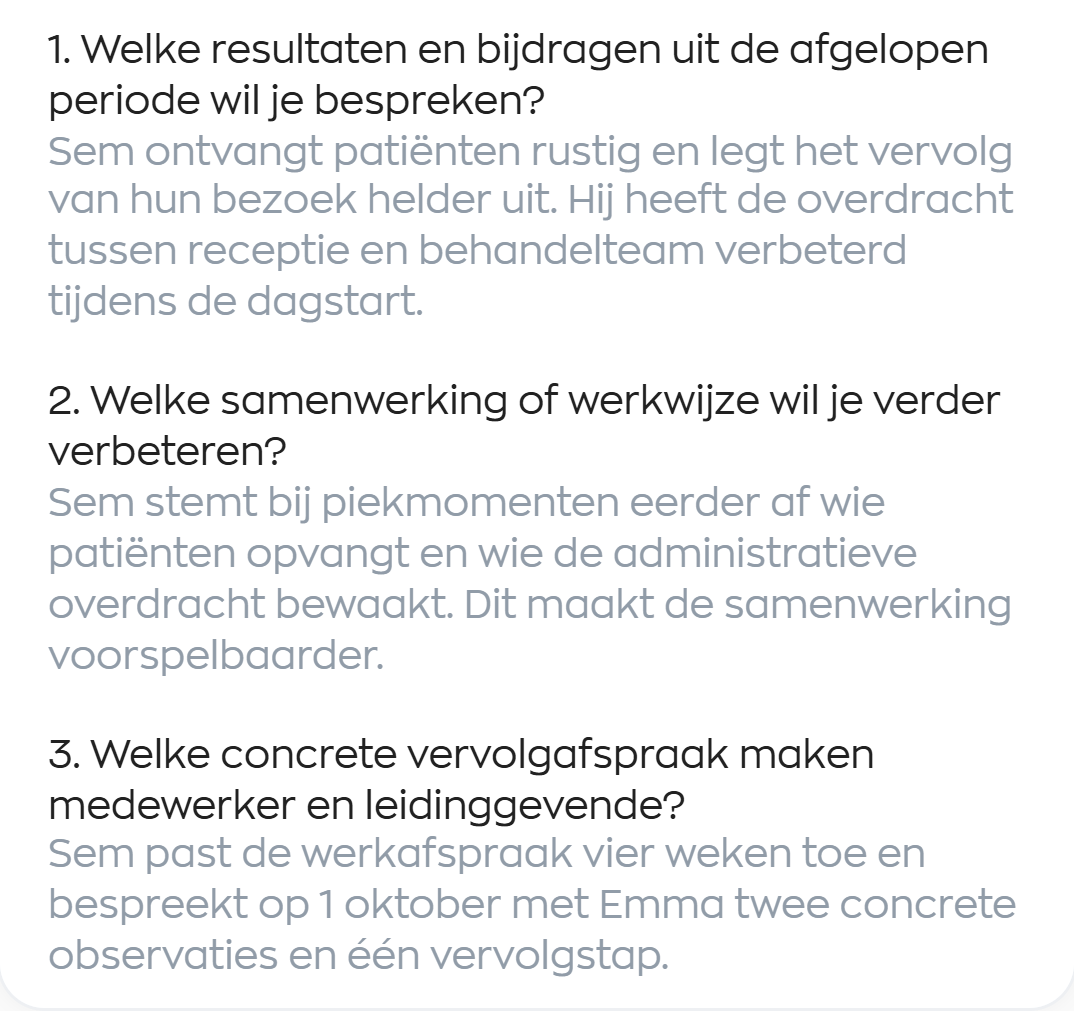
The manager completes the configured form in Office. Consistent questions and guidance help cover the topics that matter to your team. Answers and specific next steps stay together.
This example covers results, teamwork and an agreed next step. Your questions and roles are defined during setup. You provide the content; we make it work digitally.
Share and respond
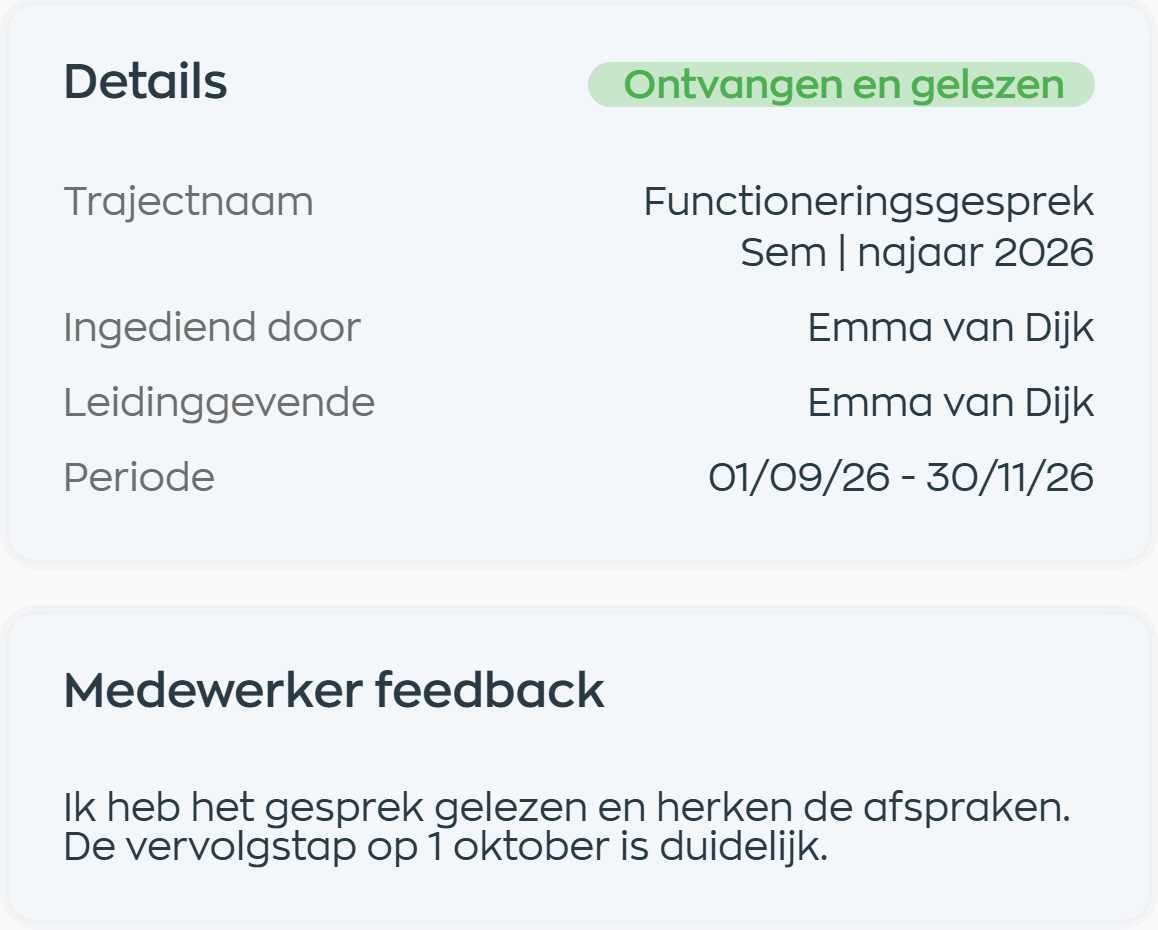
Once the form is complete, the manager shares it with the employee. The employee can read it in the Employee App, add their own response and acknowledge that they have received and read it.
The response stays with the same form. There is no need to copy feedback from a separate email, and both parties can revisit what was recorded.
Find it and follow up
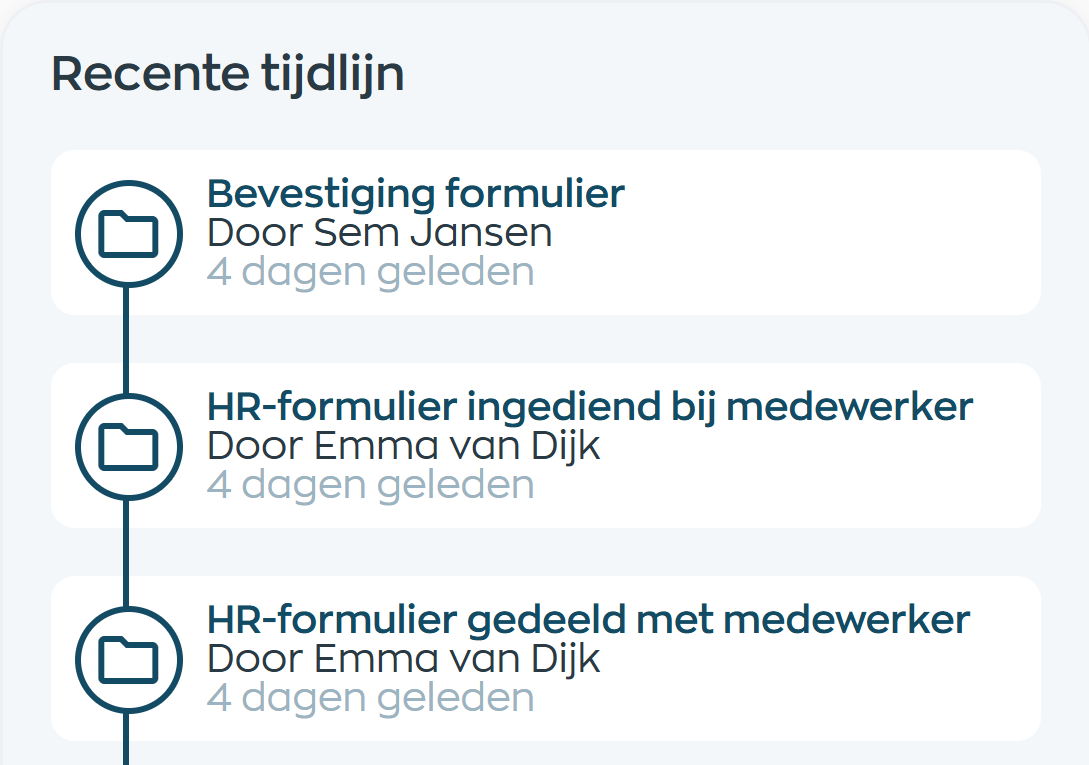
The form, employee response and acknowledgement remain available in the HR process. The timeline shows who shared, submitted and acknowledged the form. Managers and employees can return to it from their own app.
At the next conversation, you can refer back to the recorded agreements. That keeps the discussion moving without searching for the right attachment. Access follows the roles and permissions for the process.
Digital workflow
Digital HR forms connect your organization's questions with the work of managers and employees. WorkVine sets up the template; your team uses it.
Frequently asked questions
What do you provide, who completes the form, and what does an acknowledgement mean?
Yes. Your existing questions, guidance and process are the starting point. WorkVine sets up a reusable digital template. Together, we define who completes it, when it is shared and what acknowledgement is needed.
Bring the form you currently use and explain how it is completed and discussed in practice. Let us know who is involved and how you want to handle feedback. We will work through this in the demo.
No. WorkVine handles the setup. You provide the content and the process you want to follow. This is not a self-service form builder; your team uses the configured template within the agreed HR process.
Yes. In the workflow shown, the employee reads the shared form in the Employee App, adds a response and acknowledges receipt and reading. The response and acknowledgement remain visible with the form to the parties involved.
No. A receipt or read acknowledgement is not an electronic signature or legal agreement to the content. WorkVine offers a separate solution with Scribble for signing agreements.
Digital forms starts with your own form. Performance management provides a standard appraisal template with questions, competencies and ratings, which can also be adapted. A personal development plan focuses on shared development goals, milestones and progress conversations.
Where work, people and growth come together
Show us how your team works today. We will discuss which questions to keep, who handles each step and how a digital version can fit your process.