Small teams
A single absence can affect how a compact team distributes its workload.


Sound familiar?
When client deadlines are approaching, leave requests, sick leave records, employee documents and meeting notes can quickly end up in separate lists.
A single absence can affect how a compact team distributes its workload.
Keep employee agreements and attachments with the relevant record.
Employees and managers need a clear status for every leave request.
Keep outstanding employee actions available for the responsible person.
What WorkVine brings together
WorkVine connects planned leave, sick leave cases, employee documents, check-ins, and assigned actions.
From plans to action
Owners and team leads can manage routine HR work without relying on separate spreadsheets and email threads.
These product examples use our Kliniek Lindenvaert demo organization. They show how WorkVine works; your own teams, documents and processes shape your setup.
Absence is immediately noticeable in a small firm. Give employees one place to request leave so their manager can review it with the team schedule in view.
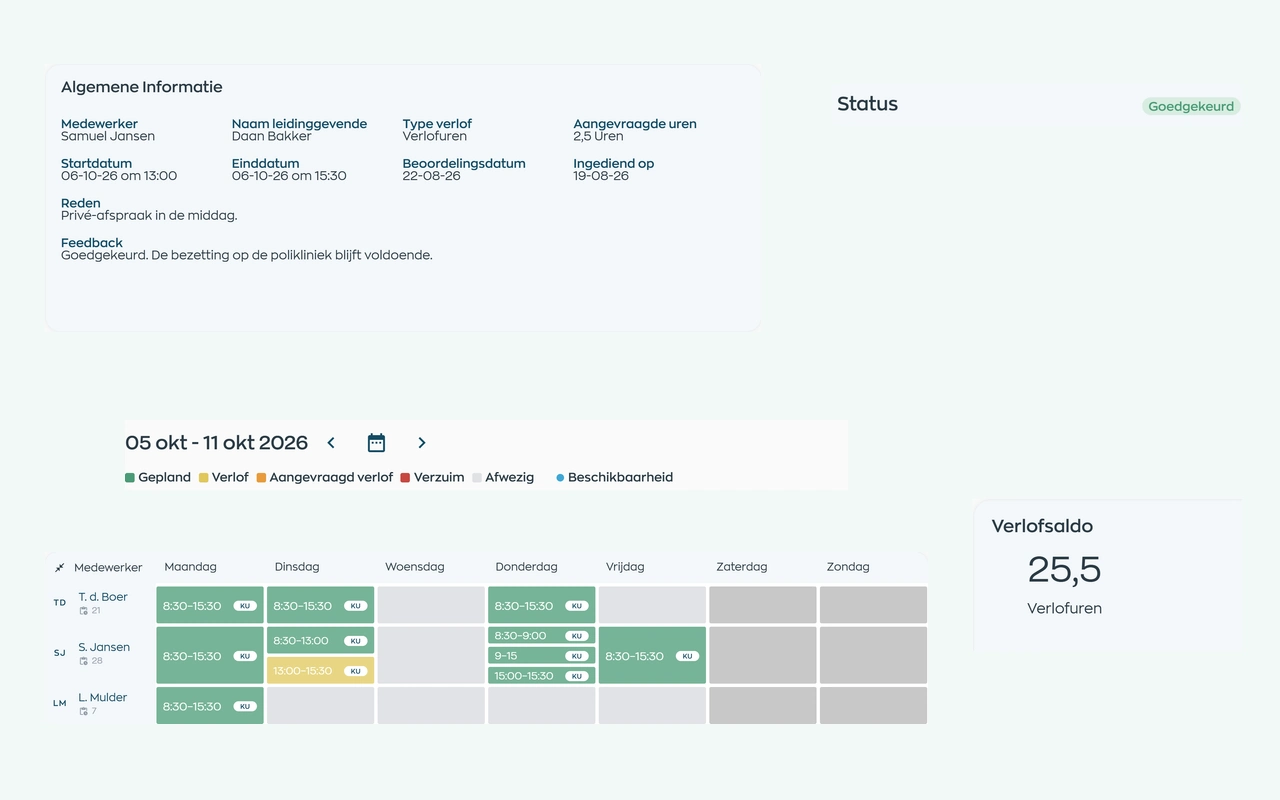
Employees submit a request. Their manager reviews it alongside the leave balance and team schedule, with the decision and balance adjustments kept on record.
Explore leave requests and approvalsLink documents and confirmations to employees.
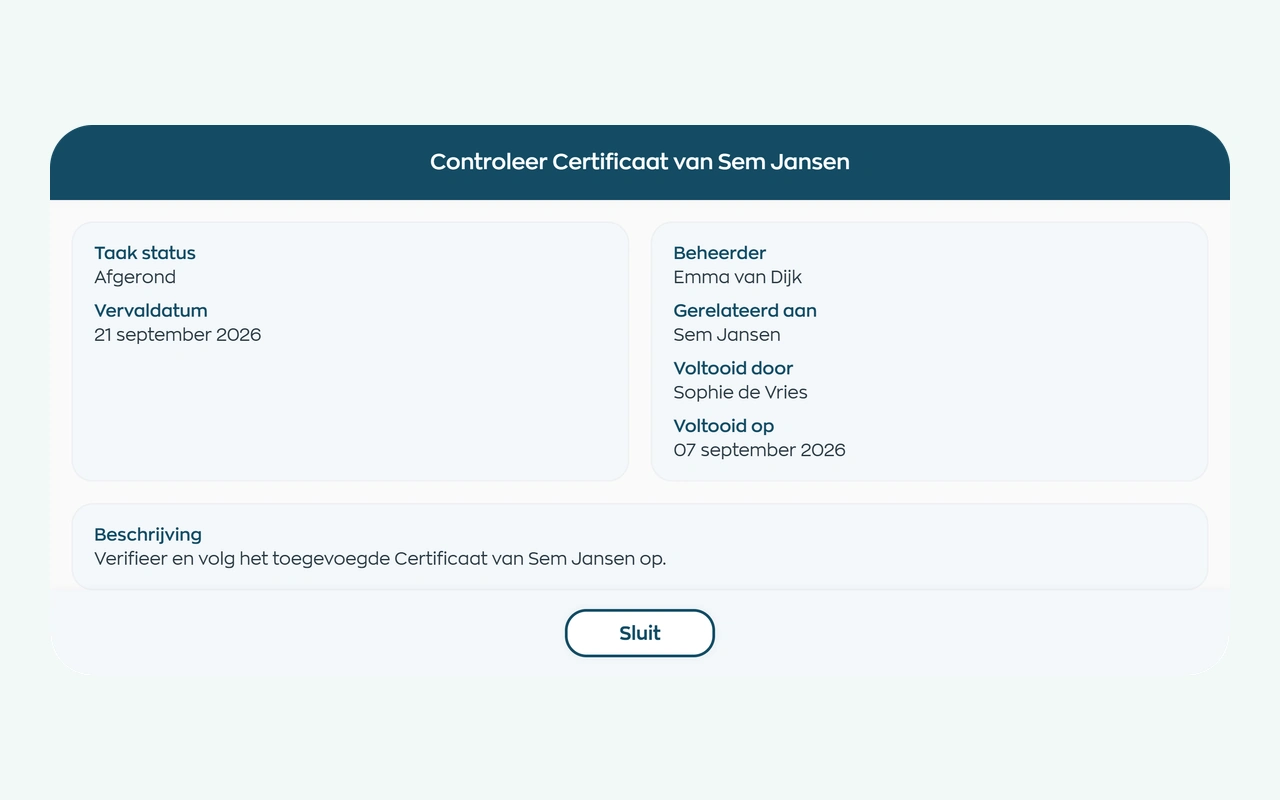
HR requests a document and the employee uploads it through an action in the app. A designated reviewer checks the file in Office, and the result remains available in the employee record.
Explore document requests and checksRecord agreements and assign the next actions after an employee meeting.
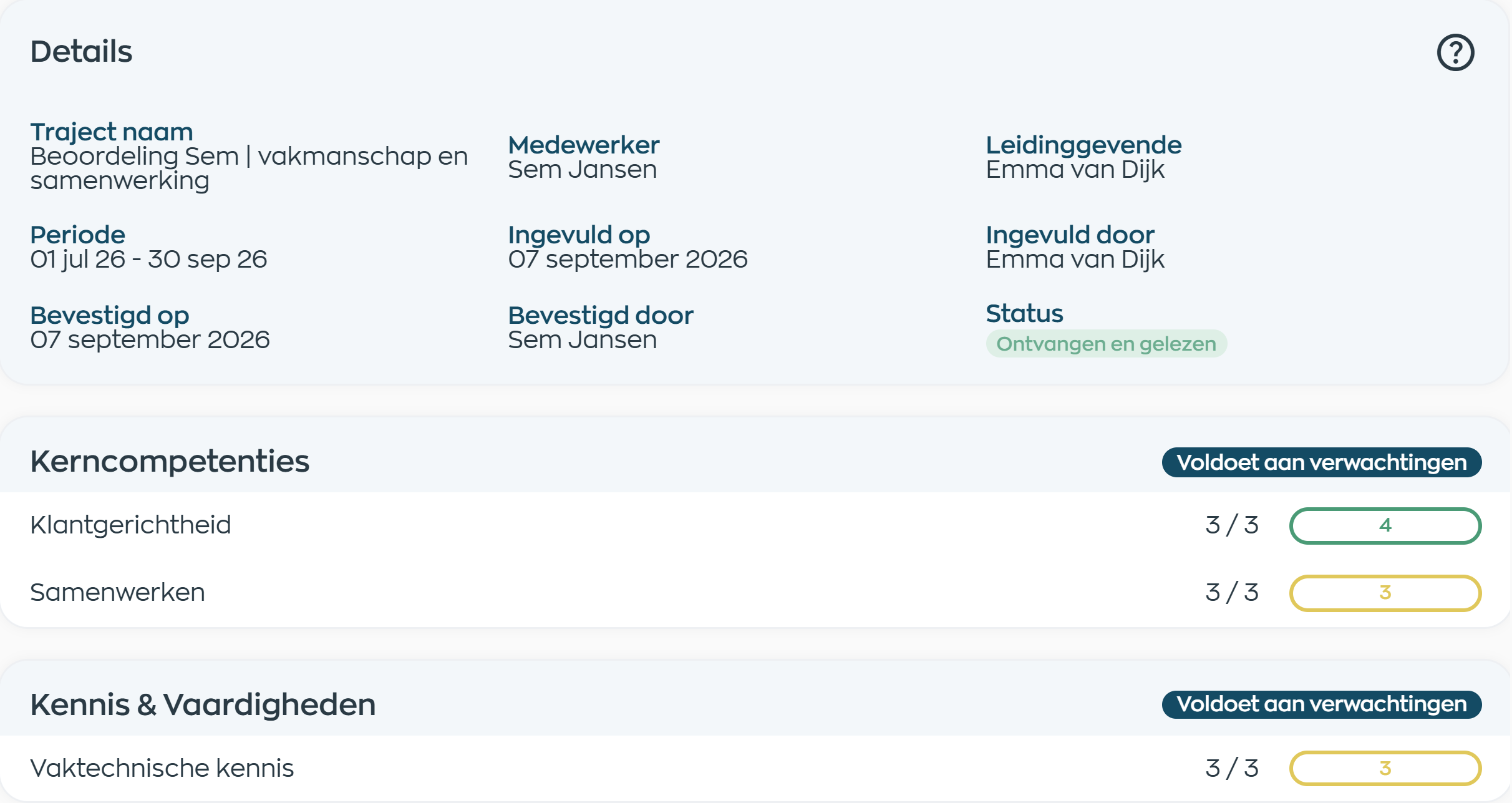
Managers complete review questions, scores and supporting comments in Office, then share the appraisal with the employee. Employees can respond and acknowledge it, and both parties retain access.
Explore performance reviews and acknowledgmentAn improvement action or new way of working does not need to stay on a separate checklist. Bring preparations into an internal project with visible owners and deadlines.
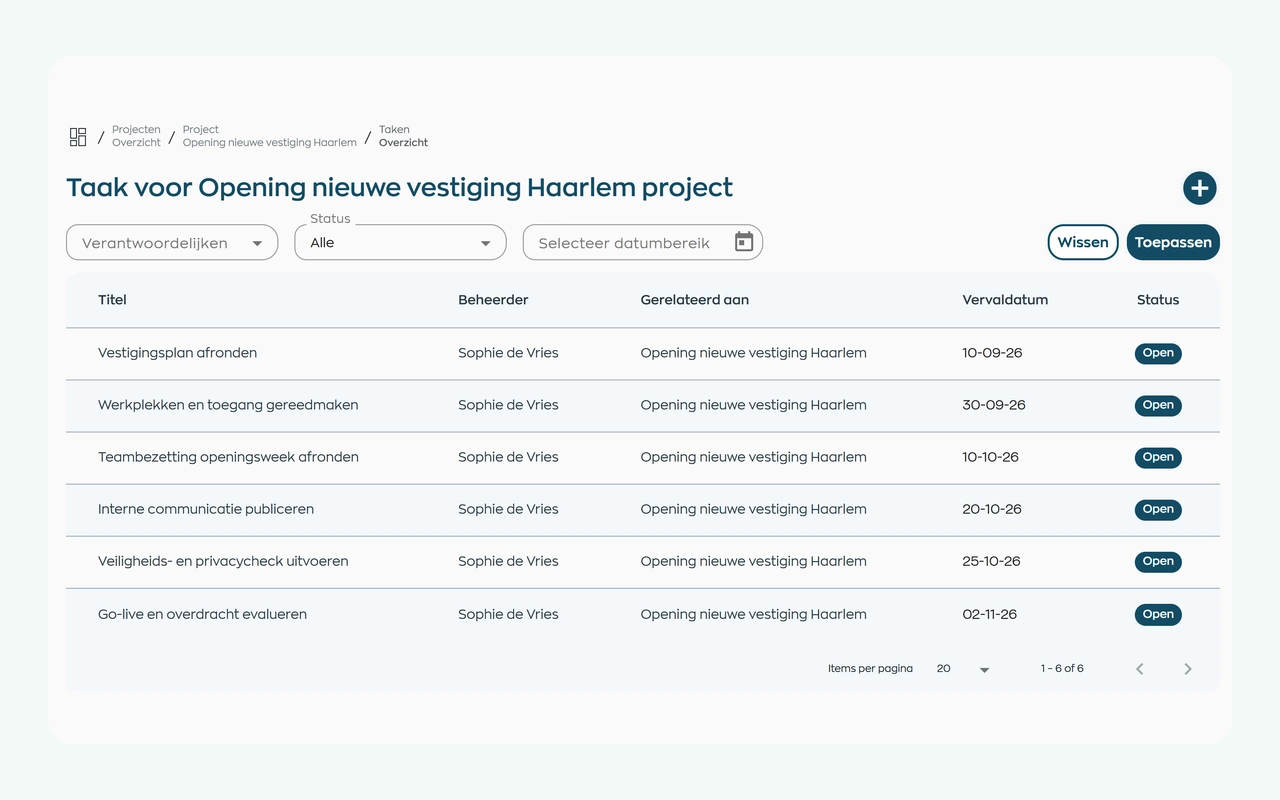
Bring the preparations together in an internal project, such as onboarding or opening a new location. Assign task owners and deadlines, add documents and let everyone involved track progress in one place.
Explore project tasks and follow-upRoles and teams
WorkVine supports compact teams where firm owners, team leads, and employees each handle part of the employee workflow.
Reviews team availability, leave, and outstanding actions.
Reviews leave requests, employee meetings, and assigned actions.
Submit leave requests, complete assigned training, and view personal actions.
Maintains employee documents, records, and operational reports.
Relevant modules
These WorkVine modules support common employee workflows in bookkeeping firms.
Annual leave requests, balances and approvals remain visible to employees, managers and HR.
View moduleKeep sickness notifications, contact records, WvP case management and actions linked to the employee record.
View moduleRequest documents, let employees upload them, and track checks and validity in their records.
View moduleConnect shared development goals, appraisals and your organization’s digital forms with clear follow-up.
View moduleFrequently asked questions
WorkVine is suitable for organizations that no longer want to manage HR, planning, documents, training and follow-up across separate systems. It suits small and medium-sized firms that need clear leave, sick leave, employee documents, and recurring check-ins.
No. WorkVine can be configured for a specific industry, so teams only see and use what is relevant to their organization.
Yes. Documents, evidence, certificates and actions can be linked to employees and processes.
In a short demo we show how WorkVine fits your roles, teams, processes and current way of working.
Yes. Start with employee records, leave and documents, for example. Add reviews, development or other modules when you need them. The setup reflects your roles and working methods; not everyone has to use the same modules.
Where work, people and growth come together
Schedule a demo to see how employee documents, leave, sick leave, check-ins, and open actions connect.