Employee meetings
Record agreed goals, actions, and scheduled check-ins in the relevant employee workflow.


Sound familiar?
Meeting notes, training actions, feedback, and sick leave cases need clear ownership without adding another set of disconnected files.
Record agreed goals, actions, and scheduled check-ins in the relevant employee workflow.
Employee feedback and survey trends identify areas for HR or managers to explore.
Peer consultation means structured reflective practice with colleagues; agreed development actions can be recorded afterward.
Keep sick leave notifications, case ownership, scheduled check-ins, and return-to-work actions organized.
What WorkVine brings together
WorkVine links employee meetings and development actions with sick leave, documents, training, and employee feedback.
From plans to action
HR and managers can review agreed actions and feedback signals while retaining responsibility for interpretation and decisions.
These product examples use our Kliniek Lindenvaert demo organization. They show how WorkVine works; your own teams, documents and processes shape your setup.
When workload and development need attention, a stand-alone meeting note is not enough. Employees and managers agree on practical goals and milestones, keeping follow-up visible.
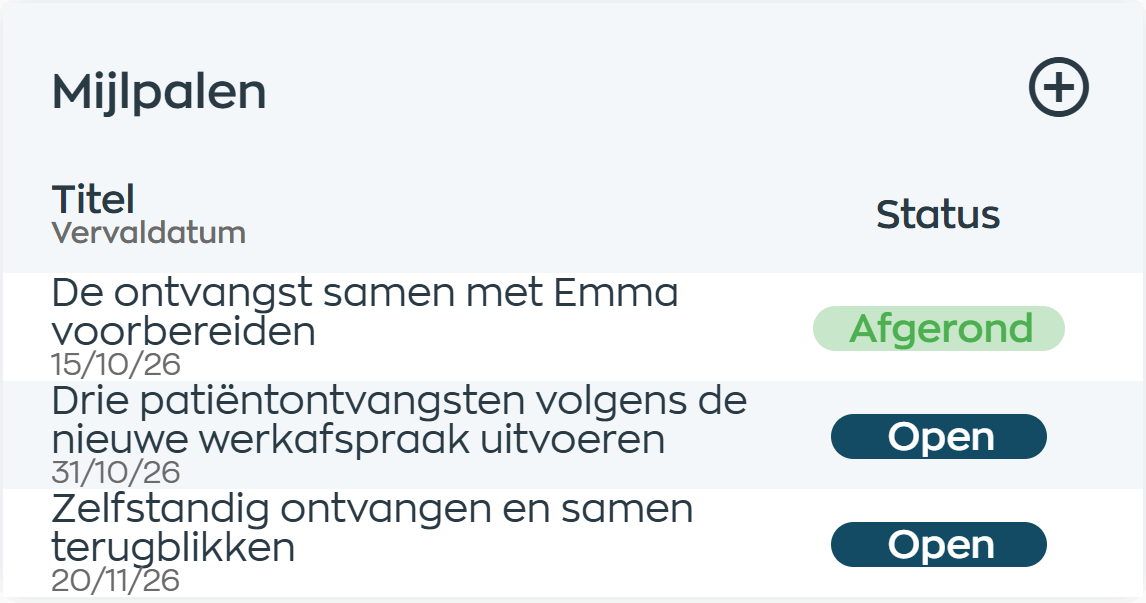
Employees and managers agree on goals and milestones. They discuss progress and share feedback in the chat attached to each milestone, keeping the next step and the support needed clear.
Explore shared development goalsAssign training and record development actions agreed during peer consultation or manager check-ins.
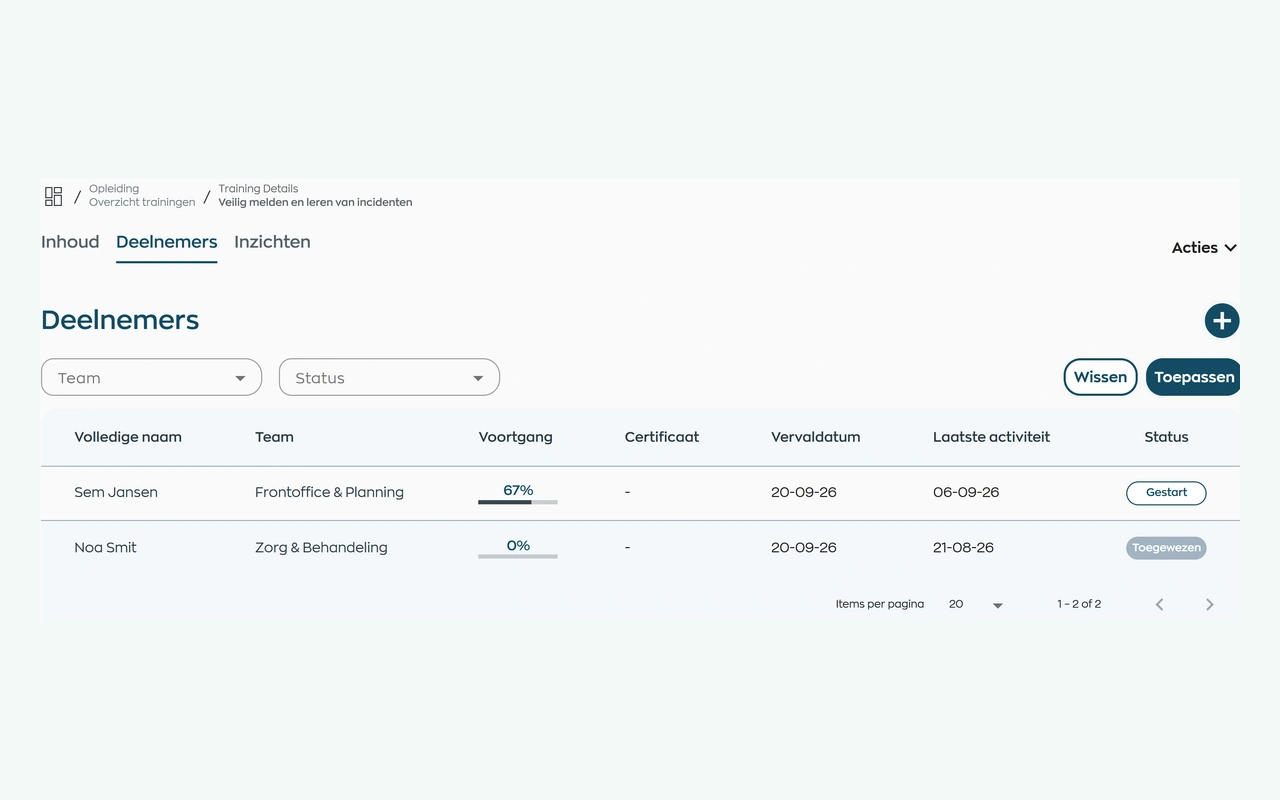
Assign your own training or a course from WorkVine. Employees complete it in their app. The person responsible can see who has yet to start, who is progressing and who may need support.
Explore training and progress trackingManage sick leave notifications, scheduled check-ins, and return-to-work actions.
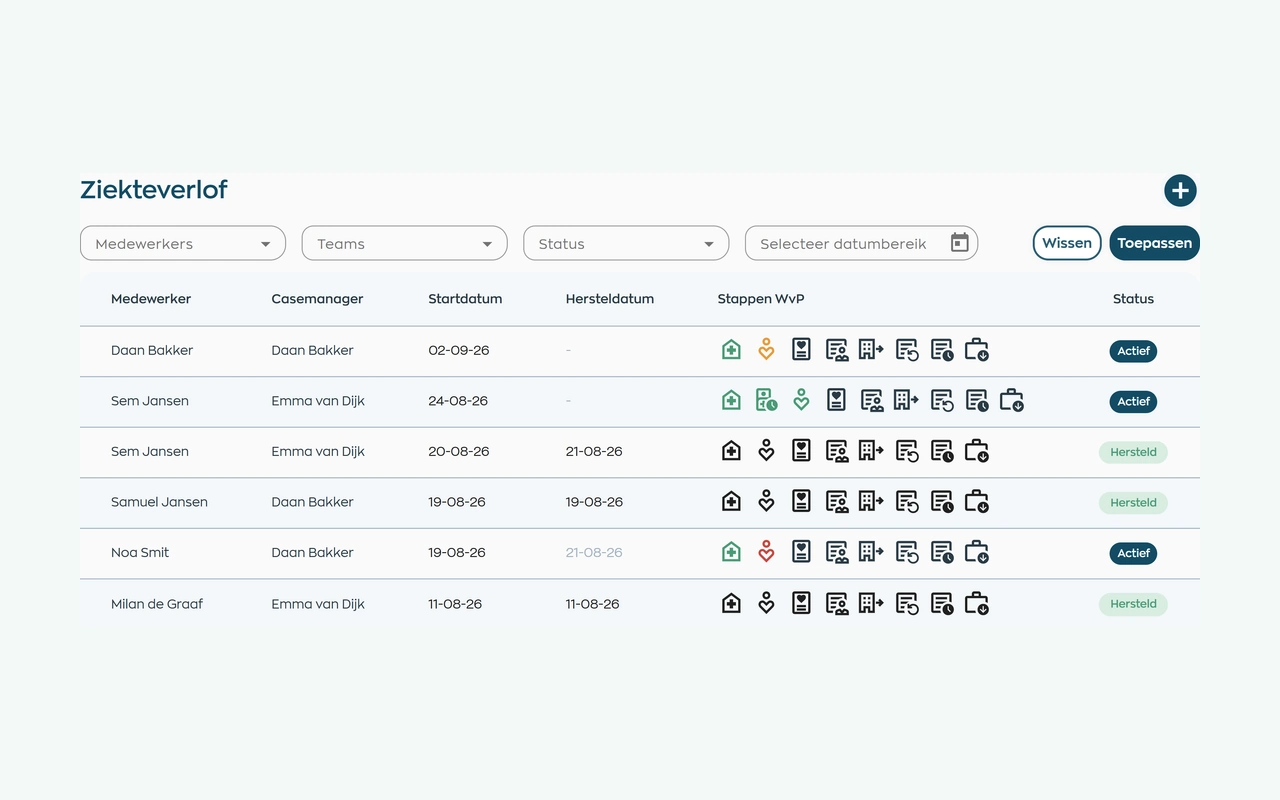
After a sickness report, the person responsible keeps contact records, tasks and next steps together. HR and managers use the same case file, subject to their access rights, without needing to record a diagnosis.
Explore sick leave and follow-upReview response rates, trends, and areas to explore; people decide what action, if any, is appropriate.
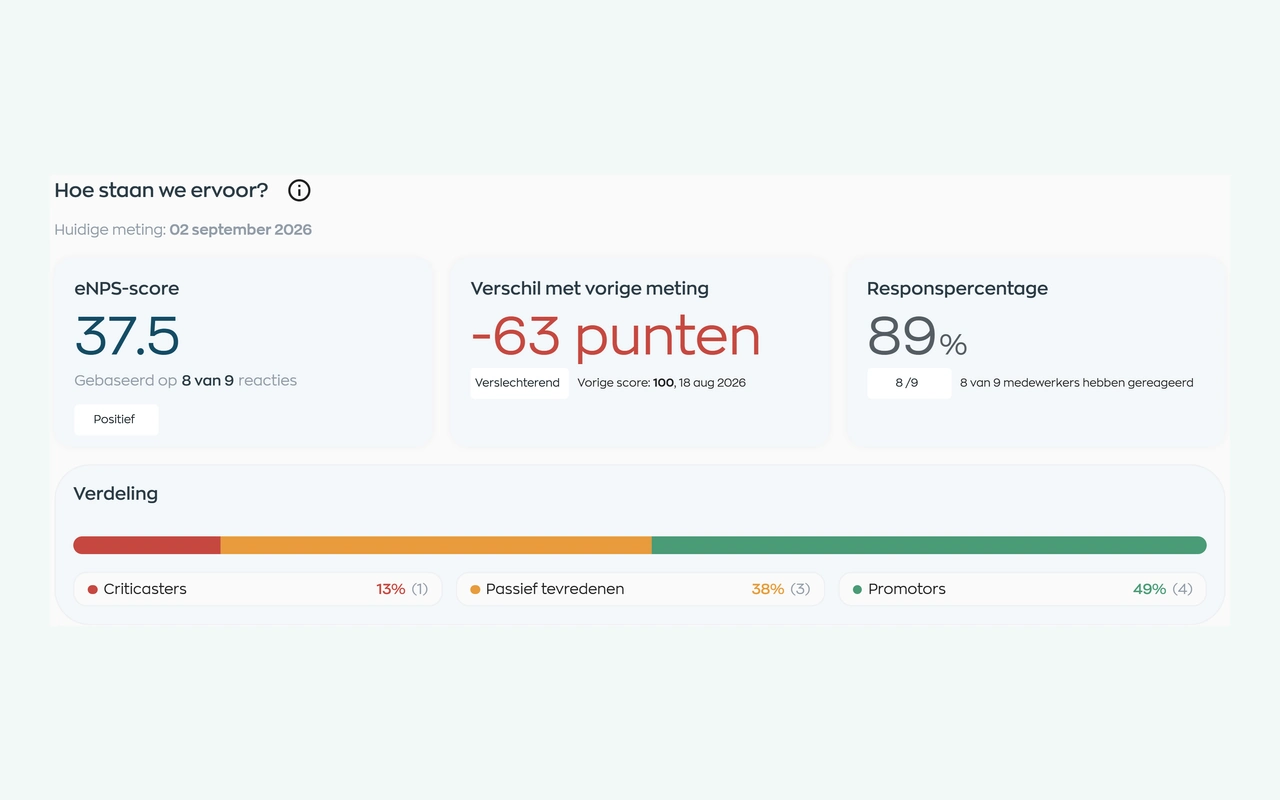
Ask employees about their experience through eNPS, pulse surveys or questionnaires. Review the results alongside response rates and earlier surveys, discuss the issues and agree on next steps.
Explore eNPS, pulse surveys and questionnairesRoles and teams
WorkVine supports distinct responsibilities for HR, managers, and employees in sensitive employee processes.
Coordinate employee meetings, agreed actions, and team arrangements.
View assigned training, internal updates, and their own actions.
Manages sick leave workflows, employee documents, permissions, and reports.
View their actions, assigned training, and relevant internal communication.
Relevant modules
These modules support the employee-development, feedback, and sick leave workflows described here.
Connect shared development goals, appraisals and your organization’s digital forms with clear follow-up.
View moduleKeep sickness notifications, contact records, WvP case management and actions linked to the employee record.
View moduleUse feedback and trends to understand team workload, discuss development and plan next steps.
View moduleRequest documents, let employees upload them, and track checks and validity in their records.
View moduleResponsible by design
Mental health organizations need role-based access for sensitive employee records and workflows.
Access is limited to authorized roles involved in the relevant employee process.
WorkVine uses a privacy-first approach for sensitive HR processes without replacing organizational policy or professional judgment.
Frequently asked questions
WorkVine is suitable for organizations that no longer want to manage HR, planning, documents, training and follow-up across separate systems. This includes organizations coordinating employee check-ins, development actions, sick leave workflows, and employee feedback across teams.
No. WorkVine can be configured for a specific industry, so teams only see and use what is relevant to their organization.
Yes. Documents, evidence, certificates and actions can be linked to employees and processes.
In a short demo we show how WorkVine fits your roles, teams, processes and current way of working.
Use eNPS, pulse surveys or questionnaires to gather employees’ experiences. Consider response rates and earlier results, discuss what resonates with the team and record follow-up actions. A score starts a conversation; it is not a diagnosis or an automatic explanation of workload.
Where work, people and growth come together
Schedule a demo to discuss employee check-ins, development, sick leave, documents, training, and feedback.