Some voices go unheard
Team meetings tend to amplify those who speak up. How are things for the colleagues who say less?

Sound familiar?
Not every concern reaches HR on its own. And collecting feedback only becomes useful when you discuss the findings and show what happens next.
Team meetings tend to amplify those who speak up. How are things for the colleagues who say less?
A difficult week or a passing comment needs context. Is it a one-off, a recurring pattern or something affecting more people?
Employees have shared their experiences but cannot see what happens next. The findings sit untouched while the next survey approaches.
1. Set up your survey
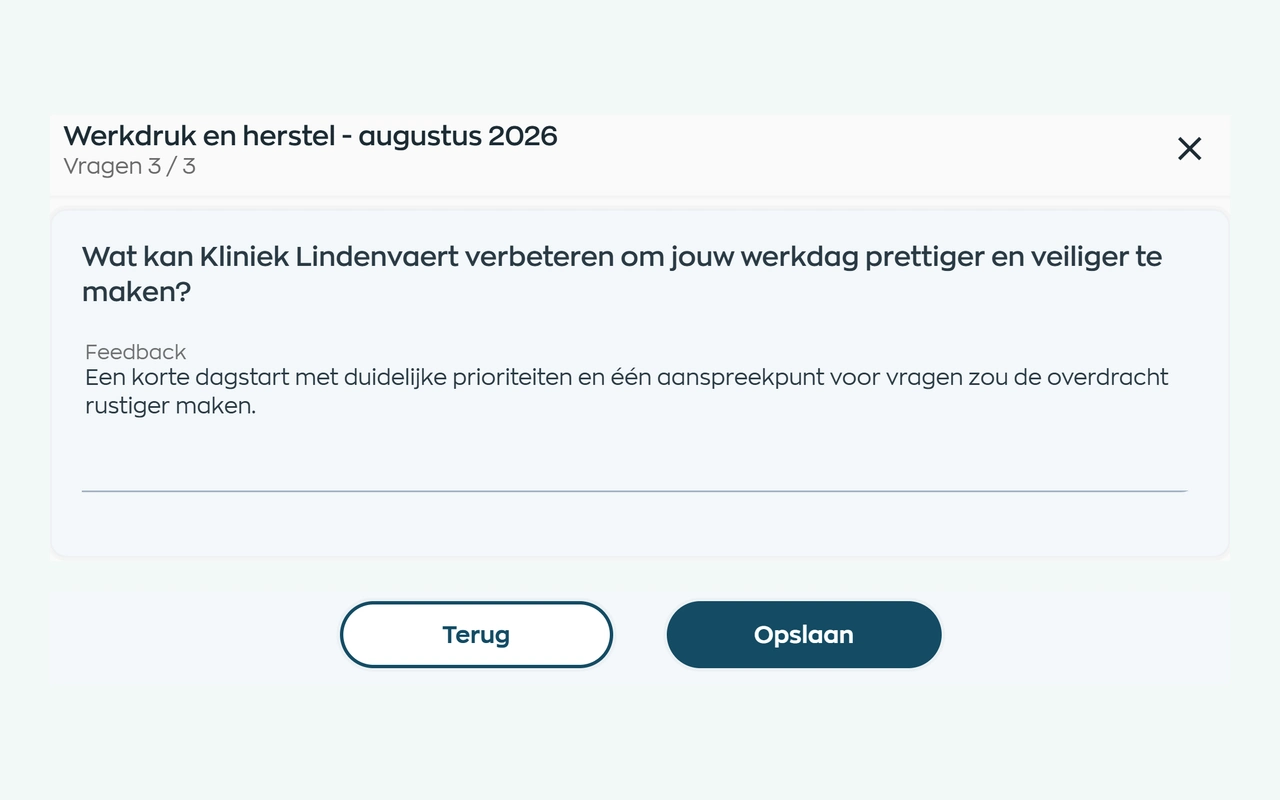
Want to understand workload in a team or how new colleagues experience their first weeks? Choose eNPS for the recommendation question, Pulse for regular check-ins or a survey to explore a topic in depth.
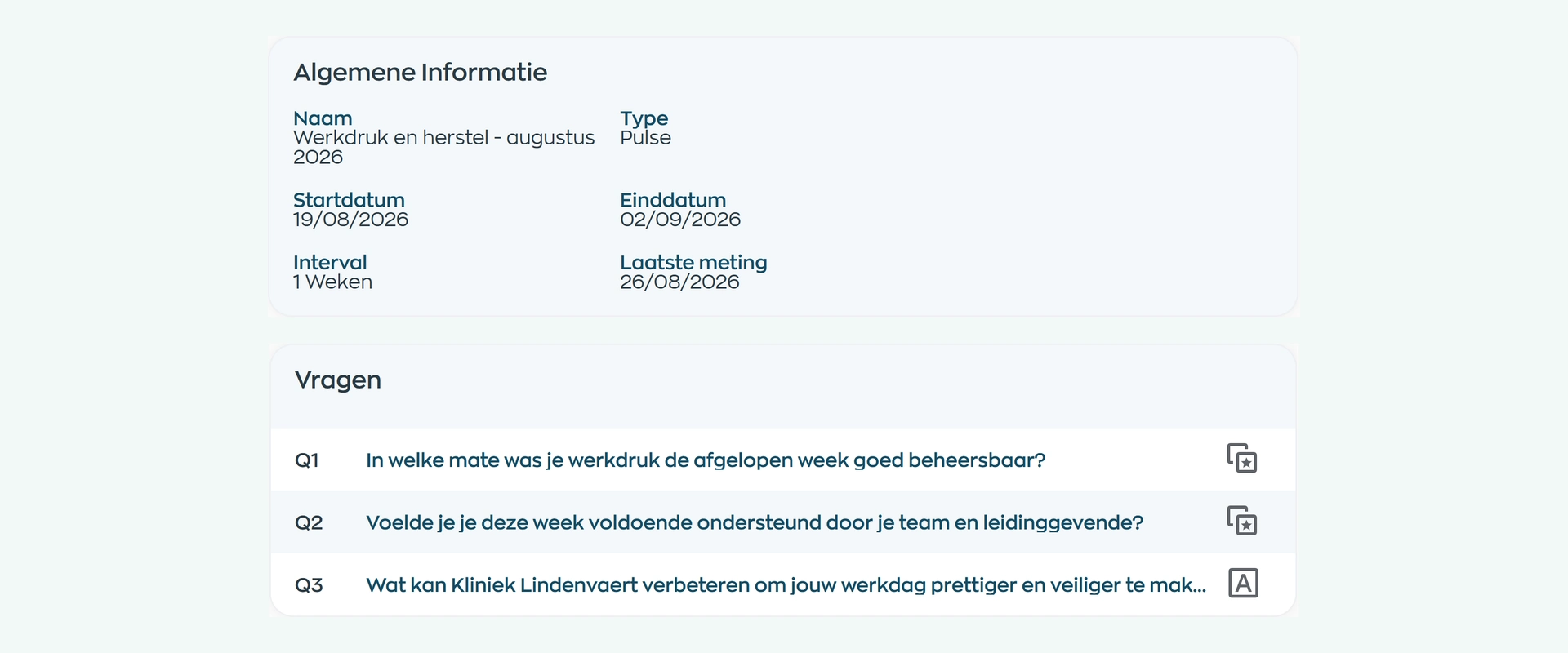
Set the participants, questions, timing and any repeat schedule. Prepare a draft before publishing. Ratings, choice questions and free text help you capture both a signal and the context behind it.
2. Hear from employees
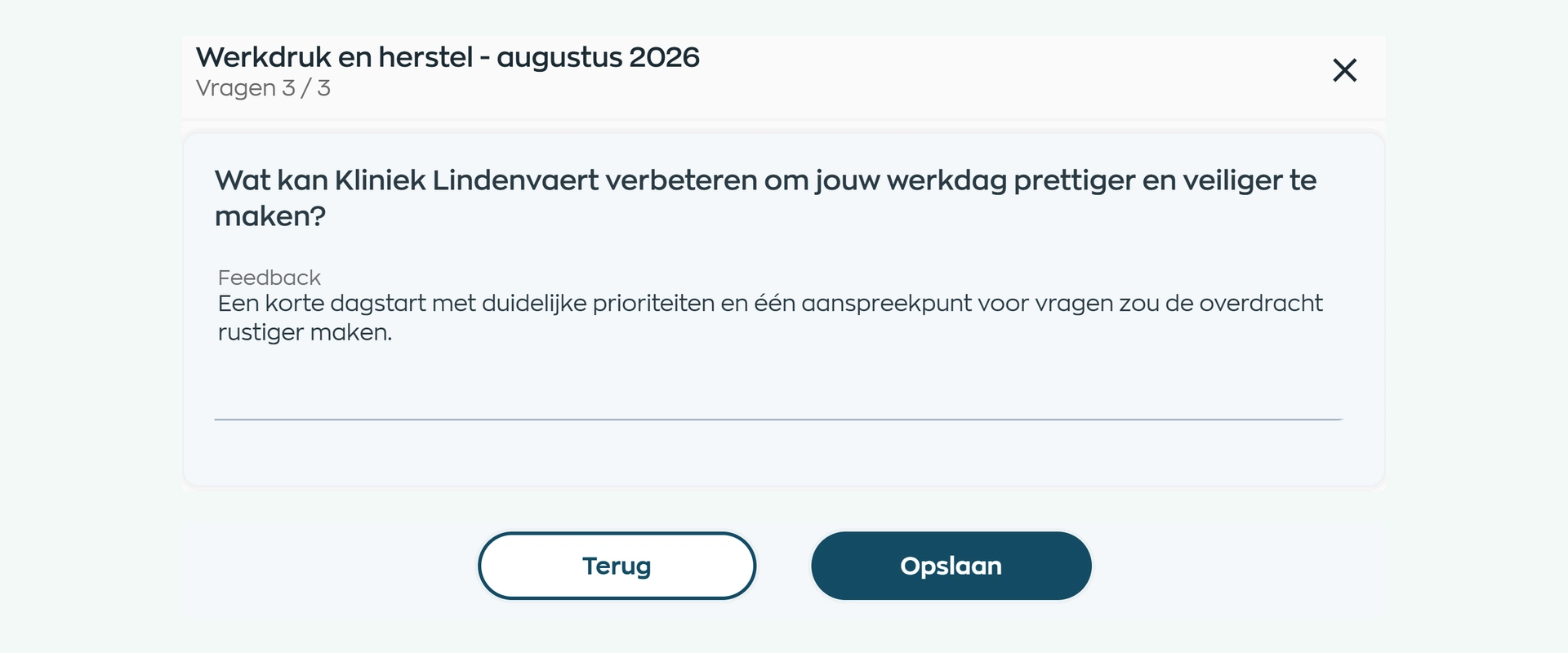
The survey appears as a personal action in the Employee App. Employees work through the questions one at a time and can add their own explanation of what would make their working day better.
Responses can be saved and resumed later. If a survey is anonymous, the app explains this before employees take part, so they know what to expect before submitting.
3. Understand the findings
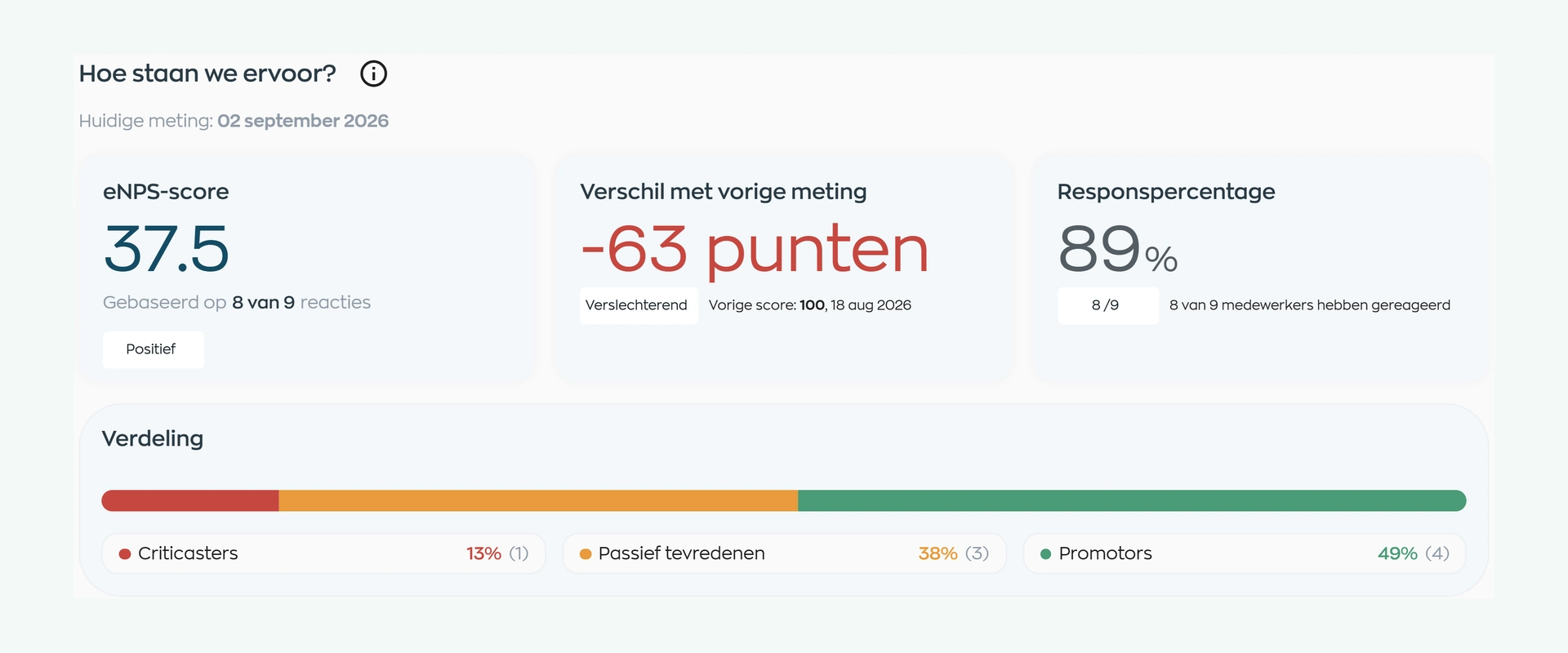
HR and managers see the eNPS score alongside participation, the response distribution and the change from an earlier survey. This gives them more to work with than a headline number.
For surveys, review each question and read the written feedback. Use repeated measurements to discuss how things are changing. Anonymous results remain hidden until the configured minimum response threshold is met.
4. Follow through together
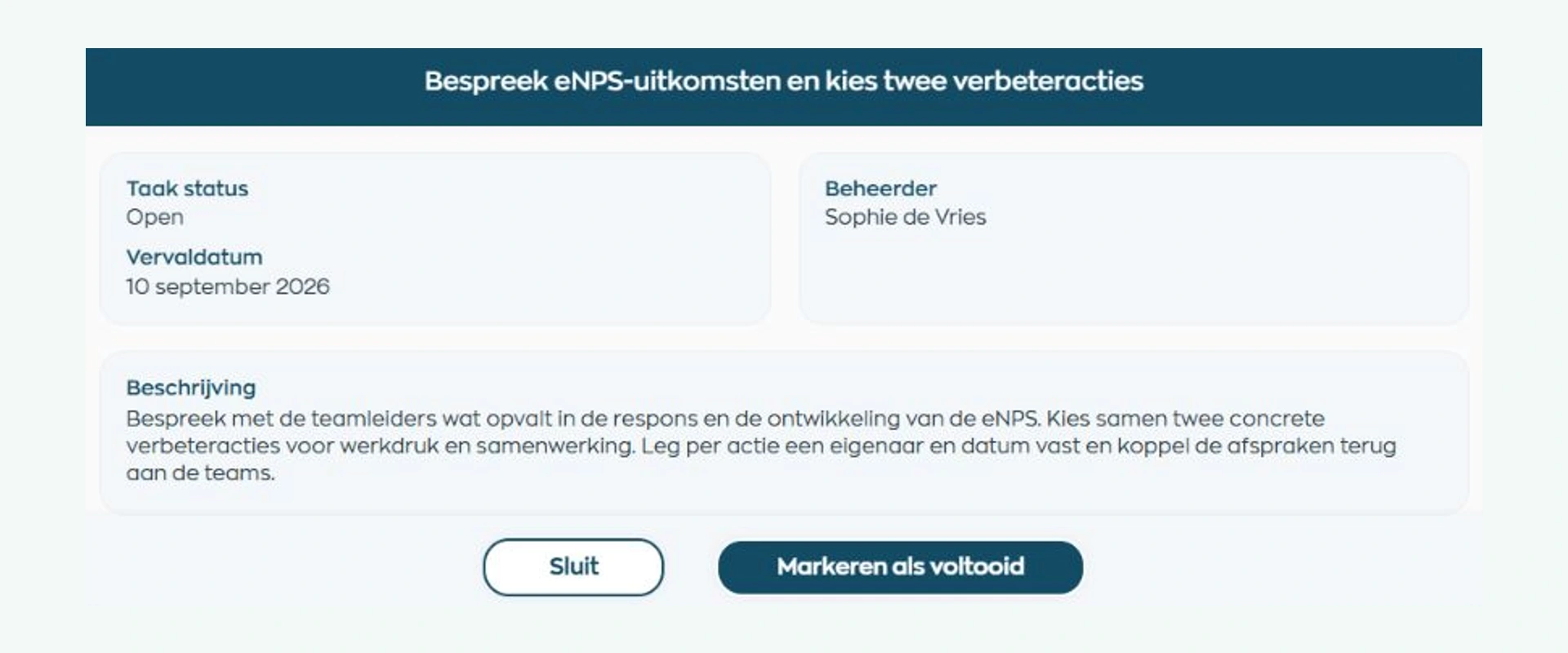
Discuss what stands out and agree what needs attention. Create follow-up tasks with an owner and due date, arrange a conversation or use a project to tackle a broader improvement.
Share what you have agreed and revisit it at the next check-in. HR and managers choose the actions; WorkVine keeps that follow-up alongside their day-to-day work.
What changes
Employees share their experience, managers discuss what is needed and HR connects the survey process with the follow-up.
Respond in the app you already use, explain your answers and hear what the organization plans to do next.
Discuss the findings with your team and turn them into clear commitments, with an owner and a time to review progress.
Coordinate surveys, track participation and results, and help managers decide how to follow through.
Is this right for your organization?
Whether you support one team or several locations, listening and day-to-day follow-up work better when they belong together.
Capabilities
Ask your own questions, review each survey round and keep findings and next steps connected to everyday work.
Frequently asked questions
Practical answers about questionnaires, participation, anonymity and how surveys fit into your workflows.
eNPS uses a consistent question about recommending the organization as a place to work. Pulse is a short, recurring check-in for tracking themes over time. A one-off employee survey explores a subject in greater depth, such as collaboration, onboarding or employee satisfaction.
The survey appears as a personal action in the Employee App. Employees read the introduction, answer the questions and submit their responses. They can save their progress and return later. The app does not show organization-wide survey results.
Yes. Pulse and surveys support your own rating, single-choice, multiple-choice and free-text questions. eNPS uses its standard recommendation question. You can choose the format that fits what you need to learn.
No. You choose this during setup, and employees can see whether the survey is anonymous before taking part. Anonymous survey reports do not display employee names alongside answers. You set a minimum response threshold before results can be shown. This helps protect small groups, but it cannot guarantee that an answer will never identify someone.
Choose the participant group and response threshold with your survey in mind. In a small team, a role, incident or turn of phrase can reveal who wrote an answer, even without a name. Ask employees to avoid names and identifying details about themselves or others. Agree in advance who will review the results, and share themes with the team rather than individual quotes.
HR and managers interpret the findings and decide what action to take. They record follow-up in tasks, conversations or projects and share updates through Communication. WorkVine supports this process; it does not make HR decisions based on a survey score.
Yes, if your organization allows personal layouts. Choose from the available home widgets and add, remove or rearrange them, including tasks, schedules, conversations, projects and training. Permissions and team scope still apply. Some figures refresh periodically rather than in real time.
Insights focuses on how employees experience work: eNPS, Pulse, surveys and the meaning behind feedback. Reports examines recorded work processes, such as hours, absence and training results. Both help you prepare for conversations and decisions, using different sources of information.
Where work, people and growth come together
Bring a topic that matters to your teams, such as workload, collaboration or the first few months in a role. We will show you how to ask the right questions, collect feedback and plan what happens next.