Target each update without broadcasting it to everyone
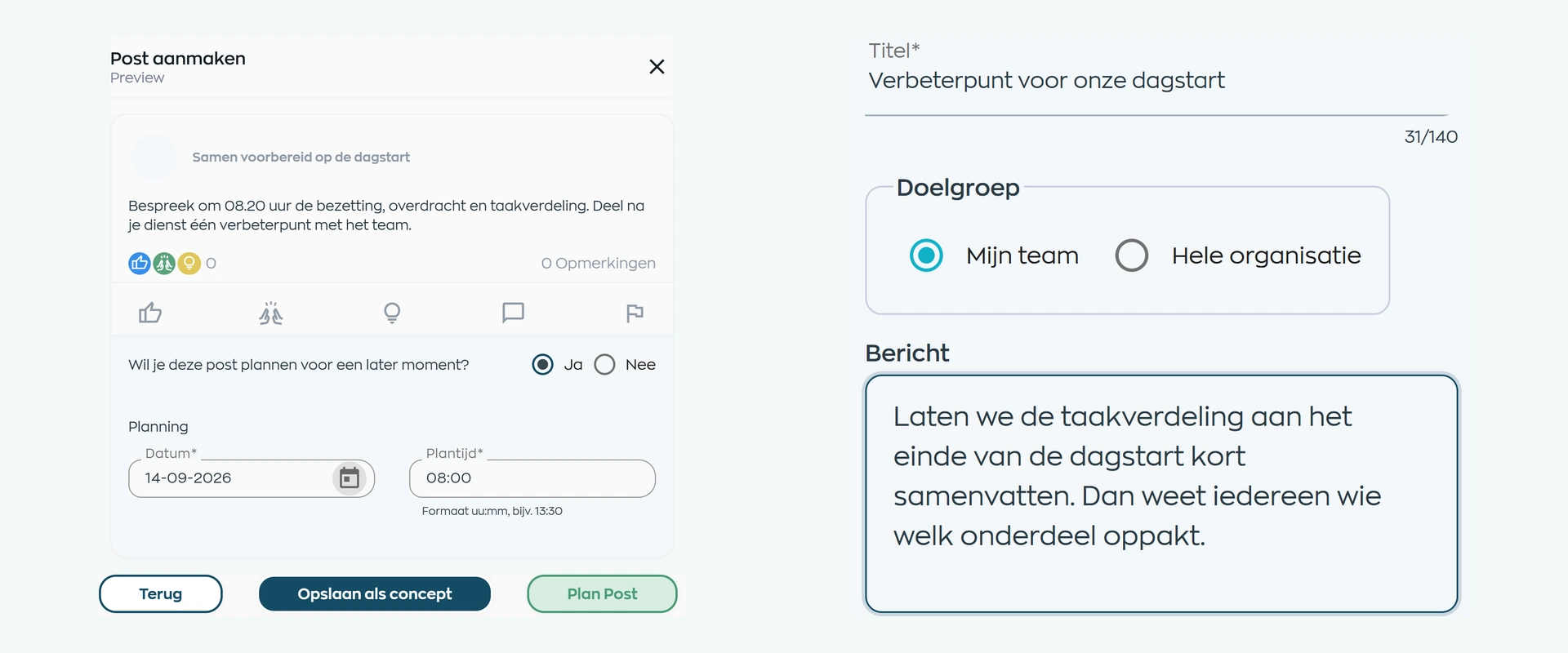
Publish to the entire organization or only to the teams for which the update is genuinely relevant.

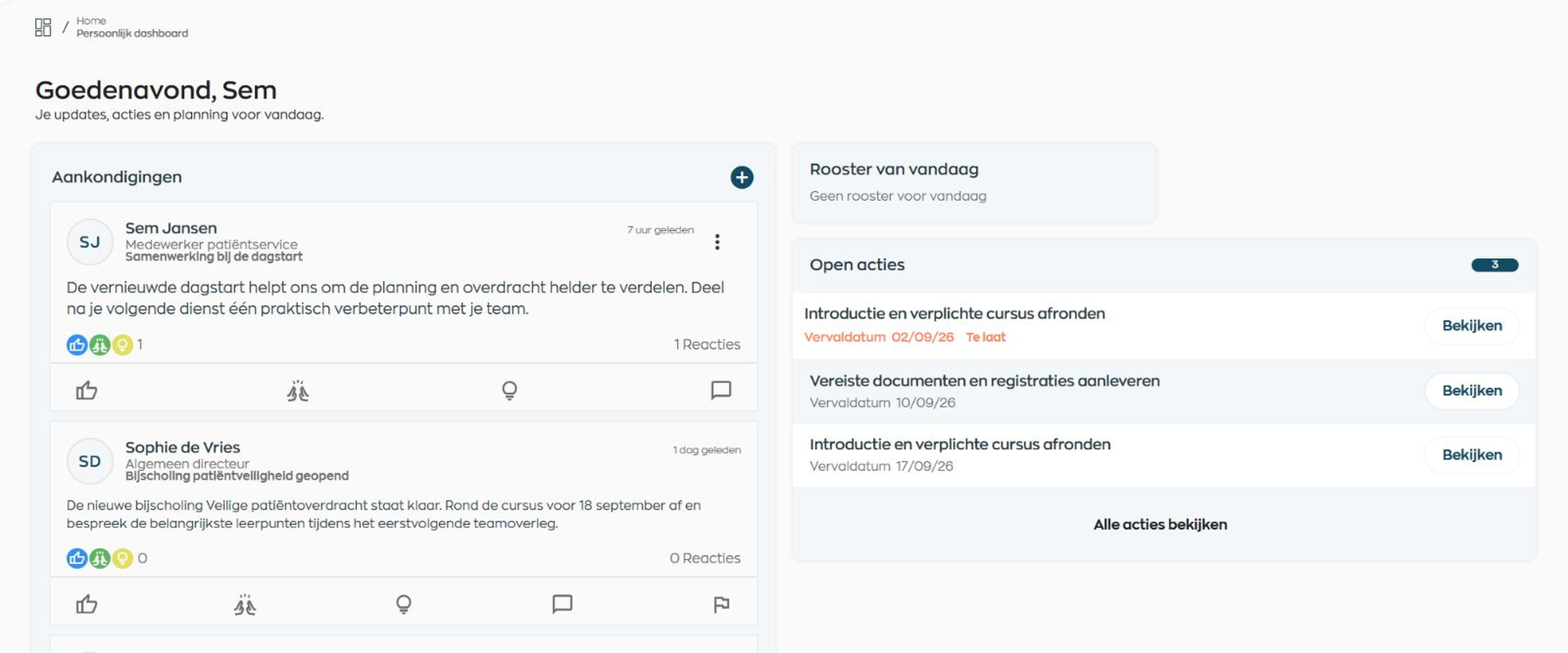
Why internal communication becomes fragmented
Email, intranet, and messaging groups make it hard to know what is current, who needs the message, and where the conversation continues. WorkVine brings publishing, community, chat, and moderation together in the employee's everyday workspace.
Publish to the entire organization or only to the teams for which the update is genuinely relevant.
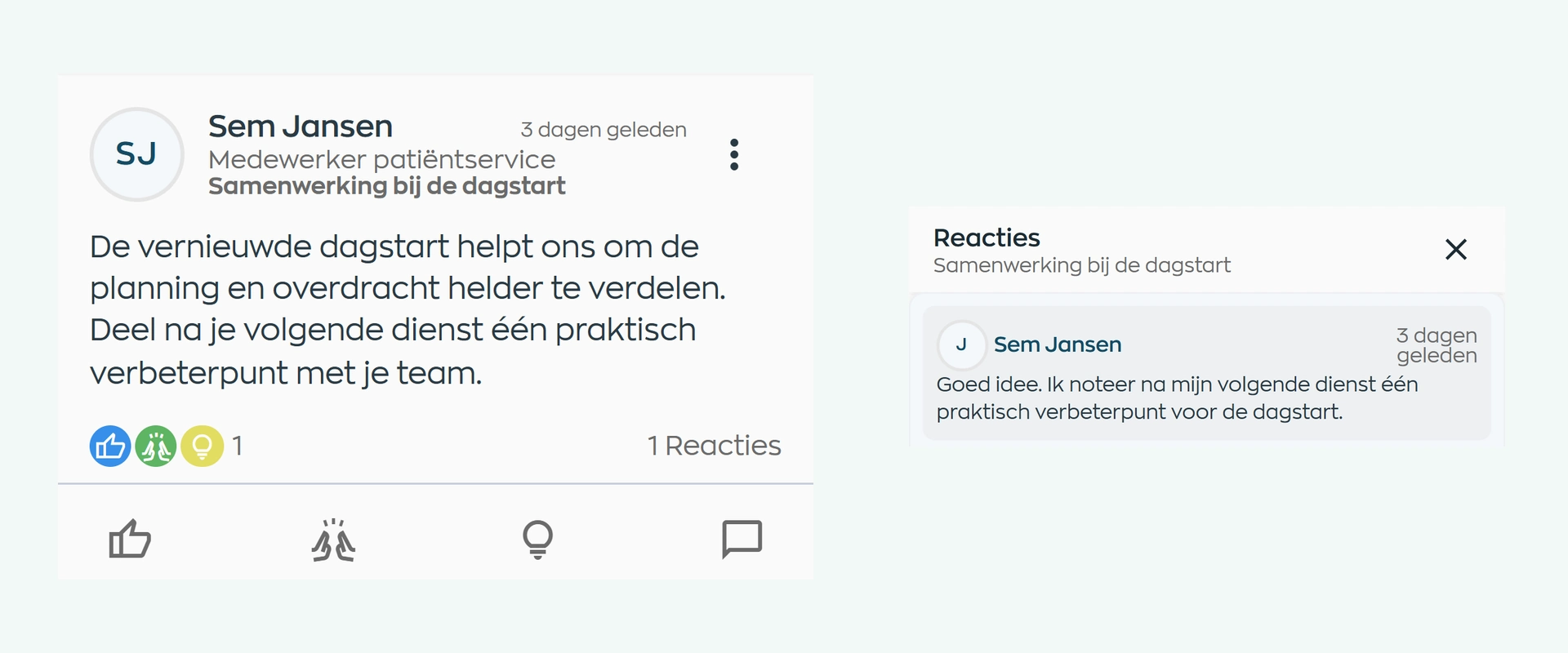
Keep reactions, comments, and mentions with the original message, then continue the conversation in chat when needed.
Have reported content reviewed by the right role and record the outcome with the same report.
1. Permissions and publishing
Authorized Office users can create an update with text, an image, a PDF, or video and check the preview before publishing. Save it as a draft, publish immediately, or schedule it for later for the organization or one or more teams.
Publishing from the Employee App is enabled by role. An employee post goes live immediately for the permitted audience; there is no approval step before publication.
2. Community and interaction
Published updates appear in the Employee App community feed, alongside everyday work. Employees can react, comment, and mention colleagues who are visible to them.
Personal in-app notifications highlight new posts, reactions, comments, and mentions. This keeps the context with the conversation without promising the sender a read receipt.
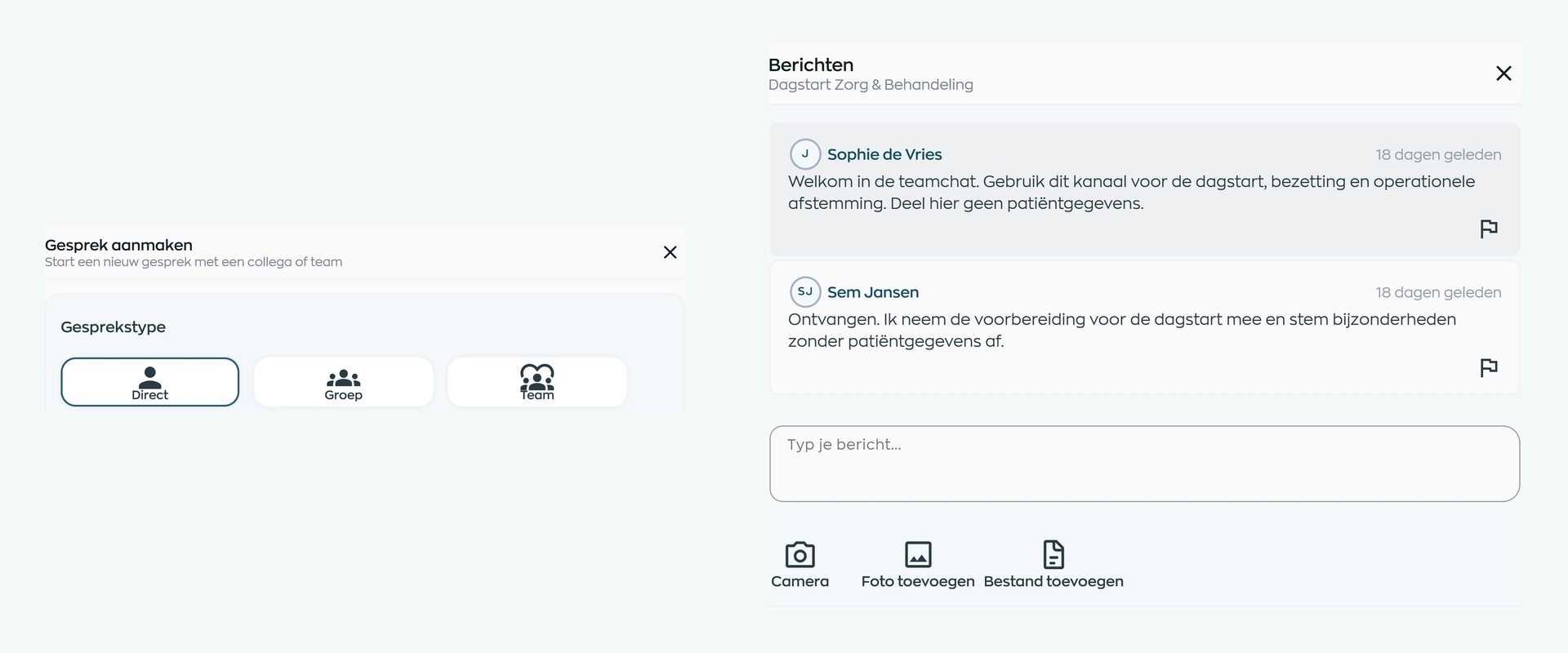
3. Chat
Employees can start a one-to-one conversation or a small group chat for focused coordination. In Office, you can also set up a team chat for an existing team.
Messages, photos, and files stay in the work environment, and each employee sees their own unread count. This lets a company-wide update continue as a practical team conversation.
4. Reporting and moderation
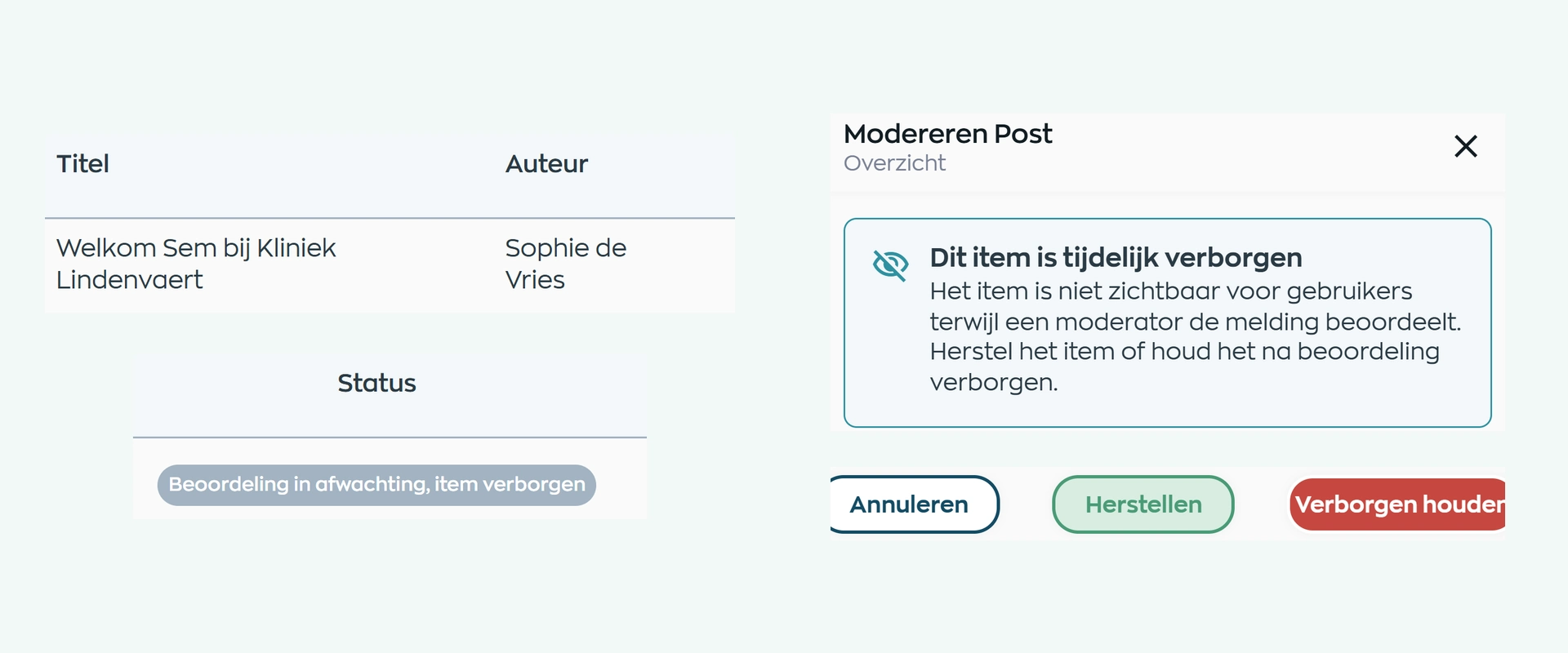
A user can report a community post, comment, or chat message. The first valid report temporarily hides a post or comment; a private chat message remains visible pending review.
An Owner or Manager reviews the report in Office and either restores or removes the content. The reviewer can add a note and, where permitted, issue a warning to the author.
What changes
Everyone knows their part: publishing updates, responding, coordinating work or reviewing reported content.
Prepare updates carefully, choose a relevant audience, and decide exactly when each message appears.
Keep team coordination in the work environment and handle reported content when a decision is needed.
Find relevant updates, responses, and conversations alongside schedules, training, and open tasks.
Is this right for your organization?
WorkVine Communication is designed for organizations that want to bring relevant updates and work conversations closer to the day-to-day job, with clear permissions and a responsible moderation process.
WorkVine focuses on internal employee communication. Email and other collaboration tools may still be needed for external communication or broader collaboration.
Capabilities
Review your current communication workflow step by step: who publishes, who receives the update, where the conversation continues, and who reviews a report.
Frequently asked questions
Clear answers about publishing, audiences, community, chat, unread messages, and moderation in WorkVine.
Internal communication software brings company and team updates, interaction, and conversations together. WorkVine also connects this communication to the Employee App, placing relevant messages alongside everyday work.
Authorized Office users can prepare and publish posts. The organization can also enable Employee App publishing by role. An employee post goes live immediately for the permitted audience.
Yes. In Office, an update can be saved as a draft, previewed, and published immediately or scheduled for the organization or one or more teams.
Employees can start one-to-one and small group conversations. Team chat is set up in Office for an existing team.
No. WorkVine shows personal in-app notifications and unread counts to the signed-in user, but it does not provide a recipient list or per-message read receipts.
Moderation starts after a user report. An Office user with the Owner or Manager role reviews the content and decides whether to restore or remove it. This is not pre-publication approval or a complete audit log.
A post or comment is temporarily hidden after the first valid report and remains hidden until review. A private chat message stays visible while the report is being reviewed.
No. WorkVine brings internal employee communication closer to everyday work. Other channels may still be needed for external communication or broader collaboration.
Where work, people and growth come together
Bring a familiar company or team update to the demo. We will show you how publishing, community, chat, and moderation come together in one everyday workflow.