Monthly
€6
per active employee per month, excluding VAT
Cancel monthly.

Employee communication software
Publish company and team updates in the Employee App, alongside schedules, training and open actions. Employees can respond in context, continue the conversation in chat and report inappropriate content for review.
Pricing and included features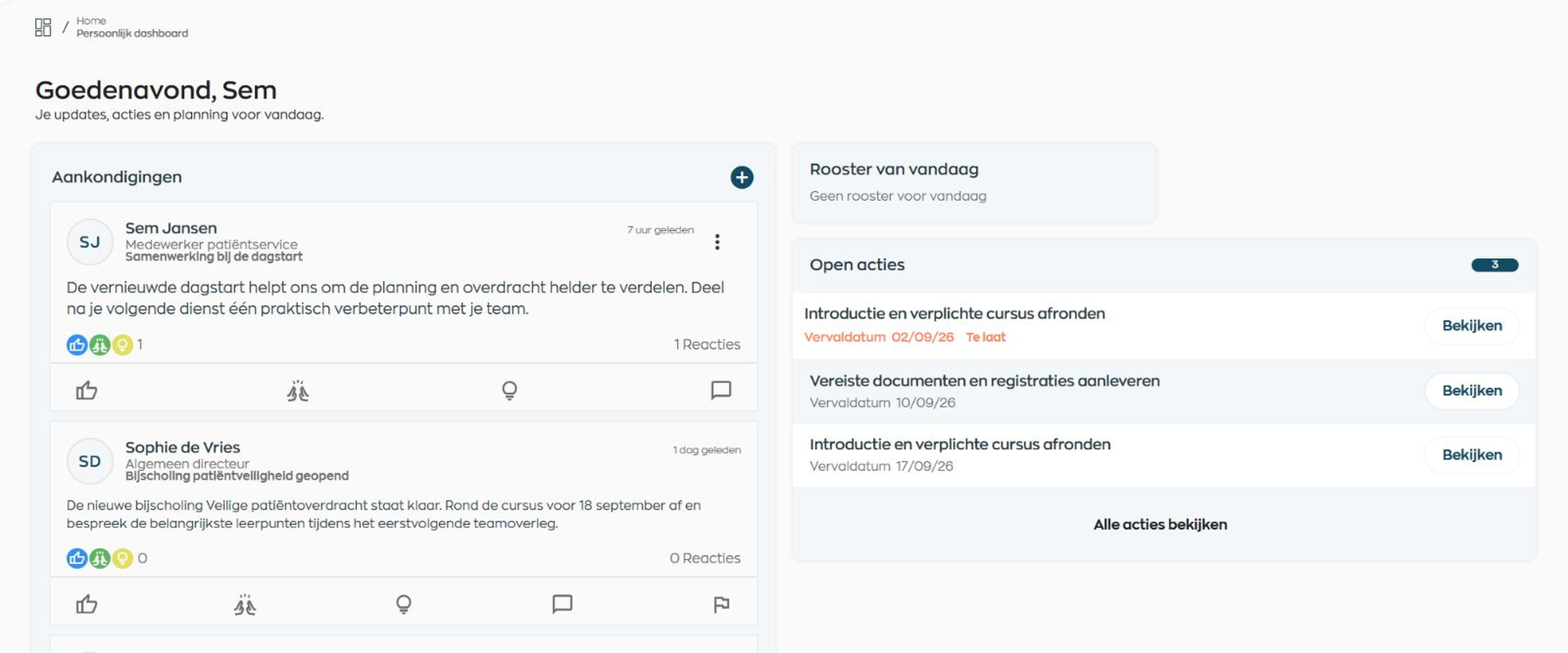
When employees work across locations, shifts and schedules, important messages are easily scattered across email, intranets and group chats. WorkVine gives every update a clear audience, context and home.
Employee communication software
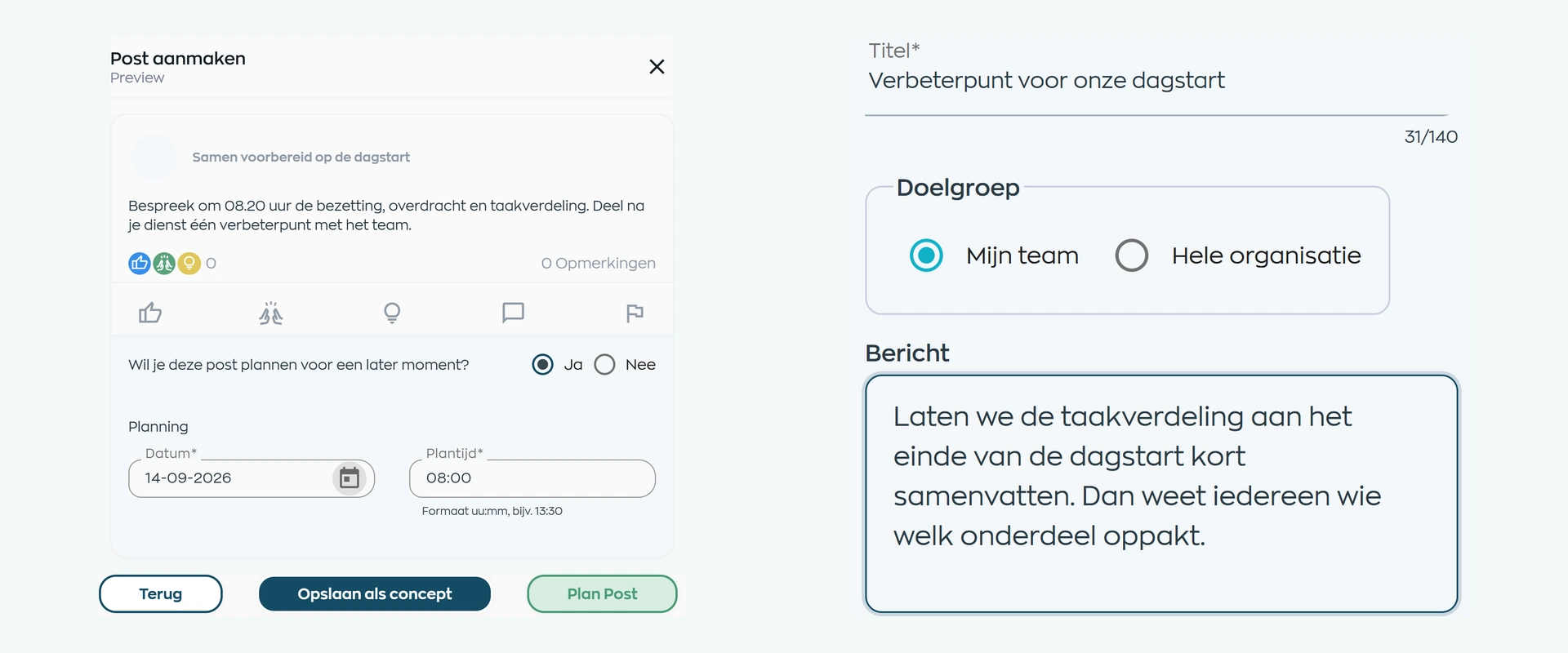
Authorized Office users can create an update with text, an image, PDF or video. Preview it, save a draft, publish immediately or schedule it for the whole company or selected teams. Role settings determine who can publish from the Employee App.
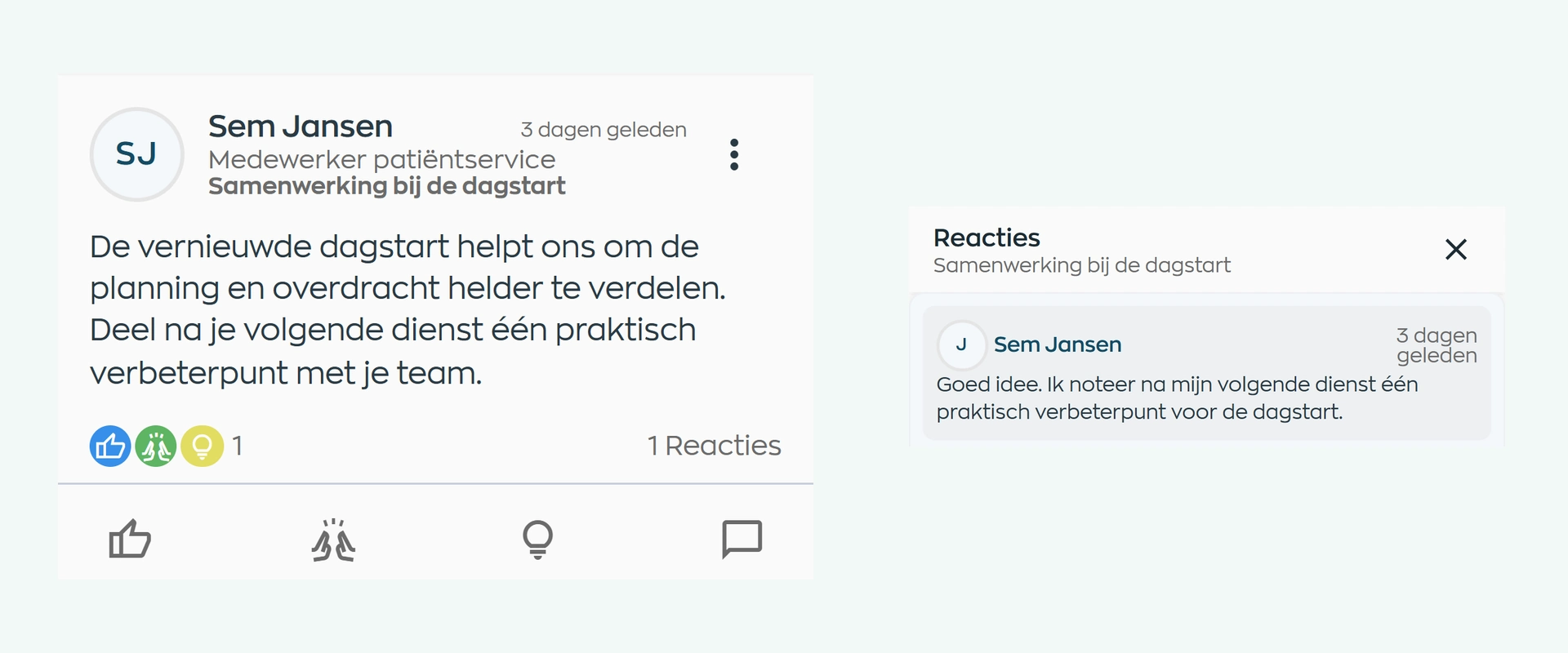
Updates appear in the community feed. Employees can react, comment and mention visible colleagues. Personal in-app notifications draw attention to relevant activity. WorkVine does not give the sender a recipient list or read receipt.
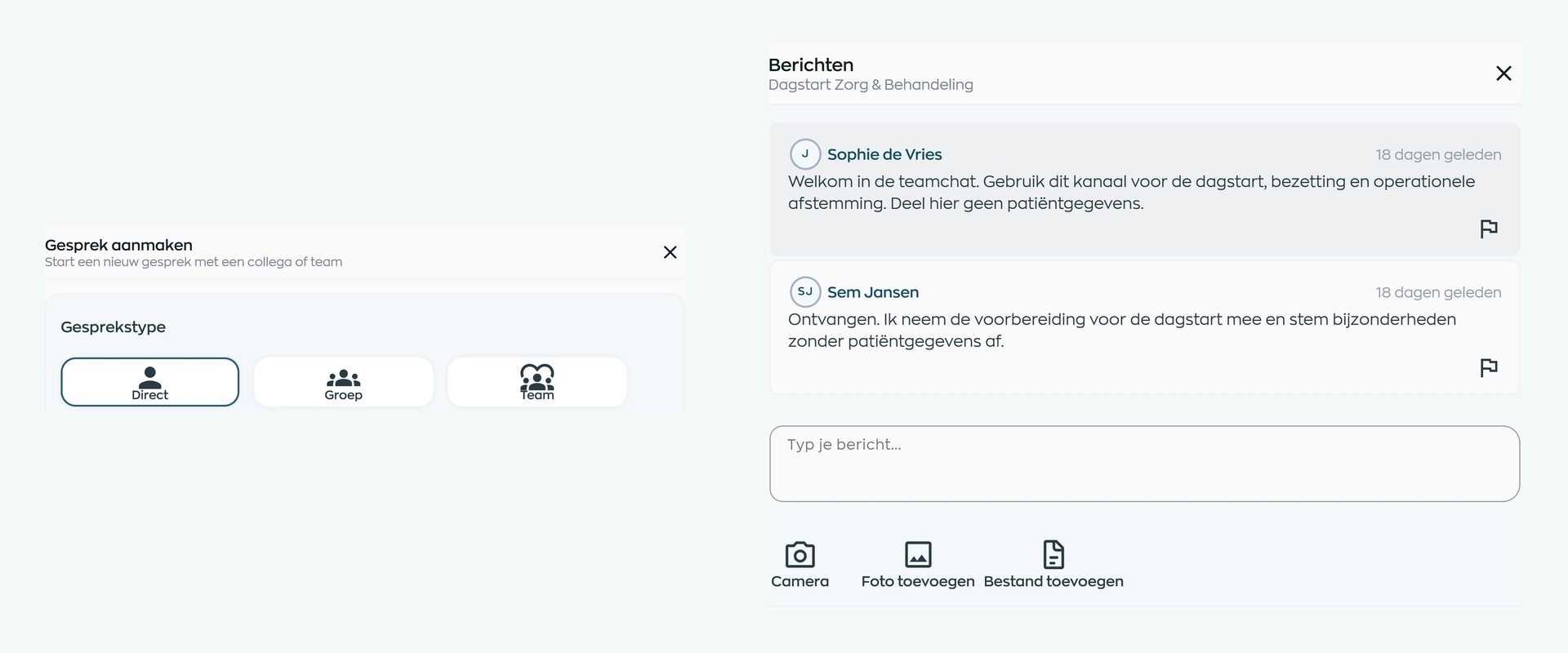
Employees can start a direct conversation or small group chat. For established teams, you can set up a team chat from Office. Text, photos and files stay with the work conversation, while each employee sees their own unread count.
A user can report a post, comment or chat message. The first valid report temporarily hides a post or comment; a private chat message remains visible until review. An Owner or Manager reviews the report and restores or removes the content, with room for a note and, where permitted, a warning.
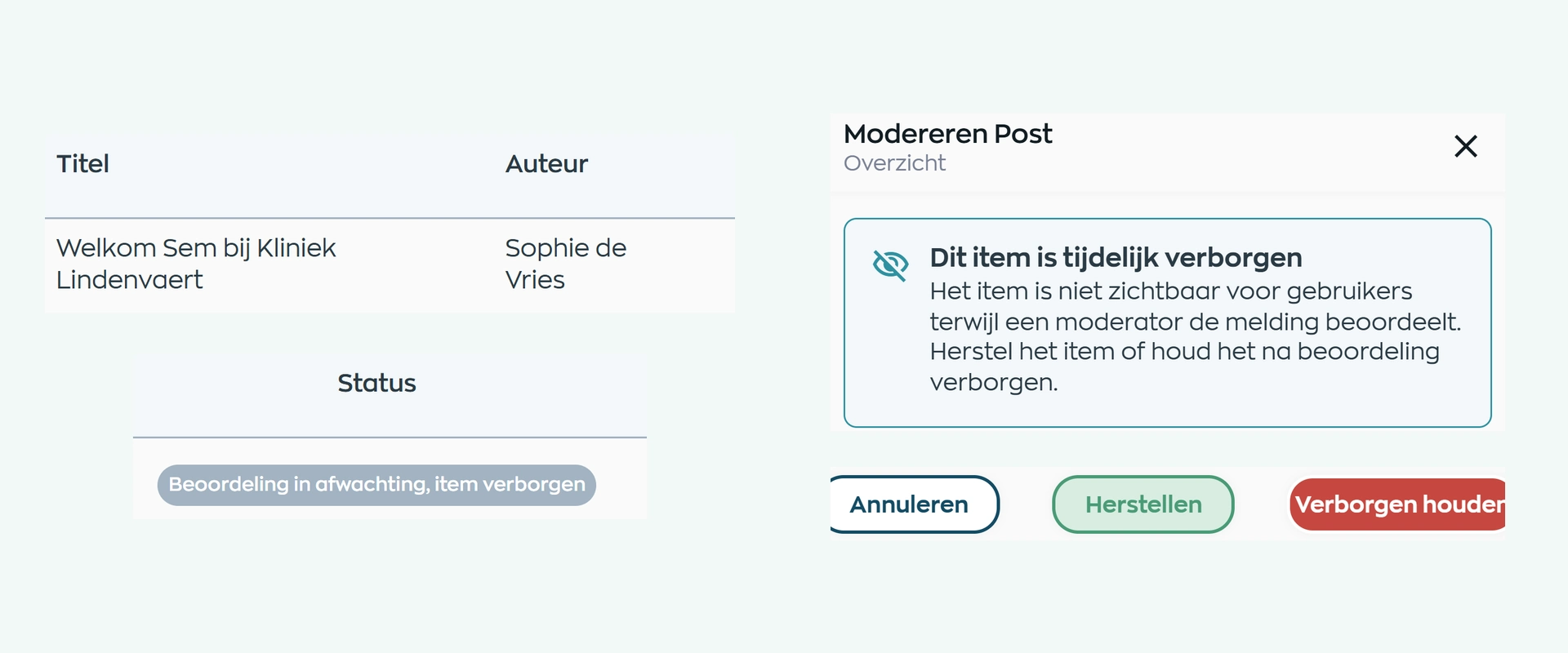
Product screens from our fictional demo company, Kliniek Lindenvaert.
Explore all communication featuresEmployee communication software
WorkVine brings internal employee communication closer to daily work. It does not automatically replace every use of email, WhatsApp, Teams or other collaboration tools. You may still need those channels for external communication and wider collaboration.
You can start with communication and expand the same employee workspace later. An update can then sit directly alongside a schedule change, learning action or feedback moment.
If your immediate need is an employee app for internal communication, you can start there. Choose which areas are visible and expand when that adds value.
We look at who publishes today, which teams need which information and where conversations or reports currently lose momentum.
We help with the usual setup and initial guidance. If you need more extensive support, we agree the approach and any costs in advance.
Begin with relevant updates and clear agreements about publishing, responding, chat and moderation.
€6
per active employee per month, excluding VAT
Cancel monthly.
€5
per active employee per month, excluding VAT
After 12 months, choose another annual prepayment or switch to monthly billing. Unused months are not refunded if you leave early.
Company and team updates, community, chat, in-app notifications and moderation are covered by the same platform price. All platform modules are available; you activate what you use. Standard implementation and support through your designated contact are included.
Additional services and usage-based costs, such as e-signatures, are charged separately.
Employee communication software
Yes. You can start with the Employee App, updates, community and chat, and show only the areas your teams use. The standard platform price applies; you do not need to launch a full HR project.
Authorized Office users can prepare and publish updates. Role settings determine whether employees can publish from the Employee App, so publishing rights can reflect how your company works.
Yes. In Office, you can save a draft, preview the update and publish it now or later for the whole company or selected teams.
No. Employees receive personal in-app notifications and see their own unread counts, but the sender does not receive a recipient list or message-level read receipt.
Employees can start direct conversations and small group chats. Team chat is configured in Office for an existing team. Conversations can include text, photos and files.
Moderation starts when a user reports content. An Owner or Manager reviews it and decides whether to restore or remove it. This is not pre-approval and it is not a complete audit log.
Not in every situation. WorkVine is designed for internal employee communication alongside daily work. External communication and wider collaboration may still require other channels.
Bring a real company or team update to the demo. We will follow its complete journey, from audience and publishing time to response, chat and, where needed, moderation.
See your communication flow in a demo