Teams across locations
Employees work in different locations and need their schedule, actions, and team updates in one place.


Sound familiar?
Employees working across client locations need clear schedules, recorded availability, assigned training, and relevant team updates.
Employees work in different locations and need their schedule, actions, and team updates in one place.
Use recorded availability when preparing shifts and publish schedule changes for the relevant employees.
Employees submit time entries; managers review corrections before approval.
Publish internal updates for the relevant employees and teams instead of relying on separate message threads.
What WorkVine brings together
WorkVine links employee scheduling with time tracking, leave, sick leave, assigned training, and internal communication.
From plans to action
Employees, planners, team leaders, and HR each use the information and actions relevant to their responsibilities.
These product examples use our Kliniek Lindenvaert demo organization. They show how WorkVine works; your own teams, documents and processes shape your setup.
Mobile staff do not visit the office for every schedule change. Employees submit their availability and find shifts in the app, while planners keep staffing up to date.
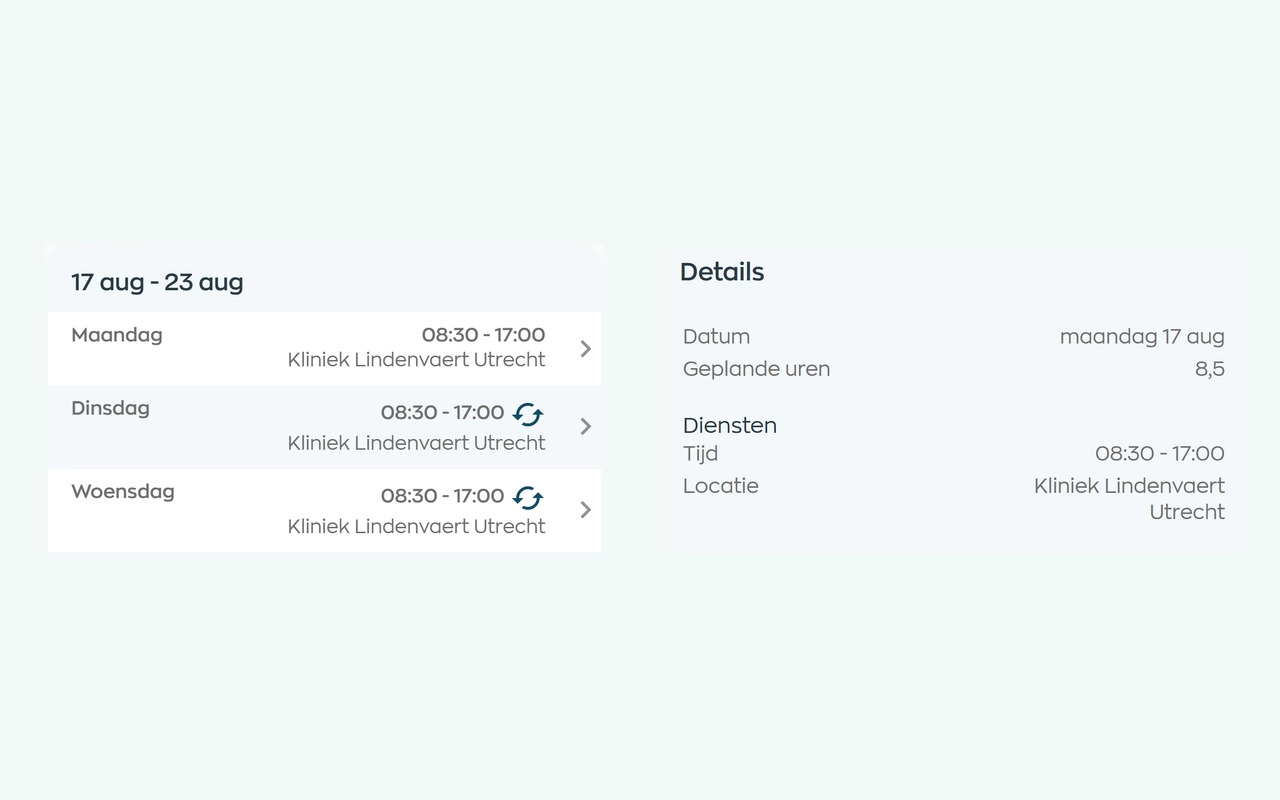
Planners match shifts to availability, leave and sickness. Employees can check their current schedule in the app, and planners can email the selected schedule period.
Explore staff schedulingSubmit time entries and review corrections before manager approval.
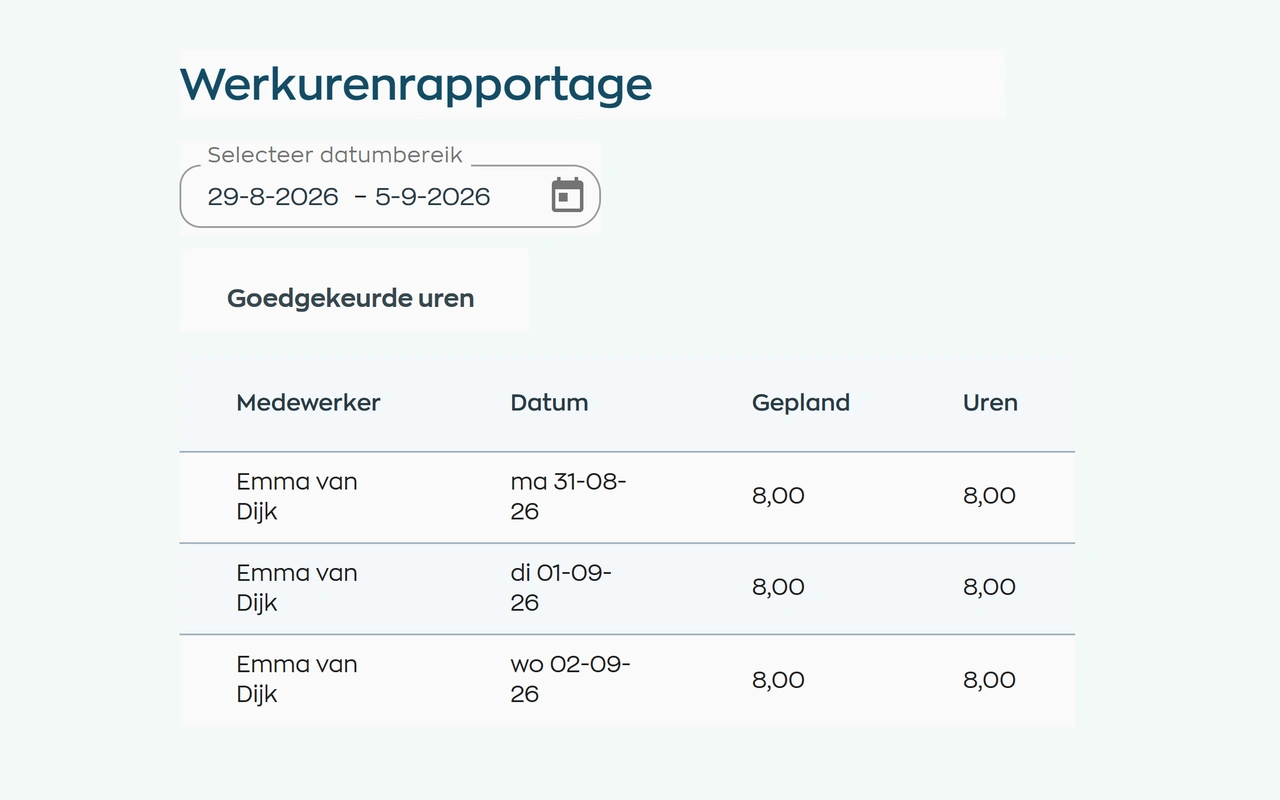
Employees record their working hours. Managers compare them with the schedule, discuss discrepancies and approve the hours before further processing.
Explore time tracking and approvalManage sick leave notifications, scheduled check-ins, and return-to-work actions.
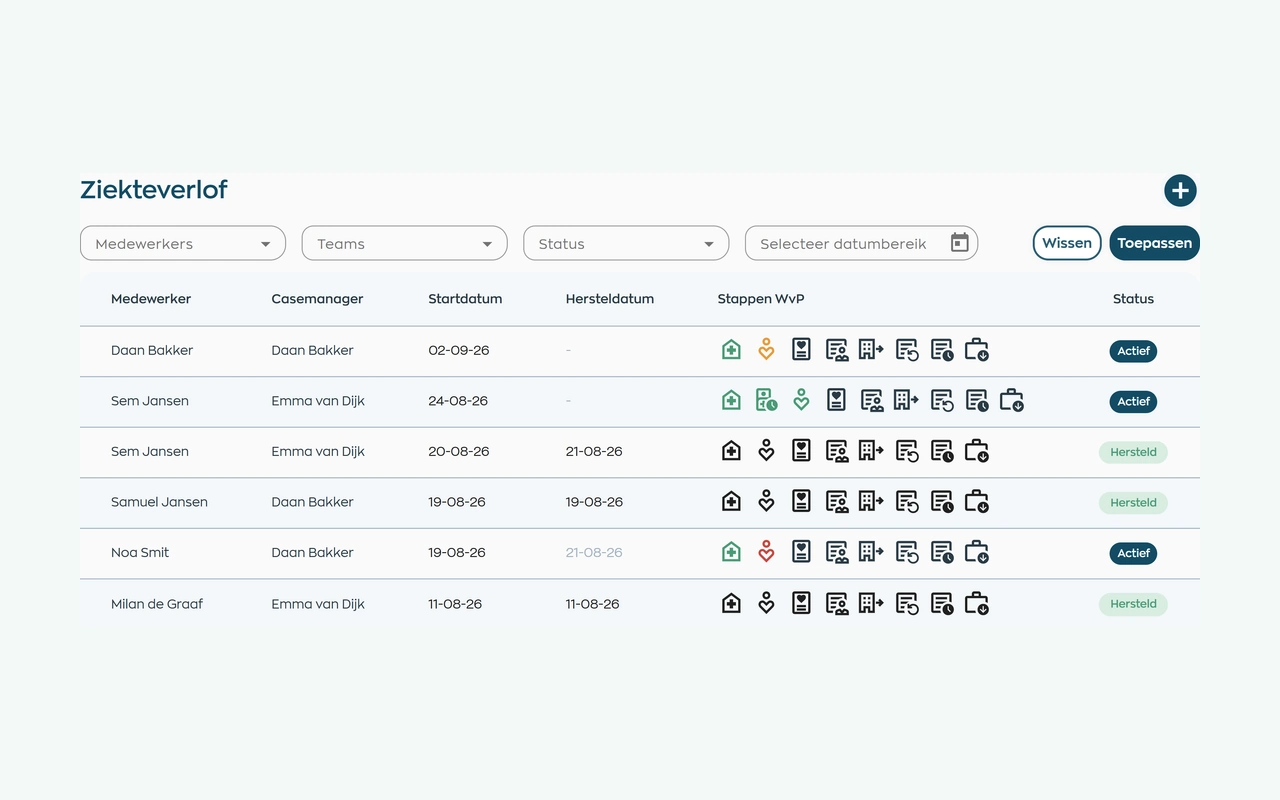
After a sickness report, the person responsible keeps contact records, tasks and next steps together. HR and managers use the same case file, subject to their access rights, without needing to record a diagnosis.
Explore sick leave and follow-upAssign training and review employee participation, progress, completion, and certificates.
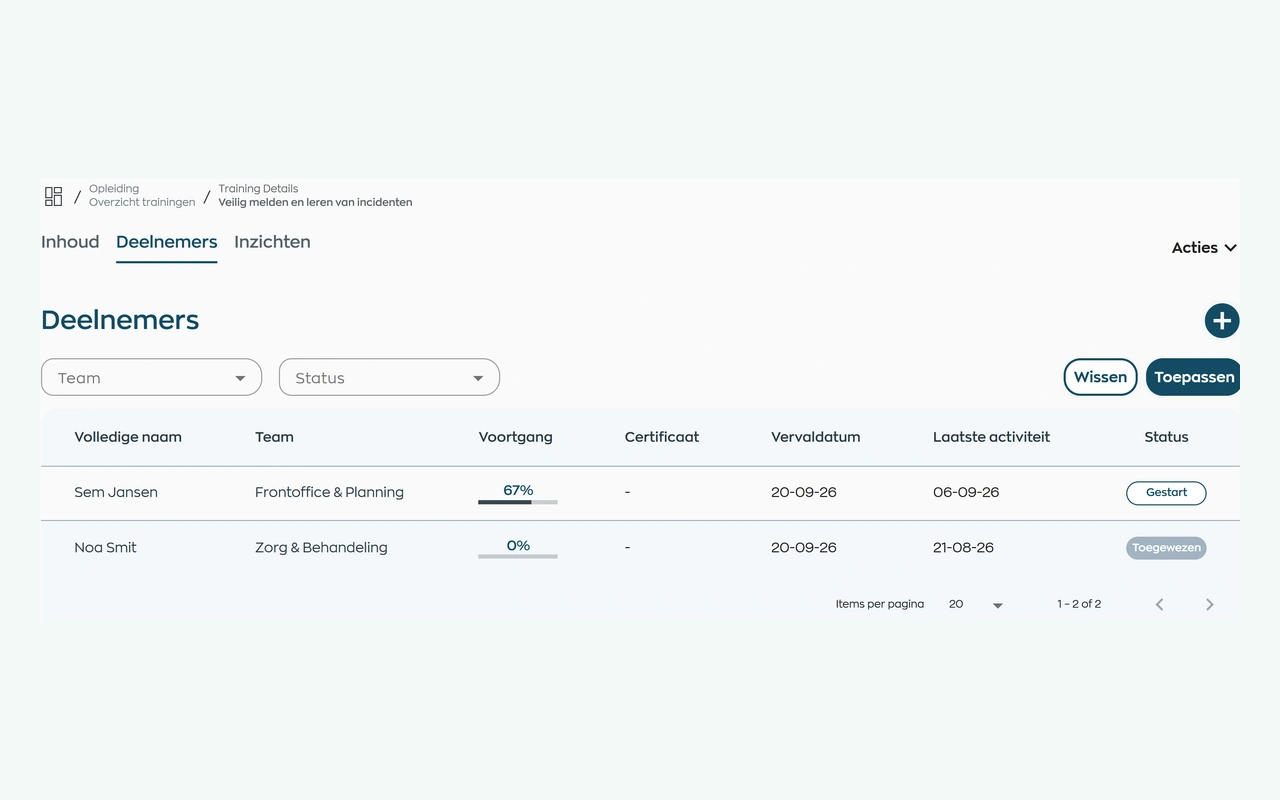
Assign your own training or a course from WorkVine. Employees complete it in their app. The person responsible can see who has yet to start, who is progressing and who may need support.
Explore training and progress trackingRoles and teams
WorkVine supports the distinct employee responsibilities of home care workers, planners, team leaders, and HR.
View their work schedule, assigned training, team updates, and actions.
Use recorded availability, approved leave, sick leave information, and schedule changes.
Review time entries, team actions, and employee-process status.
Manages employee records, documents, sick leave workflows, and reports.
Relevant modules
These modules support the employee workflows described for home care teams.
Keep shifts, availability and changes together in an up-to-date schedule.
View moduleHours worked, attendance, corrections and approvals are consistent with planning and reporting.
View moduleAnnual leave requests, balances and approvals remain visible to employees, managers and HR.
View moduleKeep sickness notifications, contact records, WvP case management and actions linked to the employee record.
View moduleFrequently asked questions
WorkVine is suitable for organizations that no longer want to manage HR, planning, documents, training and follow-up across separate systems. This includes teams working across client locations where availability, shift schedules, time entries, and internal communication change frequently.
No. WorkVine can be configured for a specific industry, so teams only see and use what is relevant to their organization.
Yes. Documents, evidence, certificates and actions can be linked to employees and processes.
In a short demo we show how WorkVine fits your roles, teams, processes and current way of working.
This solution focuses on employees: availability, shifts, working hours, leave, sick leave and development. Route optimization and individual client-visit planning are not part of the staff scheduling described here.
Where work, people and growth come together
Schedule a demo to discuss employee availability, shift schedules, time tracking, leave, sick leave, training, and communication.