Reception and phone coverage
Set staffing for reception and telephone duties around expected workload and employee availability.


Sound familiar?
Reception and phone coverage, practice-assistant and practice-nurse schedules, locum cover, and sick leave can change the staff plan throughout the week.
Set staffing for reception and telephone duties around expected workload and employee availability.
Keep each role's schedule, workplace arrangements, and availability clear.
Keep assigned training, protocol acknowledgements, and employee documents organized.
Record sick leave notifications, scheduled check-ins, and agreed actions in the case workflow.
What WorkVine brings together
WorkVine links staff schedules with leave, sick leave, qualifications, documents, training, and internal communication.
From plans to action
Practice managers, HR, and employees use the information and actions relevant to their responsibilities.
These product examples use our Kliniek Lindenvaert demo organization. They show how WorkVine works; your own teams, documents and processes shape your setup.
The practice manager coordinates assistants, practice nurses and locums. Everyone can then find their own shifts, including when staffing changes.
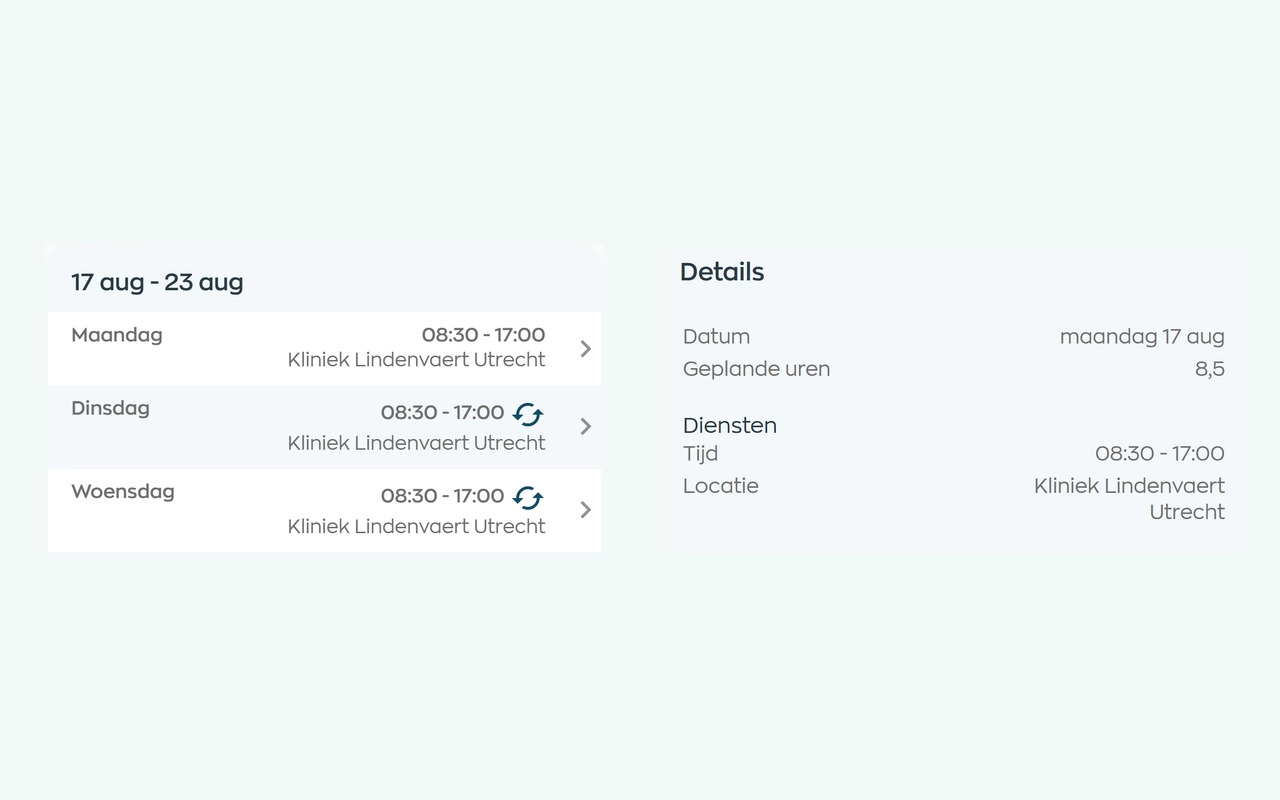
Planners match shifts to availability, leave and sickness. Employees can check their current schedule in the app, and planners can email the selected schedule period.
Explore staff schedulingReview leave requests and use approved leave when coordinating employee availability.
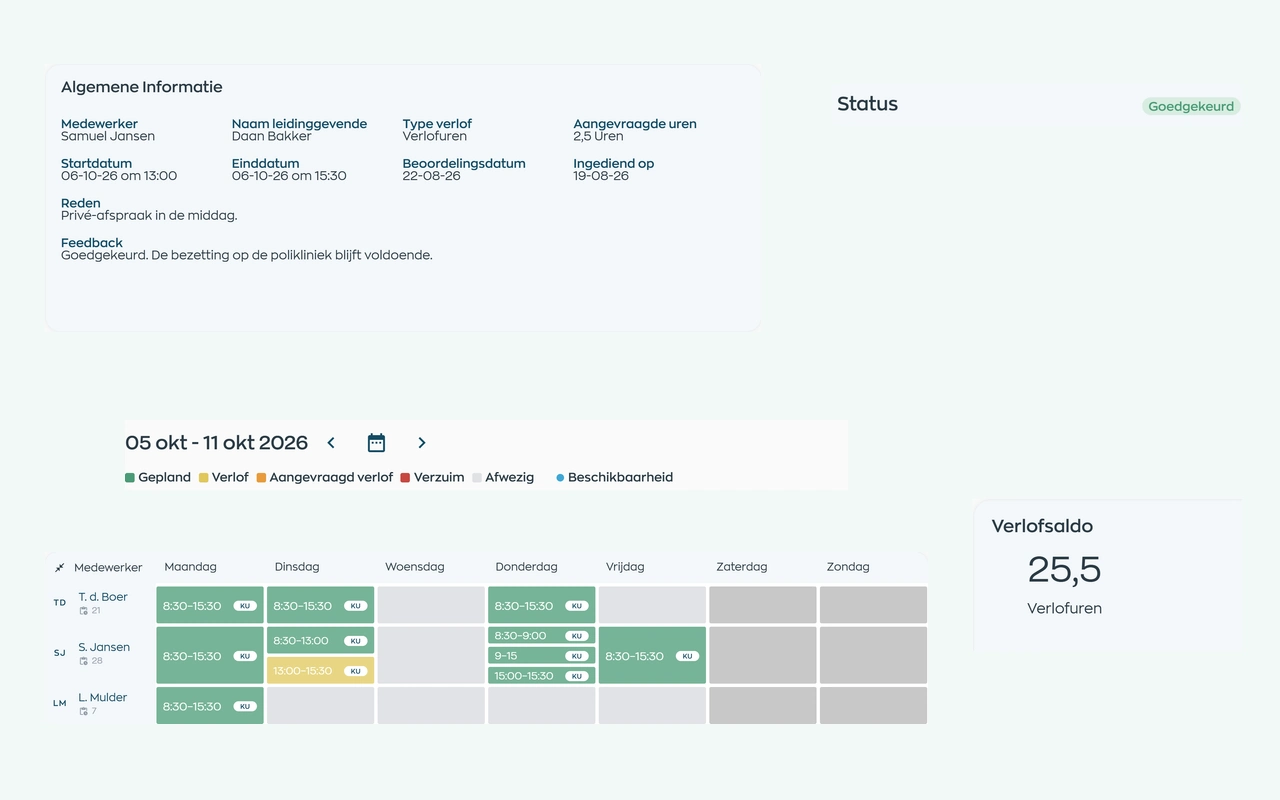
Employees submit a request. Their manager reviews it alongside the leave balance and team schedule, with the decision and balance adjustments kept on record.
Explore leave requests and approvalsAssign training and keep completion and protocol acknowledgements with each employee.
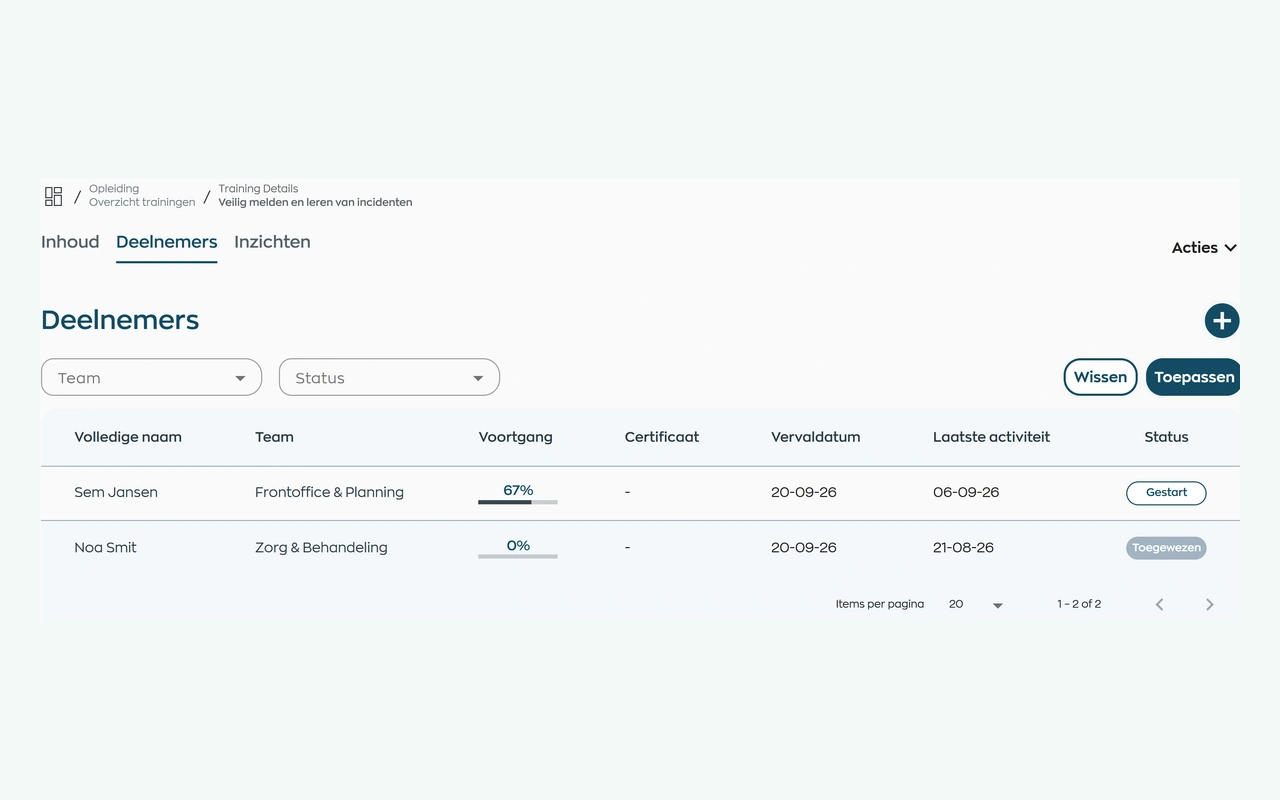
Assign your own training or a course from WorkVine. Employees complete it in their app. The person responsible can see who has yet to start, who is progressing and who may need support.
Explore training and progress trackingRecord outstanding actions against the relevant employee, team, or practice location.
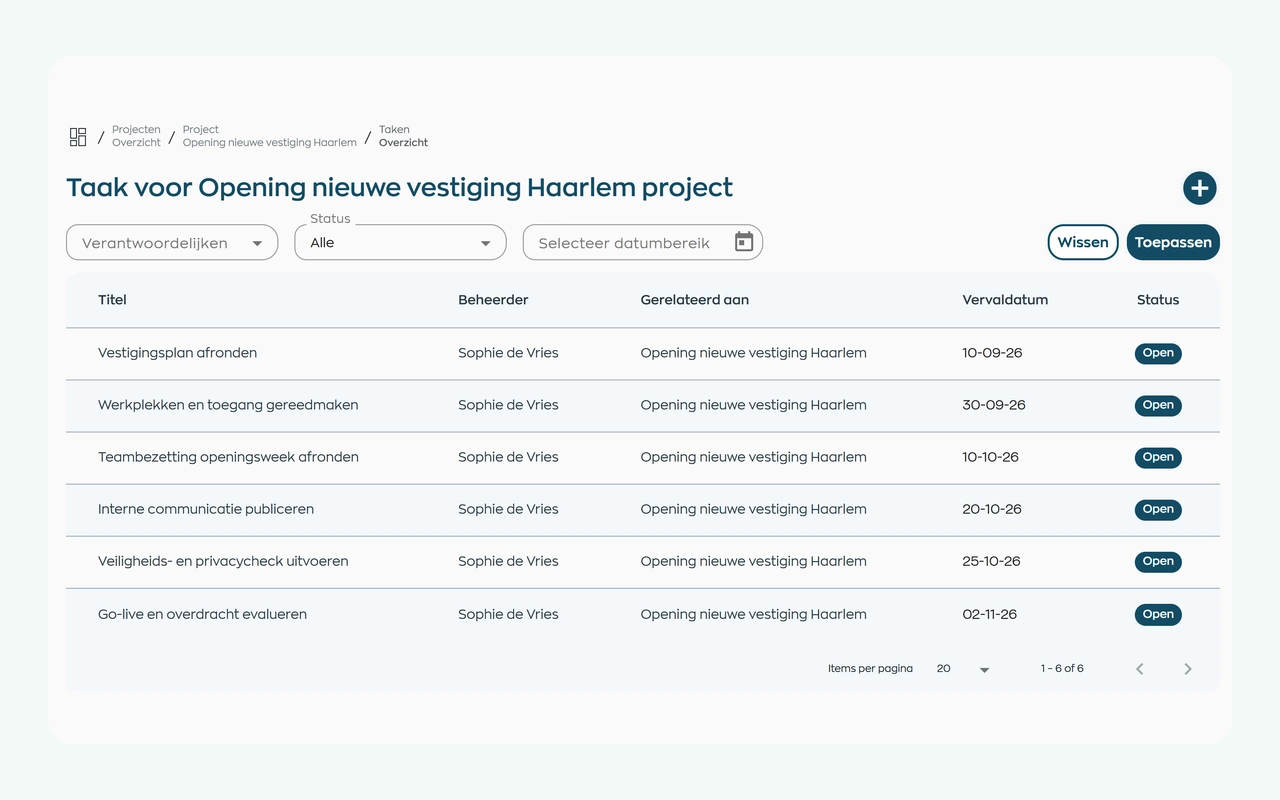
Bring the preparations together in an internal project, such as onboarding or opening a new location. Assign task owners and deadlines, add documents and let everyone involved track progress in one place.
Explore project tasks and follow-upRoles and teams
WorkVine gives each role access to the employee workflows it needs.
Coordinates staff schedules, documents, open actions, and sick leave cases.
View their work schedule, submit leave requests, and receive relevant team updates.
Use their assigned schedules, training, and team information, including locum cover.
Manages permissions, employee records, reports, and outstanding HR actions.
Relevant modules
These modules support the day-to-day organization of your practice team.
Keep shifts, availability and changes together in an up-to-date schedule.
View moduleAnnual leave requests, balances and approvals remain visible to employees, managers and HR.
View moduleKeep sickness notifications, contact records, WvP case management and actions linked to the employee record.
View moduleOnboarding, training, certificates and progress can be found by employee, team and role.
View moduleFrequently asked questions
WorkVine is suitable for organizations that no longer want to manage HR, planning, documents, training and follow-up across separate systems. This includes practices coordinating practice assistants, practice nurses, locum GPs, front-desk staff, and practice management.
No. WorkVine can be configured for a specific industry, so teams only see and use what is relevant to their organization.
Yes. Documents, evidence, certificates and actions can be linked to employees and processes.
In a short demo we show how WorkVine fits your roles, teams, processes and current way of working.
Yes. WorkVine focuses on employees and practice operations, not clinical records or patient appointments. Use it for staff scheduling, leave, sick leave, training and internal communication alongside your existing clinical software.
Where work, people and growth come together
Schedule a demo to discuss employee scheduling, locum cover, leave, sick leave, documents, and training.