Locations and teams
Staffing patterns and work schedules vary by location and childcare group.


Sound familiar?
Staff schedules and qualifications need clear workflows, while employee communication must remain distinct from parent-facing work.
Staffing patterns and work schedules vary by location and childcare group.
Keep qualification details, certificate files, and expiration dates with each employee record.
Approved leave and sick leave change employee availability for scheduling.
Publish team updates to the relevant employees without relying on separate chat groups.
What WorkVine brings together
WorkVine links employee scheduling with qualifications, training, documents, leave, sick leave, and internal communication.
From plans to action
Location managers, HR, and employees each use the information and actions relevant to their role.
These product examples use our Kliniek Lindenvaert demo organization. They show how WorkVine works; your own teams, documents and processes shape your setup.
Leave requests and sick leave can affect staffing in a childcare group. Planners keep track of staff across locations, while childcare practitioners can check their own schedule in the app.
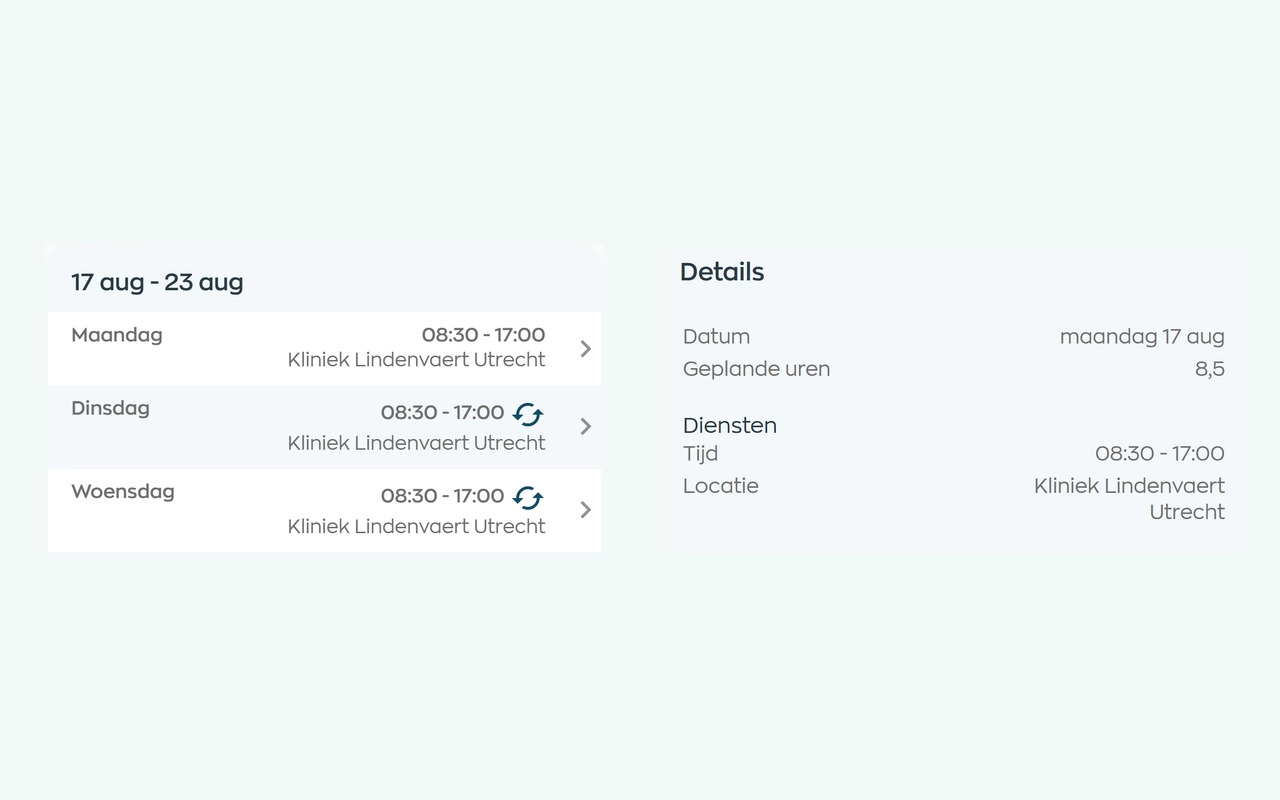
Planners match shifts to availability, leave and sickness. Employees can check their current schedule in the app, and planners can email the selected schedule period.
Explore staff schedulingLocation managers need to know which documents a role requires and what is still missing. Track qualification status in each employee record and follow up on missing evidence.
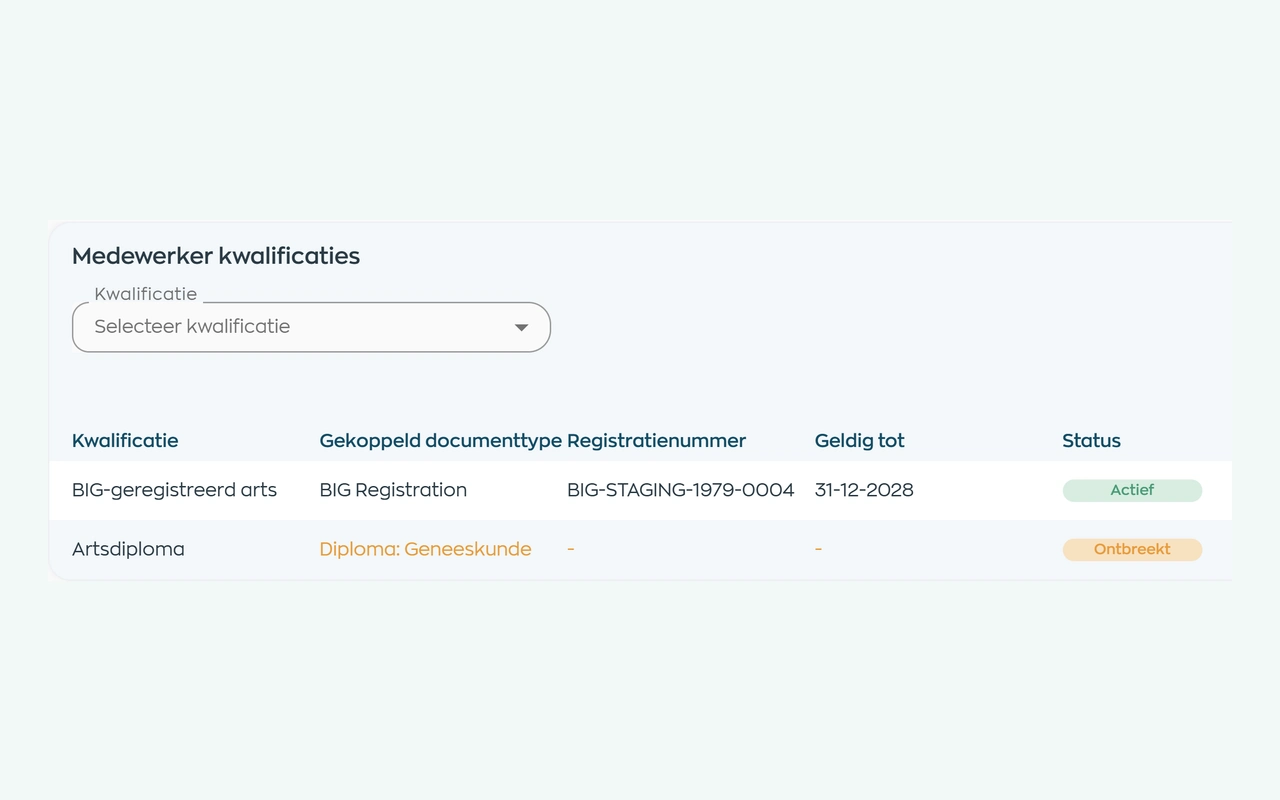
Define the qualifications and evidence a role requires. HR can check each employee’s status and validity dates, then request missing documents. Your organization sets the requirements.
Explore qualifications and supporting documentsProcess leave requests separately from sick leave notifications and case actions.
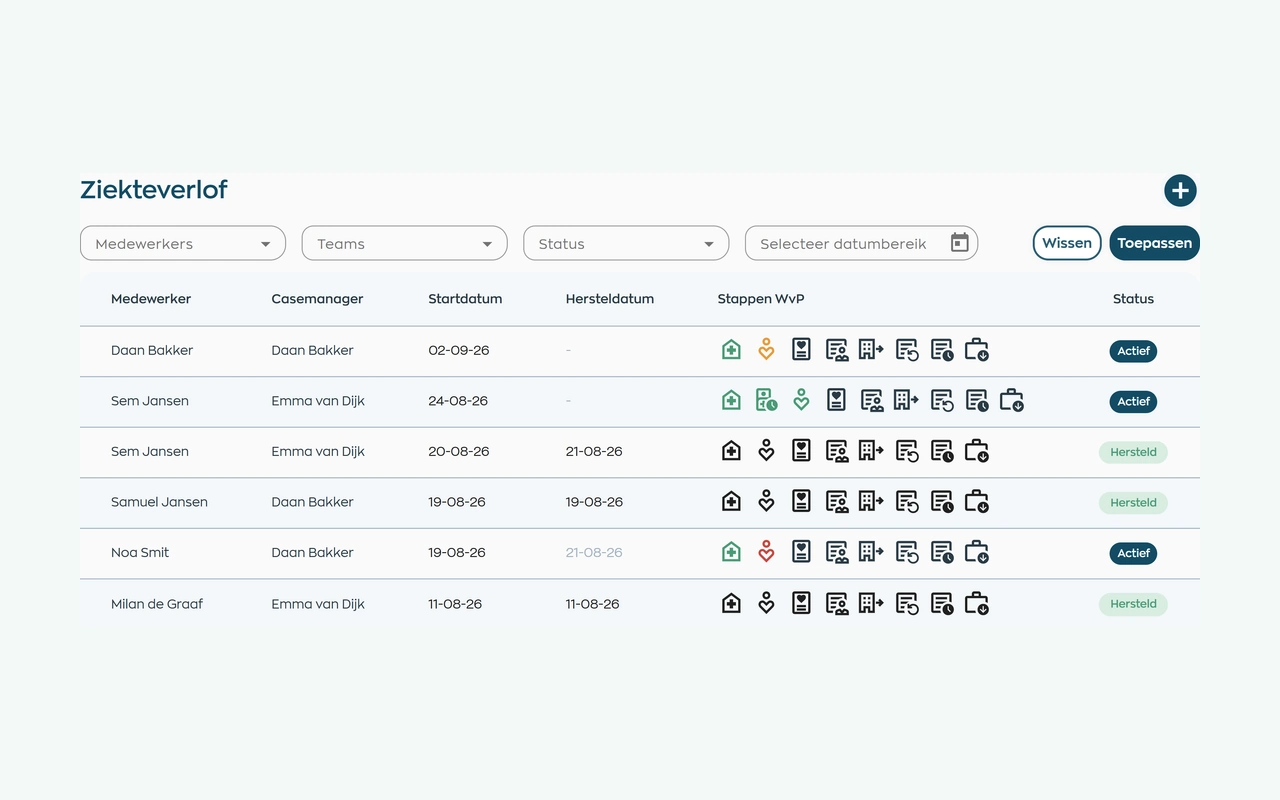
After a sickness report, the person responsible keeps contact records, tasks and next steps together. HR and managers use the same case file, subject to their access rights, without needing to record a diagnosis.
Explore sick leave and follow-upPublish internal updates and actions for the relevant employees and teams.
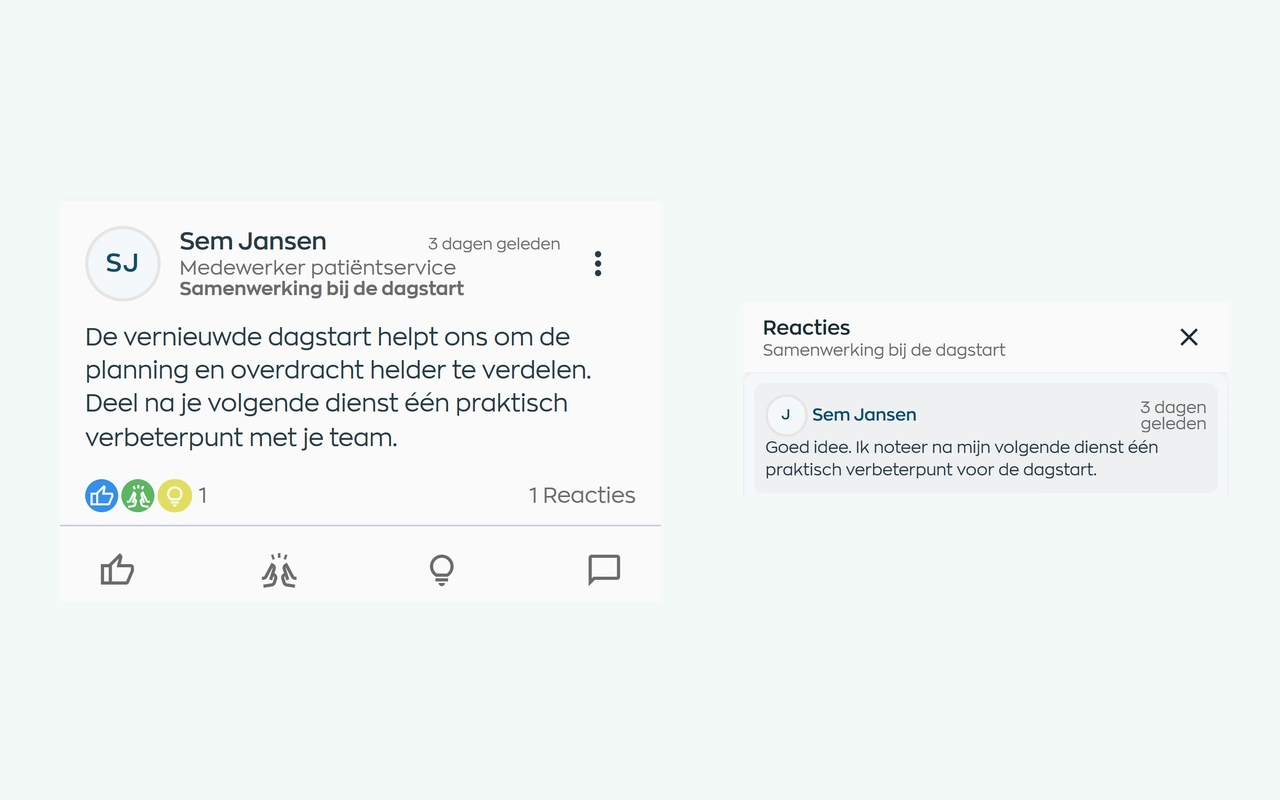
Publish an update for the relevant teams. Employees read and respond in the same app as their schedule and actions. Conversations can continue in chat, and administrators can review reported posts.
Explore internal communicationRoles and teams
WorkVine supports the employee responsibilities shared by HR, location managers, and childcare professionals.
Coordinate work schedules, staffing needs, open actions, and employee documents.
Submit leave requests, complete assigned training, and view team updates and tasks.
Manages employee records, sick leave workflows, documents, and qualifications.
Configure roles, teams, locations, and access permissions.
Relevant modules
These modules support the employee workflows described for childcare organizations.
Keep shifts, availability and changes together in an up-to-date schedule.
View moduleQualifications, certificates, expiration dates and missing evidence become apparent earlier.
View moduleOnboarding, training, certificates and progress can be found by employee, team and role.
View moduleTeam updates, messages and actions stay connected to daily work.
View moduleFrequently asked questions
WorkVine is suitable for organizations that no longer want to manage HR, planning, documents, training and follow-up across separate systems. This includes organizations coordinating locations, childcare groups, childcare professionals, and recurring qualification and training requirements.
No. WorkVine can be configured for a specific industry, so teams only see and use what is relevant to their organization.
Yes. Documents, evidence, certificates and actions can be linked to employees and processes.
In a short demo we show how WorkVine fits your roles, teams, processes and current way of working.
Record the qualifications and documents required, then check each employee’s status and validity dates. Capacity planning can apply your staffing and qualification requirements. This supports your checks; it does not automatically verify every childcare regulation.
Where work, people and growth come together
Schedule a demo to discuss employee scheduling, qualifications, training, documents, leave, and internal communication.